Postgraphile: How to execute complex filter queries?
I have installed and launched postgraphql from npm and open graphiql.
I have a simple database schema,
but I couldn't find a way to execute complex filters like:
Querying todos from the last hour
{
  allTodos (
    createdAt {
      gt: ...
    }
  )
}
Querying tables with a certain number of legs:
{
  allTables (
    legs {
      lt: 4
    }
  )
}
Is it possible to filter like that or all of the queries are simple equality and I have to create stored procedures for this?
 itaied246
All 12 comments
I recently released this: https://github.com/mattbretl/postgraphile-filter-plugins
If you have any questions or feature requests, feel free to open a new issue there.
 mattbretl
on 28 Sep 2017
mattbretl
on 28 Sep 2017
(@mattbretl's plugin is for v4 of PostGraphQL which you can install via npm install -g postgraphql@next - see #506 for more info.)
Stored procedures are the only built-in way to do this currently (and are the only way to do this in v3 fullstop) but v4 allows extensions via plugins - check out @mattbretl's one above which looks like it should solve your needs, or at least provide a base!
 benjie
on 28 Sep 2017
benjie
on 28 Sep 2017
@benjie we need to collect community extensions and projects in a central spot -- I came up with this for now: https://github.com/graphile/graphile.github.io/issues/24
 chadfurman
on 4 Oct 2017
chadfurman
on 4 Oct 2017
Works for me 👍
benjie
on 4 Oct 2017
@benjie - Can you please provide an example of how to use such said plugin to get the todos from last hour as the original asker has asked? I'm a little confused on how to use such plugins in PostGraphile
 yonifra
on 23 Apr 2018
yonifra
on 23 Apr 2018
@yonifra Take a look at the documentation here: https://github.com/graphile-contrib/postgraphile-plugin-connection-filter
Example:
query {
  allPosts(filter: {
    createdAt: { greaterThan: "2016-01-01" }
  }) {
    ...
  }
}
This is very cool @mattbretl and seems like exactly what I was looking for.
I'm having trouble installing the plugin itself however, could you please point me to a guide on installing this plugin? I tried the CLI instructions but without lots of success...
yonifra
on 23 Apr 2018
Please share the issues you're facing (e.g. the errors that are being thrown) so we can help you debug it.
benjie
on 23 Apr 2018
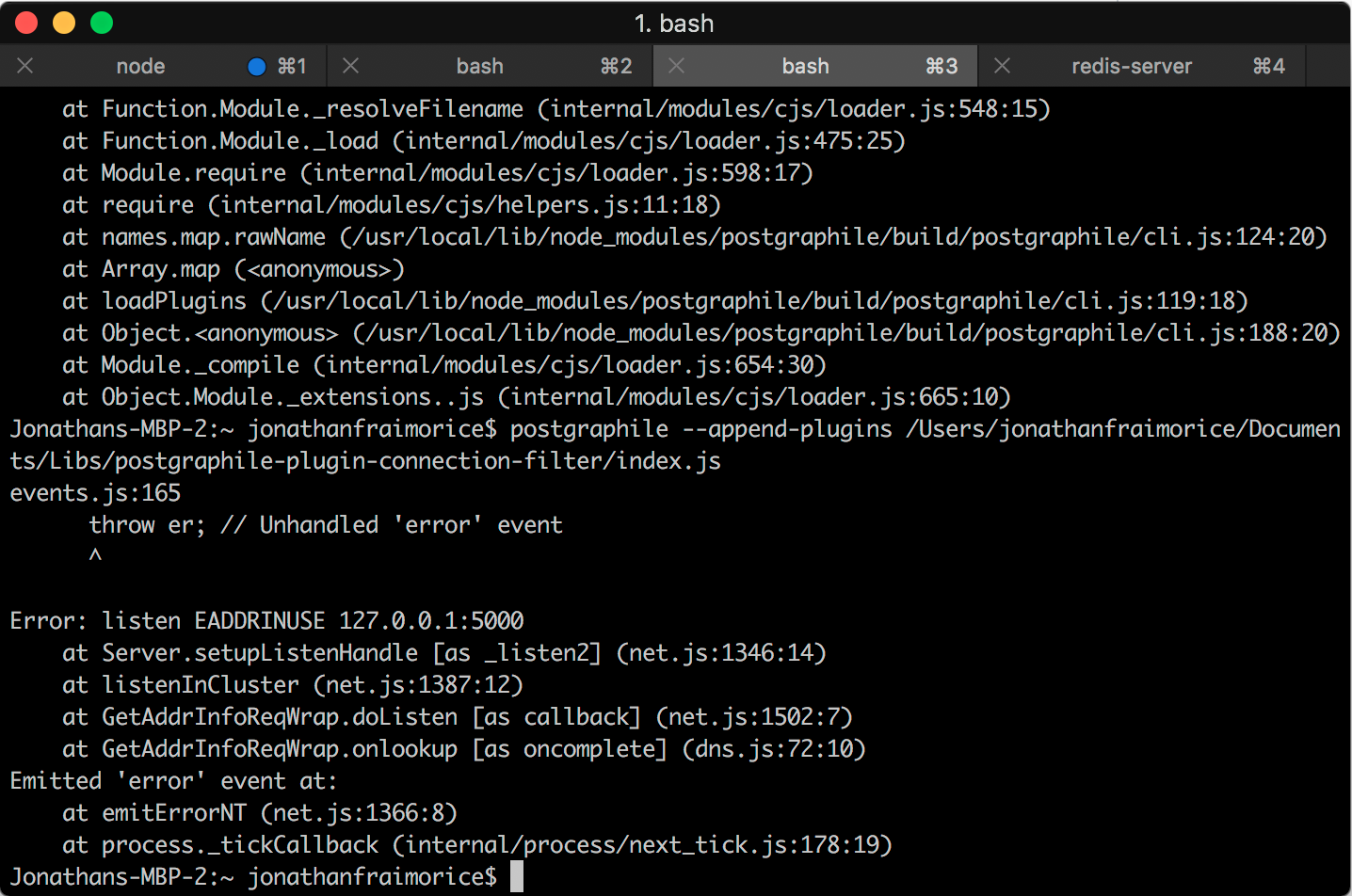
Well, @benjie, could be that it's just a misunderstanding of my part, but I cannot get to the installation part. This is what my terminal looks like:
yonifra
on 23 Apr 2018
Ooopsie, total n00bism of me... Got it working, totally forgot that the plugins part should be appended to the postgraphile connection CLI and not standalone. Thanks and sorry 😄 I'm still learning
yonifra
on 23 Apr 2018
The error in the screenshot is telling you that port 5000 is already in use by another process, so the server cannot listen on that port. There’s a CLI flag to listen on a different port, alternatively you can use “lsof -i tcp:5000” on OS X, or “netstat -pant” on Linux to see what’s listening on that port.
benjie
on 25 Apr 2018
This issue is solved by Matt's plugin 👍
benjie
on 15 Aug 2018
Related issues
 tonyhschu
·
3Comments
tonyhschu
·
3Comments
 mrbarletta
·
5Comments
mrbarletta
·
5Comments
 jwdotjs
·
5Comments
jwdotjs
·
5Comments
 jayp
·
3Comments
jayp
·
3Comments
 k-ogawa-1988
·
3Comments
k-ogawa-1988
·
3Comments
Most helpful comment
@benjie we need to collect community extensions and projects in a central spot -- I came up with this for now: https://github.com/graphile/graphile.github.io/issues/24