Popper-core: html {position: relative} breaks adaptive positioning with strategy "absolute"
CodeSandbox demo
https://codesandbox.io/s/immutable-rgb-i2bxu?file=/src/index.js
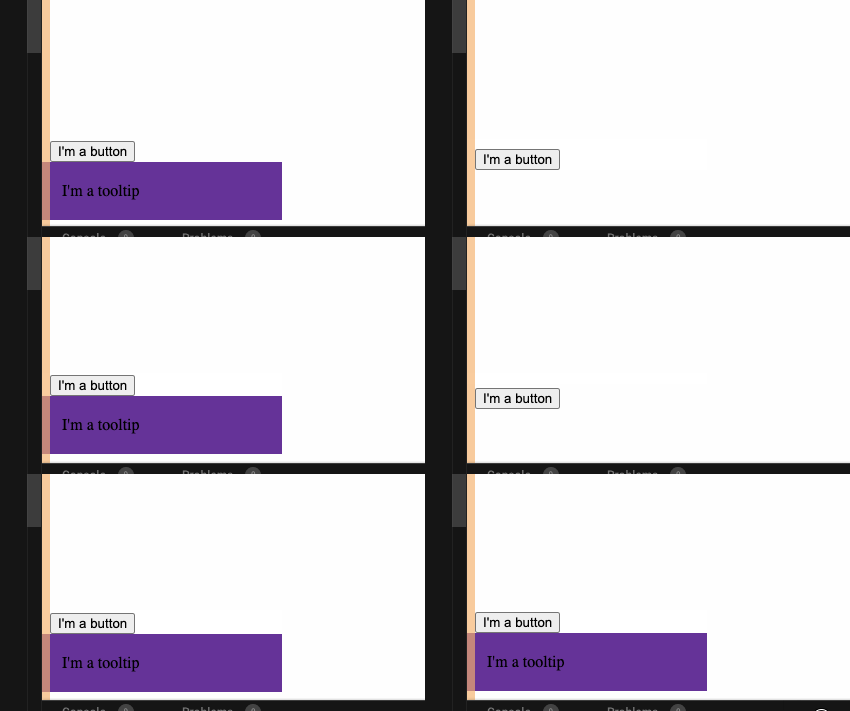
Screencap
Steps to reproduce the problem
- Apply
position: relativeto the document's root/html element - Create a popper with
placement: 'bottom'and the defaultstrategy: 'absolute'and adaptive positioning - Scroll the page so that the reference element gets close to the bottom border of the viewport
What is the expected behavior?
The popper should stay attached to the reference as it flips to the top edge of the reference
What went wrong?
The popper is misplaced (disappears outside of view) when the adaptive "flip to top" behaviour is triggered
Any other comments?
- This may be related to, but isn't the same as #1114. This happens in all browsers I have access to (Chrome, Safari, Firefox, Edge).
- Disabling adaptive positioning or using
strategy: 'fixed'will prevent this issue from happening, however especially adaptive positioning is extremely useful for the use case of dropdown menus which is especially affected by this bug.
 diondiondion
All 6 comments
It seems like the popper disappears from the document entirely in this case... I tried to position in view but couldn't find where it even was. Simple fix: add position: relative to <body> also.
 atomiks
on 26 Jun 2020
atomiks
on 26 Jun 2020
It seems like the popper disappears from the document entirely in this case...
It's still there, at the very bottom of the page, as that's what it's being positioning from. It's just using the wrong offset (bottom: 0 instead of the approximately 600 pixels needed to position it correctly in the demo).
Simple fix: add
position: relativeto<body>also.
I wish it was that simple for us, unfortunately for us that breaks various other styling aspects of our app. (i.e. the modals for which some crazy things have to be done to prevent scrolling of the page behind them on Safari iOS...)
So, yeah... would be much appreciated if this could be fixed in the library if possible.
diondiondion
on 26 Jun 2020
But it seems to only work with bottom: 600px, gpuAccleration bottom: 0 + transform: translate3d(0, 600px, 0) doesn't make it appear... 🤔
Edit: it's -600px of course 🤦♂️
But why html { position: relative } in the first place?
atomiks
on 26 Jun 2020
But why
html { position: relative }in the first place?
It's the only robust way (that I know of) to allow an absolutely positioned element (think semi-transparent modal backdrop) to take up the whole height of a scrollable page. Without it, the element won't extend past the height of the initial viewport.
However it seems like moving {position: relative} to the body keeps that specific use case working.
diondiondion
on 26 Jun 2020
Hi @atomiks , thanks so much for addressing this issue so quickly. I only got around to verifying #1141 now and it looks like that PR didn't fix it – the popper now scrolls along with the page. (See here for a screen capture of the same reproduction demo with updated dependency in case it's still relevant.)
However it looks like you noticed yourself – I just tried your latest code from the new PR #1148 and that seems to be working fine in both Chrome and Firefox for me, even though the reproduction demo isn't exactly the same. (Is there a way to use a PR branch like that in Codesandbox, without cloning the repo to my local machine? Would make verifying PRs much easier.
Tried "dependencies": {"@popperjs/core": "https://github.com/atomiks/popper.js.git#fix/relative-html-2"}, but that's not working, I guess it's missing the compilation. If there's a trick to make it work that would be much appreciated.)
diondiondion
on 7 Jul 2020
It seems like this issue needs to be reopened.
I'm having a similar problem, except that I'm not using position: relative at all. Here is the test case:
test.zip (run yarn install && yarn start)
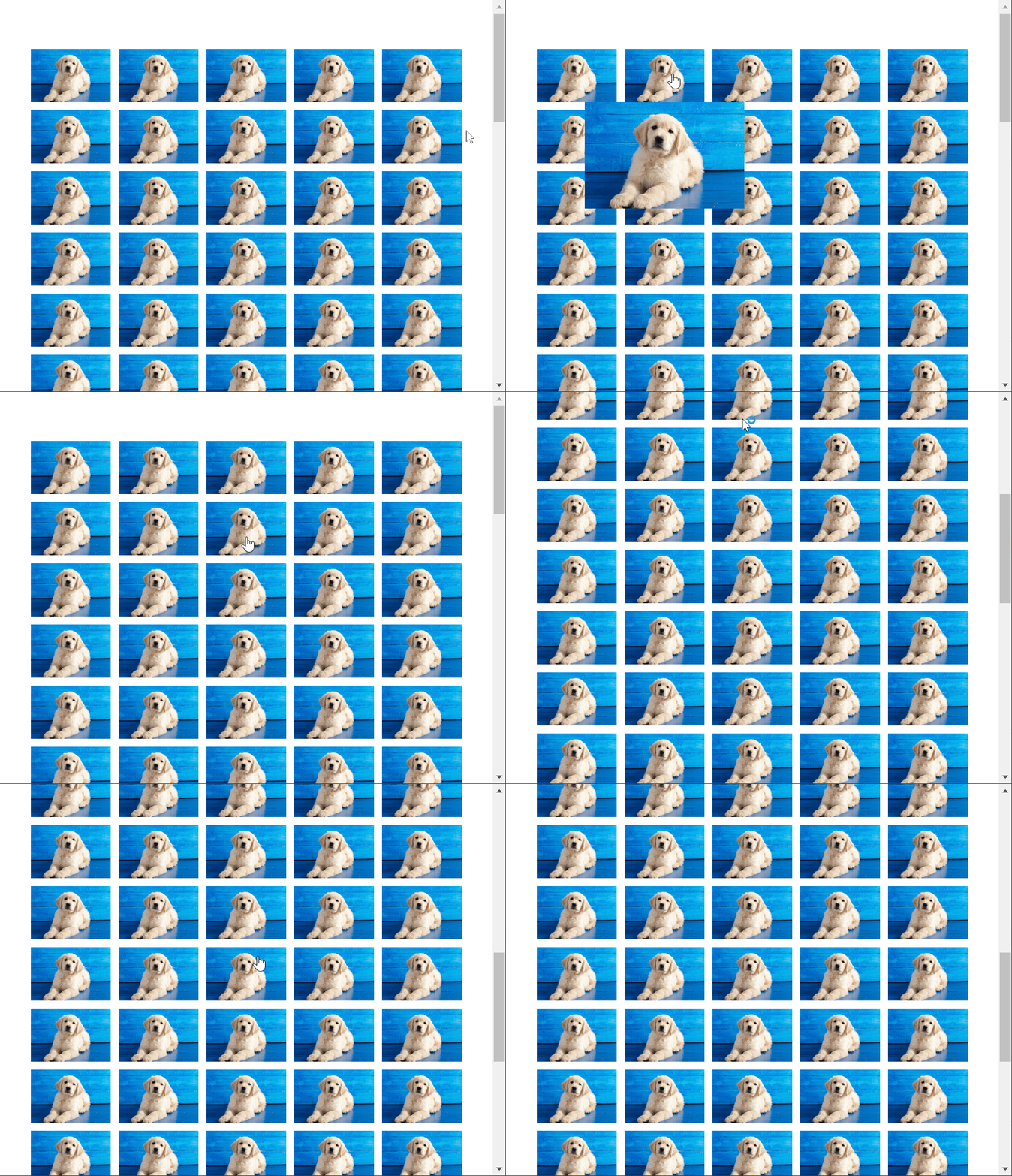
Disabling adaptive positioning fixes it.
 vincerubinetti
on 16 Aug 2020
vincerubinetti
on 16 Aug 2020
Related issues
 cixonline
·
5Comments
cixonline
·
5Comments
 c0bra
·
5Comments
c0bra
·
5Comments
 NilsEnevoldsen
·
5Comments
NilsEnevoldsen
·
5Comments
 Johann-S
·
3Comments
Johann-S
·
3Comments
 Leopoldthecoder
·
6Comments
Leopoldthecoder
·
6Comments