Popcorn-desktop: Can't filter favorites to only TV
Operating System Version:
Windows 10
Popcorn Time Version:
0.4.4-0 "Love in the Time of Corona" Beta
Download date:
~April 30 2020
Expected Behaviour
There is a filter option in the favorites tab called "type" with the options of All, Movies, TV and Anime. The expected behavior is that selecting TV would show only the TV shows I have favorited.
Actual Behaviour
When I sort by "All" or "Movies", it works as expected. "All" shows both movies and tv, and "Movies" shows just movies. But when I sort by TV it is blank even though I do have TV series in my favorites, which is confirmed by the fact that they are filtered out when selecting the Movie type. (I do not have any anime so I cannot confirm whether that option works. I do know that my TV series are not being missorted as anime because that option also results in an empty list)
Steps to reproduce the behaviour
- Have at least some TV series tagged as a favorite, as well as movies
- Open the favorites tab, and confirm that both movies and tv shows are being displayed in the default view
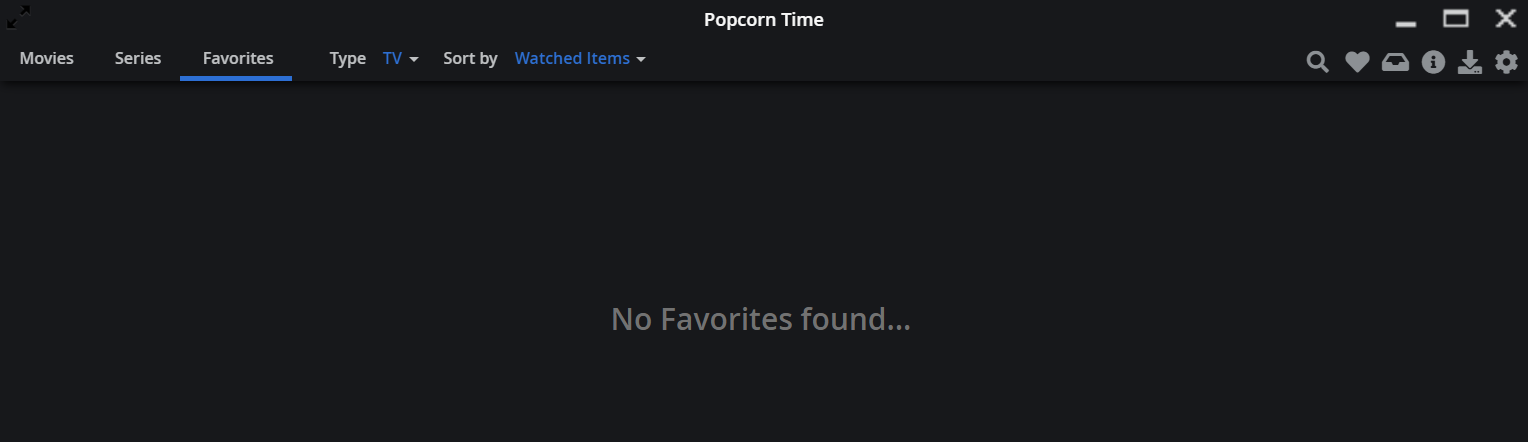
- Click "Type" and select "TV". The result will be a blank screen that says "No Favorites found..."
Screenshot of error from developer console (optional)
Image 1 shows the default view of my Favorites tab. As you can see I have both movies and tv shows favorited (such as Hotel Hell and Swamp Thing)
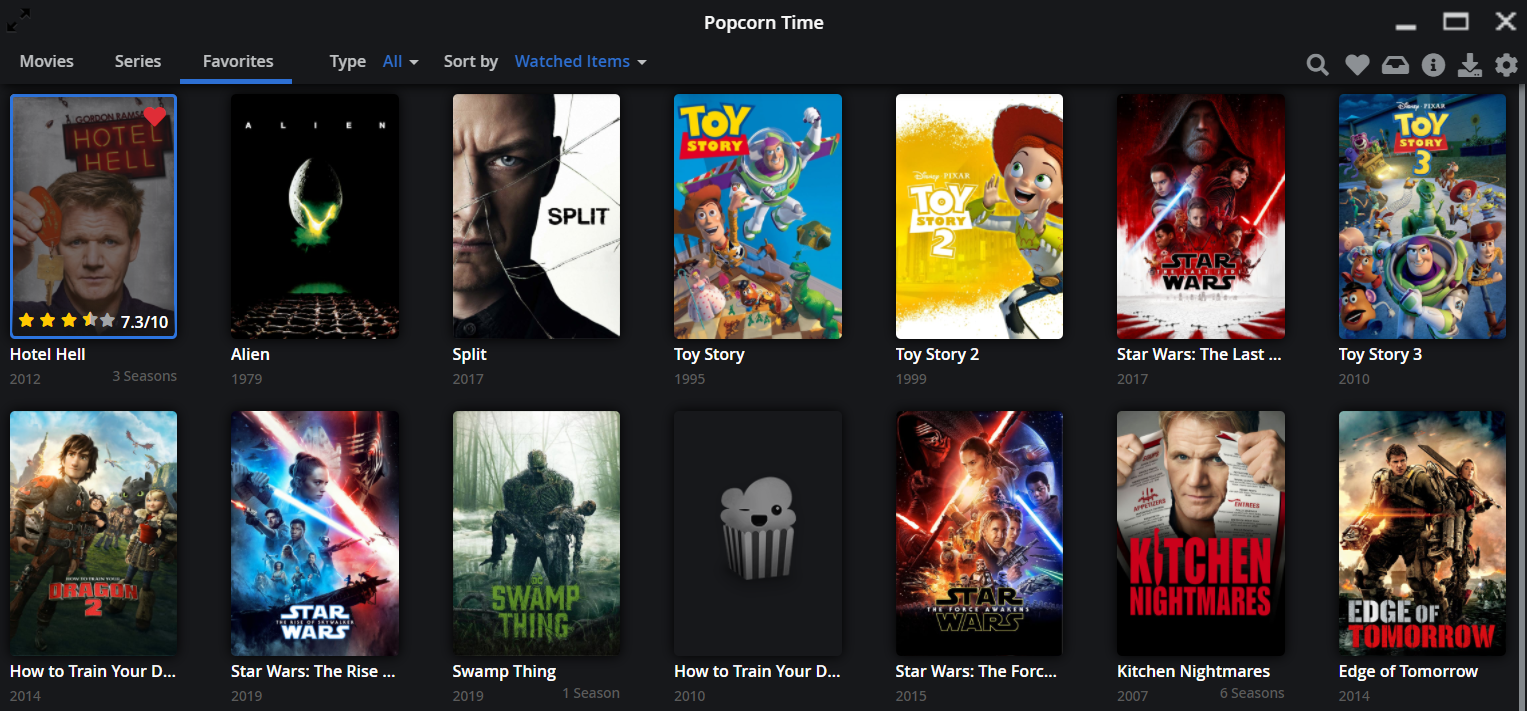
Image 2 shows what happens when I filter by only TV. The result is empty
 dammitgabe
All 8 comments
I can confirm this with the latest dev build 424.
Movies get sorted out but tv shows will give an empty page.
 dutchy1001
on 1 Jun 2020
dutchy1001
on 1 Jun 2020
@Persei08 issue is fixed, close please
 kiriles90
on 26 Sep 2020
kiriles90
on 26 Sep 2020
@Persei08 issue is fixed, close please
Why did you mark this as fixed? I'm on version 4.4 and it is still an issue
dammitgabe
on 26 Sep 2020
Did you update to latest dev build 437?
That version has it fixed for me.
dutchy1001
on 26 Sep 2020
@dammitgabe what @dutchy1001 said, its not fixed in 0.4.4 (build 413) but its fixed in the latest dev build (build 438 at the moment)
kiriles90
on 26 Sep 2020
oh ok, my bad. I'm new to this I'll have to figure out how to get the dev build, thanks
dammitgabe
on 26 Sep 2020
get the dev build from here
dutchy1001
on 26 Sep 2020
awesome, everything works, thanks!
dammitgabe
on 26 Sep 2020
Related issues
 vRITHNER
·
4Comments
vRITHNER
·
4Comments
 kk47042
·
3Comments
kk47042
·
3Comments
 rohinarora
·
4Comments
rohinarora
·
4Comments
 vanhelsing2042
·
4Comments
vanhelsing2042
·
4Comments
 LKHN
·
5Comments
LKHN
·
5Comments
Most helpful comment
awesome, everything works, thanks!