Popcorn-desktop: SUBTITLES ISSUE read before posting new issue's
To fix the issue most people have with the subtitles you need to update to the latest dev build, you can find this version here.
EDIT: updated to get the "latest" version when clicking link (21-07-2020)
To be sure this will work you need to do a clean install, this meaning to uninstall your old version and delete all files and folders from Popcorn-Time.
The default location for those folders are:
- C:\Users\Your PC Name\AppData\Local\Popcorn-Time
- C:\Users\Your PC Name\AppData\Local\Temp\Popcorn-Time
Due to changes in the API from Opensubtitle.org everybody that need the subtitles to work need to make an account there, a link to their website is here.
After you made an account at Opensubtitle.org you have to fill in your logon details into the settings page of Popcorn-time.
This will fix the subtitle issue you all have and therefore there is no need to make a new issue.
 dutchy1001
All 23 comments
This board look more like a forum than a real issue board.
I've edited the title and I will pin it termporary in hope users will stop open unnecessary duplicate reports.
People with subtitles issue should read whole comments in issues #1252
 Persei08
on 13 Apr 2020
Persei08
on 13 Apr 2020
thanks for making this pinned
dutchy1001
on 13 Apr 2020
It still doesn't work for me. I have completely uninstalled Popcorn-Time from my pc, deleted all the files that may be left behind, created an account in OpenSubtitles, reinstalled Popcorn-Time again and logged in to OpenSubtitles and still no subtitles :(
 Ezinho031
on 13 Apr 2020
Ezinho031
on 13 Apr 2020
@Ezinho031
Did you fill in the Opensubtitle login details in the settings of PCT?
The way I read your message is that you logged in on the Opensubtitle site.
dutchy1001
on 13 Apr 2020
Oh, sorry for the confusion. English is not my main language.
And yes, I put my login credentials of OpenSubtitles in Popcorn-Time.
Here's a pic.

Ezinho031
on 13 Apr 2020
Have you downloaded the version from the link in the above post?
If you click in the i top right of your PCT, what code you see in the right bottom?

dutchy1001
on 13 Apr 2020
Ohh I thought that the download link at popcorntime.sh was updated. Now with that build installed the subtitles are working perfectly haha. Thanks.
Ezinho031
on 13 Apr 2020
that is the reason why there was a direct link to the latest version.
Glad you sorted it
dutchy1001
on 13 Apr 2020
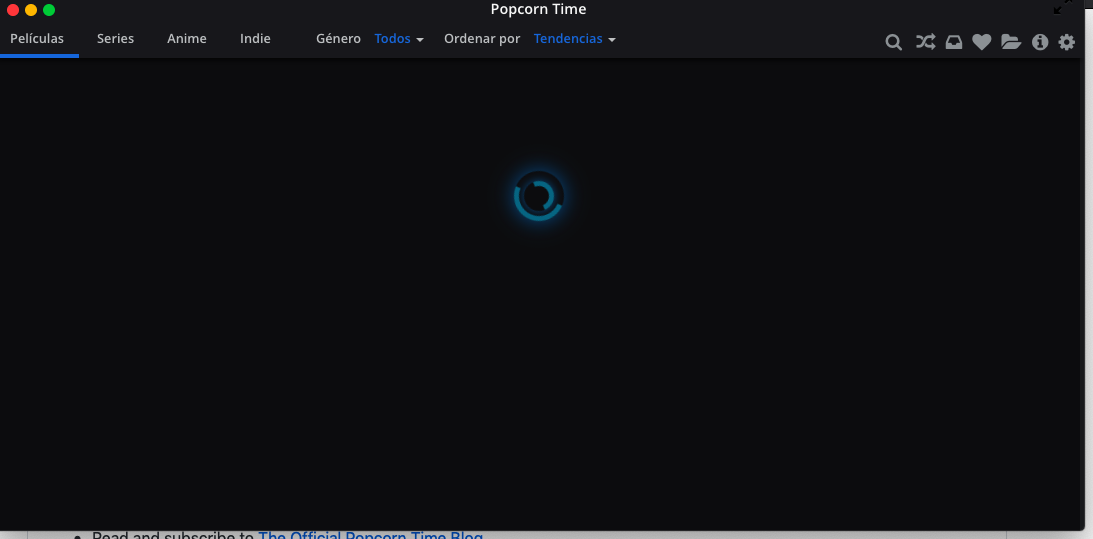
hello, step by step what you explain but now the movies don't load me
 wenrei09
on 14 Apr 2020
wenrei09
on 14 Apr 2020
@wenrei09
This has nothing to do with the subtitles, please read #1321
dutchy1001
on 14 Apr 2020
Opensubtitle login details in the settings of PCT keep loading without sign in / save
 DanielDeeb
on 15 Apr 2020
DanielDeeb
on 15 Apr 2020

DanielDeeb
on 15 Apr 2020
Related: #1339
 Hattshire
on 15 Apr 2020
Hattshire
on 15 Apr 2020
@DanielDeeb
your login details are not correct there.
It should say [email protected], not only your name.
When filling in your user name at opensubtitle you fill in your full e-mail address too there, and then the password ofcourse.
dutchy1001
on 15 Apr 2020
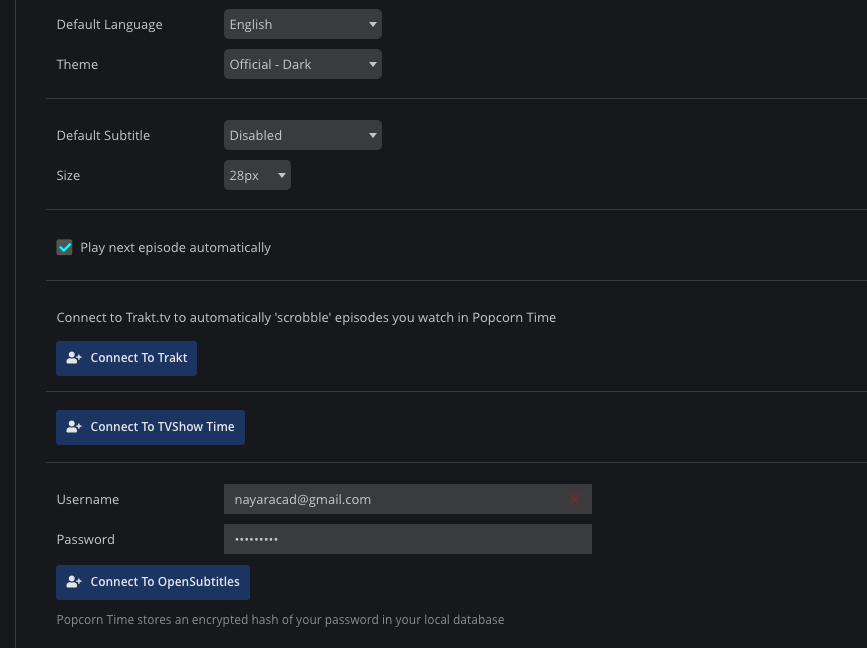
I can't login on to OpenSubtitles and my credencials are correct.
On the web site of OpenSubtitles i can login, but on the popcorn doesn't work.
 nayaracd
on 16 Apr 2020
nayaracd
on 16 Apr 2020
@nayaracd
It works for everybody else to log in so I would double check the credentials you put in.
dutchy1001
on 16 Apr 2020
changed my username to email address. again it does not log in. just loading. does it take time ?
DanielDeeb
on 16 Apr 2020
@DanielDeeb
Like I said, it works for everybody else. Recheck with your account with opensubtitle.org. Other option is to make a new account with an alternative e-mail and see if that works.
dutchy1001
on 16 Apr 2020
Subtitles are not being loaded into VLC. They are loaded and work fine in the built-in player.
It used to work fine in the past.
 douglascamata
on 17 Apr 2020
douglascamata
on 17 Apr 2020
HI! I Speak portuguese and i think its very confusing. Can you explain in Portuguese?
 sralmei
on 17 Apr 2020
sralmei
on 17 Apr 2020
@sralmei
this is an international project, the common language used is English so most people can understand this.
If you have problems with that then try and use google translate is your best bet.
And before people start to me on this language problem, my first language isn't English either and I'll have to manage too
dutchy1001
on 17 Apr 2020
Hi! It Worked! Thanks a lot.
sralmei
on 17 Apr 2020
Comments work once the movie starts but not in the single movie screen (no subtitles show).
They must be chosen manually for each movie every time, even if everything is all set in PT options (including which lang to pick).
 Jany-M
on 28 Apr 2020
Jany-M
on 28 Apr 2020
Related issues
 allan-andrade
·
3Comments
allan-andrade
·
3Comments
 dollhaus
·
3Comments
dollhaus
·
3Comments
 kk47042
·
3Comments
kk47042
·
3Comments
 rohinarora
·
4Comments
rohinarora
·
4Comments
 LuMagalhaes
·
4Comments
LuMagalhaes
·
4Comments
Most helpful comment
Comments work once the movie starts but not in the single movie screen (no subtitles show).
They must be chosen manually for each movie every time, even if everything is all set in PT options (including which lang to pick).