Popcorn-desktop: No subtitles at all, #1252 do not resolve the problem
Operating System Version:
Windows 10
Popcorn Time Version:
Build 407
Download date:
latest version installed April 6th
Expected Behaviour
Actual Behaviour
... Not possible to select a language for subtitles, because none is displayed and not possible to load a custom subtitles
Steps to reproduce the behaviour
- ...Load a show or movie
- ... Try to select a subtitles
- ...and fail
I've tried de #1252 solution, didn't work! So is there something else to try?
P.S: I love this app! But with no subtitles at all is hard to have a good experience!
 annyag
All 11 comments
Not really. The issue is that opensubtitles now requires to login and that Popcorn Time's login in the settings was broken until it was fixed in build 407.
You can either
a) manually edit src\app\settings.js in your older version
b) properly fix your older version with e0beb97 and login from the settings
c) clean(!) install build 407 (https://ci.popcorntime.app/job/Popcorn-Time-Desktop/407/) or newer, that already has e0beb97 and just login from the settings, no edits, no nothing (do this one)
Oh and the credentials must be for opensubtitles.org
If nothing works start a movie, pause it, press F12 go to console, and check for any errors and paste them here so we can maybe see what the issue is and it doesnt work for you while it works for everyone else.
 kiriles90
on 7 Apr 2020
kiriles90
on 7 Apr 2020
Oh and the credentials must be for opensubtitles.org
It wasn't working because I was forcing the login of the wrong credentials! Was a account from opensubtitles.com. With a new clean install and the correct account credentials is working fine.
Thanks for the patience!
annyag
on 7 Apr 2020
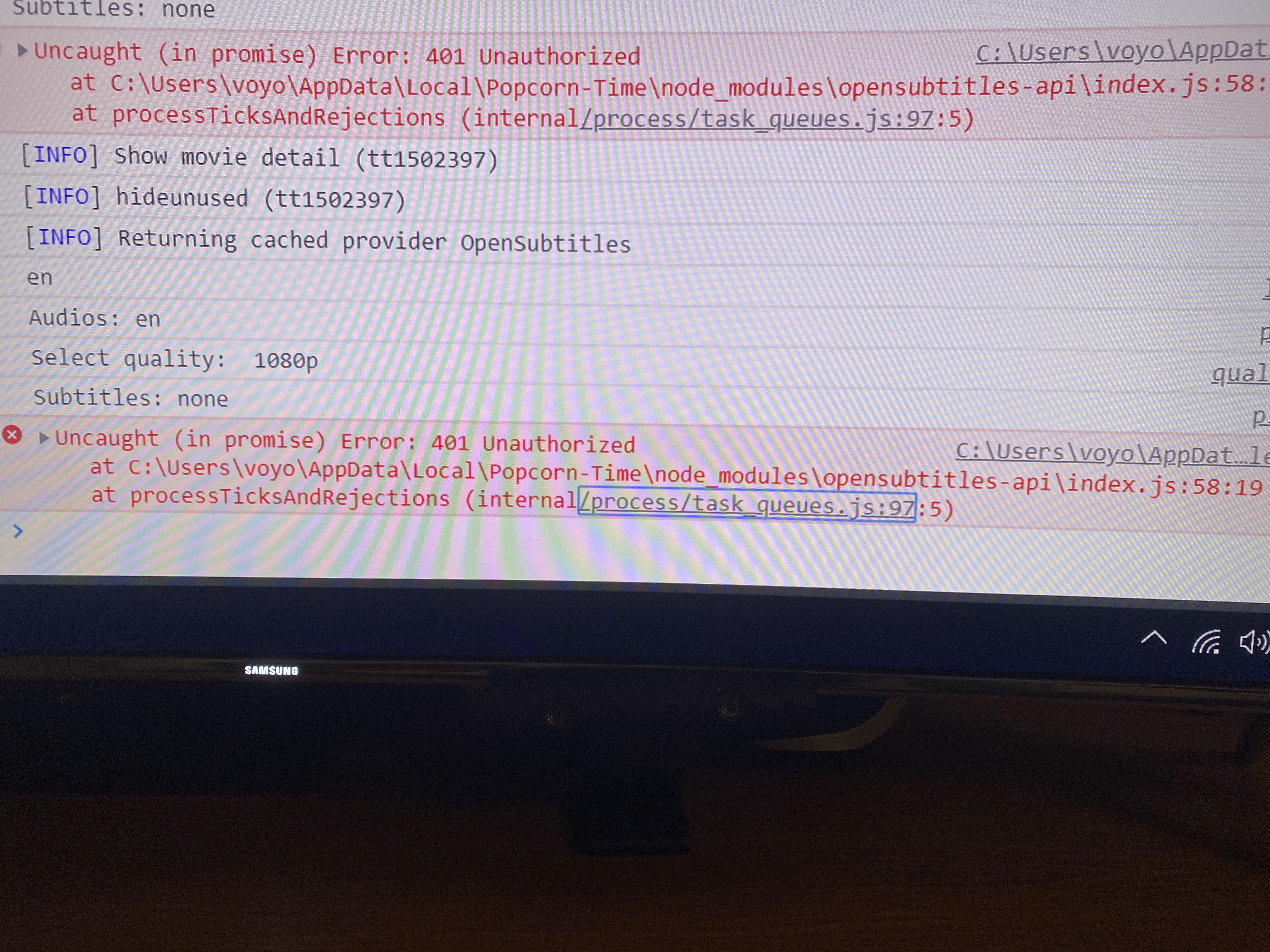
Connected with opensubtitles but I still have the same issue.
I tried complete uninstall and install again but nothing.
 kbourro
on 7 Apr 2020
kbourro
on 7 Apr 2020
 edik06
on 7 Apr 2020
edik06
on 7 Apr 2020
@kbourro UPDATE TO BUILD 407 OR NEWER (https://ci.popcorntime.app/job/Popcorn-Time-Desktop/407/) THEN CONNECT TO OPENSUBTITLES.ORG FROM THE SETTINGS.
I write it in every single comment guys but none seems to care, its like you read 1 every 3 words..
kiriles90
on 8 Apr 2020
@edit06 We need a screenshot of the error in the 'Console' tab.
Also make sure you updated to build 407, logged in to opensubtitles.org in the settings, and selected a default subtitle language (also in the settings) before you try/screenshot anything
kiriles90
on 8 Apr 2020
ERROR] subtitleProvider.fetch() Error: 401 Unauthorized
at (DISK)\Popcorn Time\Popcorn-Time\node_modules\opensubtitles-api\index.js:58:19
at runMicrotasks (
at processTicksAndRejections (internal/process/task_queues.js:97:5)
win.error @ app.js:36
(anonymous) @ streamer.js:599
processTicksAndRejections @ internal/process/task_queues.js:97
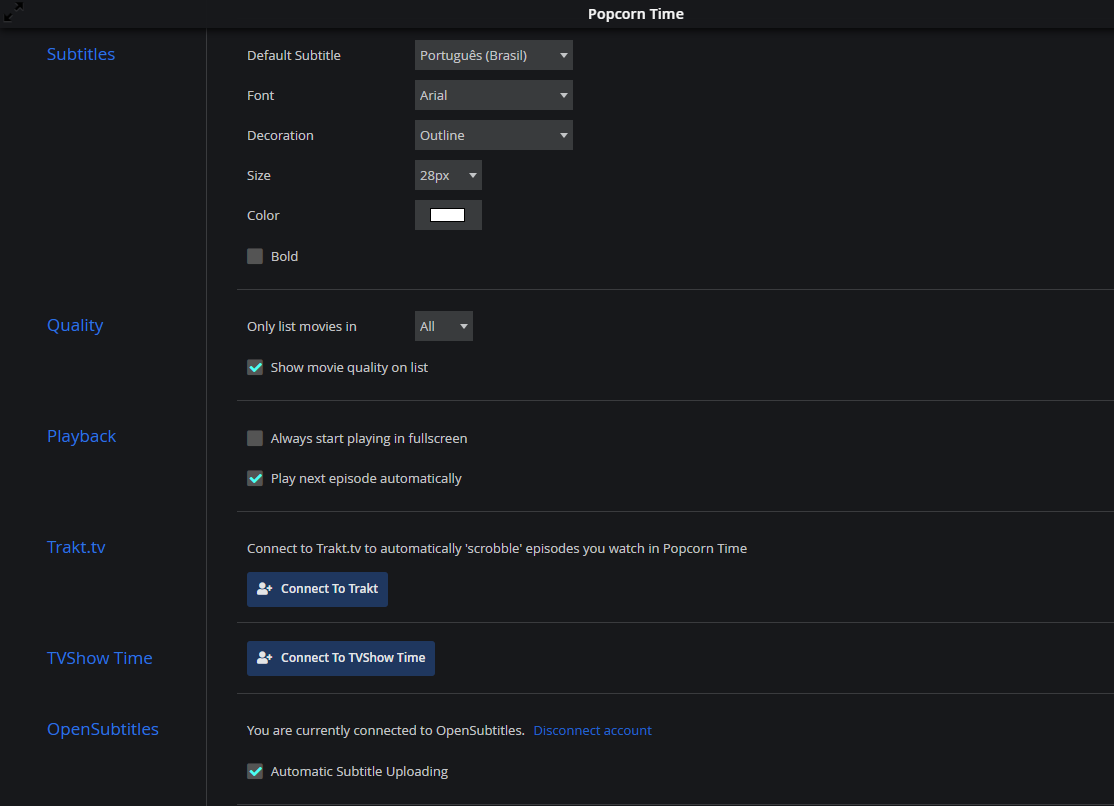
Account from opensubtitles.org, connected at the settings, language selected, but still not working.
Oh, and freshly downloaded and installed 4.3 version.
 fabiofragoso
on 9 Apr 2020
fabiofragoso
on 9 Apr 2020
@fabiofragoso UPDATE TO BUILD 407 OR NEWER (https://ci.popcorntime.app/job/Popcorn-Time-Desktop/407/) THEN CONNECT TO OPENSUBTITLES.ORG FROM THE SETTINGS.
None even reads it even if its the exact comment above you??
kiriles90
on 9 Apr 2020
Build 407 still wont add the OpenSubtitles.org login details into the settings.js and need to be done manual as explained in #1252 . This has been mentioned in previous post but not been read properly I guess.
Just tested this before posting
 dutchy1001
on 9 Apr 2020
dutchy1001
on 9 Apr 2020
Test again @dutchy1001 Build 407 works without editing settings.js. Its confirmed many times by many people. The fix was https://github.com/popcorn-official/popcorn-desktop/commit/e0beb97881181da0d4c3ccc4127376992840ced6 and its only present in 407 (not 0.4.3, thats build 406)
It doesnt add them into \src\app\settings.js thats the default settings. It adds them with the rest of your settings (any that you've changed) in an encoded database in \User Data\ as it should. The login works though (+ solves the issue that if you do it the settings.js way, your password and email are left there for anyone to see)
You can ofc edit in https://github.com/popcorn-official/popcorn-desktop/commit/e0beb97881181da0d4c3ccc4127376992840ced6 in whatever old version you use and do it the proper way there too.
kiriles90
on 9 Apr 2020
I just woke up (no coffee yet) so i can say the testing was not as precise as I normally do. It works for me now (as it already did before).
EDIT:
@kiriles90
Tested it properly now and your correct.
I did got an issue after with importing the DB caused by the "settings.db" all other db's (after added them manual) are working fine.
dutchy1001
on 9 Apr 2020
Related issues
 benjavalero
·
4Comments
benjavalero
·
4Comments
 micos000
·
4Comments
micos000
·
4Comments
 msamyelsheikh
·
4Comments
msamyelsheikh
·
4Comments
 dollhaus
·
3Comments
dollhaus
·
3Comments
 rohinarora
·
4Comments
rohinarora
·
4Comments
Most helpful comment
Not really. The issue is that opensubtitles now requires to login and that Popcorn Time's login in the settings was broken until it was fixed in build 407.
You can either
a) manually edit src\app\settings.js in your older version
b) properly fix your older version with e0beb97 and login from the settings
c) clean(!) install build 407 (https://ci.popcorntime.app/job/Popcorn-Time-Desktop/407/) or newer, that already has e0beb97 and just login from the settings, no edits, no nothing (do this one)
Oh and the credentials must be for opensubtitles.org
If nothing works start a movie, pause it, press F12 go to console, and check for any errors and paste them here so we can maybe see what the issue is and it doesnt work for you while it works for everyone else.