Popcorn-desktop: Cannot log into trakt
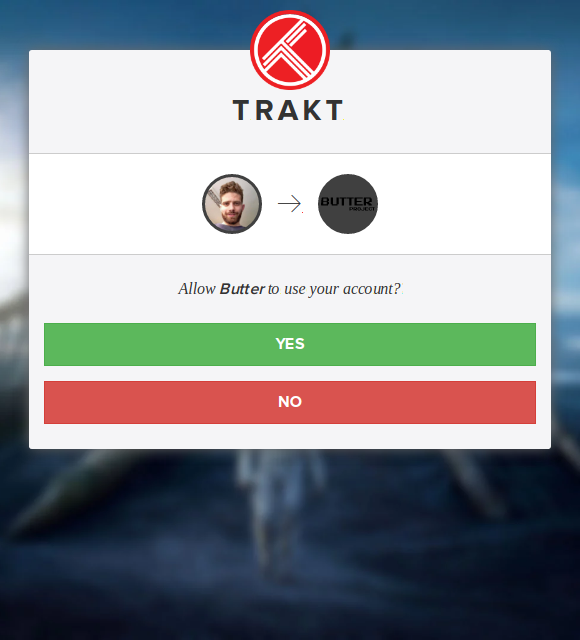
After loging in:

Operating System Version:
Deepin 15.9.1
Popcorn Time Version:
0.3.10-0
Download date:
10/1/2019
 hazem94
All 8 comments
Did you download it from the website? I think the website has a very old build (2016)
Try using this: https://ci.popcorntime.sh/job/Popcorn-Time-Desktop/
 Rizwan-Qamar
on 12 Feb 2019
Rizwan-Qamar
on 12 Feb 2019
It says "Failed - Network error"
hazem94
on 12 Feb 2019
Try wget with tries option, it is working, however, it will take a long time as the connection keeps closing again and again
Rizwan-Qamar
on 12 Feb 2019
Can you specify what command to use, please?
I used this one:
sudo bash -c "wget https://ci.popcorntime.sh/job/Popcorn-Time-Desktop/lastSuccessfulBuild/artifact/build/popcorn-time_0.3.10-01d3b0908_amd64.deb -O- | tr -d '\r' > /usr/local/bin/dpkg-get && \ chmod a+x /usr/local/bin/dpkg-get"
I got:
- 0%[ ] 555.25K 308KB/s in 0.3s
2019-02-12 15:38:01 (308 KB/s) - Read error at byte 568580/86935788 (The TLS connection was non-properly terminated.). Retrying.
--2019-02-12 15:38:08--  (try: 8)  https://ci.popcorntime.sh/job/Popcorn-Time-Desktop/lastSuccessfulBuild/artifact/build/popcorn-time_0.3.10-01d3b0908_amd64.deb
Connecting to ci.popcorntime.sh (ci.popcorntime.sh)|104.20.5.128|:443... connected.
HTTP request sent, awaiting response... 206 Partial Content
Length: 86935788 (83M), 86367208 (82M) remaining [application/x-debian-package]
Saving to: ‘STDOUT’
It will keep on retrying while downloading a small part every time wait for it to finish downloading (It will take a long time)
wget --tries=9000 https://ci.popcorntime.sh/job/Popcorn-Time-Desktop/lastSuccessfulBuild/artifact/build/popcorn-time_0.3.10-01d3b0908_amd64.deb
Rizwan-Qamar
on 12 Feb 2019
@Rizwan-Qamar Thank you very much :) It took more than 3 hours but, finally worked! However, I used this command "increased number of tries":
wget --tries=900000 https://ci.popcorntime.sh/job/Popcorn-Time-Desktop/lastSuccessfulBuild/artifact/build/popcorn-time_0.3.10-01d3b0908_amd64.deb
hazem94
on 12 Feb 2019
The solution is alreaady posted and tried it, the bug is gone, and the authentication process is working without any problem, here is the link to the solution:
same issue here, but i cloned development branch and this bug is not ocurred. As long as not release a new version, you can modify trakttv.js in
C:\Users\##USER##\AppData\Local\Popcorn-Time\src\app\lib\providers\inserting this code
url = url.split('=')[1].substring(0,8);
below line: 497url = url[url.length - 1];it works here.
hazem94
on 14 Feb 2019
I close this issue, because it's already fixed in dev builds.
 Persei08
on 14 Feb 2020
Persei08
on 14 Feb 2020
Related issues
 bewakertje
·
3Comments
bewakertje
·
3Comments
 rohinarora
·
4Comments
rohinarora
·
4Comments
 kumavis
·
5Comments
kumavis
·
5Comments
 sorin-costea
·
3Comments
sorin-costea
·
3Comments
 tiotrom
·
4Comments
tiotrom
·
4Comments
Most helpful comment
The solution is alreaady posted and tried it, the bug is gone, and the authentication process is working without any problem, here is the link to the solution: