Popcorn-desktop: Cant open movies favorited from watchlist
Operating System Version:
Windows 10
Popcorn Time Version:
0.3.10-0
Download date:
November 2nd, 2016
Expected Behaviour
Open the movie page upon clicking on it from the Favorites tab
Actual Behaviour
Nothing happens
Steps to reproduce the behaviour
- Link takt.tv account
- Open watchlist tab
- Favorite any item by clicking on the heart symbol on the bottom right corner of its thumbnail
- Open favorites tab
- Clic on the recently added item from step 3

 tuuuubes
All 15 comments
Same issue as #273. (at least on Windows).

 JimiC
on 5 Nov 2016
JimiC
on 5 Nov 2016
The same issue arises when you click on an item in the watch list:
- Link takt.tv account
- Open watchlist tab
- Click on any show/movie
 maclir
on 24 Jan 2017
maclir
on 24 Jan 2017
The watchlist is not opening for me on Mac OS X, app v0.3.10.

 kunalgolani
on 21 Feb 2017
kunalgolani
on 21 Feb 2017
This is a known issue. I have managed to have it working by 90%. The only thing I still have to figure out is how to resolve the torrents object. Due to lack of free time this may take a while.
JimiC
on 22 Feb 2017
@JimiC maybe I can help. Whenever you have time, can you point me to the problem and your 90% solution?
kunalgolani
on 22 Feb 2017
@kunalgolani I haven't pushed the code on my fork yet. The solution is to map in watchlist/details the info that comes from tract.tv to the respective Model (movie, show) that popcorn can handle. I have it all mapped except the torrents object. Once this is achieved the watchlist will be fully functional again.
JimiC
on 22 Feb 2017
@kunalgolani I finally found the time to push my attempt to fix the watchlist provider. You can find it @ https://github.com/JimiC/popcorn-desktop/blob/watchlist_fix/src/app/lib/providers/watchlist.js
The TODO comments are those that need to be resolved.
JimiC
on 22 Apr 2017
@JimiC hi! how did u fix the watchlist issue? i don't know how to change codes and those stuff, can u guide me? thanks
 gabrielbiel7
on 4 Jan 2018
gabrielbiel7
on 4 Jan 2018
@gabrielbiel7 Locate watchlist.js on your machine and replace the file with the one from the provided link.
JimiC
on 4 Jan 2018
@JimiC can you post a video please? i really don't understand anything. please help me
gabrielbiel7
on 4 Jan 2018
so @gabrielbiel7, i can not post a video, due to tecnical reasons, but I'll try to help:
if you are on Windows:
- open your windows menu and start typing: %appdata%
- press Ctrl+L you will see the highlighted line, erase the last word and type "Local\Popcorn-Time\src\app\lib\providers" (without the quotes)
- in that folder you'll find the file JimiC was talking
watchlist.js(or maybe, justwatchlist) - open this link and copy its content (Ctrl+A, Ctrl+C)
- open for
watchlist.jsfor edtition (maybe with notepad) - replace all content on the file with the one on your clipboard (Ctrl+A, Ctrl+V)
It should work, as far as I understand (if you think something will break, make a backup of your original watchlis.js with another name)
If you are on another system... well, try to get around 1 and 2, and start on 3.
 vhoyer
on 4 Jan 2018
vhoyer
on 4 Jan 2018
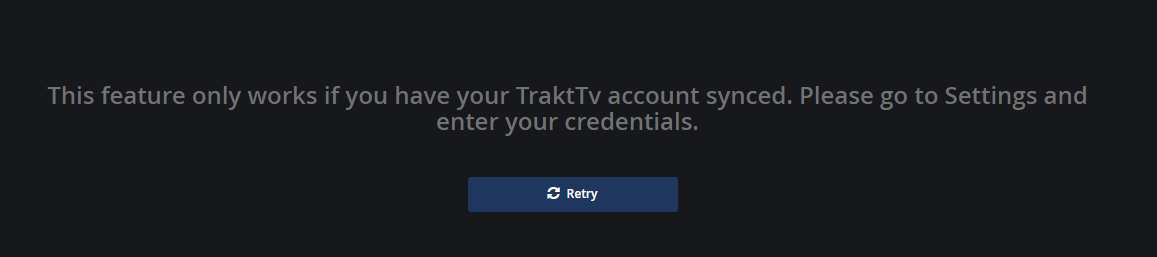
@vhoyer @JimiC thanks so much for the help, i've already changed watchlist.js code, but now there is another error. I am logged into trakt.tv from settings but when a click in the watchlist button, it says that i have to put my credentials. I used this code: https://github.com/JimiC/popcorn-desktop/blob/watchlist_fix/src/app/lib/providers/watchlist.js // photo:
gabrielbiel7
on 5 Jan 2018
While I was using the original code, that issue never happened. it has just started now that i've changed the code. Can you help me again, please? thanks
gabrielbiel7
on 5 Jan 2018
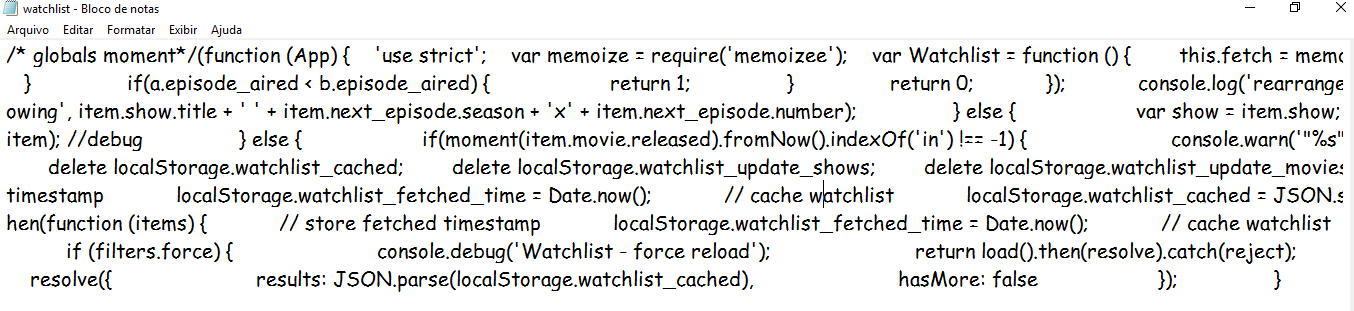
why in the original code there are only a few lines, but in the code @JimiC provided, there are more than 200 lines? photo of original code opened in notepad:
gabrielbiel7
on 5 Jan 2018
can someone answer me, please? i still have this issue.
gabrielbiel7
on 8 Jan 2018
Related issues
 rohinarora
·
4Comments
rohinarora
·
4Comments
 123Olairy
·
3Comments
123Olairy
·
3Comments
 LuMagalhaes
·
4Comments
LuMagalhaes
·
4Comments
 vRITHNER
·
4Comments
vRITHNER
·
4Comments
 lucasdcrk
·
3Comments
lucasdcrk
·
3Comments