Polymer: Production Polymer 2 app takes 3+ minutes to load in Safari
This is a tricky problem to report as I cannot reproduce it in my local dev environment.
I'm trying to deploy out a Polymer 2.0 app (that currently lives within a rails app, but I'm on the path to going full Polymer on the front-end, it's a long story). Anyway, everything works find in development in Chrome, Safari, Firefox and Android Chrome. But when I build and deploy to my staging environment I'm getting a weird issue.
Description
In Safari Version 10.1.2 (12603.3.8) on macOS Sierra Version 10.12.6 16G29, the polymer app takes 2-3 minutes or more to load. When you open up the network panel (which you have to do before loading the page, it freezes up and won't open the console once the page is trying to load) it appears that there are a number of external javascript resources which are taking a long time to load. For a while the resources which were taking a long time to load were related to New Relic then it was Intercom, but after disabling those it is now Google Fonts or sometimes something else.
The end result is that the page takes an extremely long time to load. (It's never less than 2 minutes and it has taken 5 minutes once.) Given the inconsistency of which resource is taking a long time to load I'm thinking that this has to do with webcomponentsjs or a polyfill or something... but I'm completely at a loss as to how to debug this issue.
Steps to Reproduce
As I said, I don't know how to replicate this in a dev environment. The only way to reproduce is to log into my staging environment.
- Open Safari on a Mac
- Go to https://bl-staging-mango.herokuapp.com/users/sign_in and login with username
[email protected]and passwordpassword. But before you login open up the web console because you won't be able to later. - When you log in, you will be taken to the signed in home page (that is currently the only page of the app which is using the new Polymer 2.0 front end stack). It will take multiple minutes to load but it will eventually show up if you wait long enough.
You can verify that everything works fine in Firefox and Chrome (I haven't had a chance to test in iOS Safari yet). You can also verify that other pages in the app work fine in Safari, even ones which use our older Polymer stack (example link 1, example link 2, example link 3).
Browsers Affected
- [ ] Chrome
- [ ] Firefox
- [ ] Edge >> Unsure, have not tested
- [x] Safari 10
- [ ] Safari 8 >> Unsure, have not tested
- [ ] IE 11 >> Unsure, have not tested
Versions
Here's my bower.json:
{
  "name": "badgelist",
  "description": "A platform for awarding digital credentials and tracking learning progress.",
  "main": "index.html",
  "dependencies": {
    "polymer": "Polymer/polymer#^2.0.0",
    "iron-ajax": "PolymerElements/iron-ajax#^2.0.2",
    "app-route": "PolymerElements/app-route#^2.0.0",
    "iron-pages": "PolymerElements/iron-pages#^2.0.0",
    "paper-button": "PolymerElements/paper-button#^2.0.0",
    "paper-dialog": "PolymerElements/paper-dialog#^2.0.0",
    "paper-item": "PolymerElements/paper-item#^2.0.0",
    "paper-menu": "PolymerElements/paper-menu#^1.3.0",
    "paper-menu-button": "PolymerElements/paper-menu-button#^2.0.0",
    "google-fonts-lato": "https://google-fonts.azurewebsites.net/googleFonts/google-fonts-lato?family=Lato",
    "google-fonts-roboto": "https://google-fonts.azurewebsites.net/googleFonts/google-fonts-roboto?family=Roboto",
    "google-fonts-roboto-mono": "https://google-fonts.azurewebsites.net/googleFonts/google-fonts-roboto-mono?family=Roboto+Mono",
    "paper-styles": "PolymerElements/paper-styles#^2.0.0",
    "iron-scroll-target-behavior": "PolymerElements/iron-scroll-target-behavior#^2.0.0",
    "paper-tooltip": "PolymerElements/paper-tooltip#^2.0.0",
    "paper-listbox": "PolymerElements/paper-listbox#^2.0.0",
    "paper-icon-button": "PolymerElements/paper-icon-button#^2.0.0",
    "swagger-js": "~2.1",
    "paper-spinner": "PolymerElements/paper-spinner#^2.0.0",
    "webcomponentsjs": "webcomponents/webcomponentsjs#^1.0.5"
  },
  "devDependencies": {
    "web-component-tester": "Polymer/web-component-tester#^6.0.0"
  }
}
 hankish
All 12 comments
@hankish can you try pointing to a diff font and see if that takes the same time? My app points to https://fonts.googleapis.com/css?family=Open+Sans:400,600,700 and it loads ok.
 jaichandra
on 7 Aug 2017
jaichandra
on 7 Aug 2017
This might be a safari bug. I can't seem to use the inspector tools at all while the page is loading, which is indicative of something really crazy going on. @jaichandra has a good point, try not using roboto fonts and see if that helps?
Another thing to check is if this is a ShadowDOM related issue in Safari. You can try forcing the ShadowDOM polyfill by using <script src="/path/to/webcomponents-lite.js" shadydom>
 dfreedm
on 8 Aug 2017
dfreedm
on 8 Aug 2017
Thanks @jaichandra & @azakus. I'll try both of those solutions in just a bit.
@azakus: Where do I put <script src="/path/to/webcomponents-lite.js" shadydom>? In the root index file or in the app shell component or somewhere else?
hankish
on 8 Aug 2017
I've gotten a chance to try the two proposed solutions. The first one doesn't seem possible and the second one didn't resolve the issue, but I have a bit more information in the third section below.
Removing fonts.googleapis.com reference
This dependency is actually coming from PolymerElements/font-roboto which is referenced by PolymerElements/paper-styles so I'm not sure how I would actually remove it without removing all <paper-*> components from the app.
But after more investigation I don't think it has anything to do with google-fonts. I'm no longer seeing google fonts taking a long time to load. As I had mentioned originally the specific resource that was lagging keeps changing and now (with no code changes mind) I'm not seeing _any_ resources which taking a long time to load.
Forcing ShadowDOM polyfill
In my root html file I changed <script src="<%= @polymer_root_url %>/bower_components/webcomponentsjs/webcomponents-lite.js"></script>
to <script src="<%= @polymer_root_url %>/bower_components/webcomponentsjs/webcomponents-lite.js" shadydom></script>.
That version is now live in the staging environment linked to above. It does not resolve the issue. More info below.
Screenshots from Dev Consoles
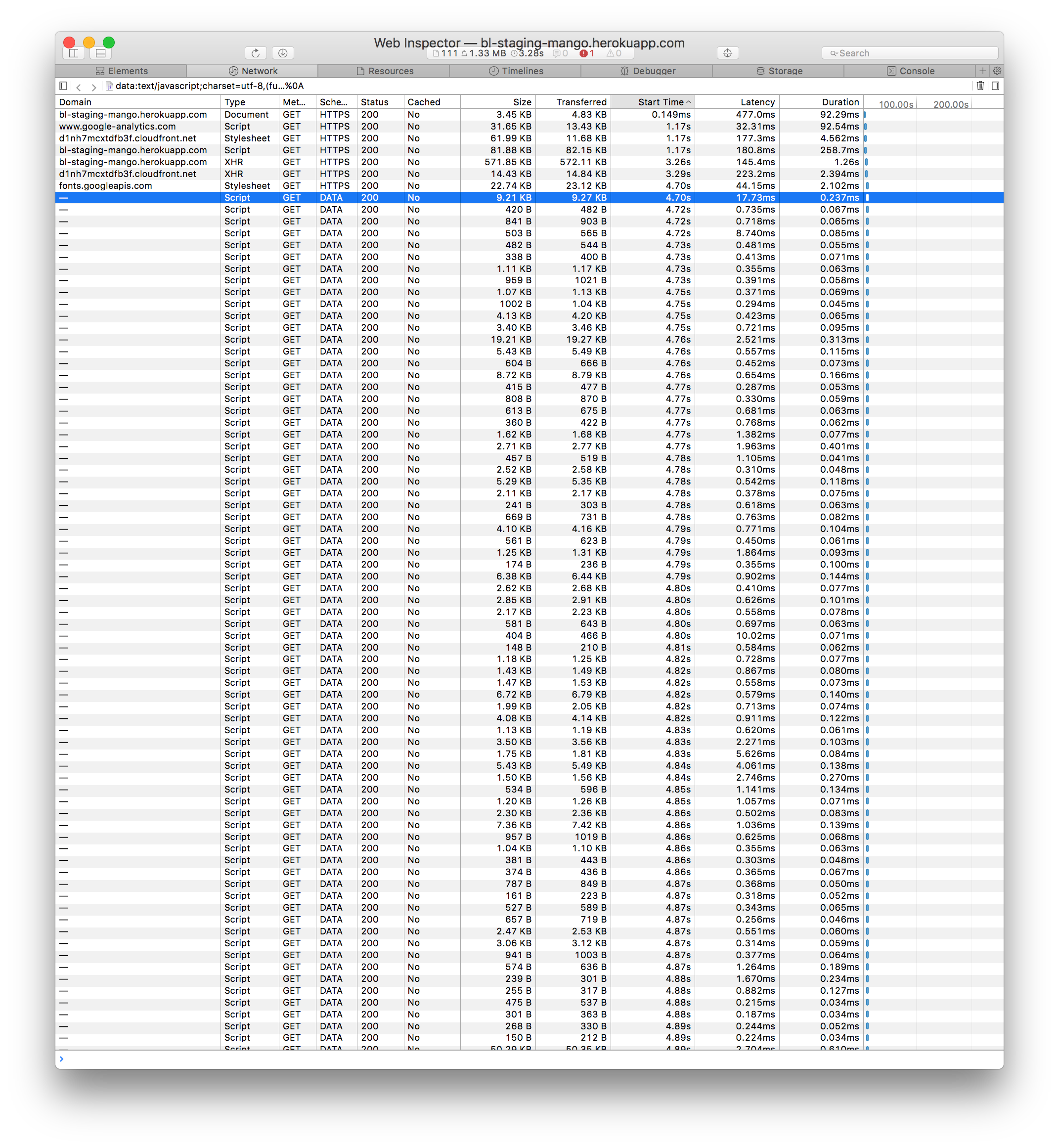
As I mentioned above it does not appear that any particular resource is taking a long time to load. It's not even really clear from the safari console that the issue is resource loading at all. Here is a screenshot of the network panel in Safari:
Page 1:
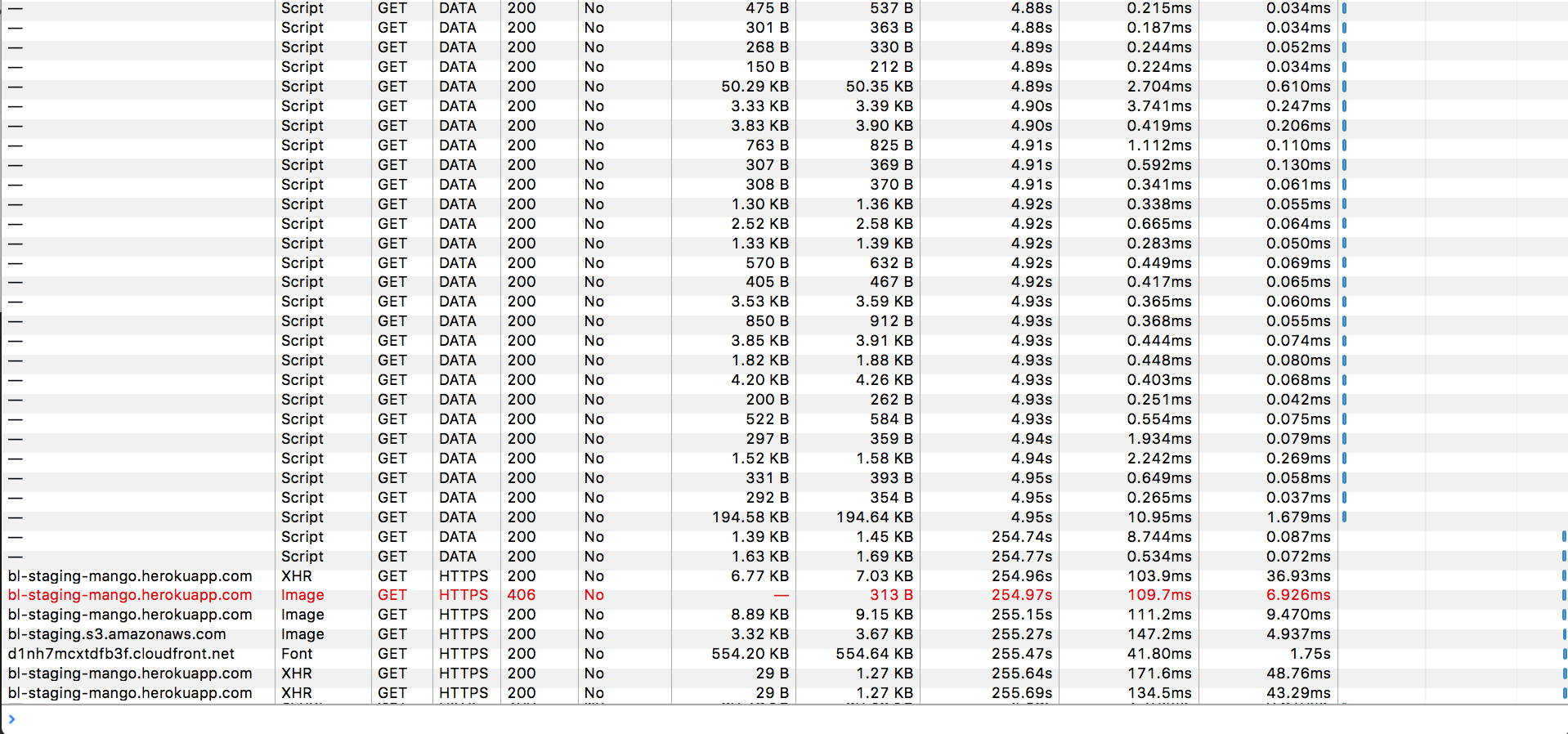
Page 2:
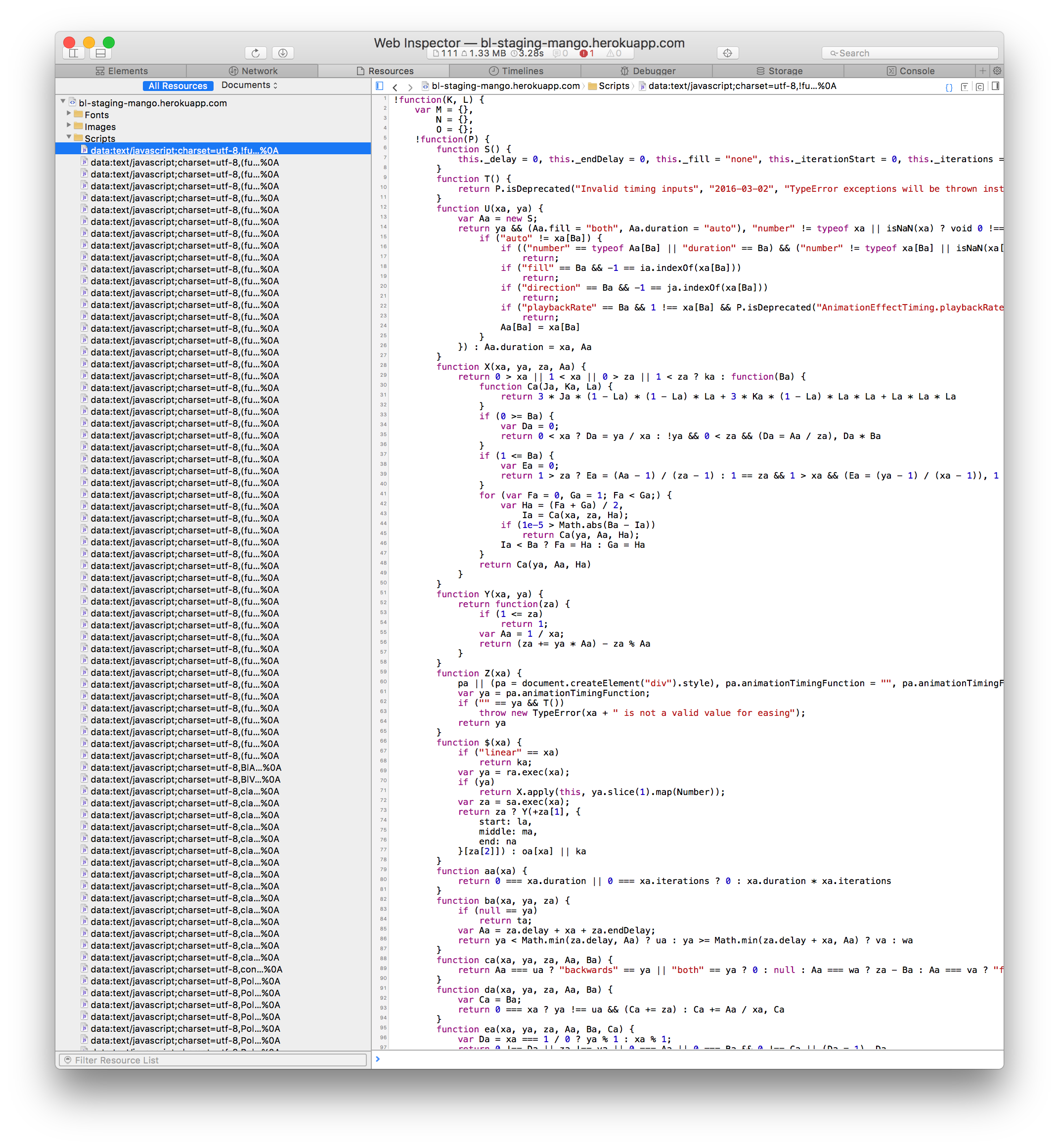
The Safari Resources Panel:
And for comparison, here is Chrome's network panel:
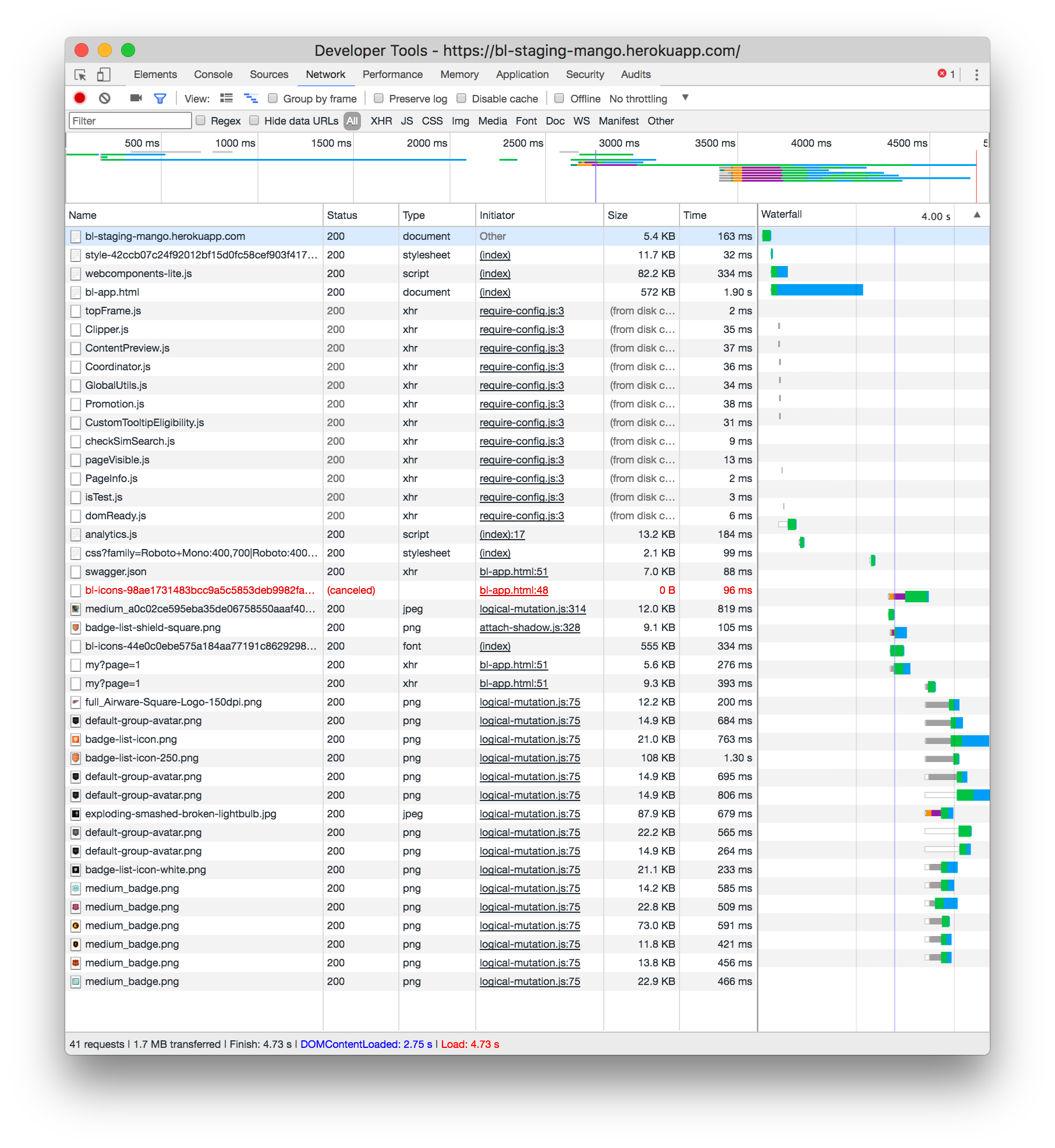
From those screenshots (and the resources panel screenshot below) it looks like what's happening is that all of the data:text/javascript;... snippets are being loaded. Then there's a huge gap between one of the snippets loading and the rest of them loading. In my initial reading of things, it might actually be the swaggerjs client that is causing the problem. It looks like that is the data:text snippet that loads last before the big gap.
I'll investigate more and see if there are any reports of safari issues with swaggerjs, but that still doesn't necessarily explain why the issue isn't happening in the development environment.
Thanks for the assistance, please let me know if you have any other ideas.
hankish
on 8 Aug 2017
So it looks like the issue definitely has to do with the swagger-js library. It is always the last javascript snippet to be loaded right before the big lag. Unfortunately it is a critical dependency for the app so I can't just remove it. I'm wondering if maybe I need to somehow remove it from the polymer build process altogether. (For reference here is the github repo of the swagger client.)
I'm going to experiment with changing the way I pull the library in and will report back.
hankish
on 8 Aug 2017
Update - Found a workaround
I fixed the lag! Basically what I had to do was remove the swagger-js client from the polymer build process altogether. I removed the swagger-js package from bower and then manually placed the swagger-client.min.js file into the rails asset pipeline so it would be served up untouched and placed in the root html file. I'm not sure how I'll keep this fix working once I pull the polymer app off on its own (independent of the rails asset pipeline altogether), but for now my issue is resolved.
From a bug-fixing perspective, though, this solution isn't satisfying because the polymer build process is still somehow corrupting the swagger client. With this knowledge, however, I think I have a way to replicate the issue.
Replicating the Issue
- Start with a basic polymer app
- Add
"swagger-js": "~2.1",to yourbower.jsonfile. / run the bower install command - Add
<script src="../../bower_components/swagger-js/browser/swagger-client.js" type="text/javascript"></script>to your app component. - Build the app with the following options:
polymer build --js-minify --css-minify --html-minify --bundle --add-service-worker --insert-prefetch-links - Open the built app in safari. Experience the lag.
I haven't tested it yet, but in theory the above steps should highlight the problem. I'm not sure if this is super high priority, but it could be an indication of a build problem that would effect other libraries as well.
hankish
on 8 Aug 2017
@hankish Glad you got it fixed! Now I am not sure how much we can do here, as it is an external dependency. @usergenic @FredKSchott any ideas what we can do here?
 TimvdLippe
on 8 Aug 2017
TimvdLippe
on 8 Aug 2017
This also happens with the firebase js files - Polymer build breaks them so I always add a straight copy to the build process to add the original back. It would be nice if files could be marked as "external" (whatever it's called - not to be touched)
 CaptainCodeman
on 29 Aug 2017
CaptainCodeman
on 29 Aug 2017
there is a pull req open for polymer-cli to ignoer js files: https://github.com/Polymer/polymer-cli/pull/878
 jogibear9988
on 29 Sep 2017
jogibear9988
on 29 Sep 2017
I faced completely the same issues when tried to use RxJS along with Polymer
 web-devel
on 30 Sep 2017
web-devel
on 30 Sep 2017
@hankish we were able to add exclude logic to exclude files from minifying/compiling in https://github.com/Polymer/polymer-cli/pull/952, so that you could exclude swagger-js client which should fix your issue. Can you test out to confirm?
/cc @web-devel @CaptainCodeman who reported similar issues in this thread
 FredKSchott
on 22 Feb 2018
FredKSchott
on 22 Feb 2018
Closing in favor of https://github.com/Polymer/polymer-cli/issues/701.
To avoid issues with building specific libraries, use the exclude option as @FredKSchott described.
 sorvell
on 27 Feb 2018
sorvell
on 27 Feb 2018
Related issues
 myuseringithub
·
3Comments
myuseringithub
·
3Comments
 yordis
·
3Comments
yordis
·
3Comments
 paranoid-android
·
3Comments
paranoid-android
·
3Comments
 alexhx5
·
3Comments
alexhx5
·
3Comments
 nazar-pc
·
4Comments
nazar-pc
·
4Comments
Most helpful comment
This also happens with the firebase js files - Polymer build breaks them so I always add a straight copy to the build process to add the original back. It would be nice if files could be marked as "external" (whatever it's called - not to be touched)