Hi all,
when I add or edit a survey with poll 1.7.5 (fresh installation) it's only possible to set one option. This happens on appointment and text surveys. But it should be possible to add more options. I can set one more option but it isn't saved as new option. There's no error message.
I installed Polls by uploading the file polls.tar.gz to the apps folder and extracted it because it wasn't available by the app store. Then I had to change some MariaDB settings for activating this app. Poll is running on NextCloud 20.0.7, installed on NethServer release 7.9.2009 (final).
List of activated apps:
Accessibility 1.6.0
Activity 2.13.4
Calendar 2.1.3
Collaborative tags 1.10.0
Comments 1.10.0
Contacts 3.4.3
Contacts Interaction 1.1.0
Dashboard 7.0.0
Deleted files 1.10.1
Federation 1.10.1
File sharing 1.12.2
First run wizard 2.9.0
LDAP user and group backend 1.10.2
Log Reader 2.5.0
Mail 1.8.1
Markdown Editor 2.3.1
Monitoring 1.10.0
Nextcloud announcements 1.9.0
Notifications 2.8.0
Password policy 1.10.1
PDF viewer 2.0.1
Photos 1.2.3
Pico CMS 1.0.12
Polls 1.7.5
Privacy 1.4.0
Recommendations 0.8.0
Right click 0.17.0
Share by mail 1.10.0
Support 1.3.0
Talk 10.0.5
Text 3.1.0
Theming 1.11.0
Update notification 1.10.0
Usage survey 1.8.0
User status 1.0.1
Versions 1.13.0
Video player 1.9.0
Weather status 1.0.0
Database: MariaDB-Version 5.5.68
PHP version: PHP 5.4.16 (cli) (built: Apr 1 2020 04:07:17)
Client configuration and Browser: Notebook, Windows 10 20H2, Microsoft Edge (Chromium-based)
Kind Regards.
 TineUser
All 15 comments
It's also not possible to copy the first option for appointment polls. You can delete the only one option and set a new one.
TineUser
on 13 Feb 2021
Not sure, what you are doing there, but I cannot reproduce this. Maybe you can be more concrete, what option you add.
 dartcafe
on 15 Feb 2021
dartcafe
on 15 Feb 2021
As I wrote this happens with time and text options. What do you need more concrete? I can only add one option. I can delete this option and set one new option but again only one.
TineUser
on 15 Feb 2021
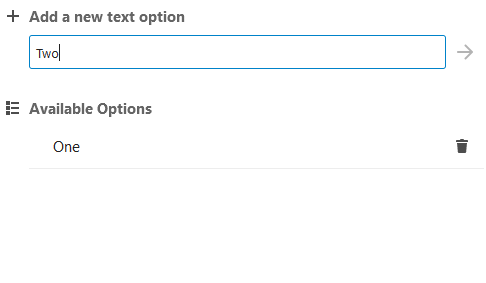
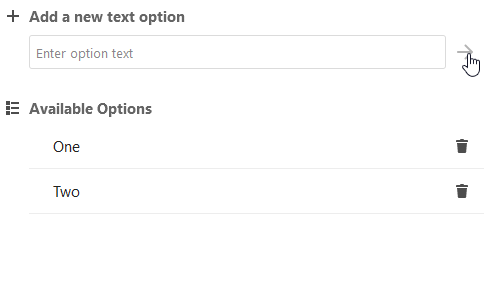
Actually you are able to add as many options as possible, but they have to be unique. For example:
dartcafe
on 15 Feb 2021
When adding different time/date options they are unique, aren't they? It's not possible to add more than one option to the poll. The add function ist greyed out when entering a text option whis is unique in this poll.
TineUser
on 15 Feb 2021
Again: I can't reproduce your issue. On different installations with updates and fresh installs, I can create multiple options without any problem. With out further information, analysois is impossible. Make a screen video or screenshots, to help me understand your problem. Otherwise I fear I can't help.
dartcafe
on 16 Feb 2021
Here are some screenshots.
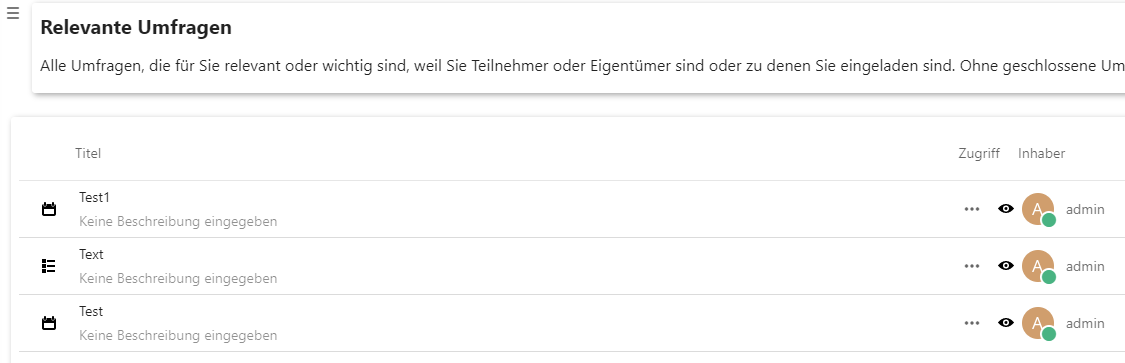
List of polls:
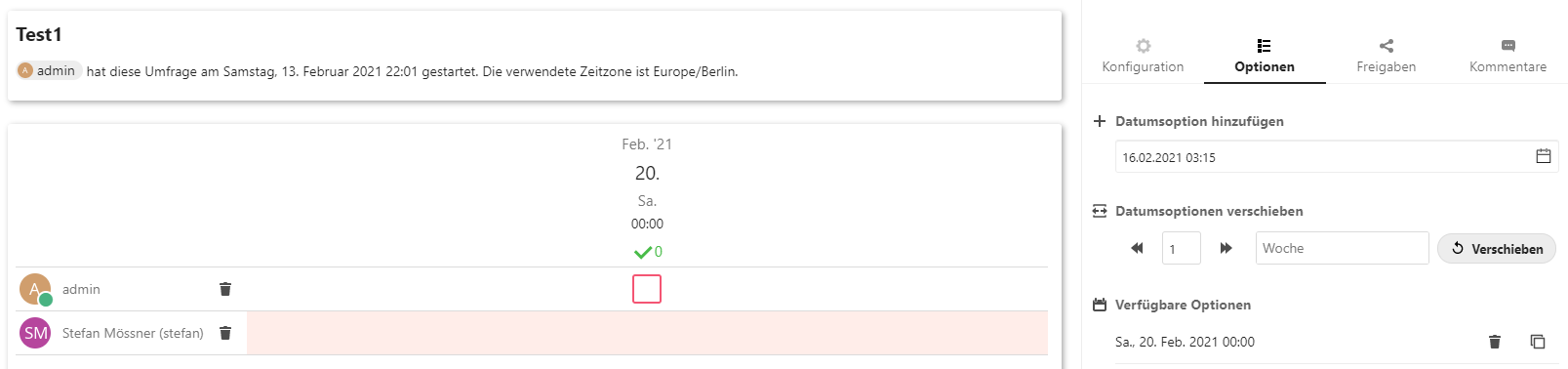
Appointment poll:
Text poll:
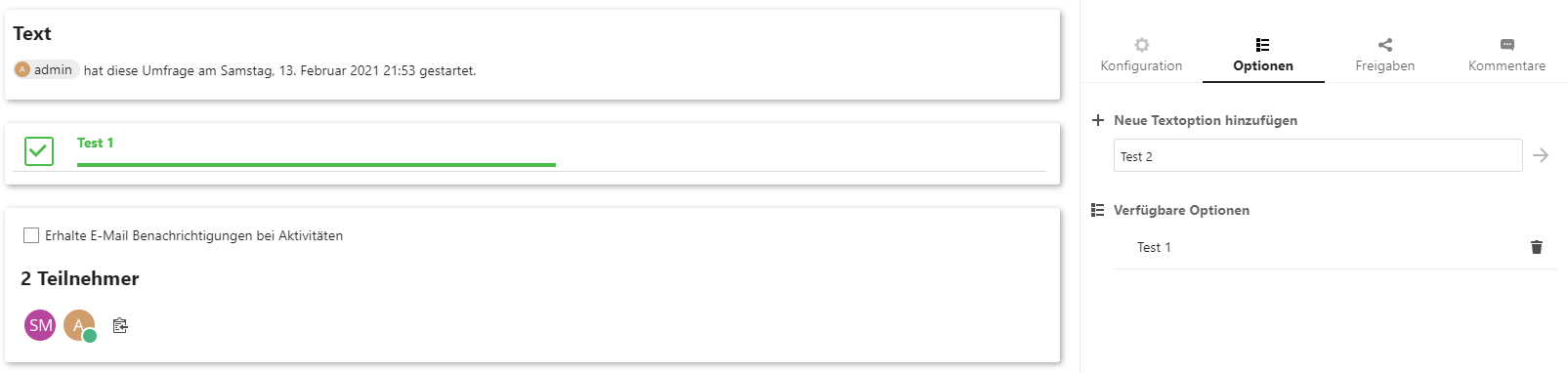
I can enter data for the new option but the appointment option won't be added and I'm not able to add the text option by clicking on the arrow icon.
TineUser
on 16 Feb 2021
Thanks. Strange behavior. Any hints in the logs (console, NC log)? Database issues? Maybe the unique indices are not set correctly. Did you try different browsers? If possible, check the indices in the table polls_polls.
A reinstall may help, but if the db is invalid, the polls tables and the migration entries relating to polls have to be removed.
dartcafe
on 16 Feb 2021
How should the indices of the table be set correctly?
TineUser
on 17 Feb 2021
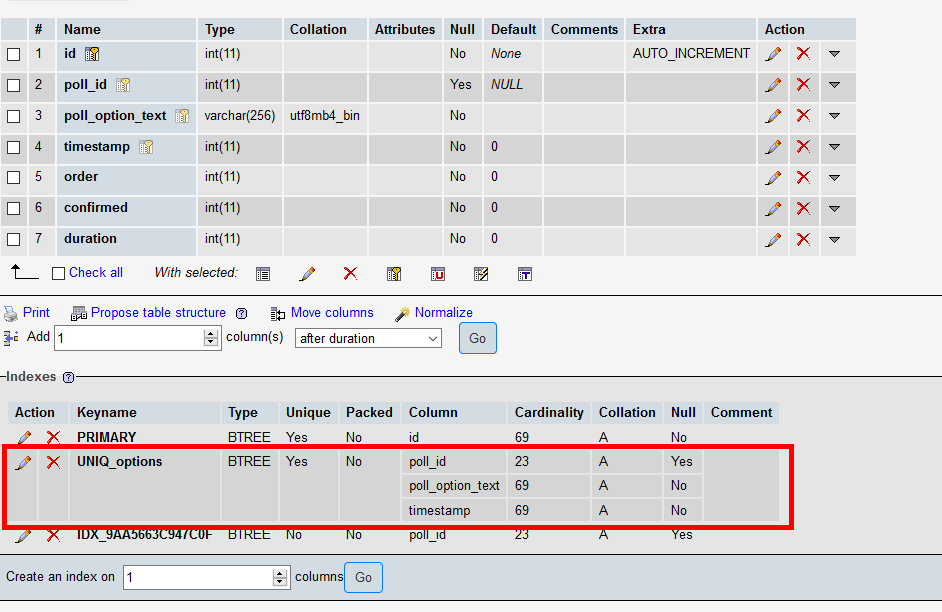
UNIQUE KEY UNIQ_options (poll_id,poll_option_text,timestamp),
dartcafe
on 17 Feb 2021
I logged in with phpmyadmin and made a screenshot of the table oc_polls_polls (as you metioned earlier):
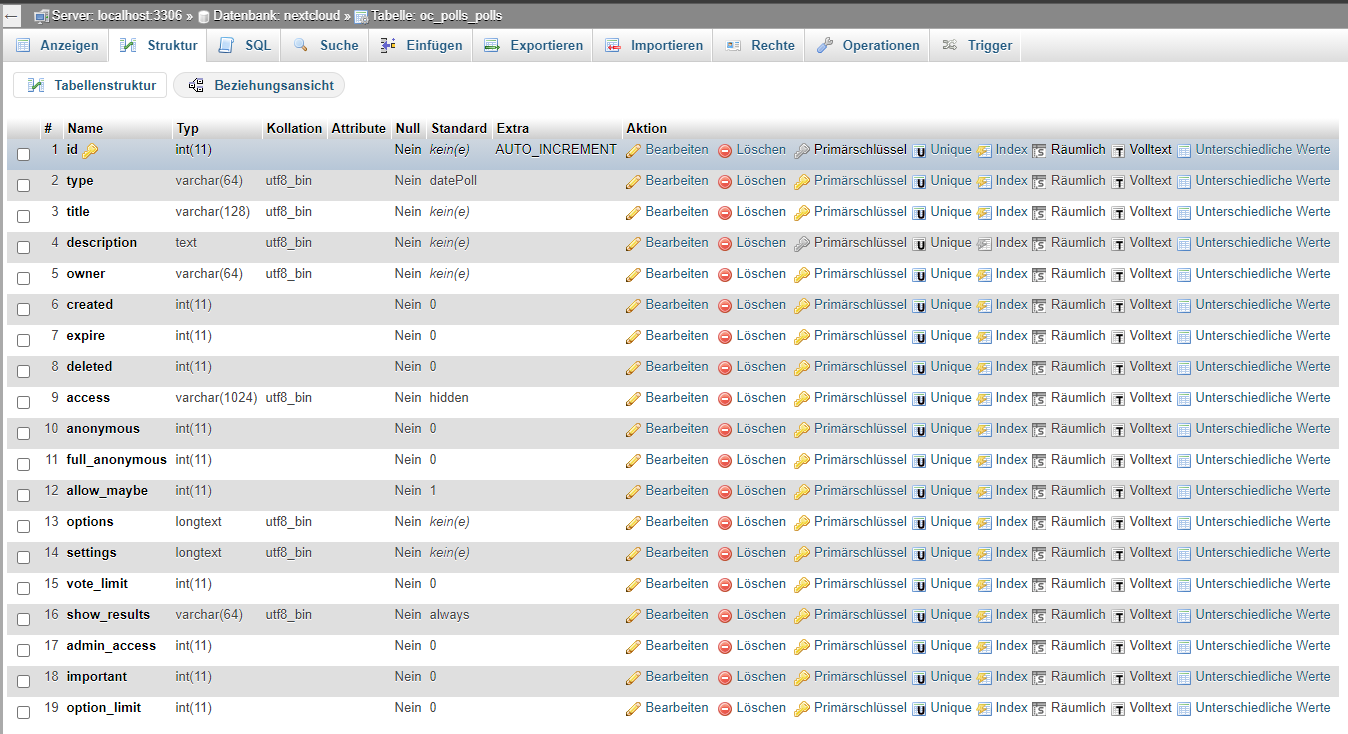
As you can see, there not all fields you mentioned. Do you mean the table oc_polls_options? This table looks to be one you mean right? Here's the screenshot oh the table oc_polls_options:
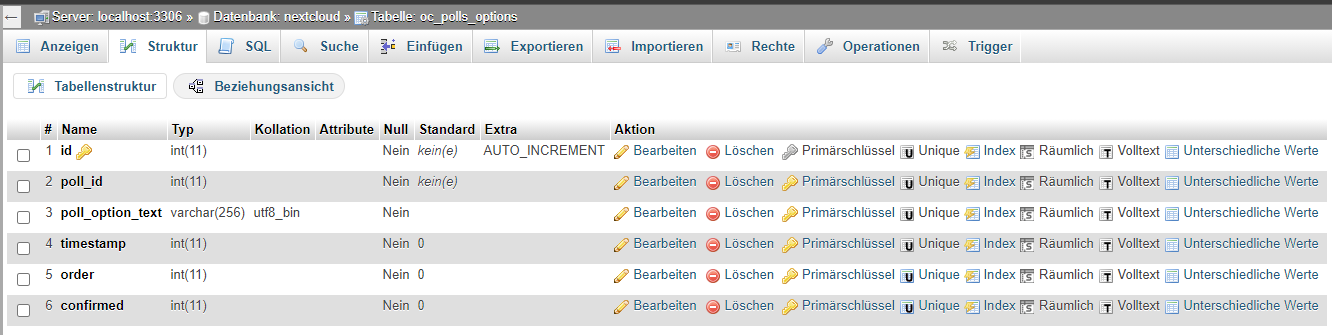
For me, the uniques look right. What do you think?
TineUser
on 17 Feb 2021
There is no info about the indices.
They should look like this:
dartcafe
on 17 Feb 2021
Great, this solved my issue 👍
Thank you very much.
TineUser
on 17 Feb 2021
@TineUser Good to hear/read that.
But I would like to understand, if the index was missing or was it just wrong. Since there are similar indices in other tables, I would like to make sure, that this is no migration/install issue.
dartcafe
on 18 Feb 2021
There were some indices with the postfix "2". So I deleted all the the indices that are not shown on your screenshot and set the unique settings as you described.
TineUser
on 18 Feb 2021
Related issues
 Dubidubiduu
·
5Comments
Dubidubiduu
·
5Comments
 wiertz
·
5Comments
wiertz
·
5Comments
 BurtGummer
·
3Comments
dartcafe
·
3Comments
BurtGummer
·
3Comments
dartcafe
·
3Comments
 hanzei
·
6Comments
hanzei
·
6Comments