Polaris-react: ResourceList FilterControl showing empty button in Popover
Issue summary
When the filter button is clicked in a ResourceList, the Popover with the filters displays, but it includes an empty button beneath the initial select box.
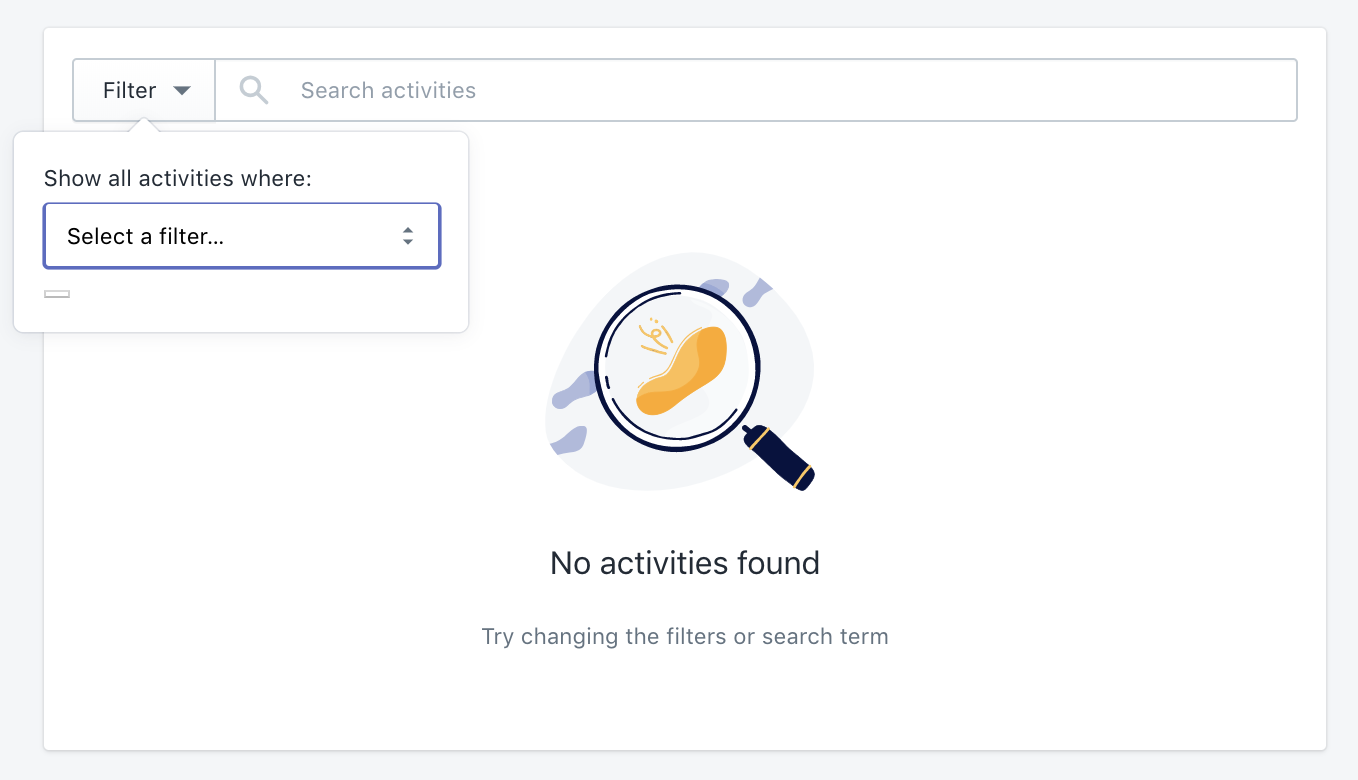
Expected behavior
That button should probably not be there.
Steps to reproduce the problem
Create a resource list with filters:
<ResourceList
    resourceName={{singular: 'activity', plural: 'activities'}}
    items={this.state.items}
    renderItem={(item) => {
        var actions = [];
        var url = 'javascript:void(0);';


        return (
            <div className="ListItem">
                <ResourceList.Item
                    id={item.id}
                    url={url}
                    shortcutActions={actions}
                >
                    <div className="ListItem__Main">
                        <div className="ListItem__Left">
                            <h3 className="ListItem__Title w-150">
                                { item.readable_name }
                            </h3>
                        </div>
                        <div className="ListItem__Middle">
                            { item.readable_description }
                        </div>
                        <div className="ListItem__Right ListItem__TwoLine w-150">
                            { item.created_at }
                        </div>
                    </div>
                </ResourceList.Item>
            </div>
        );
    }}
    filterControl={
        <ResourceList.FilterControl
            filters={[
                {
                    key: 'typeFilter',
                    label: 'Action Type',
                    operatorText: 'is',
                    type: FilterType.Select,
                    options: ["Action 1", "Action 2", "Action 3"]
                }
            ]}
            appliedFilters={this.state.appliedFilters}
            onFiltersChange={(appliedFilters) => {
                var new_applied = {};
                for(var i in appliedFilters.reverse()) {
                    if(new_applied[appliedFilters[i].key] != undefined) {
                        delete appliedFilters[i];
                    } else {
                        new_applied[appliedFilters[i].key] = true;
                    }
                }
                this.setState({appliedFilters: appliedFilters}, function() { this.loadItems(); });
            }}
            searchValue={this.state.searchValue}
            onSearchChange={(searchValue) => {
                this.setState({searchValue: searchValue}, function() { this.loadItems(); });
            }}
        />
    }
    sortValue={this.state.sortValue}
    sortOptions={[
        { label: 'Action Date (Recent First)', value: 'created_at' }
    ]}
    onSortChange={(sortValue, id) => {
        this.setState({sortValue: sortValue}, function() { this.loadItems(); });
    }}
/>
Specifications
- Are you using the React components? (Y/N): Y
- Polaris version number: 2.5.0
- Browser: Chrome
- Device: Macbook Pro
- Operating System: OSX
 cgenevier
All 3 comments
I think I know what’s happening here. We added a hidden submit button to forms for accessibility reasons, and that’s what’s appearing here. I wasn’t fully able to reproduce what you’re seeing, but the button in my test case is definitely taking up space (though it’s not visible): https://codesandbox.io/s/9oxrr4x0z4
In your case the button may be picking up some styles from elsewhere in your app, but this is still a bug. I’ll look into getting a fix for it.
 ry5n
on 1 Aug 2018
ry5n
on 1 Aug 2018
@ry5n Thanks for the reply, Ryan! Interestingly, it looks like there's an extra style in the sandbox that hides the button which I didn't have in my build because it was loading an older version of the polaris stylesheet.

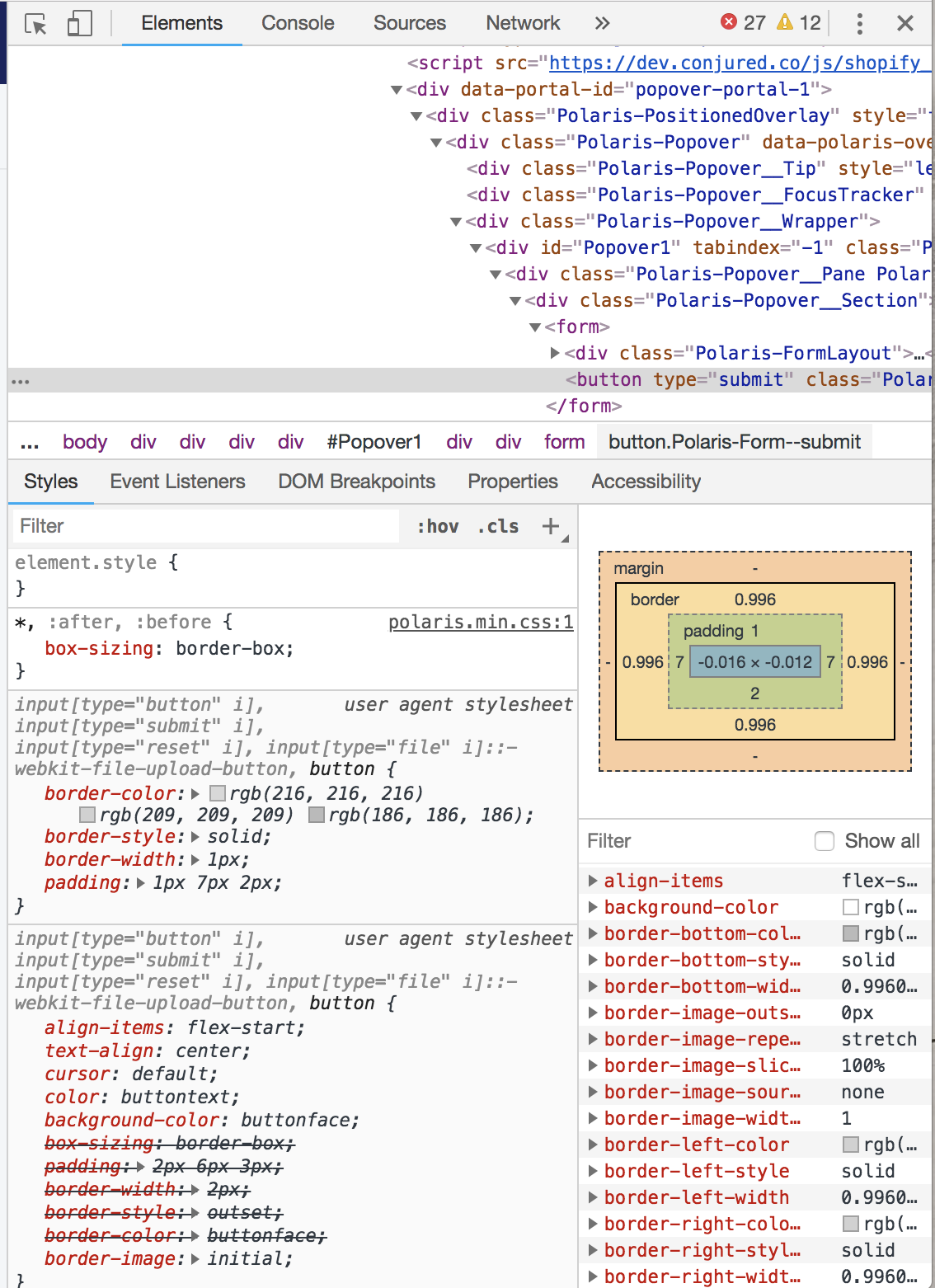
I updated the styles to 2.5.0 and it solved the problem. Thanks for helping with this!
cgenevier
on 1 Aug 2018
Tip: if you’re using a build tool like WebPack or Parcel, you can import the CSS from the Polaris npm package directly rather than manually maintaining a link tag in the head.
ry5n
on 2 Aug 2018
Related issues
 artyrcheek
·
3Comments
artyrcheek
·
3Comments
 andrewpye
·
3Comments
andrewpye
·
3Comments
 MateusJabour
·
3Comments
andrewpye
·
3Comments
MateusJabour
·
3Comments
andrewpye
·
3Comments
 HYPD
·
3Comments
HYPD
·
3Comments