Pnpjs: How do I get Associated Site Logos and Descriptions?
@patrick-rodgers @tavikukko
Category
- [ ] Enhancement
- [ ] Bug
- [x] Question
- [ ] Documentation gap/issue
Version
Latest
Expected / Desired Behavior / Question
I have a webpart that builds tiles for the Hub's associated sites. I am trying to get both the SiteLogoUrl and Site description in the search results (single call if possible).
Unfortunately I can't seem to do it without first getting the list of associated sites, then iterating through the list of URLs and getting Description/SiteLogoUrl.
I'm wondering if it's a limitation of this library or Search in general?
I did notice with the OOTB Sites webpart, it seems to get at least the SiteLogoUrl because the Sites webpart does show icons so I'm just wondering if there is a better way to approach this so I don't need multiple calls.
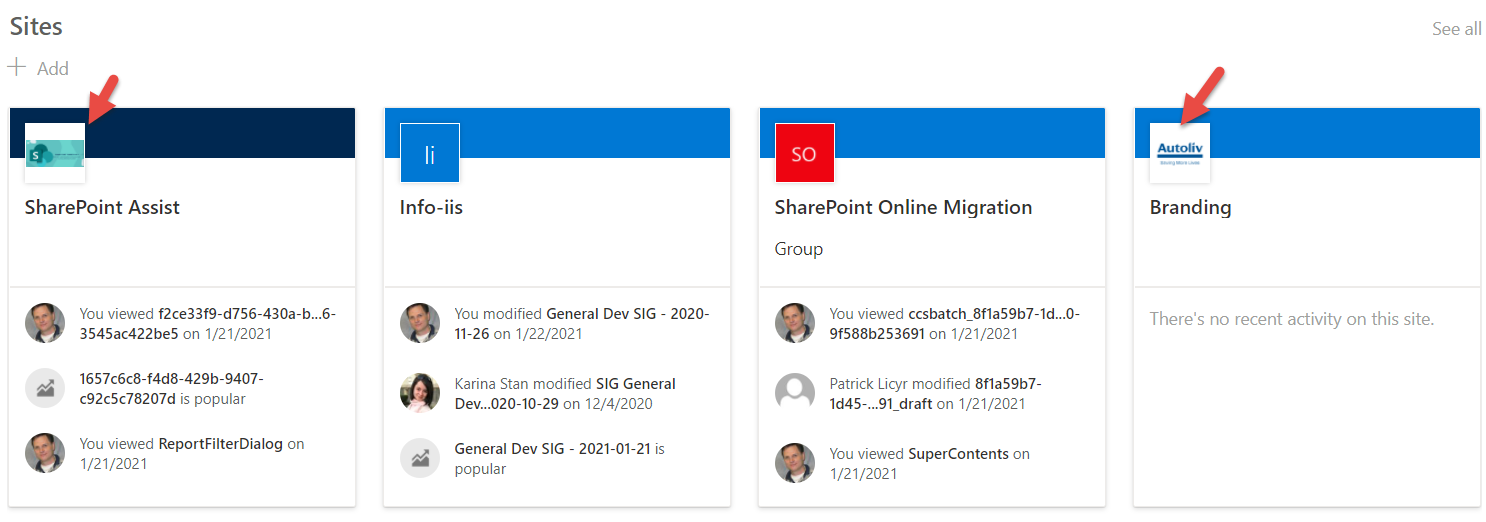
Here's a snippet of my current search query. I added "*","SiteLogoUrl","Description" to the SelectProperties but I don't see them in the return.
Thanks!
    sp.search(<ISearchQuery>{
        Querytext: `contentclass:STS_Site AND departmentId:{${departmentId}}`,
          SelectProperties: ["*","Title", "SPSiteUrl", "WebTemplate","departmentId","SiteLogoUrl","Description"],
          RefinementFilters:[`departmentid:string("{*",linguistics=off)`],
          RowLimit: 500,
//          SortList: [ {Property: 'Title',Direction: sortDirection }],
          TrimDuplicates: false})
          .then((r: SearchResults) => {

            console.log(r.RowCount);
            console.log(r.PrimarySearchResults);
            entireResponse.hubs = r.PrimarySearchResults;

            entireResponse.hubs.map( h => {
                h.sourceType = hubsCategory;
            });


            callback( entireResponse, custCategories, newData );

    });
 mikezimm
All 2 comments
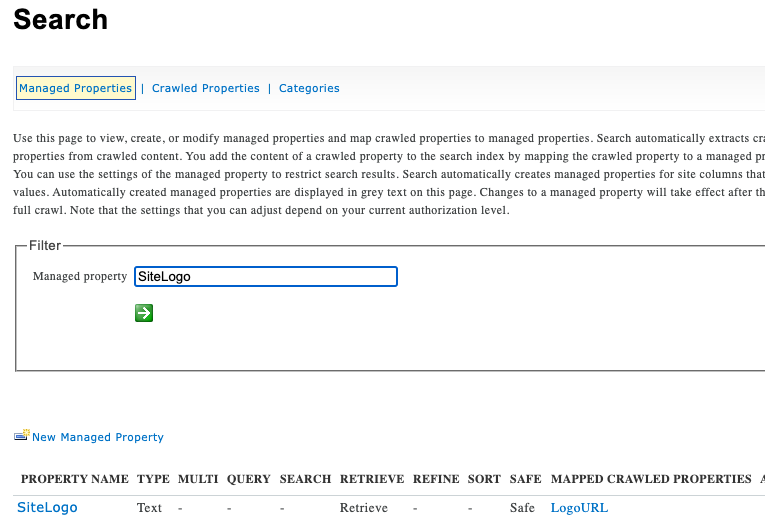
Without looking into it further I can't specifically answer your question, but the short answer is that only thing that are configured to be queryable can be retrieved in search results... So where you really want to focus your research is if the SiteLogoUrl and/or Site Description are crawled/managed properties in SharePoint search and if they are queryable ...
In SharePoint Admin look at the Search Admin settings: https://
 juliemturner
on 25 Jan 2021
juliemturner
on 25 Jan 2021
Just do normal search, no RefinementFilters needed, and use SiteLogo and Description as SelectedProperties
``typescript
sp.search({
"Querytext":contentclass:STS_Site AND departmentId:{${departmentId}}`,
"RowLimit": 10,
"StartRow": 0,
"ClientType": "ContentSearchRegular",
"SelectProperties": [
"Title",
"SPSiteUrl",
"WebTemplate",
"departmentId",
"SiteLogo",
"Description",
]
}).then(res => {
console.log(res)
})
````
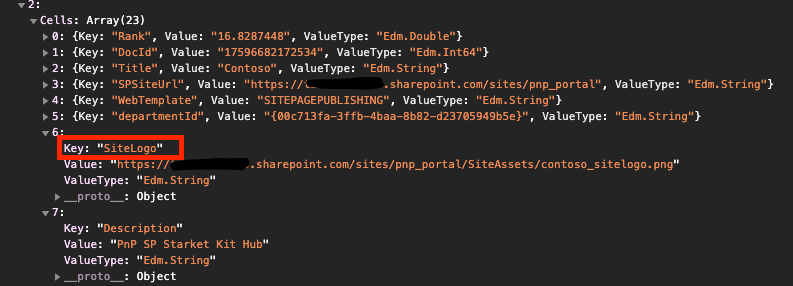
and here is the Managed Property settings that @juliemturner mentioned, here you can check Properties that you can use in search:
 tavikukko
on 26 Jan 2021
tavikukko
on 26 Jan 2021
Related issues
 jcosta33
·
3Comments
jcosta33
·
3Comments
 un-dres
·
3Comments
un-dres
·
3Comments
 SpliceVW
·
3Comments
SpliceVW
·
3Comments
 AJIXuMuK
·
3Comments
AJIXuMuK
·
3Comments
 BrianBusby
·
3Comments
BrianBusby
·
3Comments
Most helpful comment
Just do normal search, no RefinementFilters needed, and use SiteLogo and Description as SelectedProperties

``
typescript
sp.search({
  "Querytext":
contentclass:STS_Site AND departmentId:{${departmentId}}`,"RowLimit": 10,
"StartRow": 0,
"ClientType": "ContentSearchRegular",
"SelectProperties": [
"Title",
"SPSiteUrl",
"WebTemplate",
"departmentId",
"SiteLogo",
"Description",
]
}).then(res => {
console.log(res)
})
````
and here is the Managed Property settings that @juliemturner mentioned, here you can check Properties that you can use in search:
