Pnpjs: Access Denied [Error 403] Simple sharepoint list query
From the webpart I am consulting a list called footerlist located in a site to which I have access.
the problem is when I implement these functions in the code:
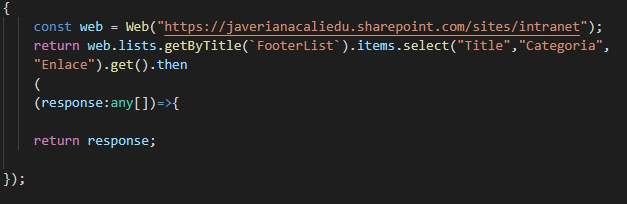
Basically I am creating a new web context to consult the list, my query methods work correctly when I use the current context in which the webpart is located, but when I consult another site it throws permission errors. The user who is running the webpart is a global administrator user and has permissions to query any site and list, but in the console it throws this error:

at the workbench of the tenant these changes work correctly, the problem starts when I deploy in production.
Category
- [ ] Enhancement
- [ ] Bug
- [x] Question
- [ ] Documentation gap/issue
Please specify what version of the library you are using: [ 2 ]
Please specify what version(s) of SharePoint you are targeting: [ online ]
 andreer1
All 29 comments
The only way I was able to reproduce this issue was when the call was cross tenant. Otherwise it worked fine for me, during debugging and a deploy. Are you calling another tenant by accident?
 KEMiCZA
on 9 Jan 2020
KEMiCZA
on 9 Jan 2020
@andreer1 can you check where the request is actually targeted in dev tools (network tab). And if a user has access and can open the list in a browser.
Also, please make sure, you're following https://pnp.github.io/pnpjs/getting-started/#getting-started-with-sharepoint-framework
And one more thing, do you experience this on SharePoint page? E.g. in a local workbench that kind of request won't work without dev server configuration.
 koltyakov
on 9 Jan 2020
koltyakov
on 9 Jan 2020
@andreer1 can you check where the request is actually targeted in dev tools (network tab). And if a user has access and can open the list in a browser.
Also, please make sure, you're following https://pnp.github.io/pnpjs/getting-started/#getting-started-with-sharepoint-framework
And one more thing, do you experience this on SharePoint page? E.g. in a local workbench that kind of request won't work without dev server configuration.
yes of course the request is in the same tenant.
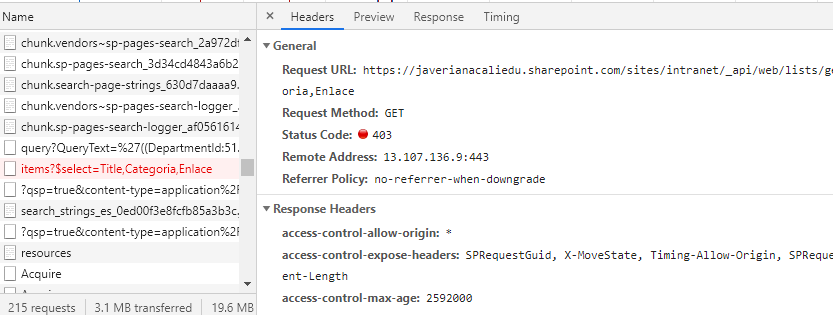
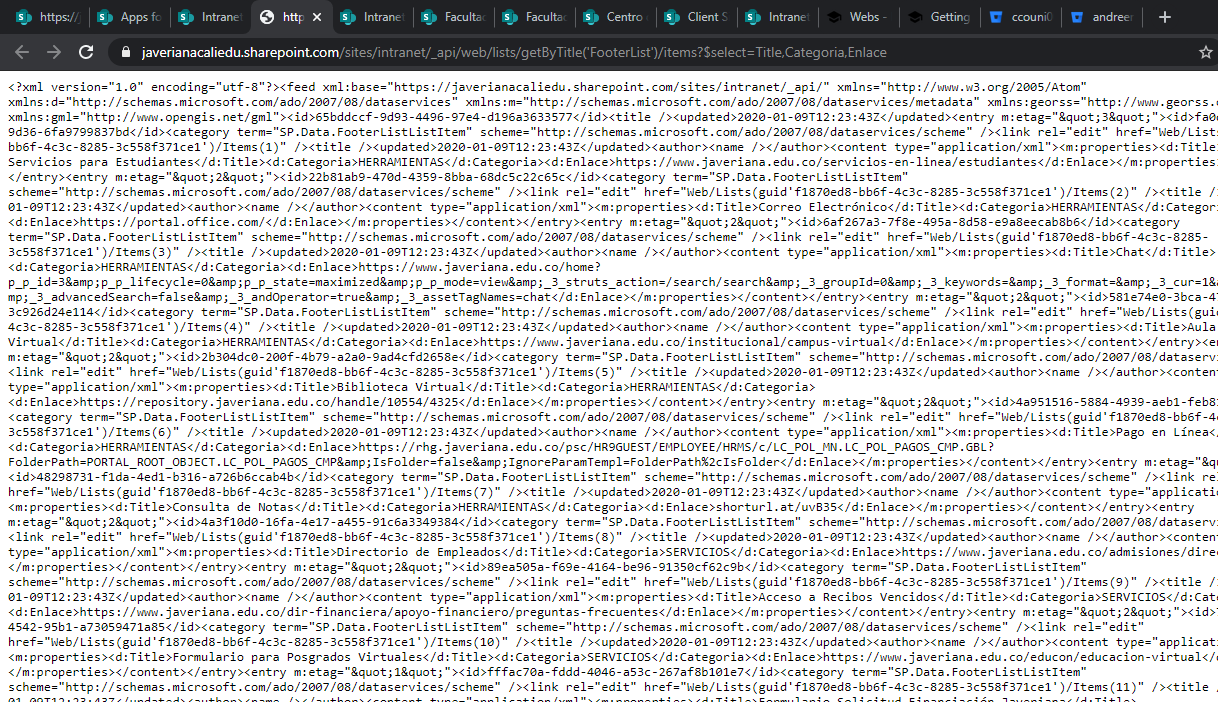
the request in the network tab got error, but i copy and paste the url in new browser tab and the information list is displayed correctly.
network tab:
New Tab:
andreer1
on 9 Jan 2020
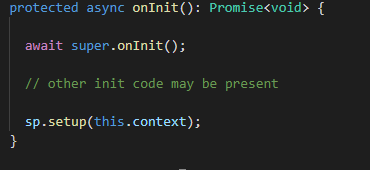
my on init code is :
andreer1
on 9 Jan 2020
This is super weird. Maybe the title of the list has been changed or localized. What if to check sp.web.getList('/sites/intranet/lists/FooterList') instead? What if to request another list?
koltyakov
on 9 Jan 2020
This is super weird. Maybe the title of the list has been changed or localized. What if to check >sp.web.getList('/sites/intranet/lists/FooterList') instead? What if to request another list?
'/sites/intranet/lists/FooterList'
The same error:

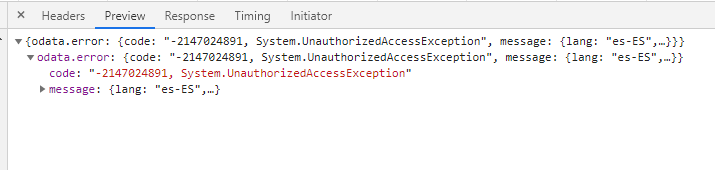
but in tenant workbench the request works fine.
andreer1
on 9 Jan 2020
curious fact:
If I request the list from the same site where it is hosted and without converting the 'web' pnpjs parameter, the request works correctly.
looks like if the webpart does not have the necessary permissions to request these sites but it is supposed to inherit them from the user who runs it, and the user is a global administrator
andreer1
on 9 Jan 2020
Does your webpart run on a page under /sites/intranet. Or is it running elsewhere like /sites/intranet/somedepartment? You'd need to define the baseUrl if that's case but I'm not sure if that's the issue you're seeing
 semopz
on 9 Jan 2020
semopz
on 9 Jan 2020
Does your webpart run on a page under
/sites/intranet. Or is it running elsewhere like/sites/intranet/somedepartment? You'd need to define the baseUrl if that's case but I'm not sure if that's the issue you're seeing
yes, is running under /sites/intranet but the idea is tjhe webpart can request from any site.
Test 1:
i change the on init setup to:
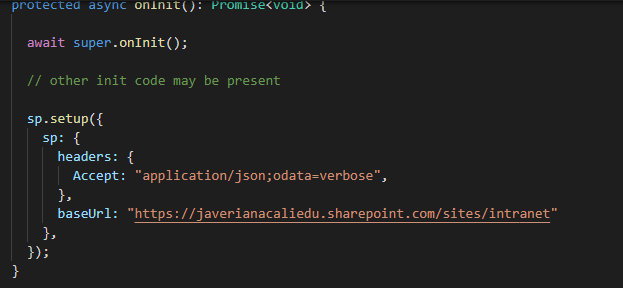
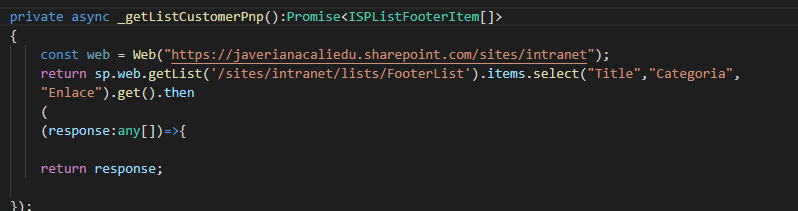
and again , in tenat workbench the request works super fine, but when is installed, we got the 403 error.
andreer1
on 9 Jan 2020
Just spitballing again:
Do you get the same error when using graph?
Just plug this into the graph explorer https://graph.microsoft.com/v1.0/sites/javerianacaliedu.sharepoint.com:/sites/intranet:/lists/00000000-0000-0000-0000-000000000000/items (replace all the zeroes with your footerlist's guid).
If you want to use the Graph explorer, make sure you're signed in.
semopz
on 9 Jan 2020
Just spitballing again:
Do you get the same error when using graph?
Just plug this into the graph explorer https://graph.microsoft.com/v1.0/sites/javerianacaliedu.sharepoint.com:/sites/intranet:/lists/00000000-0000-0000-0000-000000000000/items (replace all the zeroes with your footerlist's
Works.

andreer1
on 9 Jan 2020
It works (requesting a list from another site) for me on 2 different tenants. Can't even reproduce.
koltyakov
on 9 Jan 2020
It works (requesting a list from another site) for me on 2 different tenants. Can't even reproduce.
Can u show the code of request function and sp setup please.
andreer1
on 9 Jan 2020
Just defaults. ;) No sp.setup as I providing web URL explicitly, const web = Web('https://c.sharepoint.com/sites/site') and getting a list by title.
koltyakov
on 9 Jan 2020
i'm using pnpjs in SharePoint Framework, maybe help
andreer1
on 9 Jan 2020
This may seem like some very basic questions, but I wanted to make sure I was understanding everything accurately. :)
-- You mentioned that it works fine for you in the workbench, but when deployed, a user, who is a global admin, gets the access denied in the web part that is connecting to the list in production.
When you are testing in the workbench (assuming this is a hosted workbench, since you are connecting to a list), are you logged in as the same user as the global admin or are they different accounts?
If you are logged in on the workbench using a different account then when is being tested by the global admin in production, is the global admin account that is failing inside the web part able to navigate directly to the site and list in the browser as if they are simply trying to access the list and site directly?
I know this sounds very basic and simple, but depending on how the site was setup, being a global admin does not automatically provide access to all sites.
You had mentioned to @koltyakov that you had tested the list directly in the browser, but I figured it's worth asking if those tests were all done using the same accounts?
 PopWarner
on 9 Jan 2020
PopWarner
on 9 Jan 2020
This may seem like some very basic questions, but I wanted to make sure I was understanding everything accurately. :)
-- You mentioned that it works fine for you in the workbench, but when deployed, a user, who is a global admin, gets the access denied in the web part that is connecting to the list in production.
- When you are testing in the workbench (assuming this is a hosted workbench, since you are connecting to a list), are you logged in as the same user as the global admin or are they different accounts?
- If you are logged in on the workbench using a different account then when is being tested by the global admin in production, is the global admin account that is failing inside the web part able to navigate directly to the site and list in the browser as if they are simply trying to access the list and site directly?
I know this sounds very basic and simple, but depending on how the site was setup, being a global admin does not automatically provide access to all sites.
You had mentioned to @koltyakov that you had tested the list directly in the browser, but I figured it's worth asking if those tests were all done using the same accounts?
Yes, I always try with the same account.
the user can navigate normally on the sites.
Expanding the console error i see this:

the assets are uploaded in the catalog library correctly "automatically".
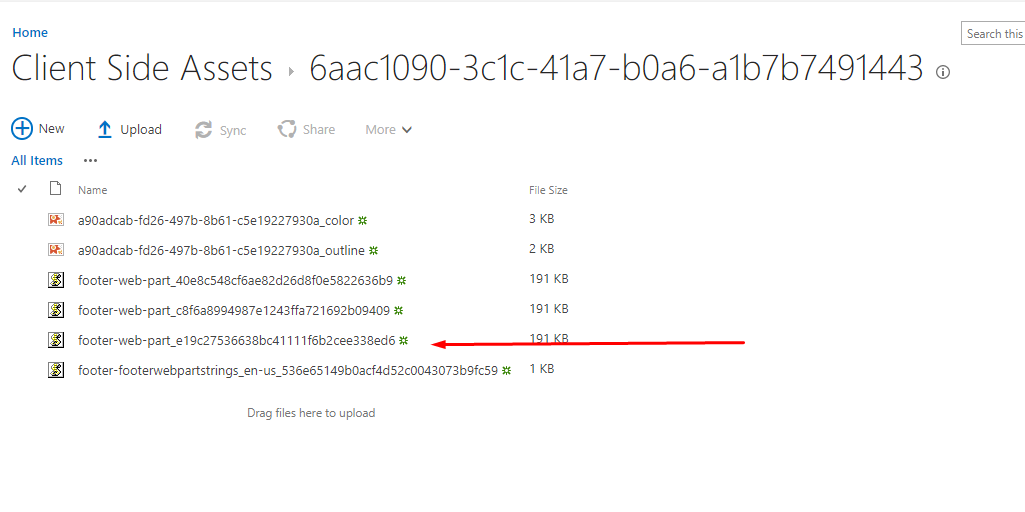
it seems that the webpart is missing permissions but i dont know
andreer1
on 9 Jan 2020
It's possible you have a policy set on the CDN to not allow Javascript files.
https://pnp.github.io/office365-cli/cmd/spo/cdn/cdn-policy-set/
KEMiCZA
on 9 Jan 2020
It's possible you have a policy set on the CDN to not allow Javascript files.
https://pnp.github.io/office365-cli/cmd/spo/cdn/cdn-policy-set/

andreer1
on 9 Jan 2020
our development team has tested all the code in another tenant and it worked correctly, we can conclude that there is an error related to the cdn we are still waiting to solve.
thank you very much for your attention.
andreer1
on 10 Jan 2020
You're welcome. Keep us posted, I'm kinda curious what it might be
semopz
on 11 Jan 2020
Going to close this as answered, thanks everyone for helping out! Will make a great blog post once you are able to determine what was happening. Tweet it out so we can spread the word :)
 patrick-rodgers
on 15 Jan 2020
patrick-rodgers
on 15 Jan 2020
FYI: We've just had the same issue for a client. A colleague was using Brave browser that blocked cookies. This resulted in the CDN showing the access denied message.
KEMiCZA
on 31 Jan 2020
Hi @koltyakov , I am having and identical problem to this. I am actually using the code you refer to in this article: https://techcommunity.microsoft.com/t5/sharepoint-developer/use-pnp-js-to-query-other-sharepoint-sites-using-plain/m-p/116754
However since I am using Angular 8 in combination with the sp rest proxy, I am having an issue with accessing the data from another site collection on my localhost. When deployed to SharePoint it is working as expected. I believe the problem is that I'm not correctly making this request through the proxy?
Is there an additional SP setup needed when creating this new web instance (while passing in the web absolute URL)? Keep in mind the SharePoint site that is configured in my proxy is not the same as the site I'm trying to access in this angular component Below is what I'm doing:
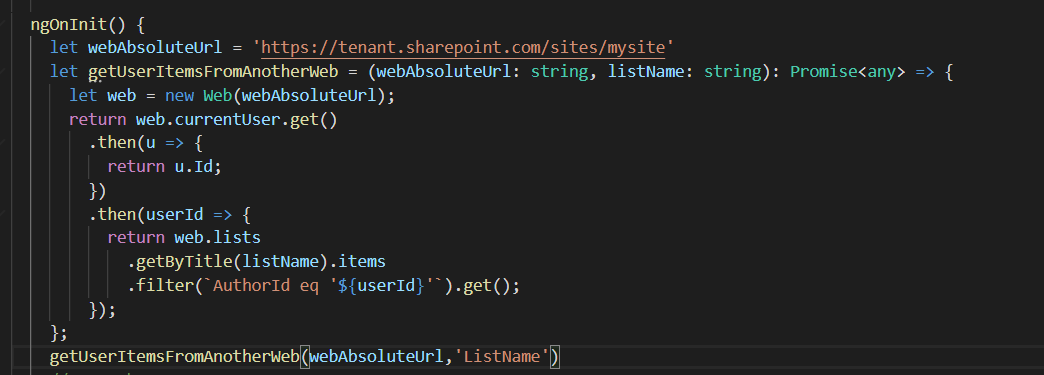
Any advice at all would be appreciated. As mentioned it is working in SharePoint.
 jdela22
on 23 Apr 2020
jdela22
on 23 Apr 2020
@jdela22 with the proxy, you should obviously construct "correct web URLs". Please check this comment where I'm describing some details.
Since the times of the post on tech comm PnPjs v2 appeared as well, some initiations have been changed. So if you're using v2 please check transition guide, something should be done in a different way (I'm referring new Web() which is not a constructor in v2).
koltyakov
on 23 Apr 2020
Thanks so much, this seems so obvious now! It is working locally now as well. Thanks a ton for your quick reply.
jdela22
on 23 Apr 2020
Cheers!
koltyakov
on 23 Apr 2020
After several hours of debugging I have finally been able to find the cause of this problem (in my case).
I was having the exact same issue. No problems in the workbench and 403 when deployed.
It turns out "isDomainIsolated" was set to true in my package-solution.json file, which caused the requests to be sent from a subdomain. Setting this to false fixed the problem.
I hope this helps.
 MadsAnker
on 19 May 2020
MadsAnker
on 19 May 2020
Thank you @MadsAnker! Yes, isolated web parts is a point to consider, not each web part needs to be protected this way, but when it should then obviously some network request will be blocked.
koltyakov
on 19 May 2020
Related issues
 AJIXuMuK
·
3Comments
AJIXuMuK
·
3Comments
 drewcook
·
3Comments
drewcook
·
3Comments
 BrianBusby
·
3Comments
BrianBusby
·
3Comments
 pavan2920
·
3Comments
pavan2920
·
3Comments
 DennisGaida
·
3Comments
DennisGaida
·
3Comments
Most helpful comment
our development team has tested all the code in another tenant and it worked correctly, we can conclude that there is an error related to the cdn we are still waiting to solve.
thank you very much for your attention.