Pnpjs: errors loading client side web-parts in specific content scenarios
Category
- [ ] Enhancement
- [ ] Bug
- [x] Question
- [ ] Documentation gap/issue
Since getLimitedWebPartManager.webparts.get() returns empty on modern page, is there anyway to get webpart configuration json from a certain modern page? I can't seem to find the api for this.
 jonathanhotono
All 6 comments
Hi @jonathanhotono,
Please check docs section regards this topic.
 koltyakov
on 14 Dec 2018
koltyakov
on 14 Dec 2018
@koltyakov Thanks
I'm getting this error when reading the page:
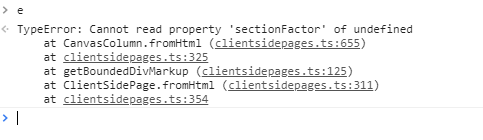
Inside clientside.ts
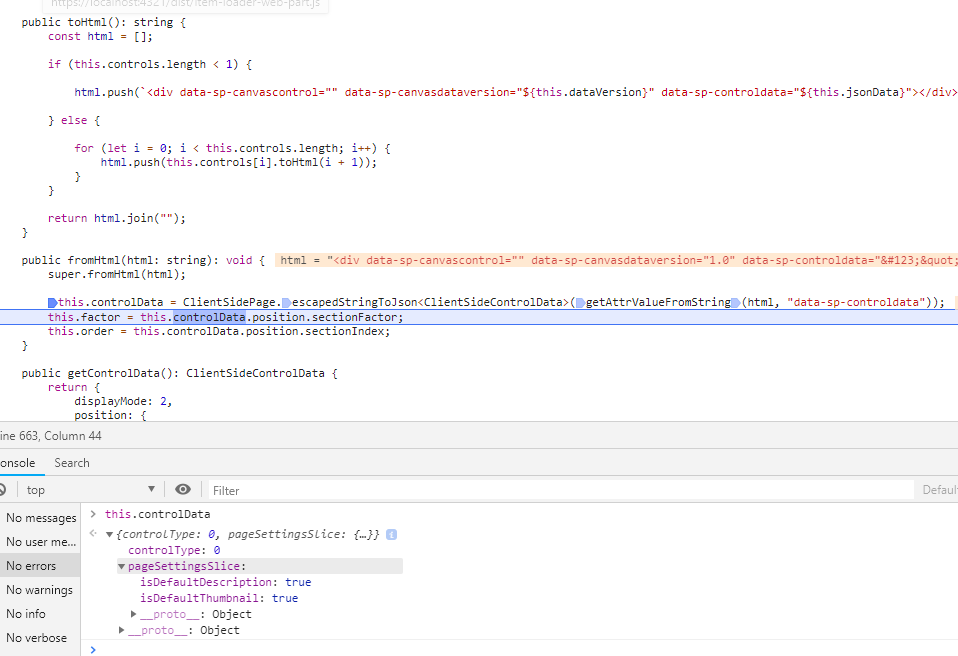
Request seems fine?

I tried exactly like this bit here:
import {
    sp,
    ClientSidePage,
} from "@pnp/sp";

const page = await ClientSidePage.fromFile(sp.web.getFileByServerRelativeUrl("/sites/dev/SitePages/ExistingFile.aspx"));
This is a duplicate of another issue we just got. This will be resolved in the next release. How things were stored internally changed slightly and our parsing got broken. This should currently be resolved in the latest beta, v1.2.8-0, so you can give that a try and let us know. Thanks!
 patrick-rodgers
on 17 Dec 2018
patrick-rodgers
on 17 Dec 2018
@patrick-rodgers thanks I've tested it and getting another issue on 1.2.8-0
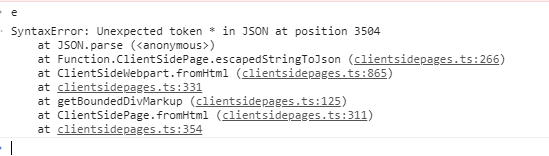
Find the canvas content here:
https://gist.github.com/jonathanhotono/a122073bd99998a8c1a1cb1a8c9715a4
Update:
So after inspecting the canvas content, within the original manifest there is this following entry:
"SearchQuery": "NOT(UserName:#EXT#) NOT(UserName:$0B0900-) NOT(UserName:$1B0900-) NOT(UserName:$0Q8PA0-) NOT(UserName:$1Q8PA0-) NOT(JobTitle:System Service Account) NOT(JobTitle:System Administrative Account)"
And the unescaped json:
"SearchQuery": "NOT(UserName:#EXT#) NOT(UserName:\$0B0900-) NOT(UserName:\$1B0900-) NOT(UserName:\$0Q8PA0-) NOT(UserName:\$1Q8PA0-) NOT(JobTitle:System Service Account) NOT(JobTitle:System Administrative Account)"
It seems that JSON.parse(unespace(escapedString)) on clientsidepages.ts is not handling this string well:
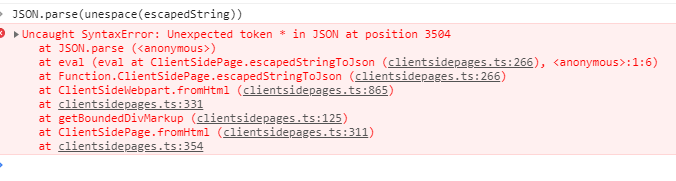
Same case with this:

is unescaped to:

jonathanhotono
on 19 Dec 2018
Ok, will have a look. This is the danger of doing all the brute force regex manipulation is that we can't anticipate all of the edge cases. Thanks for providing the content that is breaking things, that makes it much easier to diagnose.
patrick-rodgers
on 19 Dec 2018
@jonathanhotono - on the sample you posted above. I have made updates to handle the "*" and "$" chars encoding. There is however another issue with what you provided. If you look you can see that ""Policy Document""(""Policy Document"") and a two other values are double quoted, so I get the error:
Message: Unexpected token P in JSON at position 1528 Data: {}
There isn't a way to handle this because double quotes could be valid, meaning I can't just drop one of them. So my fix does take care of the issue you reported. Once I get it merged I'll close this issue. If you find other problems please open a new issue. Thanks!
patrick-rodgers
on 20 Dec 2018
Related issues
 un-dres
·
3Comments
un-dres
·
3Comments
 ahsanranjha
·
3Comments
ahsanranjha
·
3Comments
 jcosta33
·
3Comments
jcosta33
·
3Comments
 Holden15
·
3Comments
Holden15
·
3Comments
 alirobe
·
3Comments
alirobe
·
3Comments
Most helpful comment
This is a duplicate of another issue we just got. This will be resolved in the next release. How things were stored internally changed slightly and our parsing got broken. This should currently be resolved in the latest beta, v1.2.8-0, so you can give that a try and let us know. Thanks!