Pnpjs: Unable to add "Site Activity Web-part" Programatically.
Hi Team,
We add the "site Activity" webpart using the following properties in modern page.
new ClientSideWebpart('SiteActivityWebPart', 'Show recent activities from your site.', {
"maxItems": 9,
}, 'eb95c819-ab8f-4689-bd03-0c2d65d47b1f', null,
{
"searchablePlainTexts": {},
"imageSources": {},
"links": {}
})
We were using
"@pnp/common": "^1.2.3",
"@pnp/logging": "^1.2.3",
"@pnp/odata": "^1.2.3",
"@pnp/pnpjs": "^1.1.4",
"@pnp/sp": "^1.2.3",
,But due new update, we can see a new property in the webpart. (seen in ?maintenancemode=true)
i.e.
"htmlStrings": {}
But, when i try to add this property its throwing error. (updated all the above packages to new version)
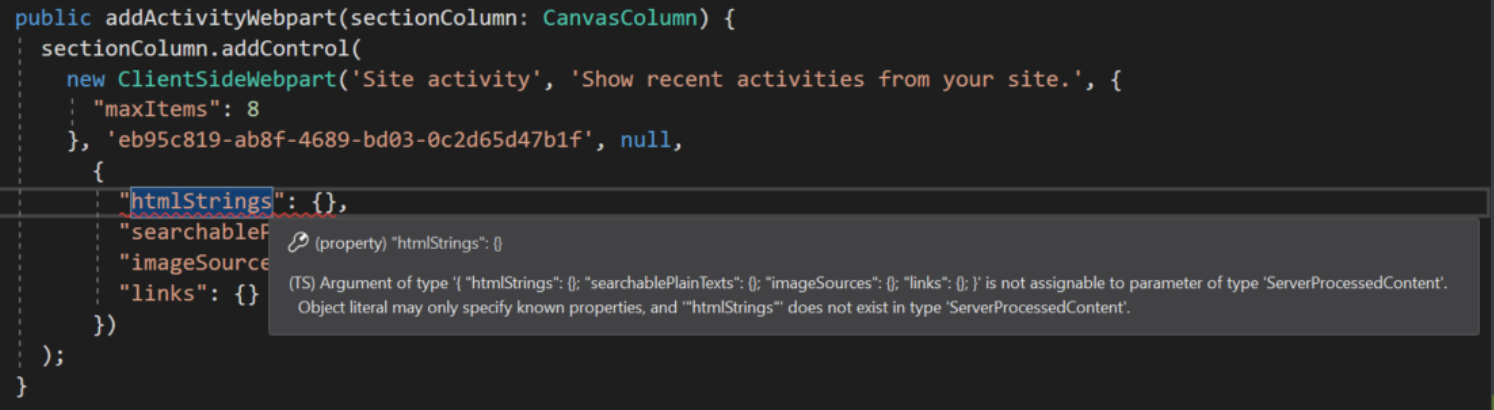
What would be the fix for it. ?
Also, with the Existing properties the webpart does not appear in the page in View/Edit or
maintenancemode.
Thanks & Regards,
Pavan.
 pavan2920
All 4 comments
In the case of site activity webpart htmlProperties can be omitted.
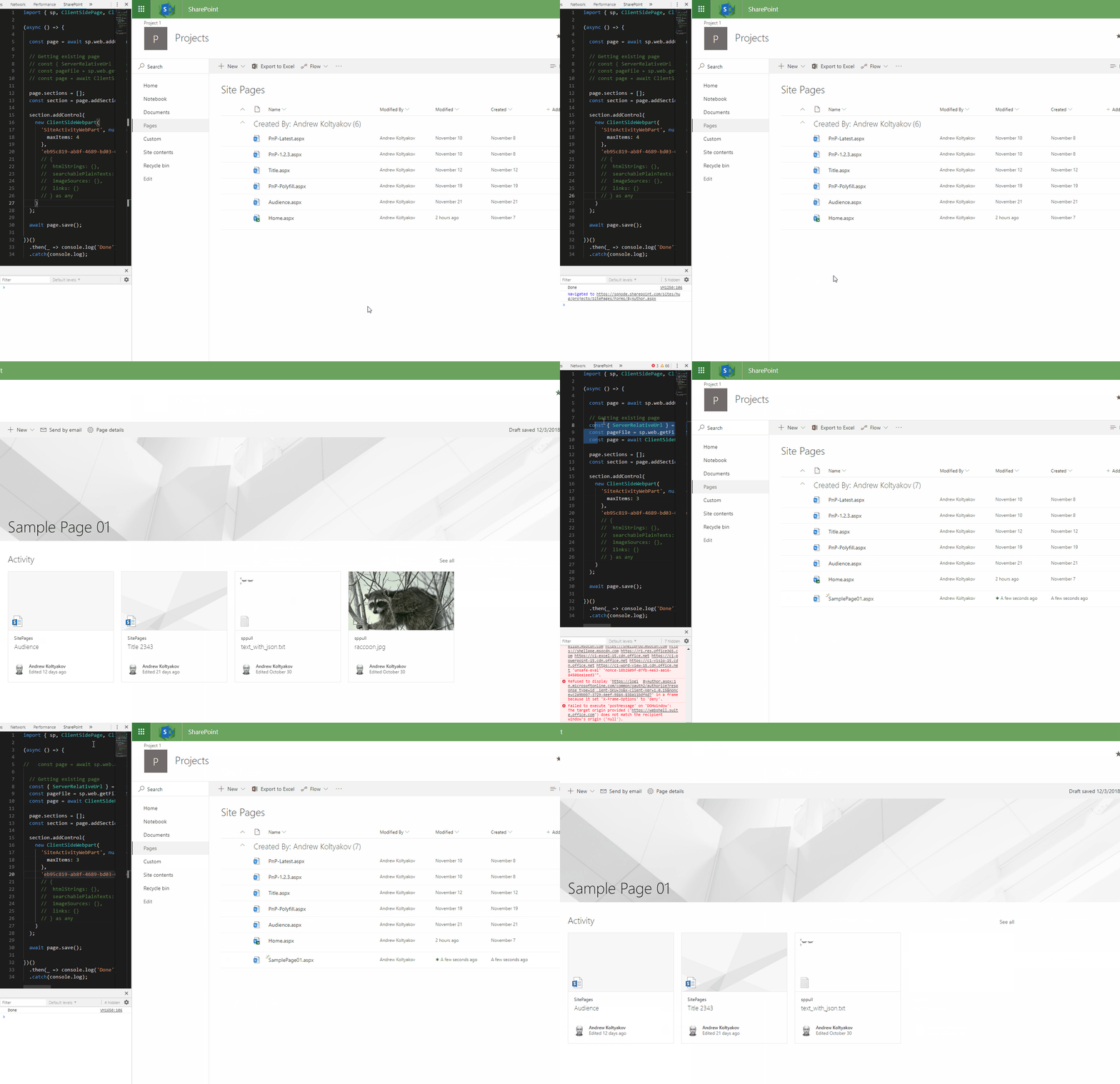
This worked for me for creation, update, with and without htmlProperties:
import { sp, ClientSidePage, ClientSideWebpart, ClientSideText } from '@pnp/sp';

(async () => {

  // const page = await sp.web.addClientSidePage('SamplePage01.aspx', 'Sample Page 01');

  // Getting existing page
  const { ServerRelativeUrl } = await sp.web.select('ServerRelativeUrl').get();
  const pageFile = sp.web.getFileByServerRelativeUrl(`${ServerRelativeUrl}/SitePages/SamplePage01.aspx`);
  const page = await ClientSidePage.fromFile(pageFile);

  page.sections = [];
  const section = page.addSection();

  section.addControl(
    new ClientSideWebpart(
      'SiteActivityWebPart', null, {
        maxItems: 4
      },
      'eb95c819-ab8f-4689-bd03-0c2d65d47b1f',
      // {
      //  htmlStrings: {},
      //  searchablePlainTexts: {},
      //  imageSources: {},
      //  links: {}
      // } as any
    )
  );

  await page.save();

})()
  .then(_ => console.log('Done'))
  .catch(console.log);
 koltyakov
on 3 Dec 2018
koltyakov
on 3 Dec 2018
Hi @koltyakov , Tried the same thing but the webpart is not getting added.

And here is the package.json file
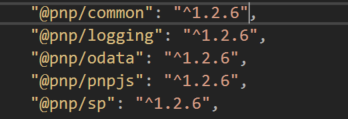
Did it worked for you ?
IF yes, can you share screenshot of package.json
Regards,
Pavan.
pavan2920
on 3 Dec 2018
Sure thing, it works for me. Before providing any samples I make sure they work using recent version of the library. Yes, it was 1.2.6.
koltyakov
on 3 Dec 2018
Going to close this as answered. You can also see the new sample showing how to add a Yammer webpart which applies to each of the types. Please _reopen_ if you need to continue the conversation. Thanks!
 patrick-rodgers
on 12 Dec 2018
patrick-rodgers
on 12 Dec 2018
Related issues
 AJIXuMuK
·
3Comments
AJIXuMuK
·
3Comments
 ahsanranjha
·
3Comments
ahsanranjha
·
3Comments
 muraray
·
3Comments
muraray
·
3Comments
 BrianBusby
·
3Comments
BrianBusby
·
3Comments
 alirobe
·
3Comments
alirobe
·
3Comments
Most helpful comment
Sure thing, it works for me. Before providing any samples I make sure they work using recent version of the library. Yes, it was 1.2.6.