Pnp-powershell: How do we build SharePointPnP.PowerShell solution?
Solution Build-related Issue/Questuon
Can soneone, please help me to build the solution SharePointPnP.PowerShell? Is there a good manual with the steps? I am probably missing something related to the nuGet packages. But not sure what.
Steps
- Cloned the repo
- I've read through the \Documentation\readme.md file
- Built SharePointPnP.PowerShell.ModuleFilesGenerator project successfully.
- Built SharePointPnP.PowerShell.CmdletHelpAttributes project successfully.
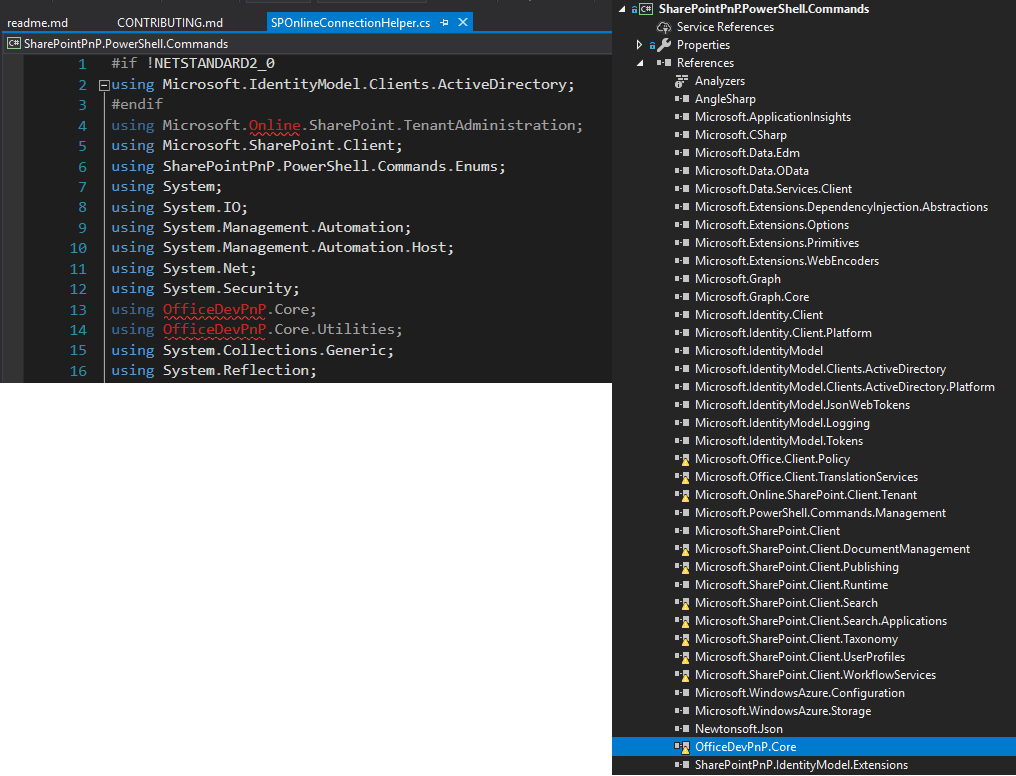
- Building SharePointPnP.PowerShell.Commands project fails . Propubly because of the nuGet packages
More info
- Target framework: .net Framework 4.5
- Visual Studio versuion: 2017 Community
Expected behavior
Soltion should build with no errors.
Actual behavior
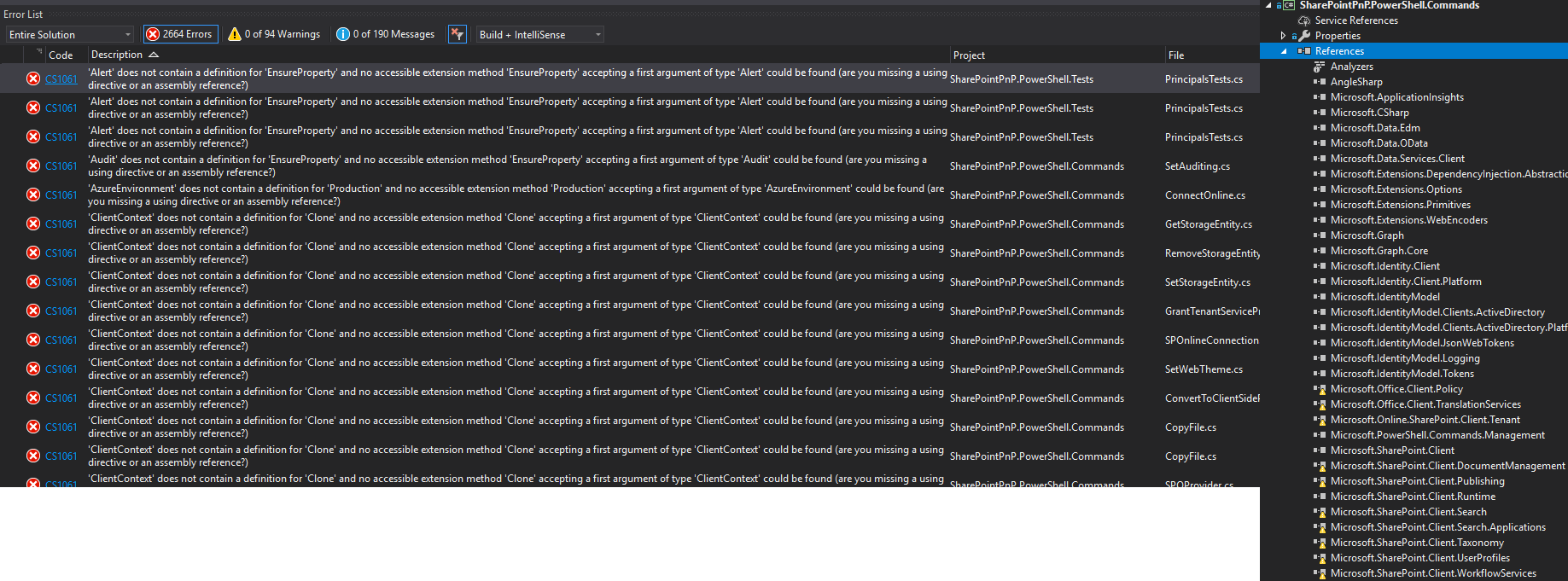
- When trying to build the SharePointPnP.PowerShell.Commands project I get errors:
Steps to reproduce behavior
- Clone the repo
- Build SharePointPnP.PowerShell.ModuleFilesGenerator
- Try to build the soltuion
Which version of the PnP-PowerShell Cmdlets are you using?
N/A
What is the version of the Cmdlet module you are running?
N/A
How did you install the PnP-PowerShell Cmdlets?
N/A
 Zerg00s
All 4 comments
Thank you for reporting this issue. We will be triaging your incoming issue as soon as possible.
![msftbot[bot] picture](https://avatars2.githubusercontent.com/in/26612?v=4&s=40) msftbot[bot]
on 18 Sep 2019
msftbot[bot]
on 18 Sep 2019
I had the same issue, it is because you are missing the debug build of the PnP-Sites-Core project which PnP-PowerShell heavily depends on.
See this section https://github.com/SharePoint/PnP-PowerShell/blob/master/CONTRIBUTING.md#code-contributions
In order to succesfully compile the PnP PowerShell solution you will also have to download and build in Visual Studio the PnP-Sites-Core repository and make the dev branch available. The PowerShell solution depends on it. In order to succesfully compile it, make sure that PnP-Sites-Core is located at the same level as PnP-PowerShell and you open the solution file OfficeDevPnP.Core.sln located in the Core subfolder of the sourcecode.
Clone this repo, build it using the relevant build task for your targeted version, go back to Pnp-PowerShell and it should now build successfully 👍🏻
 garrytrinder
on 18 Sep 2019
garrytrinder
on 18 Sep 2019
When I get chance I will push some updated contribution steps, as I think it can be and should be much clearer than it currently is.
garrytrinder
on 18 Sep 2019
Thank you @garrytrinder, with your instructions I was able to build the SharePointPnP.PowerShell solution.
Zerg00s
on 19 Sep 2019
Related issues
 JoshuaWalsh
·
16Comments
JoshuaWalsh
·
16Comments
 NicholasMiller3
·
22Comments
NicholasMiller3
·
22Comments
 heinrich-ulbricht
·
14Comments
heinrich-ulbricht
·
14Comments
 DanielSanIT
·
59Comments
DanielSanIT
·
59Comments
 GodTigga
·
29Comments
GodTigga
·
29Comments