Pnp-modern-search: Filter web part not displaying refiners when set to panel
Version used
3.15.3 - works
3.16 - does not work
3.17 - does not work
Describe the bug
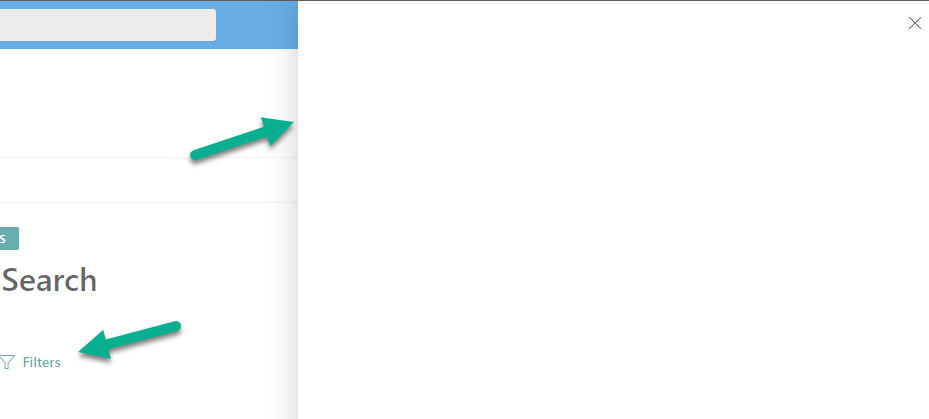
Filter panel is empty. Refiners are configured and display when layout is set to Vertical, but not when layout is set to Panel.
To Reproduce
Steps to reproduce the behavior:
- Add search results web part to a page
- Add Filters web part to a page
- Connect web parts
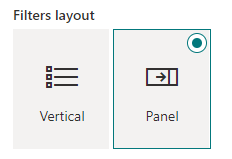
- Ensure Filters web part layout is set to panel
- Search for results
- Open filter panel - no refiners available!
- Edit page and change filter web part layout to Vertical
- Repeat search query and validate that refiners are now displayed
Expected behavior
Refiners to be displayed when using Vertical layout
Screenshots
If applicable, add screenshots to help explain your problem.
Desktop (please complete the following information):
- Browser: Edge (new)
Additional context
 joelfmrodrigues
👍1
>All comments
Same issue for me.
 coupalm
on 4 Feb 2021
coupalm
on 4 Feb 2021
👍2
Was this page helpful?
0 / 5 - 0 ratings
Related issues
 RichG82
·
3Comments
RichG82
·
3Comments
 AmitTyagi1
·
5Comments
AmitTyagi1
·
5Comments
 alexabramkin
·
3Comments
alexabramkin
·
3Comments
 mbice
·
4Comments
mbice
·
4Comments
 polashivaprasad
·
5Comments
polashivaprasad
·
5Comments
Most helpful comment
Same issue for me.