Pmbootstrap: [flame] Screen output flicker and inactivity
The Flame device screen is essentially inactive. A very brief flicker appears upon boot, but immediately disappears and screen turns blank. Debugging this by entering a loop_forever right after show_splash yielded the same behavior.
In dmesg the following (truncated) output shows that framebuffer seems to load correctly:
[    0.000000] Node qcom,mdss_fb_primary memblock_reserve memory 3200000-3a00000
[    0.740375] mdss_dsi_panel_init: Panel Name = ili9806c wvga video mode dsi panel
[    0.740634] mdss_dsi_panel_init:1033 Continuous splash flag enabled.
[    0.740647] mdss_dsi_panel_init:1045 Partial update disabled.
[    0.741262] mdss_register_panel: adding framebuffer device fdd00000.qcom,mdss_dsi
[    0.768116] mdp3_alloc: allocating 3280896 bytes at c3200000 (3200000 phys) for fb 0
[    0.768510] mdss_fb_register: FrameBuffer[0] 480x854 size=3280896 registered successfully!
[    0.768728] Registered led device: lcd-backlight
There are also some errors coming from msm_vidc which do not appear on a normal B2G boot, but do appear on a B2G recovery boot and the screen works there, so they can possibly be ignored (might be related to more advanced screen functions irrelevant for the framebuffer driver)
[    3.390004] msm_vidc: 1: Failed to read qcom,load-freq-tbl from device tree
[    3.390017] msm_vidc: 1: no elements in frequency table
[    3.390027] msm_vidc: 1: Failed to read qcom,reg-presets from device tree
[    3.390106] msm_vidc: 1: Failed to read qcom,buffer-type-tz-usage-table from device tree
[    3.390127] msm_vidc: 1: Q6 hfi device probe called
All sysfs parameters seem to be set correctly when diffed against the B2G params, except for one param that is set manually to match:
echo "480,1708" > /sys/devices/virtual/graphics/fb0/virtual_size
fbset output:
mode "480x854-4"
    # D: 2.252 MHz, H: 3.263 kHz, V: 3.650 Hz
    geometry 480 854 480 1708 32
    timings 444139 100 100 8 20 10 12
    accel false
    rgba 8/24,8/16,8/8,8/0
endmode
This workaround didn't seem to help either:
# cat /sys/class/graphics/fb0/modes > /sys/class/graphics/fb0/mode
# cat /sys/class/graphics/fb0/mode
U:480x854p-3
This also doesn't do anything:
# cat /dev/urandom > /dev/fb0
cat: write error: No space left on device
Similar symptoms to #29
 yuvadm
All 16 comments
For hammerhead, the framebuffer worked after removing support for the proprietary 3d driver in the kernel: https://github.com/postmarketOS/pmbootstrap/pull/66
Maybe that also works for the flame?
 ollieparanoid
on 14 Aug 2017
ollieparanoid
on 14 Aug 2017
@ollieparanoid nice idea, but that didn't change much
yuvadm
on 14 Aug 2017
I wonder if the flickering happens again, if you manually run fbset.
I'm asking, because on the lg-mako the splash screens only appear very briefly and then the screen is black again, but when fbset gets executed again, something appears again. Also weston works on that device - have you tried to simply run weston despite of the fbset errors (by booting through)?
ollieparanoid
on 14 Aug 2017
What does running fbset mean? Besides showing the details I can't really get anything out of it.
Sure I'm booting through every single time. This is what /tmp/weston.log shows:
[00:56:11.544] weston 2.0.0
               http://wayland.freedesktop.org
               Bug reports to: https://bugs.freedesktop.org/enter_bug.cgi?product=Wayland&component=weston&version=2.0.0
               Build: 1.99.94-2-g4c4f13d configure.ac: bump to version 2.0.0 for the official release (2017-02-24 16:19:03 -0800)
[00:56:11.544] Command line: weston
[00:56:11.545] OS: Linux, 3.4.0, #7-Alpine SMP PREEMPT Mon Aug 14 15:31:57 GMT 2017, armv7l
[00:56:11.548] Using config file '/etc/xdg/weston/weston.ini'
[00:56:11.566] Output repaint window is 7 ms maximum.
[00:56:11.567] Loading module '/usr/lib/libweston-2/fbdev-backend.so'
[00:56:11.583] initializing fbdev backend
[00:56:11.583] Creating fbdev output.
[00:56:11.584] Opening fbdev frame buffer.
[00:56:11.919] Calculating pixman format from:
                - type: 0 (aux: 0)
                - visual: 2
                - bpp: 32 (grayscale: 0)
                - red: offset: 24, length: 8, MSB: 0
                - green: offset: 16, length: 8, MSB: 0
                - blue: offset: 8, length: 8, MSB: 0
                - transp: offset: 0, length: 8, MSB: 0
                - pixman_type: 0
[00:56:11.919] Type guessed: 9:
[00:56:12.139] event0  - [00:56:12.139] Goodix-TS: [00:56:12.139] is tagged by udev as: Keyboard
[00:56:12.139] event0  - [00:56:12.139] Goodix-TS: [00:56:12.139] device is a keyboard
[00:56:12.140] event6  - [00:56:12.140] gpio-keys: [00:56:12.141] is tagged by udev as: Keyboard
[00:56:12.141] event6  - [00:56:12.141] gpio-keys: [00:56:12.141] device is a keyboard
[00:56:12.142] event1  - [00:56:12.142] stk3x1x-als: [00:56:12.142] not tagged as supported input device
[00:56:12.142] event1  - not using input device '/dev/input/event1'
[00:56:12.143] event2  - [00:56:12.143] stk3x1x-ps: [00:56:12.144] not tagged as supported input device
[00:56:12.145] event2  - not using input device '/dev/input/event2'
[00:56:12.147] event3  - [00:56:12.147] bma2x2: [00:56:12.147] is tagged by udev as: Accelerometer
[00:56:12.147] event3  - [00:56:12.147] bma2x2: [00:56:12.147] device is an accelerometer, ignoring
[00:56:12.155] event3  - not using input device '/dev/input/event3'
[00:56:12.157] event4  - [00:56:12.157] compass: [00:56:12.157] not tagged as supported input device
[00:56:12.165] event4  - not using input device '/dev/input/event4'
[00:56:12.167] event5  - [00:56:12.167] qpnp_pon: [00:56:12.167] is tagged by udev as: Keyboard
[00:56:12.167] event5  - [00:56:12.167] qpnp_pon: [00:56:12.167] device is a keyboard
[00:56:12.294] Opening fbdev frame buffer.
[00:56:12.639] Calculating pixman format from:
                - type: 0 (aux: 0)
                - visual: 2
                - bpp: 32 (grayscale: 0)
                - red: offset: 24, length: 8, MSB: 0
                - green: offset: 16, length: 8, MSB: 0
                - blue: offset: 8, length: 8, MSB: 0
                - transp: offset: 0, length: 8, MSB: 0
                - pixman_type: 0
[00:56:12.639] Type guessed: 9:
[00:56:12.639] Mapping fbdev frame buffer.
[00:56:12.639] fbdev output 480×854 px
               guessing 3 Hz and 96 dpi
[00:56:12.640] Compositor capabilities:
               arbitrary surface rotation: yes
               screen capture uses y-flip: yes
               presentation clock: CLOCK_MONOTONIC_RAW, id 4
               presentation clock resolution: 0.000000001 s
[00:56:12.644] Loading module '/usr/lib/weston/desktop-shell.so'
[00:56:12.660] launching '/usr/lib/weston/weston-keyboard'
[00:56:12.662] Old Xwayland module loading detected: Please use --xwayland command line option or set xwayland=true in the [core] section in weston.ini
[00:56:12.662] Loading module '/usr/lib/libweston-2/xwayland.so'
[00:56:12.918] Registered plugin API 'weston_xwayland_v1' of size 16
[00:56:12.918] Registered plugin API 'weston_xwayland_surface_v1' of size 8
[00:56:12.918] xserver listening on display :0
[00:56:12.919] launching '/usr/lib/weston/weston-desktop-shell'
could not load cursor 'dnd-move'
could not load cursor 'dnd-copy'
could not load cursor 'dnd-none'
could not load cursor 'dnd-move'
could not load cursor 'dnd-copy'
could not load cursor 'dnd-none'
[00:56:14.521] Spawned Xwayland server, pid 1408
Disabling glamor and dri3, EGL setup failed
Failed to initialize glamor, falling back to sw
[00:56:18.127] xfixes version: 5.0
[00:56:18.192] created wm, root 608
[01:03:18.135] leaving VT
[01:03:18.136] event0  - [01:03:18.136] Goodix-TS: [01:03:18.136] device removed
[01:03:18.155] event6  - [01:03:18.156] gpio-keys: [01:03:18.156] device removed
[01:03:18.165] event5  - [01:03:18.165] qpnp_pon: [01:03:18.165] device removed
[01:03:18.176] Disabling fbdev output.
[01:03:18.176] Destroying fbdev frame buffer.
Uh, I meant fbsplash. Anyway, from your weston.log:
guessing 3 Hz and 96 dpi
That seems to be wrong! Maybe it's working when you force 60 Hz directly in the driver?
https://github.com/postmarketOS/pmbootstrap/pull/348/files
I doubt that this will magically make your screen work. But you would need that fix anyway. You could also compare your weston logs with the working weston logs from the "paste your weston.log" issue #141, maybe there's more that you can hardcode in the driver, which could really fix your issue.
ollieparanoid
on 15 Aug 2017
Some more results:
fbsplash -s splash-telnet.ppm doesn't do anything
Next, I applied the fixed framerate hack
```diff --git a/drivers/video/msm/mdss/mdss_fb.c b/drivers/video/msm/mdss/mdss_fb.c
index d4a236a0..76d97074 100644
--- a/drivers/video/msm/mdss/mdss_fb.c
+++ b/drivers/video/msm/mdss/mdss_fb.c
@@ -1219,7 +1219,7 @@ static int mdss_fb_register(struct msm_fb_data_type *mfd)
var->left_margin = panel_info->lcdc.h_back_porch;
var->right_margin = panel_info->lcdc.h_front_porch;
var->hsync_len = panel_info->lcdc.h_pulse_width;
- var->pixclock = panel_info->clk_rate / 1000;
+ var->pixclock = 1000000 / 60;
/* id field for fb app */
and now I get:
mode "480x854-97"
# D: 60.002 MHz, H: 86.960 kHz, V: 97.271 Hz
geometry 480 854 480 1708 32
timings 16666 100 100 8 20 10 12
accel false
rgba 8/24,8/16,8/8,8/0
endmode
And weston guesses 100hz (?!):
[02:47:52.484] Opening fbdev frame buffer.
[02:47:52.824] Calculating pixman format from:
- type: 0 (aux: 0)
- visual: 2
- bpp: 32 (grayscale: 0)
- red: offset: 24, length: 8, MSB: 0
- green: offset: 16, length: 8, MSB: 0
- blue: offset: 8, length: 8, MSB: 0
- transp: offset: 0, length: 8, MSB: 0
- pixman_type: 0
[02:47:52.824] Type guessed: 9:
[02:47:52.824] Mapping fbdev frame buffer.
[02:47:52.824] fbdev output 480×854 px
guessing 100 Hz and 96 dpi
```
yuvadm
on 15 Aug 2017
Also interestingly enough running fbset on a recovery B2G image yields the exact same output as the original fbset, so maybe the timings are correct?
yuvadm
on 15 Aug 2017
My current guess is that none of the existing B2G images actually use the framebuffer driver and thus I might be a bit in the dark about what is missing, since I have no working baseline to compare to.
yuvadm
on 21 Aug 2017
@yuvadm can you try with a patch like this https://github.com/postmarketOS/pmbootstrap/blob/master/aports/device/linux-huawei-y530/05_fix_mdp3_ctrl_off.patch?
The problems seems like the one I had with the huawei and that patch fixed it.
Please share the full kernel log if it doesn't work, maybe I can help.
 drebrez
on 11 Sep 2017
drebrez
on 11 Sep 2017
@drebrez wow, this is the first progress I've had so far! The screen actually shows something instead of just flickering once. This is the current splash screen:

I'm currently using both the mdp3-ctrl-off patch as well as the fb-refresh-rate patch. Any ideas?
yuvadm
on 11 Sep 2017
@yuvadm yes, I had the exactly same output, it's an issue with the bits_per_pixel value, I fixed with this patch (https://github.com/postmarketOS/pmbootstrap/blob/master/aports/device/linux-huawei-y530/06_fix_mdss_fb_rgb_mode.patch)
drebrez
on 11 Sep 2017
Sweet! Will be able to test this later today. Thanks for the great suggestions :)
yuvadm
on 11 Sep 2017
@yuvadm i've spent various hours debugging that mdss driver, I'm really happy to see that it was worth it and we are getting other devices working 😊
drebrez
on 11 Sep 2017
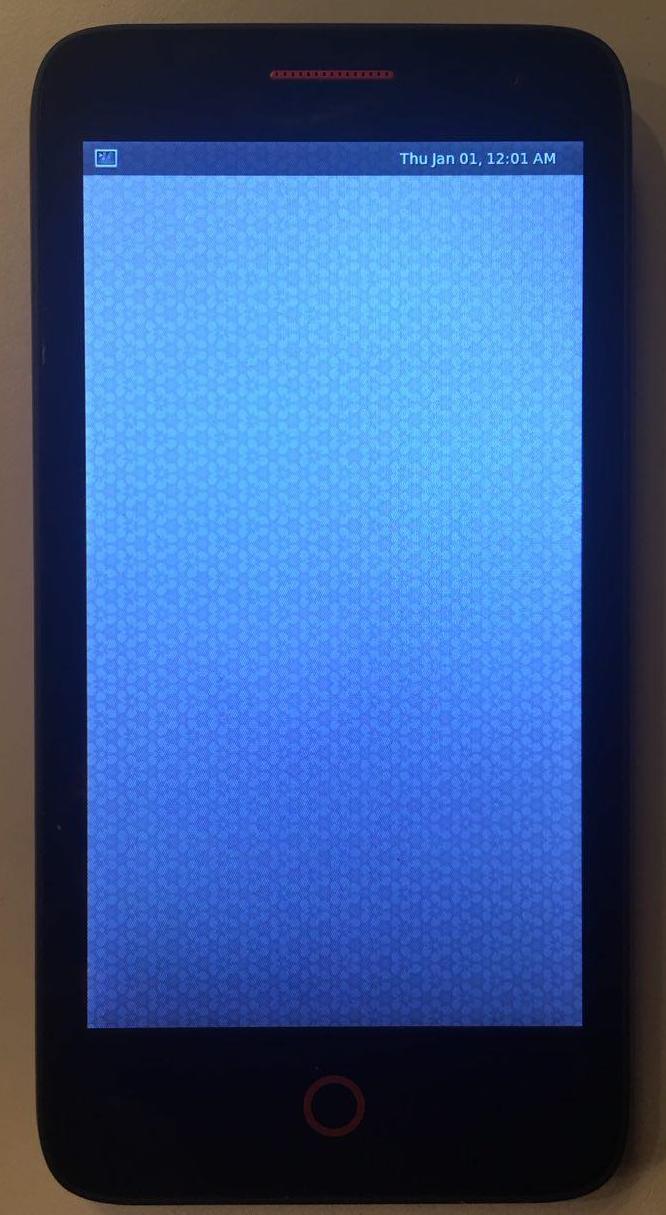
@drebrez IT'S ALIVE!! 🎉
yuvadm
on 11 Sep 2017
🌟 💥 Hurray! 💥 🌟
drebrez
on 11 Sep 2017
@yuvadm wow 😀 congrats !
 kskarthik
on 12 Sep 2017
kskarthik
on 12 Sep 2017
Related issues
 ata2001
·
3Comments
ata2001
·
3Comments
 Asara
·
6Comments
Asara
·
6Comments
 Decatf
·
4Comments
Decatf
·
4Comments
 MartijnBraam
·
6Comments
ollieparanoid
·
5Comments
MartijnBraam
·
6Comments
ollieparanoid
·
5Comments
Most helpful comment
@drebrez IT'S ALIVE!! 🎉
