Pmbootstrap: Graphical Installer
(Far future, just documenting this here.)
I was asked in IRC about providing binary system images for Android files.
The problem with that is, that we would have default passwords, and a default encryption key for the whole system image, which renders the full disk encryption useless.
This is my "vision":
- GNU/Linux live CD (actually, better an usb stick image) based on Alpine, that you can boot on any PC or in a VM and pass your USB devices to
- It has a fancy version of
pmbootstrapwith a pyQT? GUI This shouldn't be that hard actually, because everything is abstracted well (writing to logs, asking for user input, ...). Maybe a bit more like a wizard, and maybe with photos of how to enter the flashing mode etc. properly. - It contains pre-compiled packages.
- You could choose the phone interface, that you want to install
 ollieparanoid
All 9 comments
I think that idea of a bootable live distribution - for the purpose of managing pmOS is an excellent idea. It can connect to this repository, update itself, a link and/or local documentation.
 jsprada
on 5 Jun 2017
jsprada
on 5 Jun 2017
Note that full disk encryption might not be of interest for some of target users.
-----Original Message-----
From: Oliver Smith notifications@github.com
To: postmarketOS/pmbootstrap pmbootstrap@noreply.github.com
Cc: Subscribed subscribed@noreply.github.com
Sent: Mon, 05 Jun 2017 4:23 AM
Subject: [postmarketOS/pmbootstrap] Graphical Installer (#63)
(Far future, just documenting this here.)
I was asked in IRC about providing binary system images for Android files.
The problem with that is, that we would have default passwords, and a default encryption key for the whole system image, which renders the full disk encryption useless.
This is my "vision":
- GNU/Linux live CD (actually, better an usb stick image) based on Alpine, that you can boot on any PC or in a VM and pass your USB devices to
- It has a fancy version of
pmbootstrapwith a pyQT? GUI This shouldn't be that hard actually, because everything is abstracted well (writing to logs, asking for user input, ...). Maybe a bit more like a wizard, and maybe with photos of how to enter the flashing mode etc. properly. - It contains pre-compiled packages.
- You could choose the phone interface, that you want to install
--
You are receiving this because you are subscribed to this thread.
Reply to this email directly or view it on GitHub:
https://github.com/postmarketOS/pmbootstrap/issues/63
 dzervas
on 5 Jun 2017
dzervas
on 5 Jun 2017
I think the end users should have a seperate flashing application that detects the phone(s) connected and uses a binary repository to quickly generate the images with minimal tooling. Some neat graphical application that does:
- listing the connected phones
- allow the user to set the encryption key and account info
- allow to select on of the base packages with a DE
- flash with neat progress bar
 MartijnBraam
on 5 Jun 2017
MartijnBraam
on 5 Jun 2017
Would a recovery zip installer be impossible? You can run binaries from there with root access.
An example gui, part of an android ROM installer: https://github.com/amarullz/AROMA-Installer/blob/master/src/main/aroma_ui.c
 ata2001
on 20 Jun 2017
ata2001
on 20 Jun 2017
I think it would be possible, but it would be very specific to Android and a lot of effort to get it right (think about full disk encryption). I would prefer to have a generic installer, that works for all devices (e.g. the N900 that @MartijnBraam has recently ported). Nevertheless, feel free to work on such an installer, if you think it is useful!
ollieparanoid
on 20 Jun 2017
I just made a first draft using Pencil. What do you think? :smile:
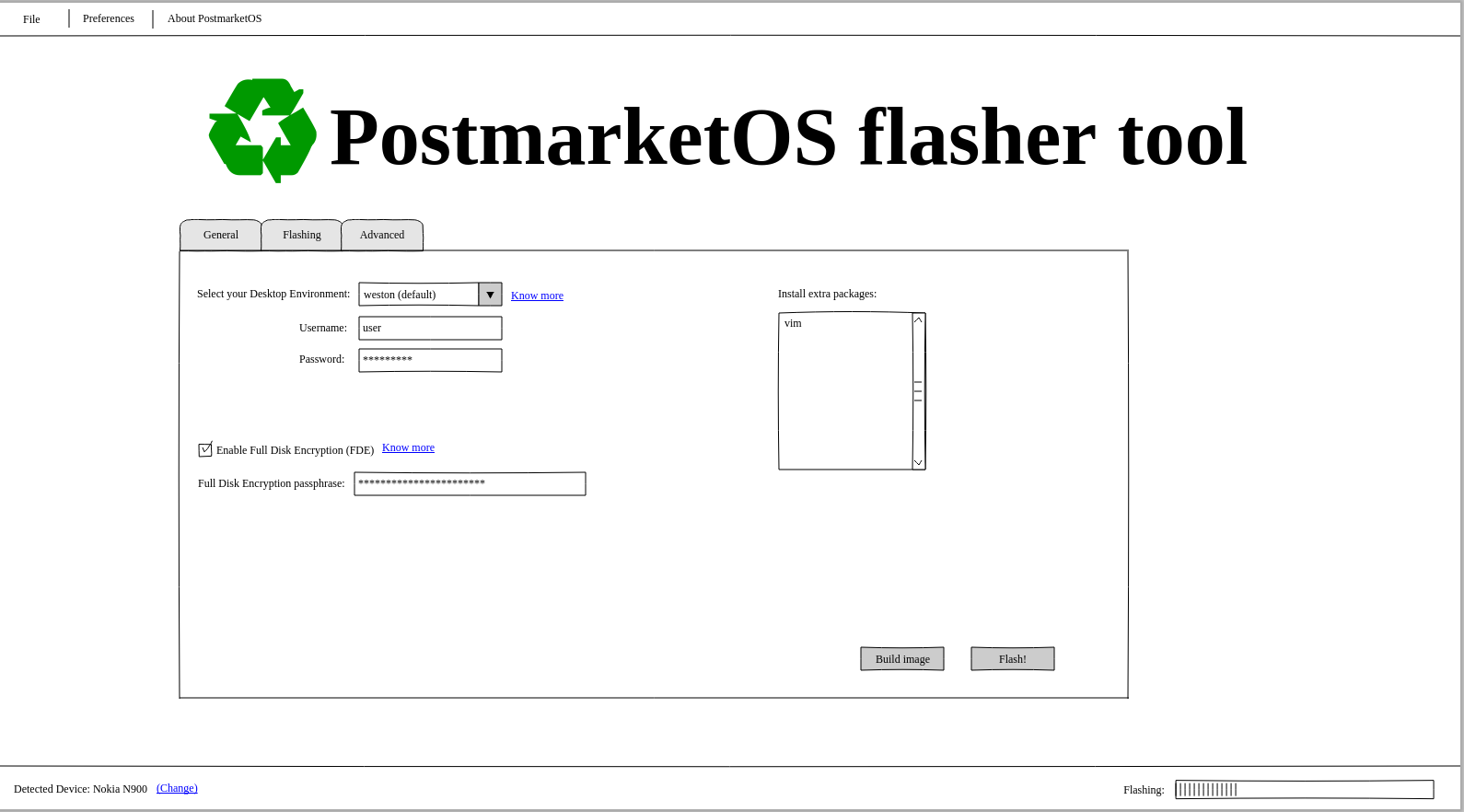
If you want to make a second version, the source for Pencil is here:
postmarketos-gui.zip
 PabloCastellano
on 29 Sep 2017
PabloCastellano
on 29 Sep 2017
@PabloCastellano I'd prefer a wizard, that explains every step, and guides the user trough everything, even bootloader unlock.
ata2001
on 29 Sep 2017
I guess both a wizard mode and an advanced mode would be good, the wizard for first-time users and advanced mode if you need to flash this to a whole stack of devices.
MartijnBraam
on 29 Sep 2017
I've built a test graphical wizard using python3+gtk3 at https://github.com/MartijnBraam/pmbootstrap-gtk
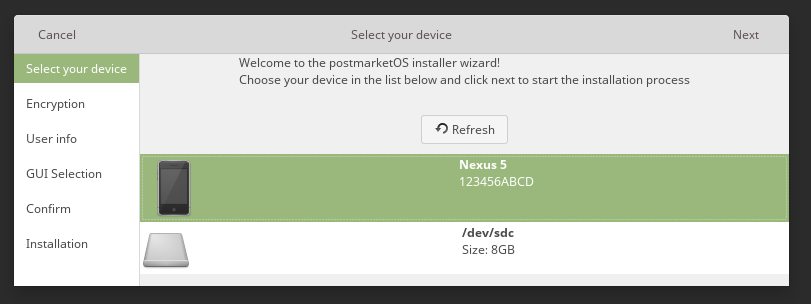
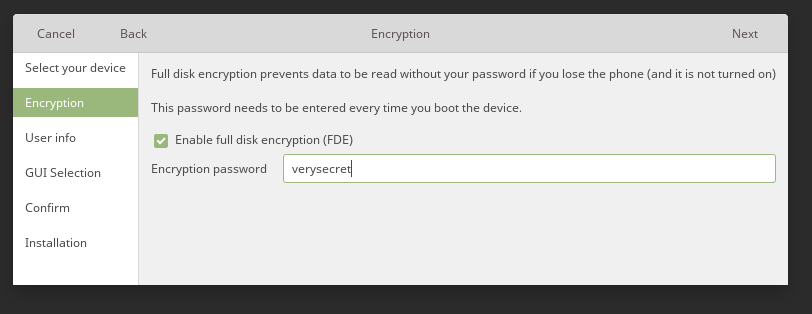

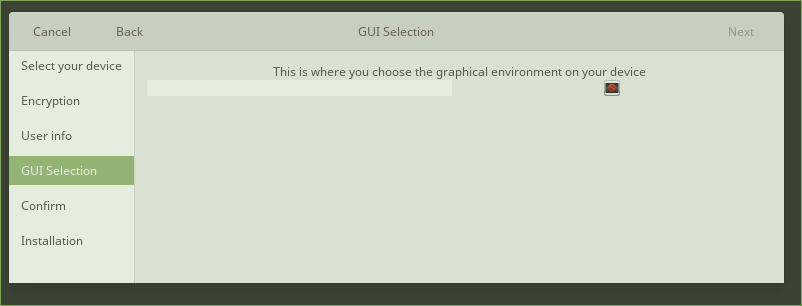
(This is with the Linux Mint GTK theme and the headerbars enabled)
On arch with adwaita and dark theme enabled:

And without headerbars:

MartijnBraam
on 29 Sep 2017
Related issues
ollieparanoid
·
5Comments
ollieparanoid
·
5Comments
 fynngodau
·
3Comments
ata2001
·
3Comments
fynngodau
·
3Comments
ata2001
·
3Comments
 zhuowei
·
4Comments
zhuowei
·
4Comments
Most helpful comment
@PabloCastellano I'd prefer a wizard, that explains every step, and guides the user trough everything, even bootloader unlock.