Pluto.jl: Problems using pluto.jl in WSL2's docker
I configured WSL 2 in a windows environment and set up the docker in WSL via docker desktop for windows. In my docker container, I started pluto:
bash > docker run --rm -it -p 1234:1234 -v /d/:/notebooks hrdlzenan/xjulia:latest
julia> using Pluto
julia> Pluto.run("0.0.0.0.0", 1234; configuration=Pluto.ServerConfiguration(launch_browser=false))
Then, pluto shows:
Go to http://0.0.0.0:1234/ in your browser to start writing ~ have fun!

Press Ctrl+C in this terminal to stop Pluto
I opened http://localhost:1234/ in my browser and nothing shows up.

What it means is: Unable to access this site, localhost denied our connection request.
What should I do?😅 (If I don't use WSL, but use docker directly in a windows environment, there is no problem repeating the above steps.)
 ZenanH
All 9 comments
@lungben
 fonsp
on 21 Sep 2020
fonsp
on 21 Sep 2020
I cannot reproduce your error, for me the container works correctly with WSL 2.
I tested it using Win10, WSL2 (Ubuntu 20.04 LTS) and latest Docker for Windows Edge (with WSL2 backend).
- Starting the container plutojl/pluto:latest from Powershell with
docker run -p 1234:1234 -d plutojl/pluto - Starting the container in Ubuntu WSL2, using the same command
Could you please double-check that you are using WSL2 by executing wsl -l -v in PowerShell?
And please double-check to have WSL2 backend enabled in Docker: Settings -> General -> Use the WSL 2 based engine
 lungben
on 21 Sep 2020
lungben
on 21 Sep 2020
I just saw that you are using a custom Docker image, not the official Pluto.jl one.
In your example, it may just be one ".0" too many in your IP address ;-)
julia> Pluto.run("0.0.0.0.0",
lungben
on 21 Sep 2020
Thank you for your reply!
1. Detailed information about my computer environment:
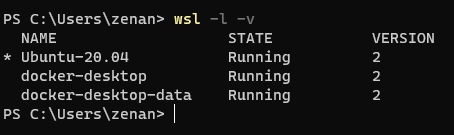
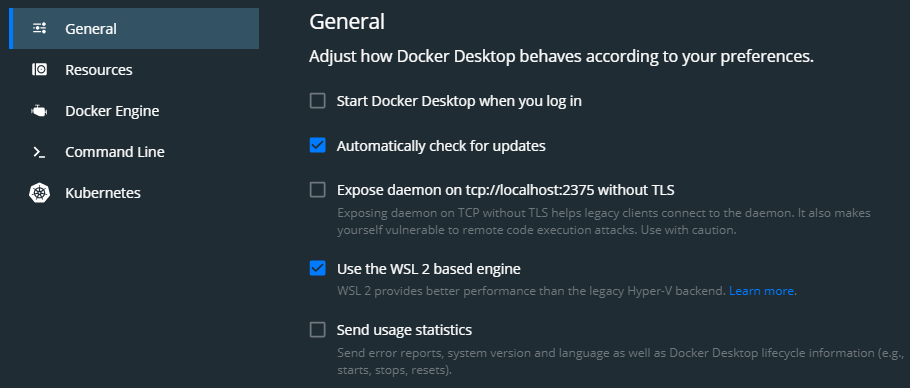
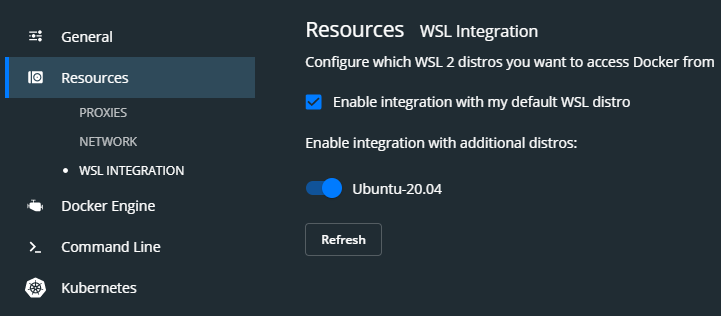
2. This time I used the official pluto image.
docker run -p 1234:1234 -d plutojl/pluto
docker container ps
CONTAINER ID        IMAGE               COMMAND                  CREATED              STATUS              PORTS                    NAMES
4a69586dfd37        plutojl/pluto       "julia /home/pluto/s…"   About a minute ago   Up About a minute   0.0.0.0:1234->1234/tcp   romantic_nightingale
3. At this time, I opened http://localhost:1234my brower
The browser shows the error I mentioned earlier. 😅
ZenanH
on 22 Sep 2020
Strange, I have practically the identical setup and for me it works.
It it possible for you in general to run a service in Docker and access its port in your browser?
lungben
on 22 Sep 2020
I can use jupyter in my dockers container as follows:
zenan@DESKTOP-LT1J6HO:/mnt/c/Users/zenan$ docker run -it --rm -p 8888:8888 hrdlzenan/xjulia:latest
(base) root@5403afcbf729:/# jupyter notebook --no-browser --ip=0.0.0.0 --allow-root --NotebookApp.token= --notebook-dir='/'

[I 07:04:57.812 NotebookApp] Writing notebook server cookie secret to /root/.local/share/jupyter/runtime/notebook_cookie_secret
[W 07:04:58.083 NotebookApp] All authentication is disabled.  Anyone who can connect to this server will be able to run code.
[I 07:04:58.171 NotebookApp] JupyterLab extension loaded from /opt/conda/lib/python3.8/site-packages/jupyterlab
[I 07:04:58.171 NotebookApp] JupyterLab application directory is /opt/conda/share/jupyter/lab
[I 07:04:58.173 NotebookApp] Serving notebooks from local directory: /
[I 07:04:58.173 NotebookApp] Jupyter Notebook 6.1.1 is running at:
[I 07:04:58.173 NotebookApp] http://5403afcbf729:8888/
[I 07:04:58.173 NotebookApp] Use Control-C to stop this server and shut down all kernels (twice to skip confirmation).
[I 07:06:06.018 NotebookApp] 302 GET / (172.17.0.1) 0.34ms
Then, I opened http://127.0.0.1:8888 in browser:
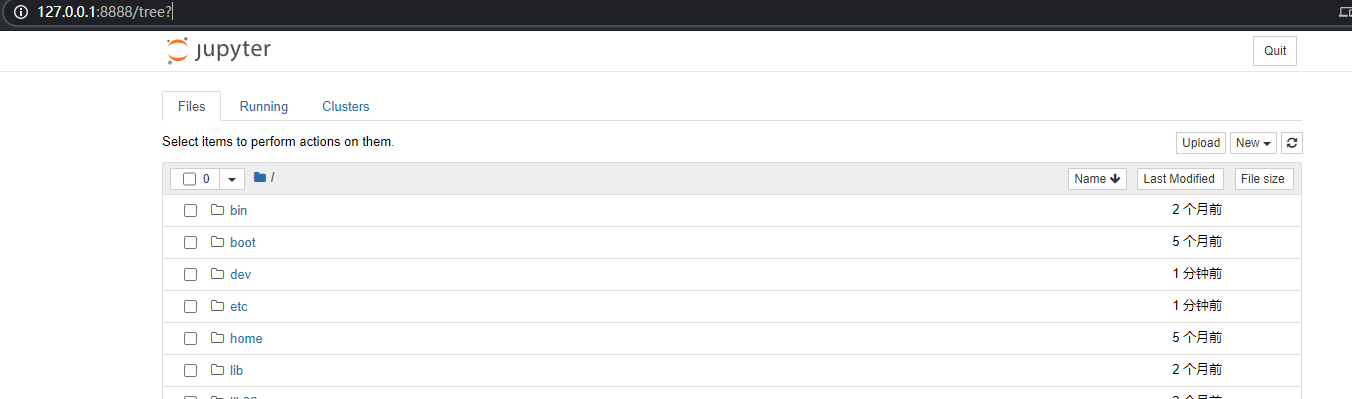

However, if I type jupyter's http://5403afcbf729:8888/ in my browser, the browser also gives me the same error:

ZenanH
on 22 Sep 2020
Problem solved!
I find that on my computer I just need to set the port to 8888. 😂
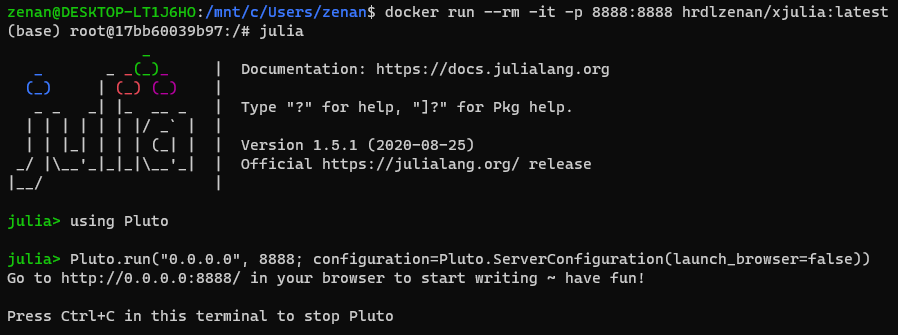
In this way, pluto can work well in browser. But I'm still not sure why the port 1234 can cause the problem (I have no server running in 1234)
ZenanH
on 22 Sep 2020
Maybe a firewall issue?
Anyhow, glad that it works for you now!
lungben
on 22 Sep 2020
I'll keep checking on this issue and report back if I find anything new. Thanks for your quick reply.☺
ZenanH
on 22 Sep 2020
Related issues
 enuit
·
3Comments
enuit
·
3Comments
 mossr
·
6Comments
fonsp
·
5Comments
fonsp
·
4Comments
mossr
·
6Comments
fonsp
·
5Comments
fonsp
·
4Comments
 MikaelSlevinsky
·
5Comments
MikaelSlevinsky
·
5Comments
Most helpful comment
Problem solved!
I find that on my computer I just need to set the port to 8888. 😂
In this way, pluto can work well in browser. But I'm still not sure why the port
1234can cause the problem (I have no server running in1234)