Pluto.jl: Store notebooks in a permanent location by default
Where are the notebooks in Pluto which I had created on my hard disk?
I am unable to locate them and the documentation does not say.
 StevenSiew
All 9 comments
When you go to the main menu, you will see the list of recent notebook files.
Did you save your notebook by giving it a filename?
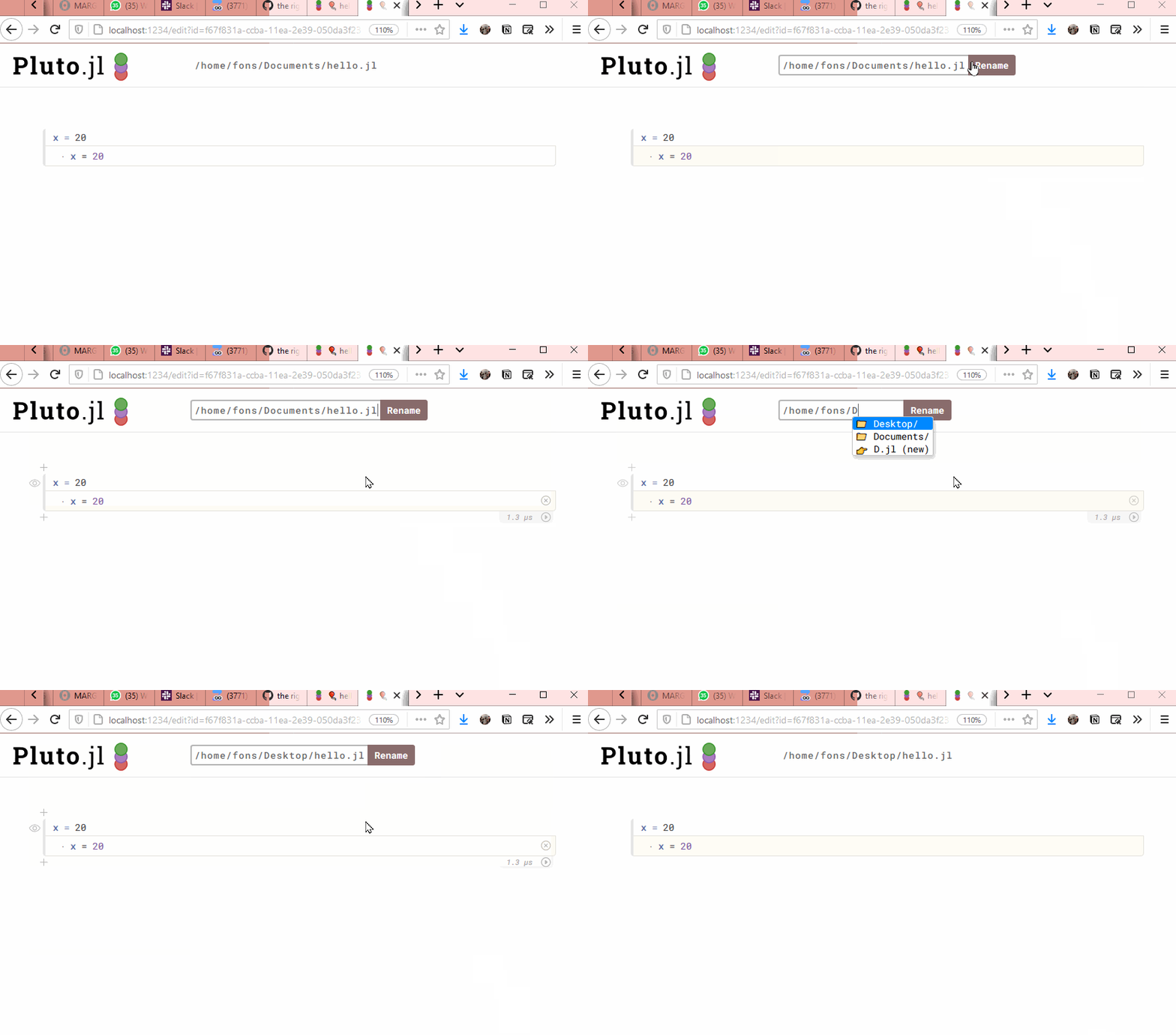
If not, then they were saved in your _temporary folder_. Run tempdir() in a Julia REPL to find out where that is:
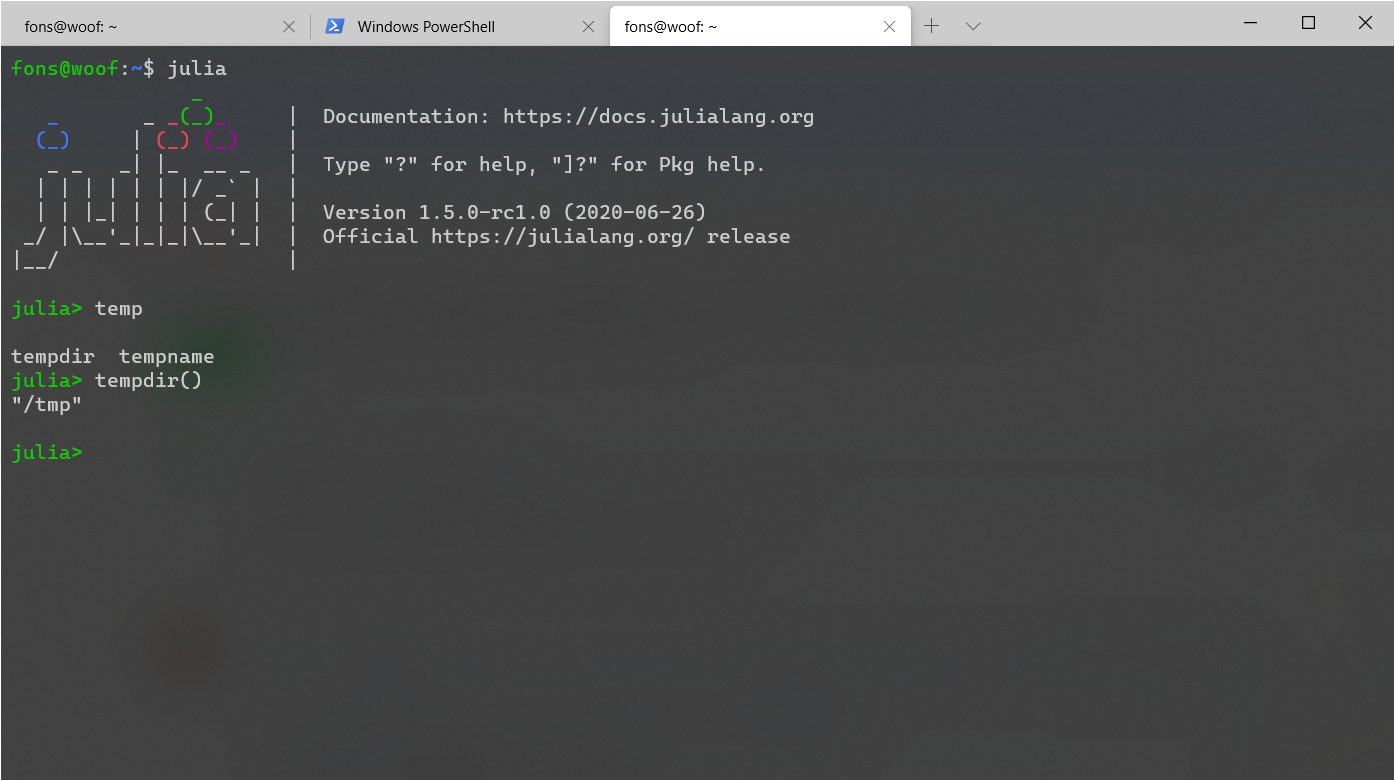
and the use a file browser to find your notebooks. (Sort by date)
 fonsp
on 8 Aug 2020
fonsp
on 8 Aug 2020
It might be a good idea to save a certain number of notebooks in a specific Pluto-temp directory that is not cleared out on reboot like tempdir() usually is.
I think the current system might make people not realize that unless you explicitly save a notebook it is basically meant as a throwaway. Maybe also offer a small red note at the top warning that the notebook will not be preserved?
Otherwise, I can already envision the number of users whining that all their hard work is gone because they rebooted their machine :grin:
 Paethon
on 8 Aug 2020
Paethon
on 8 Aug 2020
Hmmm yes that makes sense, where should it save them?
fonsp
on 12 Aug 2020
Any suggestions?
fonsp
on 2 Sep 2020
Sorry, completely forgot about that. Thanks for the bump :smile:
One possibility would be to look into Base.DEPOT_PATH and try to see if we can save the notebooks there. At least on my system (Arch Linux), this seems to work without any problem.
DataDeps.jl is doing a lot more complicated stuff to find a directory to save data dependencies, but I am not sure we have to use something this complicated (https://github.com/oxinabox/DataDeps.jl/blob/master/src/locations.jl)
Paethon
on 2 Sep 2020
So that's ~/.julia/pluto_notebooks/ or C:\Users\hannes\.julia\pluto_notebooks\ for most people right? I like it
fonsp
on 2 Sep 2020
Yes. Also note that the documentation clearly states, that the first entry in DEPOT_PATH has to be writable by the user. So that should not be a problem!
Paethon
on 2 Sep 2020
I like to use Docker images to transport my Julia environment to other places. Everything below ~/.julia is in the image, and changes there won't survive when the session ends. However, e.g. the home directory is mounted and writable.
The key point is: there should be a straightforward way to change the standard notebook location. For example, an environment variable PLUTO_NOTEBOOK_DIR overriding the default choice would do fine.
 eschnett
on 4 Sep 2020
eschnett
on 4 Sep 2020
@dralletje What do you think?
fonsp
on 15 Sep 2020
Related issues
fonsp
·
4Comments
 MikaelSlevinsky
·
6Comments
fonsp
·
5Comments
MikaelSlevinsky
·
7Comments
MikaelSlevinsky
·
6Comments
fonsp
·
5Comments
MikaelSlevinsky
·
7Comments
 aramirezreyes
·
3Comments
aramirezreyes
·
3Comments
Most helpful comment
It might be a good idea to save a certain number of notebooks in a specific Pluto-temp directory that is not cleared out on reboot like
tempdir()usually is.I think the current system might make people not realize that unless you explicitly save a notebook it is basically meant as a throwaway. Maybe also offer a small red note at the top warning that the notebook will not be preserved?
Otherwise, I can already envision the number of users whining that all their hard work is gone because they rebooted their machine :grin: