Plugins: Zabbix agent cannot be stopped, started, reloaded from web interface
After installing and configuring the zabbix plugin connection attempts are rejected:
root@zabbix:~# zabbix_get -s 10.0.0.1 -k agent.ping
zabbix_get [2925]: Check access restrictions in Zabbix agent configuration
This is due to zabbix not reloading the configuration after saving and applying in the web interface. Also on the Dashboard it is not possible to actually stop and start the service despite the buttons being shown.
It is possible however to restart it from the shell, which immediately applies the configured changes:

 thunfischbrot
All 6 comments
@thunfischbrot Thanks for your report! Which version of OPNsense and of os-zabbix-agent are you running?
 fraenki
on 8 Feb 2018
fraenki
on 8 Feb 2018
I apologize for this omission, should have mentioned that they are all up-to-date:
FreeBSD 11.1-RELEASE-p6  6621d681e(stable/18.1)
OPNsense 18.1.2-efa2c4f74 [18.1.1-a5575d7bd] LibreSSL 2.6.4 (amd64)
Plugins os-arp-scan-1.1 os-iperf-1.0 os-wol-1.0_1 os-zabbix-agent-1.2
thunfischbrot
on 9 Feb 2018
FWIW, try to update. 18.1.2 had a buggy service handling and you want to double check on 18.1.2_2.
On 9. Feb 2018, at 09:54, thunfischbrot notifications@github.com wrote:
I apologize for this omission, should have mentioned that they are all up-to-date:
FreeBSD 11.1-RELEASE-p6 6621d681e(stable/18.1) OPNsense 18.1.2-efa2c4f74 [18.1.1-a5575d7bd] LibreSSL 2.6.4 (amd64) Plugins os-arp-scan-1.1 os-iperf-1.0 os-wol-1.0_1 os-zabbix-agent-1.2—
You are receiving this because you are subscribed to this thread.
Reply to this email directly, view it on GitHub, or mute the thread.
 fichtner
on 9 Feb 2018
fichtner
on 9 Feb 2018
Just upgraded, still the same behaviour.
User-Agent Mozilla/5.0 (Windows NT 6.1; Win64; x64; rv:58.0) Gecko/20100101 Firefox/58.0
FreeBSD 11.1-RELEASE-p6  6621d681e(stable/18.1)
OPNsense 18.1.2_2-43d2878aa [18.1.2-efa2c4f74] LibreSSL 2.6.4 (amd64)
Plugins os-arp-scan-1.1 os-iperf-1.0 os-wol-1.0_1 os-zabbix-agent-1.2
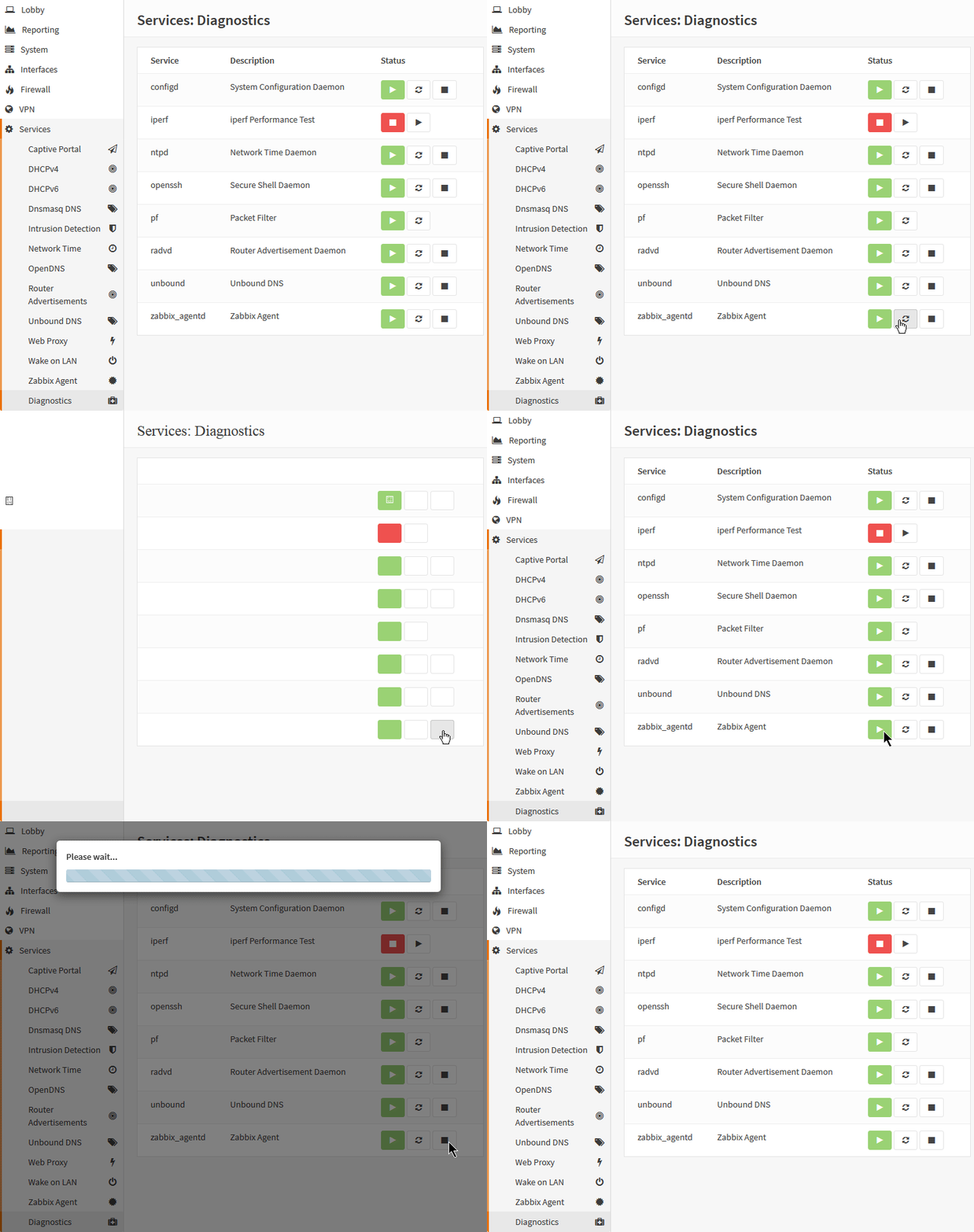
thunfischbrot
on 9 Feb 2018
Hello, it's same with OPNsense 18.1.5-amd64 FreeBSD 11.1-RELEASE-p8 LibreSSL 2.6.4
I have to disable and re-enable the agent to restart it from the web interface
 nantoine555
on 25 Mar 2018
nantoine555
on 25 Mar 2018
Found and fixed, thanks for the video!
fichtner
on 26 Mar 2018
Related issues
 astrandb
·
7Comments
astrandb
·
7Comments
 tk-wfischer
·
8Comments
tk-wfischer
·
8Comments
 botboe
·
8Comments
botboe
·
8Comments
 serial-bug
·
10Comments
serial-bug
·
10Comments
 Taomyn
·
7Comments
Taomyn
·
7Comments
Most helpful comment
Found and fixed, thanks for the video!