Plots2: Markdown button disables on using keyboard shortcut
Please describe the problem (or idea)
What happened just before the problem occurred? Or what problem could this idea solve?
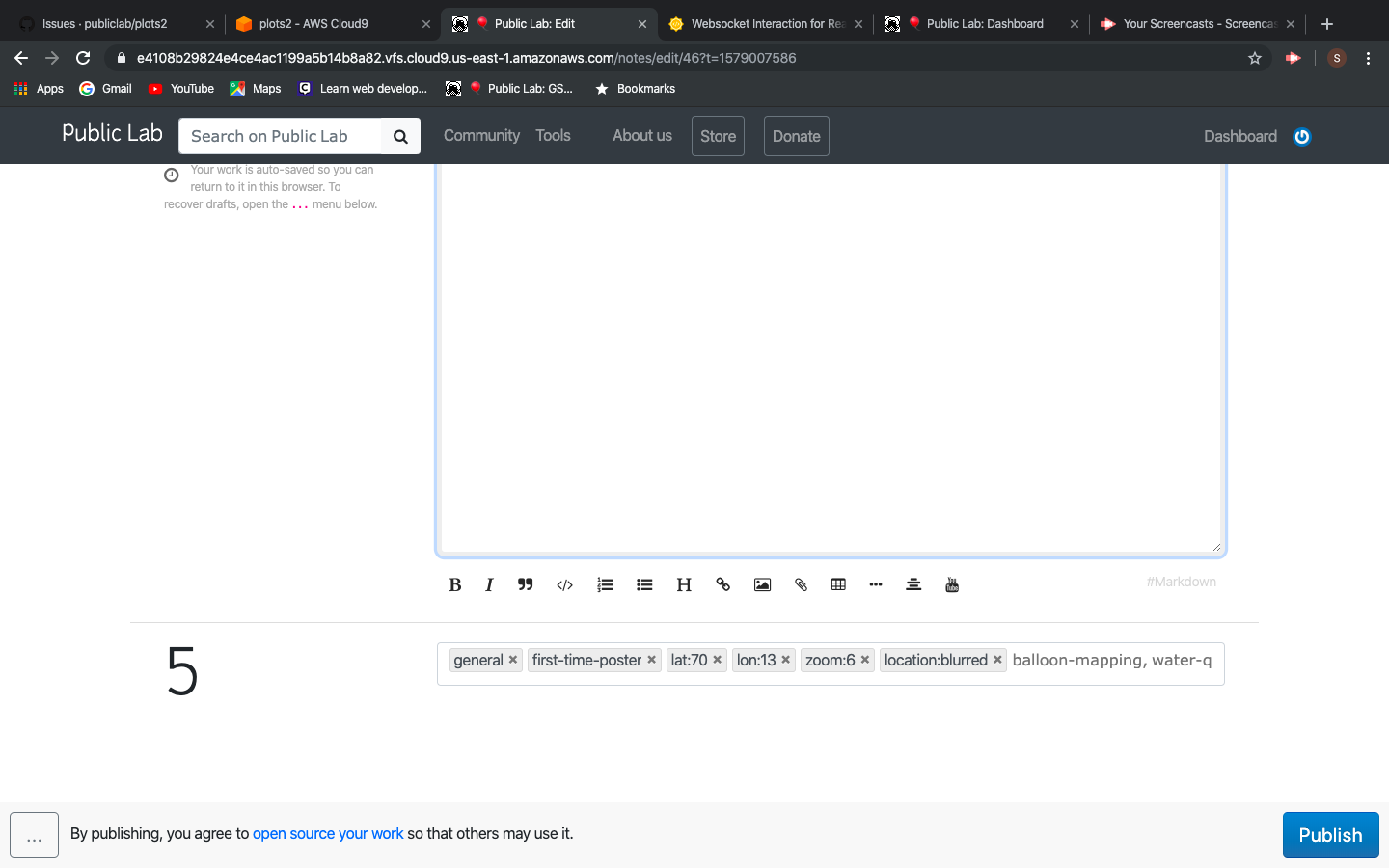
The markdown button in create note disables after using keyboard shortcut
Before using keyboard shortcut 'cmd+m'
After using shortcut

What did you expect to see that you didn't?
It must still be functioning.
Please show us where to look
What's your PublicLab.org username?
This can help us diagnose the issue:
Browser, version, and operating system
Many bugs are related to these -- please help us track it down and reproduce what you're seeing!
Thank you!
Your help makes Public Lab better! We deeply appreciate your helping refine and improve this site.
To learn how to write really great issues, which increases the chances they'll be resolved, see:
https://publiclab.org/wiki/developers#Contributing+for+non-coders
 sssash18
All 11 comments
@publiclab/reviewers Kindly provide your views on this?
sssash18
on 14 Jan 2020
Interesting! I took a look at it and it looks like it's trying to switch to markdown mode, but it's not changing the button to the "rich" button.
For example, here's what I had before pushing any buttons:
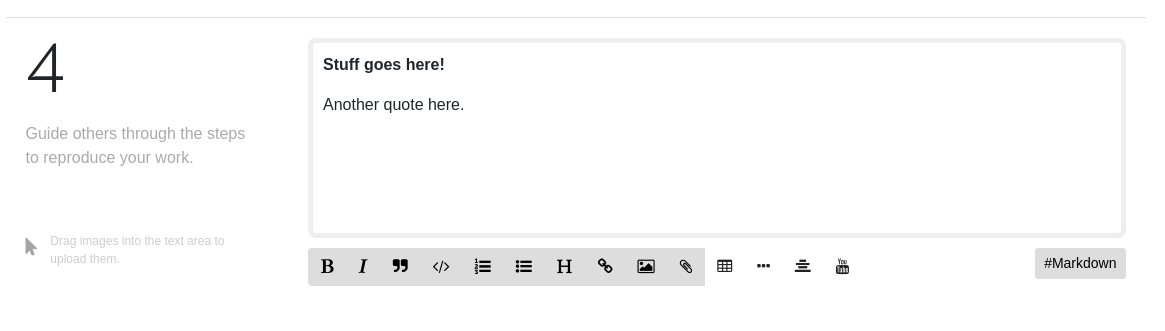
When I push the markdown button it switches to markdown mode and displays the "rich" button:
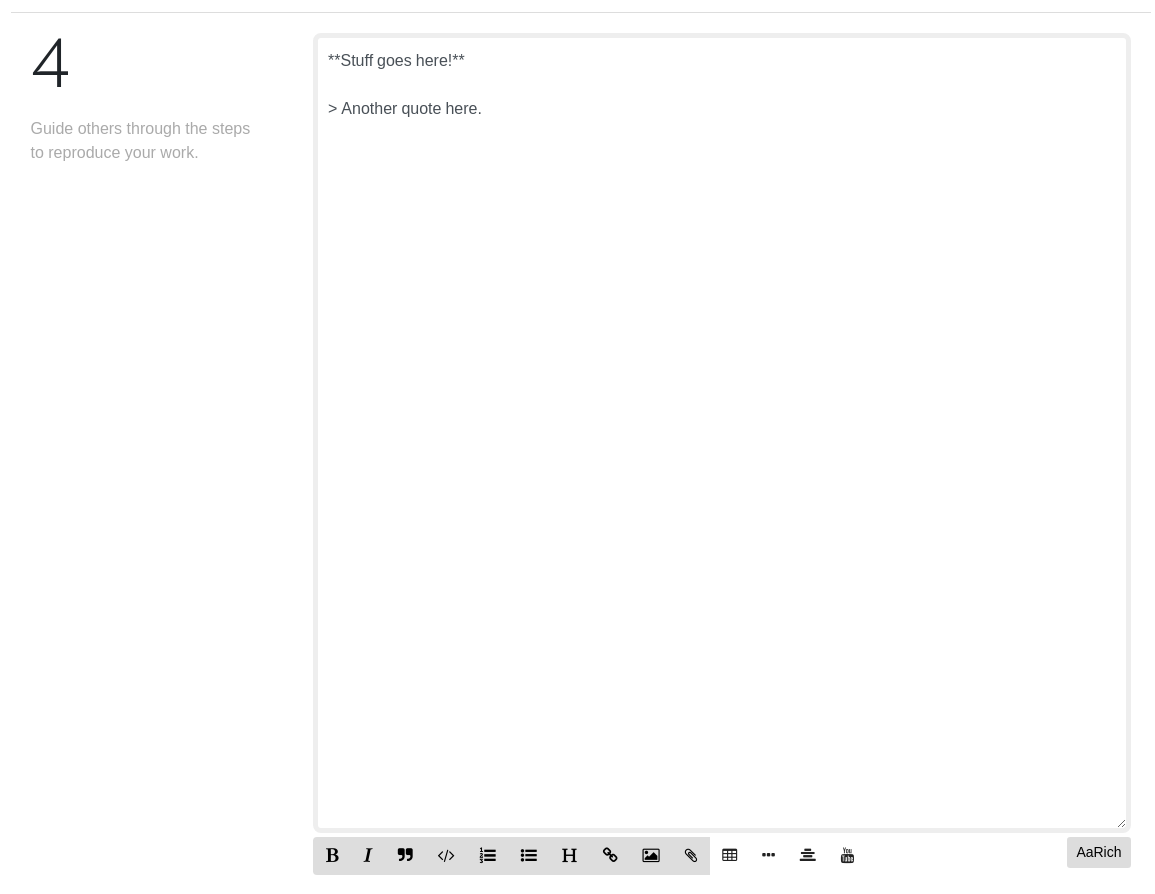
But if I instead push ctrl-M it shows me markdown, a disabled button and no toolbar:
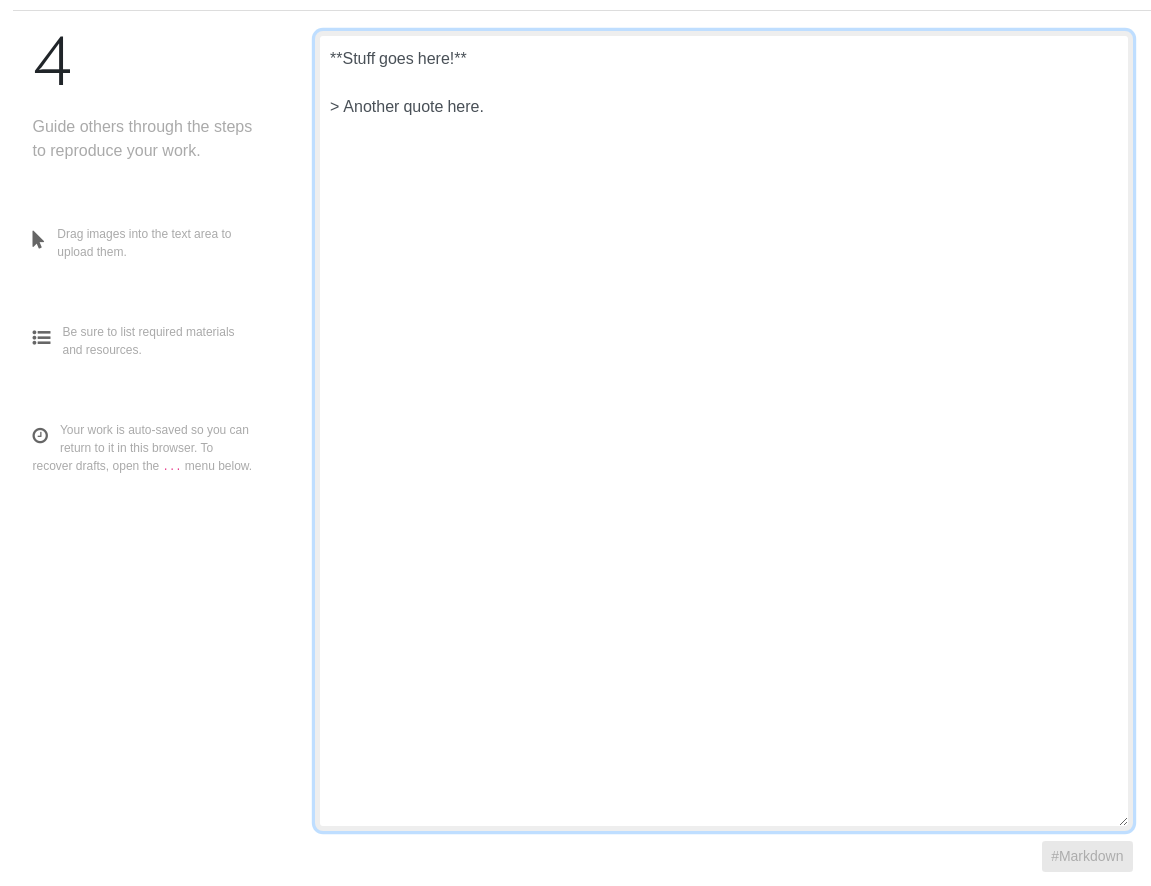
I think we'll have to look at why a keypress is triggering something. Maybe we should just turn off the keyboard shortcut for that page, whatever it is.
 nstjean
on 15 Jan 2020
nstjean
on 15 Jan 2020
@nstjean So how do we proceed with this?
sssash18
on 16 Jan 2020
I would first try to figure out why a keyboard shortcut is triggering something. There has to be code somewhere that is causing that, we'll have to hunt it down.
nstjean
on 16 Jan 2020
@nstjean This is due to the following function
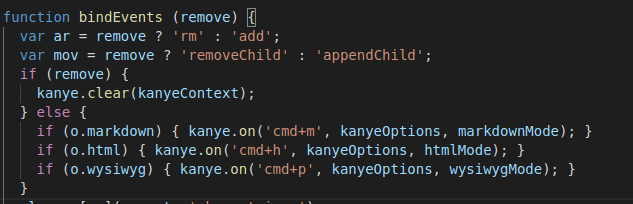
This is from PublicLab.Editor.js
 keshavsethi
on 16 Jan 2020
keshavsethi
on 16 Jan 2020
@sssash18 @nstjean If we press cmd+m then markdown is disabled but after that if we press cmd+p or cmd+h it moves back to respective modes.
keshavsethi
on 16 Jan 2020
Ok great! So the problem is that when it enters markdown mode it's not
changing the button over. We need to find out why pushing the button does
one thing and entering markdown mode by ctrl-M has a different result. Both
should do the same thing.
On Thu, Jan 16, 2020, 3:47 PM Keshav Sethi notifications@github.com wrote:
If we press cmd+m then markdown is disabled but after that if we press
cmd+p or cmd+h it moves back to respective modes.—
You are receiving this because you were mentioned.
Reply to this email directly, view it on GitHub
https://github.com/publiclab/plots2/issues/7238?email_source=notifications&email_token=ALZLKMPX2SGVATCN75IMBO3Q6DBVJA5CNFSM4KGVAXZ2YY3PNVWWK3TUL52HS4DFVREXG43VMVBW63LNMVXHJKTDN5WW2ZLOORPWSZGOEJFPTVY#issuecomment-575338967,
or unsubscribe
https://github.com/notifications/unsubscribe-auth/ALZLKMJ4KCCAG5NWNEVFNYLQ6DBVJANCNFSM4KGVAXZQ
.
nstjean
on 16 Jan 2020
This has been fixed, as well as scroll to the top, image modal errors...
@jywarren needs to publish a new version so we have that changes on pl.org/post.
Please close this issue.
 VladimirMikulic
on 17 Jan 2020
VladimirMikulic
on 17 Jan 2020
@VladimirMikulic can you link to the relevant issues so there's a history here? then we can close it! Thanks!
 jywarren
on 18 Jan 2020
jywarren
on 18 Jan 2020
The issue: https://github.com/publiclab/PublicLab.Editor/issues/341
The PR for it: https://github.com/publiclab/PublicLab.Editor/pull/383
VladimirMikulic
on 18 Jan 2020
Feel free to reopen it if needed
 SidharthBansal
on 18 Jan 2020
SidharthBansal
on 18 Jan 2020
Related issues
![first-timers[bot] picture](https://avatars.githubusercontent.com/in/4832?v=4&s=40) first-timers[bot]
·
3Comments
first-timers[bot]
·
3Comments
 grvsachdeva
·
3Comments
grvsachdeva
·
3Comments
 divyabaid16
·
3Comments
divyabaid16
·
3Comments
 ebarry
·
3Comments
grvsachdeva
·
3Comments
ebarry
·
3Comments
grvsachdeva
·
3Comments