Plots2: Improve UI at 'Research notes' tab at /tags
Please describe the problem (or idea)
We can fix the aspect ratio of thumbnails of the research notes and fix them to a standard size for uniformity.
Also, we can re-align and center the Read more buttons.
This one is related to #4198 and #4113.
What happened just before the problem occurred? Or what problem could this idea solve?
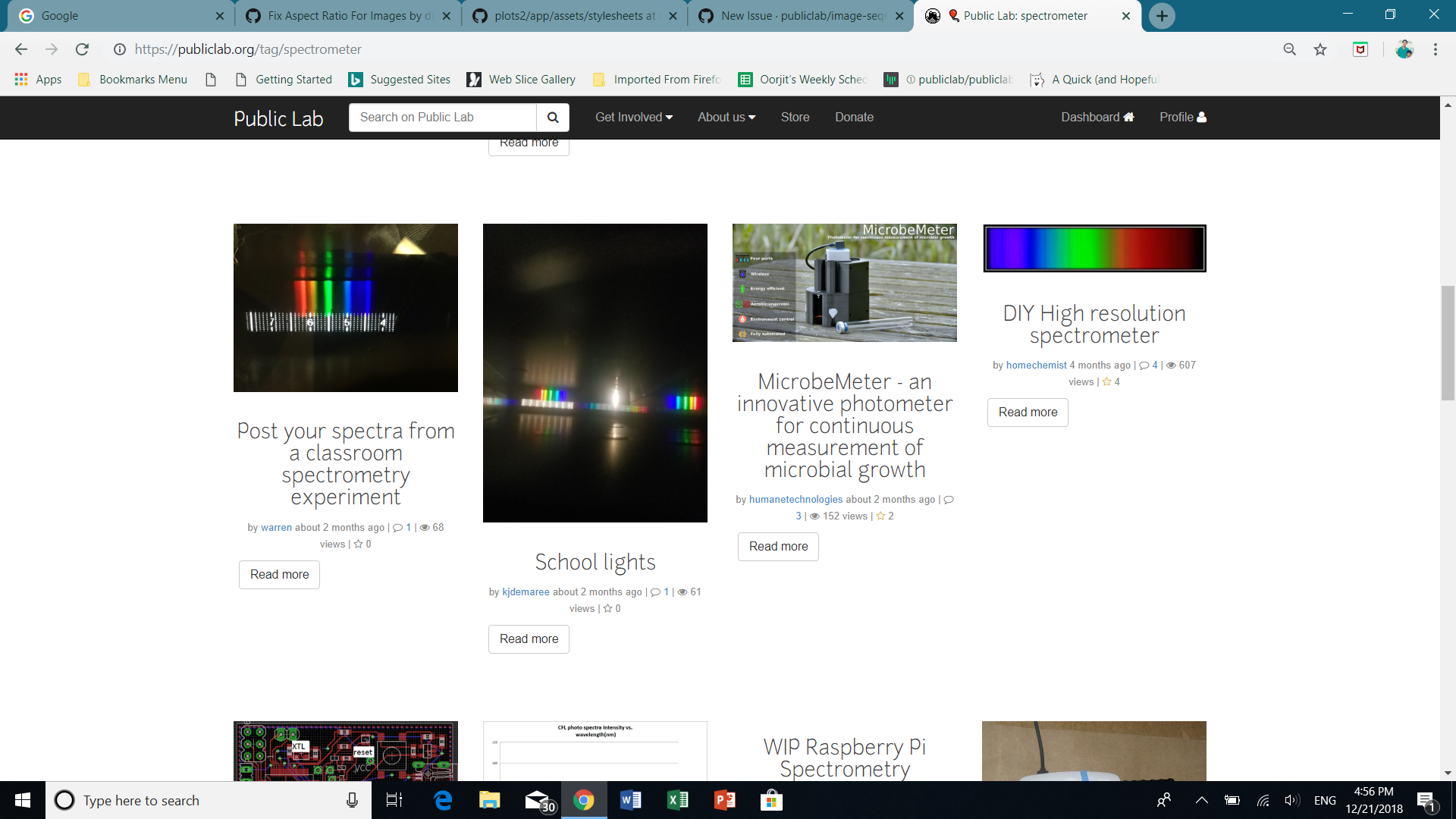

Please show us where to look
https://publiclab.org/tag/spectrometer
What's your PublicLab.org username?
oorjit_chowdhary
Browser, version, and operating system
Chrome, Windows 10
Thank you!
Your help makes Public Lab better! We deeply appreciate your helping refine and improve this site.
To learn how to write really great issues, which increases the chances they'll be resolved, see:
https://publiclab.org/wiki/developers#Contributing+for+non-coders
 oorjitchowdhary
All 25 comments
@publiclab/mentors
oorjitchowdhary
on 21 Dec 2018
Could I take this issue ?
 kunalvaswani123
on 21 Dec 2018
kunalvaswani123
on 21 Dec 2018
I'd like @jywarren or @SidharthBansal to take a look at this first and then guide us through..
You could then take up the issue @kunalvaswani123
oorjitchowdhary
on 21 Dec 2018
ok
kunalvaswani123
on 21 Dec 2018
great @oorjitchowdhary , I am also agree with you
 avsingh999
on 22 Dec 2018
avsingh999
on 22 Dec 2018
Hi everyone, this issue can be divided in two parts- Read more button centering and fixing image size.
- Anyone of you can solve the "Read more button" part, please tell here to avoid any confusion
- Regarding Image issue, please coordinate with @dinaelhanan as she's working on it for quite sometime and know the issue well
Thanks!
 grvsachdeva
on 23 Dec 2018
grvsachdeva
on 23 Dec 2018
@kunalvaswani123 Would you like to take this up?
oorjitchowdhary
on 27 Dec 2018
@oorjitchowdhary I could start with the read more button part ..
kunalvaswani123
on 27 Dec 2018
Ok cool!
oorjitchowdhary
on 27 Dec 2018
@oorjitchowdhary I am traveling tomorrow .. I'll do as much as I can today and I'll resume work on 29 ..
kunalvaswani123
on 27 Dec 2018
Ok great. No problem.
On Thu, Dec 27, 2018 at 4:28 PM Kunal Vaswani notifications@github.com
wrote:
@oorjitchowdhary https://github.com/oorjitchowdhary I am traveling
tomorrow .. I'll do as much as I can today and I'll resume work on 29 ..—
You are receiving this because you were mentioned.
Reply to this email directly, view it on GitHub
https://github.com/publiclab/plots2/issues/4350#issuecomment-450129261,
or mute the thread
https://github.com/notifications/unsubscribe-auth/AUACQ2bNPCCaj09vyr95HcsV__jfKhXBks5u9KfRgaJpZM4Zd2T2
.
 SidharthBansal
on 27 Dec 2018
SidharthBansal
on 27 Dec 2018
@oorjitchowdhary how do I add a sample tag in localhost ?
kunalvaswani123
on 13 Jan 2019
You can create notes and add tags simply from the sidebar of that notes page..
oorjitchowdhary
on 13 Jan 2019
@oorjitchowdhary I added a note using write a research note button but it does not show that note in localhost:3000/notes
kunalvaswani123
on 13 Jan 2019
it shows pending approval by community moderators in my dashboard ..
kunalvaswani123
on 13 Jan 2019
If you've used a non-admin account, you'll have to get it approved by either 'admin' or 'moderator' accounts..
If you use 'admin' or 'moderator' to write a new note, it gets published straightaway..
oorjitchowdhary
on 13 Jan 2019
@oorjitchowdhary It shows admin is banned when I try to login with admin..
kunalvaswani123
on 13 Jan 2019
@kunalvaswani123 I have not been following along closely enough with the banned admin issue to know why this is the case, but I have found a temporary workaround for using the admin account if you need it:
1) log on to moderator account (user: moderator pw: password)
2) go to admin profile page
3) near the middle of the page on the right you should see a button 'unban user'.
4) unban them then you can log onto the admin
 sashadev-sky
on 18 Jan 2019
sashadev-sky
on 18 Jan 2019
@sashadev-sky I tried it now .. I didn't get any moderator banned error .. is the admin banned issue solved ?
kunalvaswani123
on 18 Jan 2019
I added a research note using share your work in dashboard using admin account and added a tag say balloon-mapping in it .. but when I see tag/balloon-mapping there are no research notes..
kunalvaswani123
on 18 Jan 2019
@kunalvaswani123 You're right. I reset my DB just in case and checked in rails dbconsole, admin not banned anymore.
I did the same as you to check. Are you sure there are no notes being displayed? I overlooked this so many times but I think this chart is actually a chart showing 1 note has been created and the title is just below it:
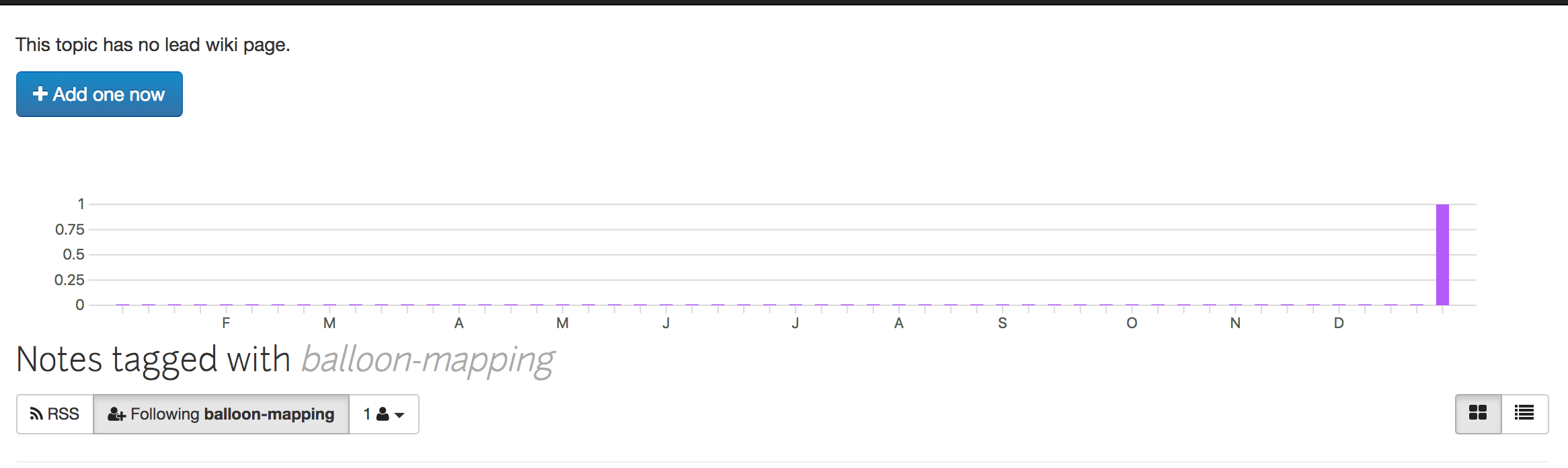
and the section below it is saying no research notes for related tags.
sashadev-sky
on 18 Jan 2019
Yeah .. it shows no research notes .. added a research note .. shouldn't it show one ?
kunalvaswani123
on 18 Jan 2019
@kunalvaswani123 It is probably then either an issue with the tag or the note. Try checking /notes/author/admin does it have the note and tag?
sashadev-sky
on 18 Jan 2019
it does show the notes I added there
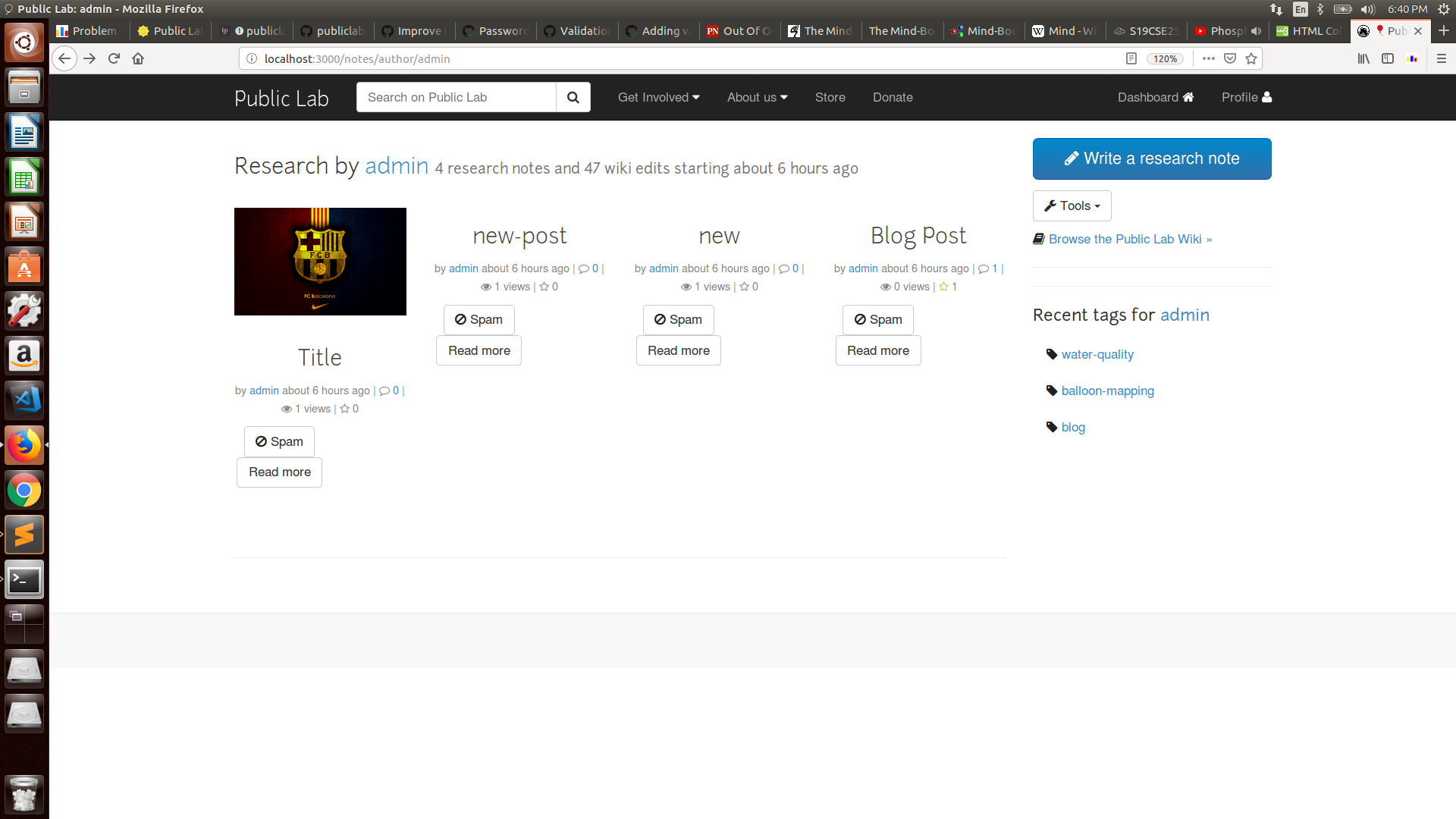
For this issue I just have to center the Read More button .. if the same partial is rendered as the one shown here .. I'll make changes here .. @oorjitchowdhary is that okay ?
kunalvaswani123
on 18 Jan 2019
@kunalvaswani123 the button rendered for the notes all comes from the same partial so I think you're good to open a PR regarding this
sashadev-sky
on 18 Jan 2019
Related issues
![first-timers[bot] picture](https://avatars.githubusercontent.com/in/4832?v=4&s=40) first-timers[bot]
·
3Comments
first-timers[bot]
·
3Comments
 ebarry
·
3Comments
ebarry
·
3Comments
 milaaraujo
·
3Comments
grvsachdeva
·
3Comments
milaaraujo
·
3Comments
grvsachdeva
·
3Comments
 divyabaid16
·
3Comments
divyabaid16
·
3Comments