Plots2: Images are not able to be uploaded as thumnail for notes
Please describe the problem (or idea)
I tried to make a "research note" and upload an image as thumbnail but it is like this

After selecting publish it is not saving the image used for thumbnail of the post.
 SidharthBansal
All 6 comments
Hi, is this on staging or on the production site?
Thanks! I recently had an issue with this on the new questions page...
wonder what's going on?
On Thu, Feb 1, 2018 at 1:35 AM, Sidharth Bansal notifications@github.com
wrote:
Please describe the problem (or idea)
I tried to make a "research note" and upload an image as thumbnail but it
is like this
[image: image]
https://user-images.githubusercontent.com/20972099/35670416-8cdbc046-075e-11e8-9054-ebfb889e7d01.png
After selecting publish it is not saving the image used for thumbnail of
the post.—
You are receiving this because you are subscribed to this thread.
Reply to this email directly, view it on GitHub
https://github.com/publiclab/plots2/issues/2189, or mute the thread
https://github.com/notifications/unsubscribe-auth/AABfJzCVlu1XeKX4jd7Jz6U-GYaIJCkkks5tQYVMgaJpZM4R1Tij
.
 jywarren
on 2 Feb 2018
jywarren
on 2 Feb 2018
Hi @jywarren @SidharthBansal I have collected some logs regarding this issue which may help
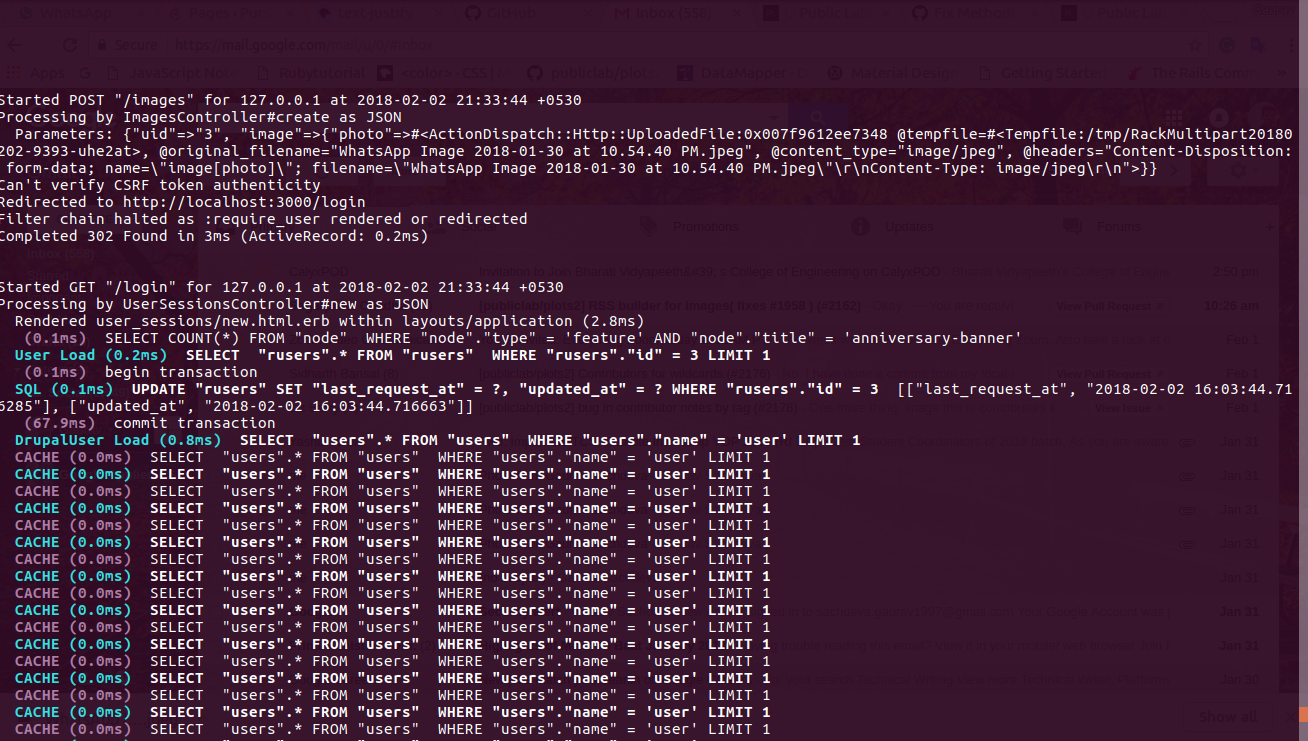
I like to point @jywarren that while editing in inline wiki editor same type of error is generated.
 grvsachdeva
on 2 Feb 2018
grvsachdeva
on 2 Feb 2018
@Gauravano Thanks for the logs.
Actually I am having trouble with #2172 so was busy with fixing that. Sorry for not checking things and pending prs @jywarren
@jywarren it is in both development and production with a slight difference. On production, we are not able to see the horizontal line with blue colors but on development, we are able to.
On both of them, it is not working.
SidharthBansal
on 2 Feb 2018
Just adding that I experienced the same problem using the Rich Text editor today in making a research note. It allows me to try to choose the image file, but it does not actually upload it, even though it is the correct size file. I tried this with two research notes and ended up using the Legacy editor instead (which worked fine). Also, just an additional note that on the Rich Text editor there is a "read more" on step 1 of creating the title for the research note that is not going to its link. It just returns you to the same page as if it doesn't have the correct link to go to.
 Zengirl2
on 28 Feb 2018
Zengirl2
on 28 Feb 2018
hi, @Zengirl2 I have opened an issue for fixing read more link.Thanks for informing. Also, please upload the image by dragging the image to the image pre-review box, for now, that's working, this problem will be solved very soon.
grvsachdeva
on 28 Feb 2018
Hey @Gauravano TY so much for the reply. Yesterday the dragging method wasn't working either, but today it is. Thanks again!
Zengirl2
on 28 Feb 2018
Related issues
grvsachdeva
·
3Comments
 ebarry
·
3Comments
ebarry
·
3Comments
![first-timers[bot] picture](https://avatars.githubusercontent.com/in/4832?v=4&s=40) first-timers[bot]
·
3Comments
first-timers[bot]
·
3Comments
 bronwen9
·
3Comments
grvsachdeva
·
3Comments
bronwen9
·
3Comments
grvsachdeva
·
3Comments