Plots.jl: Bad ticklabels and unicode error for large values with GR
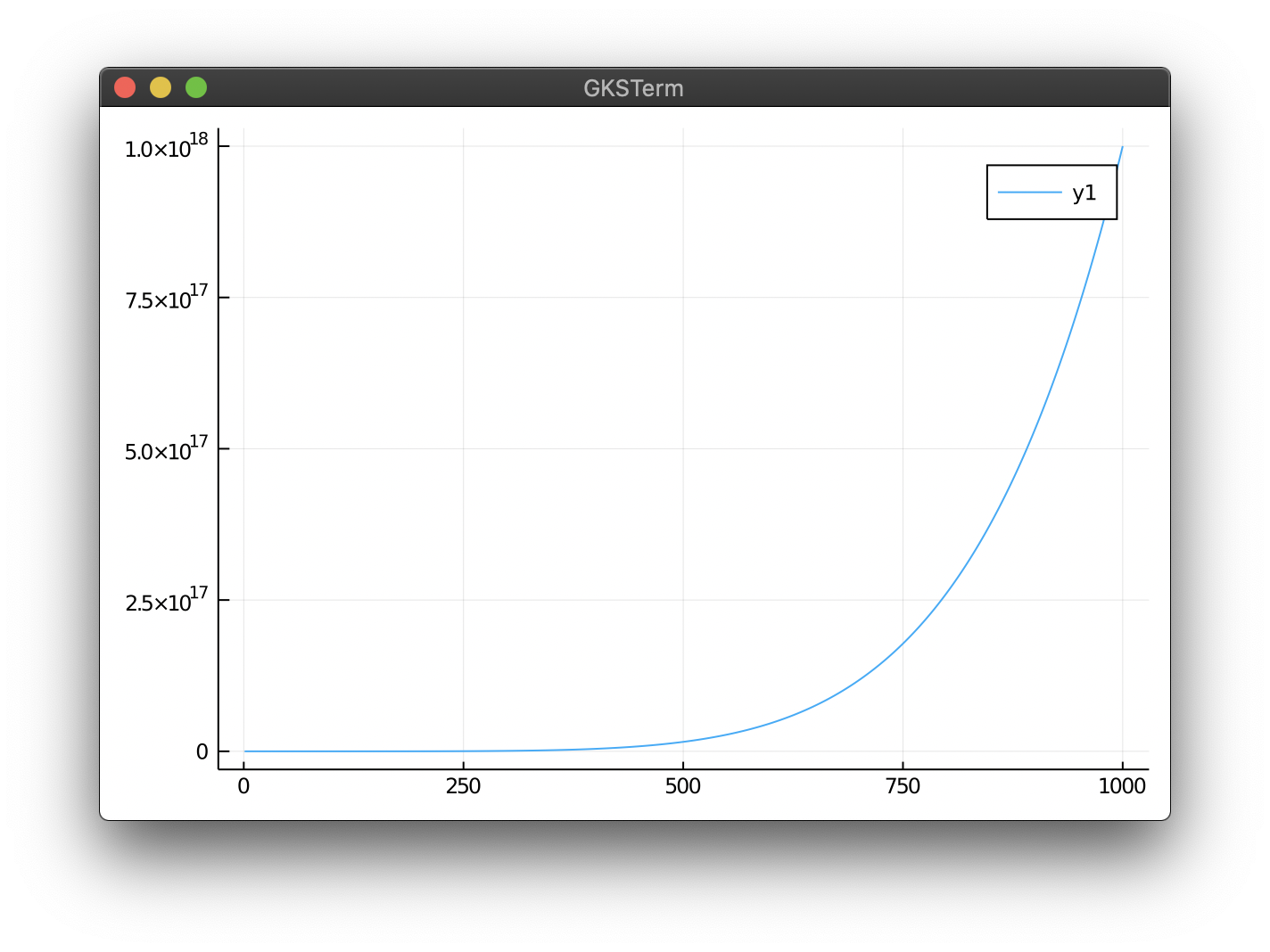
This plotting command
using Plots
gr()
plot(1:1000, x->x^6)
spams the REPL with messages
GKS: character ignored due to unicode error
and produces bad ticklabels like this:

My setup:
Plots v1.0.9
Julia Version 1.4.0
OS: Linux (x86_64-pc-linux-gnu)
Thanks!
 AndiMD
All 14 comments
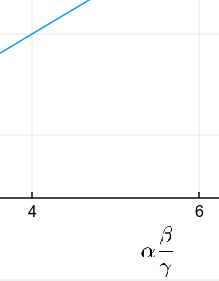
Possibly related, most GR typesetting is broken. Until recently, the following produced a greek alpha. Now, the label does not show up anymore:
plot(1:10,xlabel="\\alpha")
EDIT: Reverting to 1.0.8 fixes both issues. The issue is also valid for 1.0.10
AndiMD
on 15 Apr 2020
cc: @jheinen
 daschw
on 15 Apr 2020
daschw
on 15 Apr 2020
We should probably make UTF-8 the default. This works:
ENV["GKS_ENCODING"]="utf8"
using Plots
plot(1:1000, x->x^6)
 jheinen
on 15 Apr 2020
jheinen
on 15 Apr 2020
jheinen
on 15 Apr 2020
We should probably make UTF-8 the default.
In Plots or in GR?
daschw
on 15 Apr 2020
As a short-time solution, I'd define ENV["GKS_ENCODING"]="utf8" before the first GR function is called, e.g. in Plots' _display and _show methods.
jheinen
on 15 Apr 2020
d00920ca0eff8b7c0826246ba16eeb8620195bfd should fix it.
jheinen
on 15 Apr 2020
Thanks! Plots#master fixes the ticklabels.
However, the label formatting
plot(1:10,xlabel="\\alpha")
is not fixed by that.
AndiMD
on 15 Apr 2020
I'll check that - in the meantime (and as a workaround), you can useL"\alpha" (via LaTeXStrings) which works fine.
jheinen
on 15 Apr 2020
Thanks again. I will simply use 1.0.8 in the meantime, since LaTeXStrings have always looked too pixelated for me
AndiMD
on 15 Apr 2020
Ok, so there are still some other problems. I'll check this tomorrow. Plots should use GR's new rendering engine, which - in this case - it does not.
jheinen
on 15 Apr 2020
Using 1.0.10, the LaTeXStrings actually look decent! Above image is from 1.0.8.
AndiMD
on 15 Apr 2020
I realized that the utf-8 symbols now work plot(1:10,xlabel="α") (instead of "\\alpha").
With that, I think the issue is resolved.
AndiMD
on 17 Apr 2020
For future reference:
If you have Plots precompiled via PackageCompiler and none of this seems to work for you, the following might help (it helped me):
Prepend your call
julia --sysimage /path/to/sysimage_custom.so
with exporting GKS_ENCODING like so:
export GKS_ENCODING="utf-8" && julia --sysimage /path/to/sysimage_custom.so
I didn't test whether you also need (or don't need) to call these before compiling Plots (whatever I did, in the end it worked) but I think the call to export above is enough.
 eike-fokken
on 17 Apr 2020
eike-fokken
on 17 Apr 2020
Related issues
 kleinschmidt
·
3Comments
kleinschmidt
·
3Comments
 Cody-G
·
4Comments
Cody-G
·
4Comments
 PallHaraldsson
·
4Comments
PallHaraldsson
·
4Comments
 kersulis
·
5Comments
kersulis
·
5Comments
 Krastanov
·
3Comments
Krastanov
·
3Comments
Most helpful comment
d00920ca0eff8b7c0826246ba16eeb8620195bfd should fix it.