Plotly.py: go.Figure() does not render in JupyterLab, only go.FigureWidget()
go.Figure() does not render in JupyterLab, only go.FigureWidget().
Chrome Console Error: Uncaught ReferenceError: require is not defined
Example:
import plotly
import plotly.io as pio
import plotly.graph_objects as go

figwidget = go.FigureWidget(data=go.Bar(y=[1, 2, 3]))
fig = go.Figure(data=go.Bar(y=[3, 2, 1]))

display(pio.renderers)
display(figwidget)
display(fig)

Jupyter & Plotly specifics:
%load_ext watermark
%watermark -d -iv -v -m -u -n -t -z
!jupyter labextension list plotly
plotly 4.4.1
last updated: 2020-01-12 22:40:00 EST

CPython 3.7.6
IPython 7.11.1

compiler   : Clang 4.0.1 (tags/RELEASE_401/final)
system     : Darwin
release    : 19.2.0
machine    : x86_64
processor  : i386
CPU cores  : 4
interpreter: 64bit
JupyterLab v1.2.4
Known labextensions:
   app dir: ~/anaconda3/share/jupyter/lab
        @jupyter-widgets/jupyterlab-manager v1.1.0  enabled  OK
        jupyterlab-plotly v1.4.0  enabled  OK
        plotlywidget v1.4.0  enabled  OK
        qgrid v1.1.1  enabled  OK
 prncevince
All 11 comments
Does the figure display correctly when you call fig.show()?
 emmanuelle
on 13 Jan 2020
emmanuelle
on 13 Jan 2020
@emmanuelle negative

prncevince
on 14 Jan 2020
ok, thanks. Did you take a look at the Jupyterlab section in the troubleshooting guide https://plot.ly/python/troubleshooting/? In particular the fact that the extension version needs to be the correct one.
emmanuelle
on 14 Jan 2020
My plotly & extension versions (displayed above) match exactly as shown in https://plot.ly/python/getting-started/ .
plotly.py v4.4.1 and both jupyterlab-plotly & plotlywidget v1.4.0
prncevince
on 14 Jan 2020
Ah, found the issue.
My ~/anaconda3/share/jupyter/lab/settings/page_config.json file was:
{
    "disabledExtensions": [
        "@jupyterlab/plotly-extension"
    ]
}
I did this to test the new extensions. Removing the entry from disabledExtensions fixed things. Thanks! Can be closed.
prncevince
on 14 Jan 2020
I'm running into the same issue.
extensions:
jupyter labextension list plotly
JupyterLab v2.1.5
Known labextensions:
   app dir: /opt/conda/envs/python/share/jupyter/lab
        @jupyter-widgets/jupyterlab-manager v2.0.0  enabled  OK
        jupyterlab-dash v0.3.0  enabled  OK
        jupyterlab-plotly v4.10.0  enabled  OK
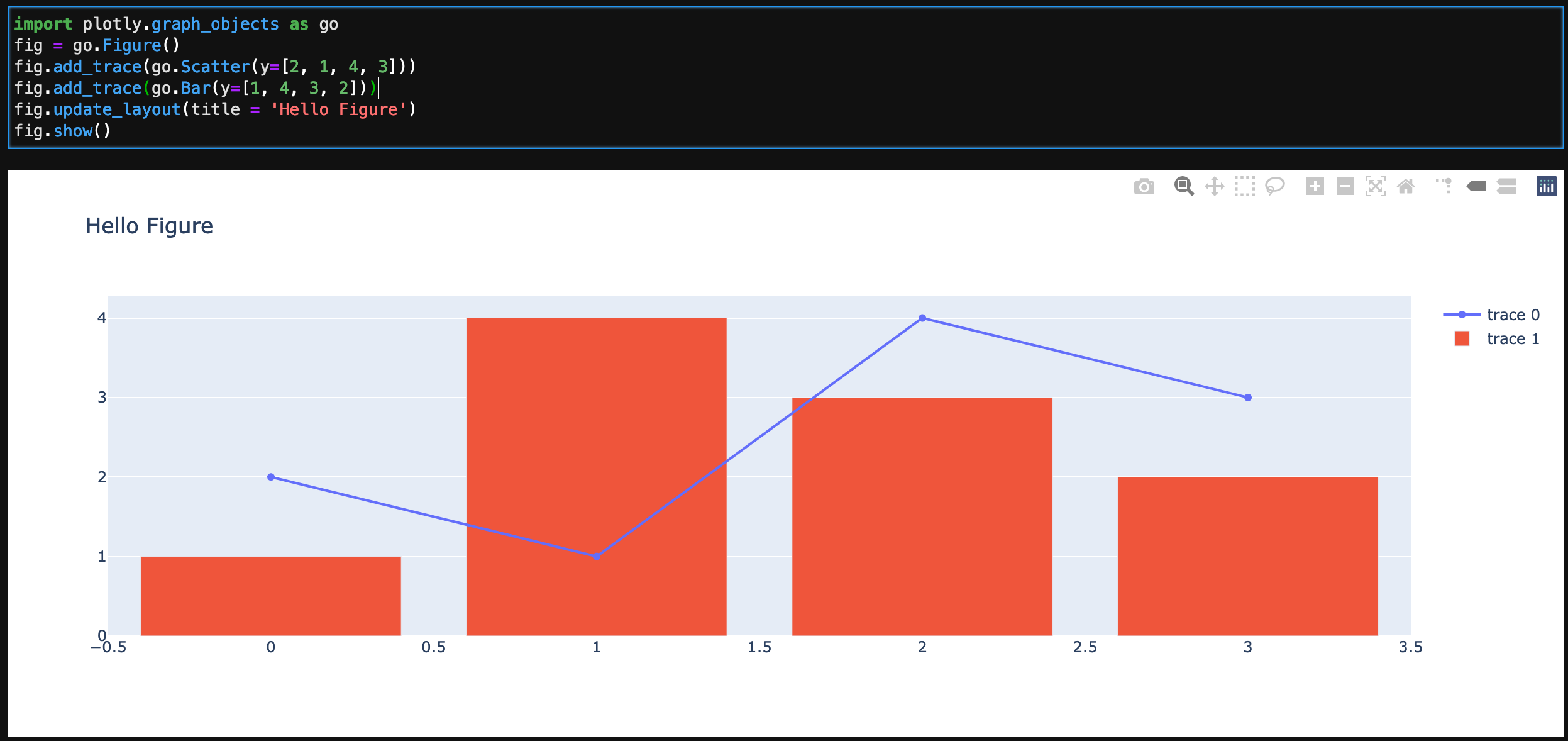
import plotly.graph_objects as go
fig = go.Figure()
fig.add_trace(go.Scatter(y=[2, 1, 4, 3]))
fig.add_trace(go.Bar(y=[1, 4, 3, 2]))
fig.update_layout(title = 'Hello Figure')
fig.show()
Code above shows a blank screen in the jupyterlab notebook. Looks fine in classic jupyter notebook.
Console:
Uncaught ReferenceError: require is not defined
I don't have a page_config.json file defined, so its not disabled.
 HaithamMaya
on 10 Sep 2020
HaithamMaya
on 10 Sep 2020
@emmanuelle @HaithamMaya
Same problem, fig = go.Figure() ... (fig.definitions) ... fig.show() doesn't render the plot in JupyterLab, works in Jupyter Notebook.
My installation:
$  jupyter --version
jupyter core     : 4.6.3
jupyter-notebook : 6.1.1
qtconsole        : 4.7.6
ipython          : 7.18.1
ipykernel        : 5.3.4
jupyter client   : 6.1.6
jupyter lab      : 2.2.6
nbconvert        : 5.6.1
ipywidgets       : 7.5.1
nbformat         : 5.0.7
traitlets        : 4.3.3

plotly  4.10.0

~$ labextension list
JupyterLab v2.2.6
Known labextensions:
   app dir: /home/dn/anaconda3/envs/nlpu/share/jupyter/lab
        @jupyter-widgets/jupyterlab-manager v2.0.0  enabled  OK
        jupyterlab-plotly v4.10.0  enabled  OK
        plotlywidget v4.10.0  enabled
 ahotrod
on 14 Sep 2020
ahotrod
on 14 Sep 2020
I'm running into the same issue.
extensions:
jupyter labextension list plotly
JupyterLab v2.1.5
Known labextensions:
   app dir: /opt/conda/envs/python/share/jupyter/lab
        @jupyter-widgets/jupyterlab-manager v2.0.0  enabled  OK
        jupyterlab-dash v0.3.0  enabled  OK
        jupyterlab-plotly v4.10.0  enabled  OK
import plotly.graph_objects as go fig = go.Figure() fig.add_trace(go.Scatter(y=[2, 1, 4, 3])) fig.add_trace(go.Bar(y=[1, 4, 3, 2])) fig.update_layout(title = 'Hello Figure') fig.show()Code above shows a blank screen in the jupyterlab notebook. Looks fine in classic jupyter notebook.
Console:
Uncaught ReferenceError: require is not definedI don't have a page_config.json file defined, so its not disabled.
Hey did you ever figure out the issue? I'm in the same position as you. The file works fine in classic notebook, but if I look at it with Nbviewer/Github/Jupyterlab the plots don't show up (blank spaces).
 math-student
on 25 Oct 2020
math-student
on 25 Oct 2020
@math-student No i have not been able to resolve the issue yet
HaithamMaya
on 27 Oct 2020
@ahotrod @HaithamMaya: any chance you are running jupyter with more than one python kernel (i.e. https://ipython.readthedocs.io/en/stable/install/kernel_install.html)? If so, please ensure that the jupyterlab-plotly extension is available in the python environment you use to start jupyterlab.
 surchs
on 17 Nov 2020
surchs
on 17 Nov 2020
@surchs thank you I should have thought of that!
So the python kernel that I run the jupyter server on is different than the python kernels I use in jupyter. I was assuming the install needed to be on the kernels being used in the notebook, not on the jupyter server's kernel itself. That has resolved my issue.
HaithamMaya
on 18 Nov 2020
Related issues
 eshort0401
·
4Comments
eshort0401
·
4Comments
 jisaacso
·
4Comments
jisaacso
·
4Comments
 dhirschfeld
·
4Comments
dhirschfeld
·
4Comments
 keithjjones
·
3Comments
keithjjones
·
3Comments
 aplowman
·
3Comments
aplowman
·
3Comments