Plotly.js: Hoverboxes get splitted when hovering on gl3d on qtwebengine since 1.45
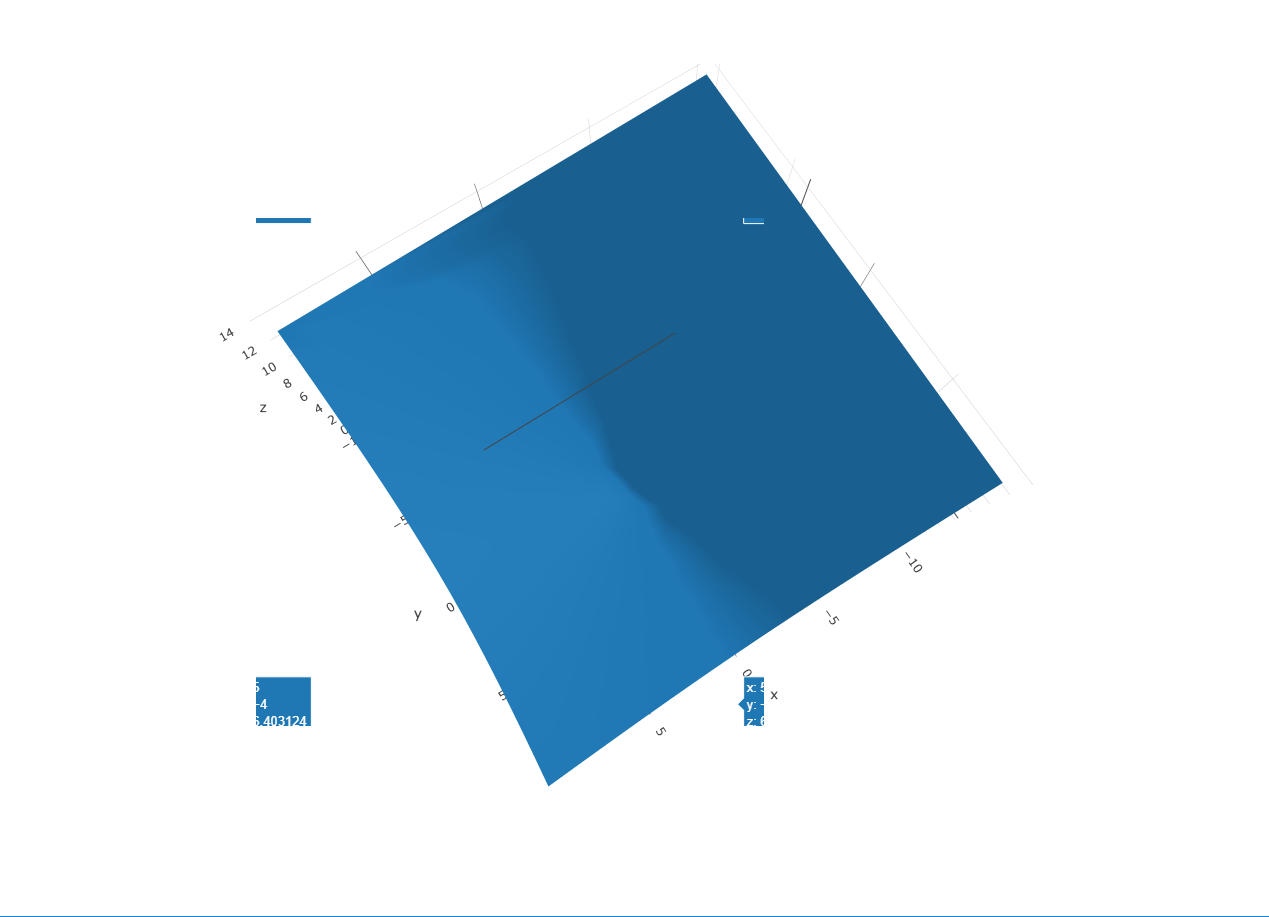
Hi all, I am developing a GUI using Pyside2 and plotly inside a qtwebengine widget. Up to 1.45 it was fine but starting this version the hover plots are sometimes showing some weird behaviour, getting split in several parts. This is transient and comes and goes when the mouse is moved.
I must say I was not able to reproduce on a standard browser like Chrome, but I attach this simple basic example of browser in python which demonstrates the issue. I also attach picture of the issue as seen on my screen. I understand this is not a bug per say as it is not universal, but it used to work before 1.45 so I thought it might ring a bell for someone regarding the reason such a thing could happen. Thanks.
test.zip

 emimoun
All 16 comments
@emimoun what about other 3d traces? Does that happen if you use scatter3d instead of mesh3d?
 archmoj
on 10 Apr 2019
archmoj
on 10 Apr 2019
Thank you for your answer. I just checked and it does the exact same thing.

emimoun
on 10 Apr 2019
@emimoun Could you please force config.plotGlPixelRatio to equal 1 and see if that may help?
archmoj
on 10 Apr 2019
It seems to work, thank you so much! Out of curiosity, how does this parameter relates to the issue?
emimoun
on 10 Apr 2019
I am wondering that could be related to your browser not down-scaling the webgl render after rendering with higher pixelRatio resolution.
@emimoun Could you please compare the graph width/height & image quality before and after 1.45 with/without tweaking the config?
Thank you in advance.
archmoj
on 10 Apr 2019
For all 4 cases (1.44/1.47, and with/without setting the pixelRatio) I obtain no distinguishable difference on my example (except for the initial problem, of course). Same size and quality. The 1.47 version without the option seems noticeably slower to load, though.
emimoun
on 10 Apr 2019
@emimoun Could you please try replicating the issue on a codepen like this one or using its data?
Also if possible give more info about the operating system.
Thanks.
archmoj
on 10 Apr 2019
You can try this, but the problem does not show on Chrome for example, only on QtWebEngine based browser such as this one named Falkon. I can perfectly understand if you feel it is a bug from QtWebEngine and not Plotly. I am on Windows 10.
emimoun
on 11 Apr 2019
@emimoun do you use "config":{plotGlPixelRatio:8} in your app similar to the example you provided?
archmoj
on 12 Apr 2019
Sorry no that was to emphasize the issue, which does happen already when no plotGLPixelRatio option is specified, but for less frequent mouse positions. Only setting it to 1 makes it go away completely.
emimoun
on 12 Apr 2019
And what about using plotGlPixelRatio:2?
archmoj
on 12 Apr 2019
Problem exists for plotGlPixelRatio:2, only goes away with 1
emimoun
on 12 Apr 2019
@emimoun I was not able to replicate this on Ubuntu+Falkon.
@antoinerg would you mind testing this codepen on Windows+Falkon?
Thanks!
archmoj
on 12 Apr 2019
@antoinerg would you mind testing this codepen on Windows+Falkon?
@antoinerg no longer devs on Windows. We have (at least we used to) a Windows laptop at the office. Ask Ben, if you can't find it.
 etpinard
on 12 Apr 2019
etpinard
on 12 Apr 2019
@emimoun Not 100% sure if this may help fix the issue in your app.
Anyway would you mind trying this codepen or one these two:
https://33061-45646037-gh.circle-artifacts.com/0/dist/plotly.min.js
https://33061-45646037-gh.circle-artifacts.com/0/dist/plotly.js
archmoj
on 12 Apr 2019
@archmoj Thank you, however, it does not help. It is worth noting that the problem is very subtle at plotGlPixelRatio:2, with only few and very transient glitches. It is made more visible and problematic by increasing to 4 or more. Honestly, setting plotGlPixelRatio:1 works for me, it worth investigating only if you fear this is sign of some underlying issue which can cause trouble in the future.
emimoun
on 15 Apr 2019
Related issues
 deecay
·
3Comments
deecay
·
3Comments
 pynklu
·
3Comments
etpinard
·
3Comments
pynklu
·
3Comments
etpinard
·
3Comments
 emanuelsetitinger
·
3Comments
emanuelsetitinger
·
3Comments
 hashimmoosavi
·
3Comments
hashimmoosavi
·
3Comments
Most helpful comment
@antoinerg no longer devs on Windows. We have (at least we used to) a Windows laptop at the office. Ask Ben, if you can't find it.