Playnite: Humble Account Authentication Issue
Whenever Playnite opens I get an authentication problem with my Humble Bundle account. I verified this account with the library import wizard and it is the only account I have this problem with. Seen in the clip below, I get the notification but upon checking the issue Playnite changes the account authorization upon viewing the import dialog for Humble. I have re-installed Playnite and connected and imported my Humble account as well and the problem persists.

Diagnostic ID: 294392bc-0c95-4ce7-a0ac-580f4a1c9b0b
 MrMendelli
All 11 comments
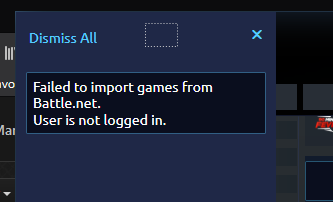
I have the same problem with BattleNet but i think it's something with my network/firewall/adblocker/dns so i won't report it
 Bluscream
on 21 Apr 2020
Bluscream
on 21 Apr 2020
For battle.net see this.
 JosefNemec
on 21 Apr 2020
JosefNemec
on 21 Apr 2020
Can you please reproduce it again with this version of Humble plugin and generate new diag. package?
JosefNemec
on 21 Apr 2020
I was able to reproduce the problem with the plugin version you provided only this time it does not auto-authenticate my account. I logged back in and the problem seems to behave the same way as before. Here is my diagnostic ID: a31010c5-5618-4f1f-9892-76c9aedc673e
MrMendelli
on 21 Apr 2020
I'm getting some weird messages in logs, do you actually have any games in library or just subscription? Does this page show any games on Library tab when opened via browser?
JosefNemec
on 22 Apr 2020
Sorry to post this here and create noise but GitHub doesn't provide a way to DM someone. @MrMendelli, would you mind sharing the name of the program that you used to create the animated screenshot? That would be very helpful to have when filing bug reports. Thanks!
 solsticesurfer
on 23 Apr 2020
solsticesurfer
on 23 Apr 2020
I'm getting some weird messages in logs, do you actually have any games in library or just subscription? Does this page show any games on
Librarytab when opened via browser?
I do not have any games purchased through my account yet. This would explain the errors you are getting. Apologies, I would have mentioned this if I knew it might have been a cause for account authentication problems.
Sorry to post this here and create noise but GitHub doesn't provide a way to DM someone. @MrMendelli, would you mind sharing the name of the program that you used to create the animated screenshot? That would be very helpful to have when filing bug reports. Thanks!
I use ScreenToGif @solsticesurfer.
MrMendelli
on 23 Apr 2020
I can also suggest ShareX
Bluscream
on 23 Apr 2020
@MrMendelli That explains it then, thanks for clarification.
JosefNemec
on 23 Apr 2020
Thank you!
solsticesurfer
on 23 Apr 2020
Done in devel8.
JosefNemec
on 17 Jul 2020
Related issues
JosefNemec
·
3Comments
 ClearStrelok
·
4Comments
ClearStrelok
·
4Comments
 simkin
·
3Comments
simkin
·
3Comments
 iiviigames
·
3Comments
JosefNemec
·
3Comments
iiviigames
·
3Comments
JosefNemec
·
3Comments