It does seem to sort according to the category but doesn't show a title for the group.
 RadAd
RadAd
All 7 comments
That's currently by design, it really didn't look great so I've disabled it. It might come back in 3.0 where cover view will be reworked, we'll see.
 JosefNemec
on 10 Oct 2017
JosefNemec
on 10 Oct 2017
Turns out this this might not be possible. We use custom rendering panel in order to lower amount of memory needed and speed up list loading (we only render visible covers), and it looks like it's not possible to add grouping to custom virtual panels in WPF. At least by looking at WPF code and how they handle it, we would need access to lot of internal methods that we simply can't access.
I could technically disable virtualization if grouping is enabled, but performance would be horrible. I'll leave this open if anybody wan't to have a look at this, maybe I missed something.
JosefNemec
on 11 Jul 2018
oh too bad, it's the only thing i want
 vannessqn
on 6 Dec 2018
vannessqn
on 6 Dec 2018
I would like to revisit this suggestion (started to make a new post and discovered this already existed).
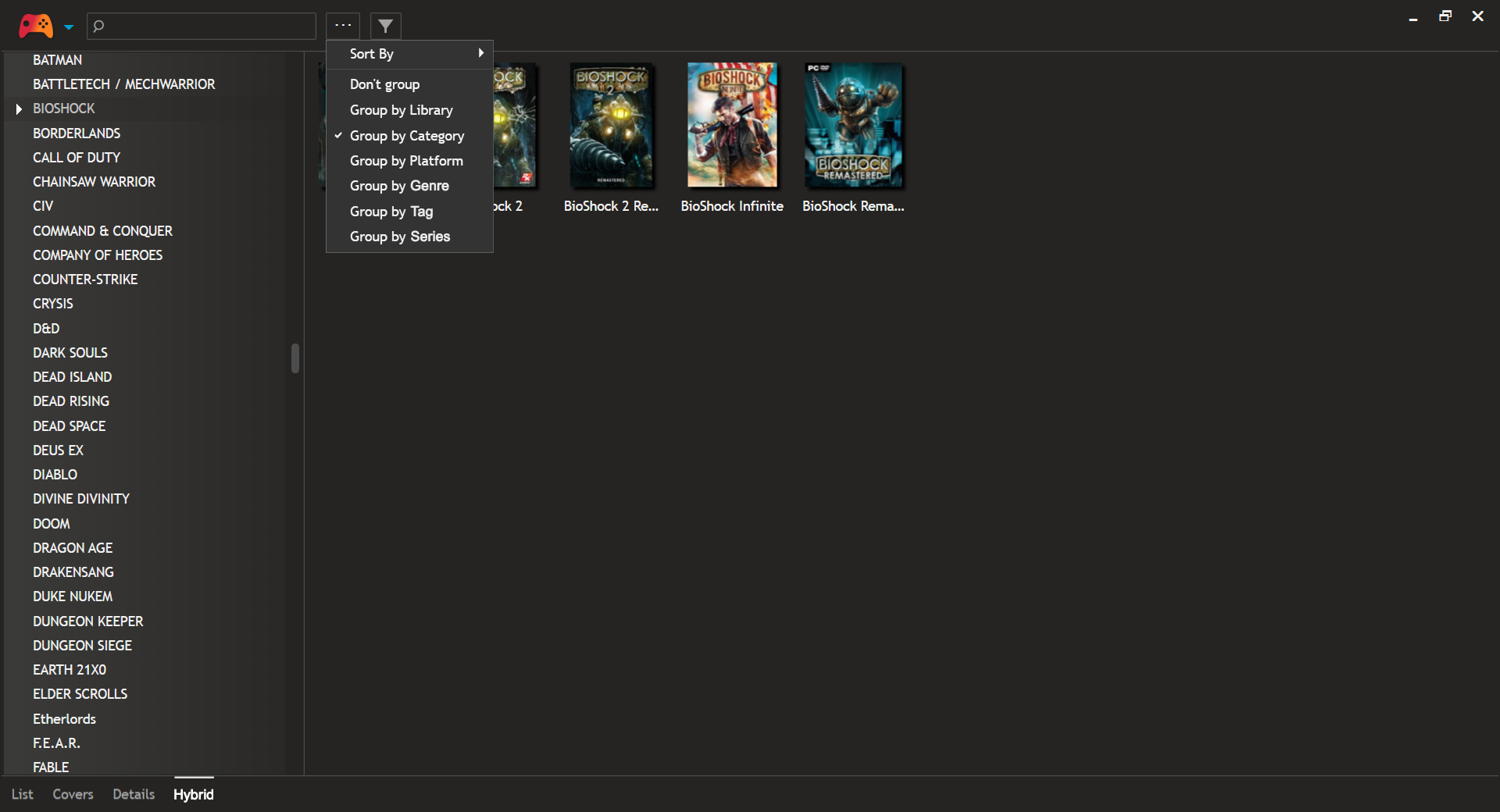
Games in cover view can currently be filtered. My suggestion is a new view mode called Hybrid mode combining a left hand tree view (ala List view) that shows an appropriate list dictated via group by Library / Platform / Category. The right hand pane would be the existing cover thumbnail pane used by Covers view.
This may be easier to show than explain. I mocked these in Photoshop (a picture worth a thousand words and all that):
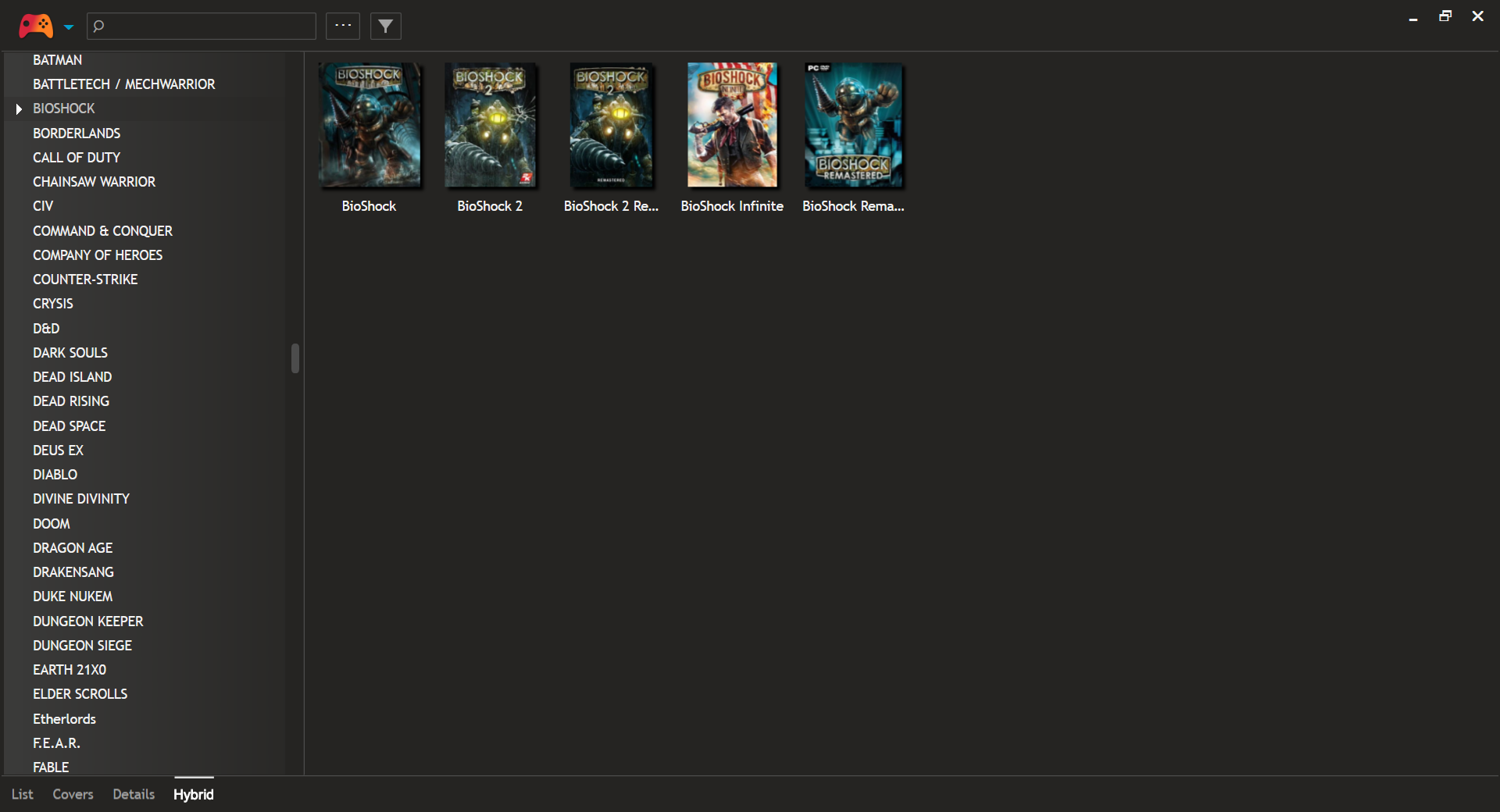
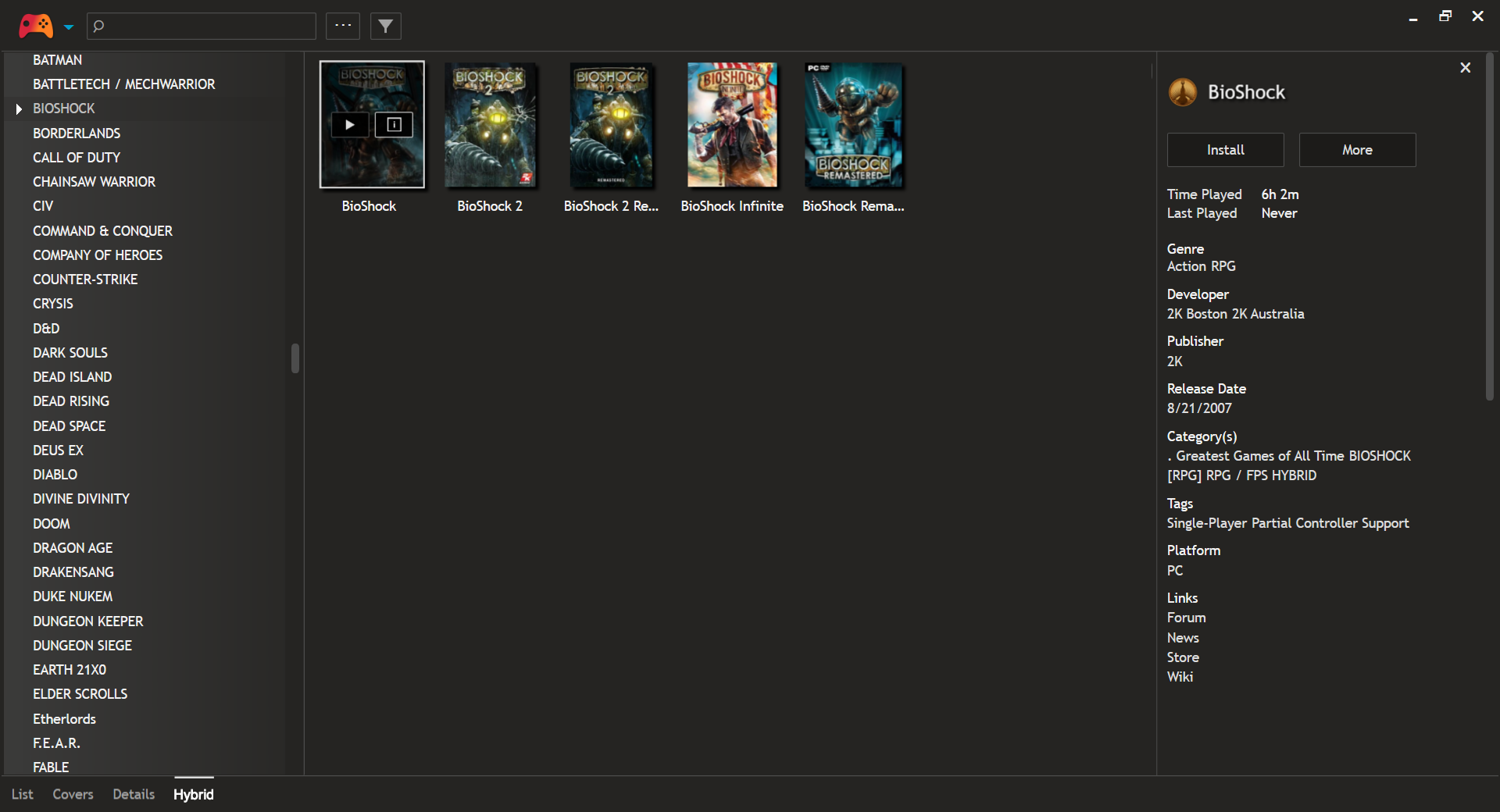
In essence instead of an actual functioning tree view the left hand list would act as a series of filter links - click a "category name" and behind the scenes Playnite would first clear any existing filters and then apply a filter of that name in the category field. In other groups it would apply the appropriate filter (i.e. in Group by Library it would apply the clicked library's name into the library filter).
Essentially you are using the filter features in an easy to access method. At the moment it's a bit painful to work with large numbers of games and have it look good and be functional. Playnite's filter features are WONDERFUL (please take pride in what you have done with those), but this would ease a lot of click and type.
While it might be easy to dismiss this issue as only being folks who are outliers and have way more games than most people do (I do have a ridiculously huge library over 1600+ games) - I think this feature would be of VAST benefit to those who have large Platform libraries due emulation. Emulator collectors are notorious for having hundreds to thousands of titles in just one Platform. I can't imagine scrolling through those and trying to organize them in List view... I'm currently struggling with just my PC titles :(
As an aside I'm also hoping you have plans to release Group by Genre, Group by Tag, and (most important to me) Group by Series.
 jvarnes
on 26 Jan 2019
jvarnes
on 26 Jan 2019
I'm planning to do exactly that as part of #305, but the implementation will probably be a bit different. Instead of creating new view type, I will add an option to show the group list (exactly like on your screenshots) that will list all currently selected group items (for example all available genres) and clicking on them will show only items from that group on your selected view.
Also next major version (5.0) will add an option to group by all game fields.
JosefNemec
on 26 Jan 2019
That's fantastic. Looking forward to that. Any ETA on 5.0 (understand that Patrons get early access so I will probably support you via Patron as well).
Playnite is the most inclusive front end / launcher I have tried... but like with all launchers I am still struggling to organize a very large library. Still it's vastly better than Steam's default list and the filtering methods are stellar (just unwieldy to constantly use). Having a way to visually browse large libraries is my ultimate dream and your program looks like the best way to achieve it. Thank you so much ;)
jvarnes
on 26 Jan 2019
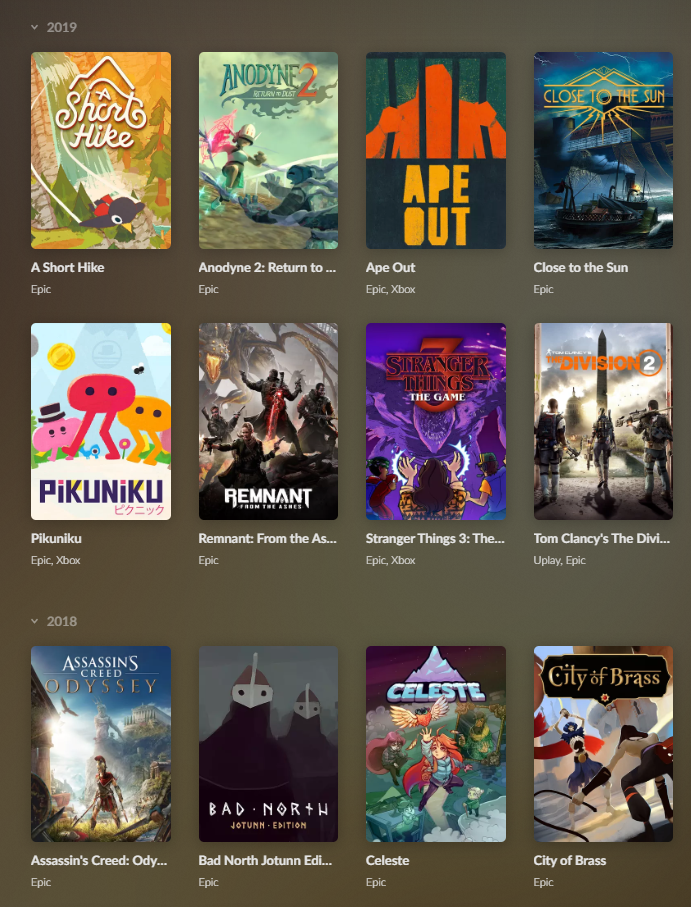
+1 for this feature. The way GOG groups by year seems to look and work really well. Also it would be awesome if we could choose Group By descending/ascending. Currently the oldest games appear on top.
 Gareth4321
on 15 Oct 2020
Gareth4321
on 15 Oct 2020
Related issues
 DotsSalchow
·
3Comments
DotsSalchow
·
3Comments
 plasticarmyman
·
5Comments
plasticarmyman
·
5Comments
 iiviigames
·
3Comments
iiviigames
·
3Comments
 lapo-luchini
·
4Comments
lapo-luchini
·
4Comments
 ClearStrelok
·
4Comments
ClearStrelok
·
4Comments
Most helpful comment
I'm planning to do exactly that as part of #305, but the implementation will probably be a bit different. Instead of creating new view type, I will add an option to show the group list (exactly like on your screenshots) that will list all currently selected group items (for example all available genres) and clicking on them will show only items from that group on your selected view.
Also next major version (5.0) will add an option to group by all game fields.