Player: EasyRPG window is strangely sized when exiting fullscreen (screenshot) [Mac OS X/macOS]
Name of the game: Any game
Player platform: Mac OS X (10.13.4) - on retina
Attach files (as a .zip archive or link them)
https://gist.github.com/msikma/42aeef782a9190e802421ce36f9e2939
Describe the issue in detail and how to reproduce it:
After starting the player and loading any game, exiting full screen mode results in the following player size:
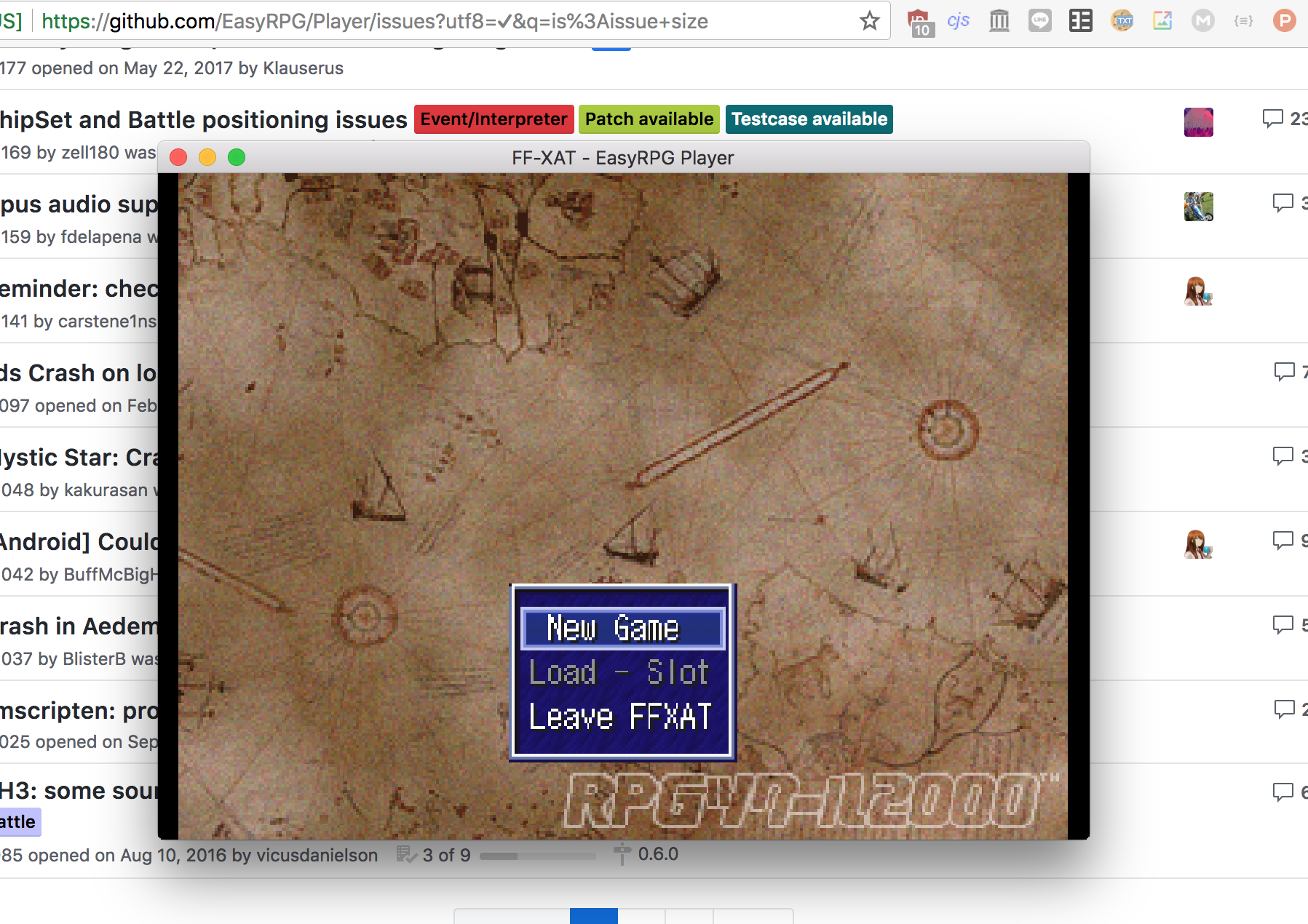
This is on a retina screen, and I'm not sure if it works differently on a non-retina screen—I'll test this tomorrow.
Update: same behavior occurs on non-retina screens. Exact same measurements.
As you can see, the image is letterboxed for some strange reason. The width is 1280x916, but since this is 2x retina the real size is 640x458. The size I would expect is 1280x960, which would display the full image without letterboxing and also would avoid the image from being distorted due to resizing (see the "new game" text for example which is clearly suffering from point resizing).
I've never programmed any native UI in OSX but I think it's pretty clear here that the window is being set to 1280x960, but unfortunately that includes the top bar, whose height is exactly the missing 44 pixels.
 msikma
All 14 comments
Thanks for the report :).
Because SDL2 handles the window this must be a problem in our SDL2 usage.
The CreateWindow doc says:
On Apple's OS X you must set the NSHighResolutionCapable Info.plist property to YES, otherwise you will not receive a High DPI OpenGL canvas.
If the window is created with the SDL_WINDOW_ALLOW_HIGHDPI flag, its size in pixels may differ from its size in screen coordinates on platforms with high-DPI support (e.g. iOS and Mac OS X). Use SDL_GetWindowSize() to query the client area's size in screen coordinates, and SDL_GL_GetDrawableSize() or SDL_GetRendererOutputSize() to query the drawable size in pixels.
 Ghabry
on 12 May 2018
Ghabry
on 12 May 2018
Our code should not be HighDPI aware currently. :hear_no_evil: Strange that SDL2 calculates this only wrong on macOS...
 carstene1ns
on 12 May 2018
carstene1ns
on 12 May 2018
Just wanted to add that I gave it a shot on a non retina setup. Exact same behavior. The visible area is 640x458, and the remaining 22 pixels are the title bar.
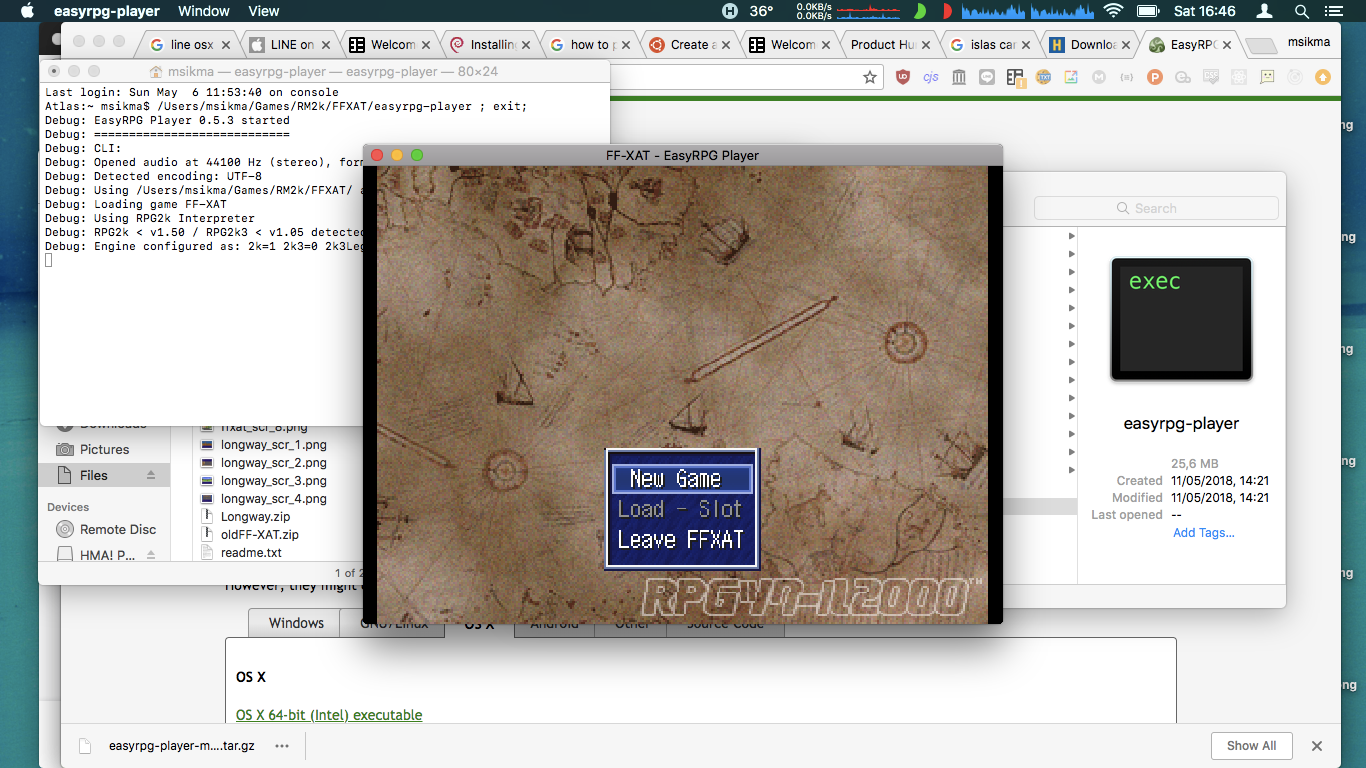
So it's not a retina problem, I guess this is just a gotcha in either SDL2 or whatever OSX API is responsible for window sizing.
msikma
on 12 May 2018
Can you try running player with --window argument and then toggle to fullscreen and back with F4?
Just wanting to know if this is wrongly calculated by SDL.
carstene1ns
on 13 May 2018
Interestingly, starting with --window makes it correctly sized, even when switching to and from fullscreen mode.
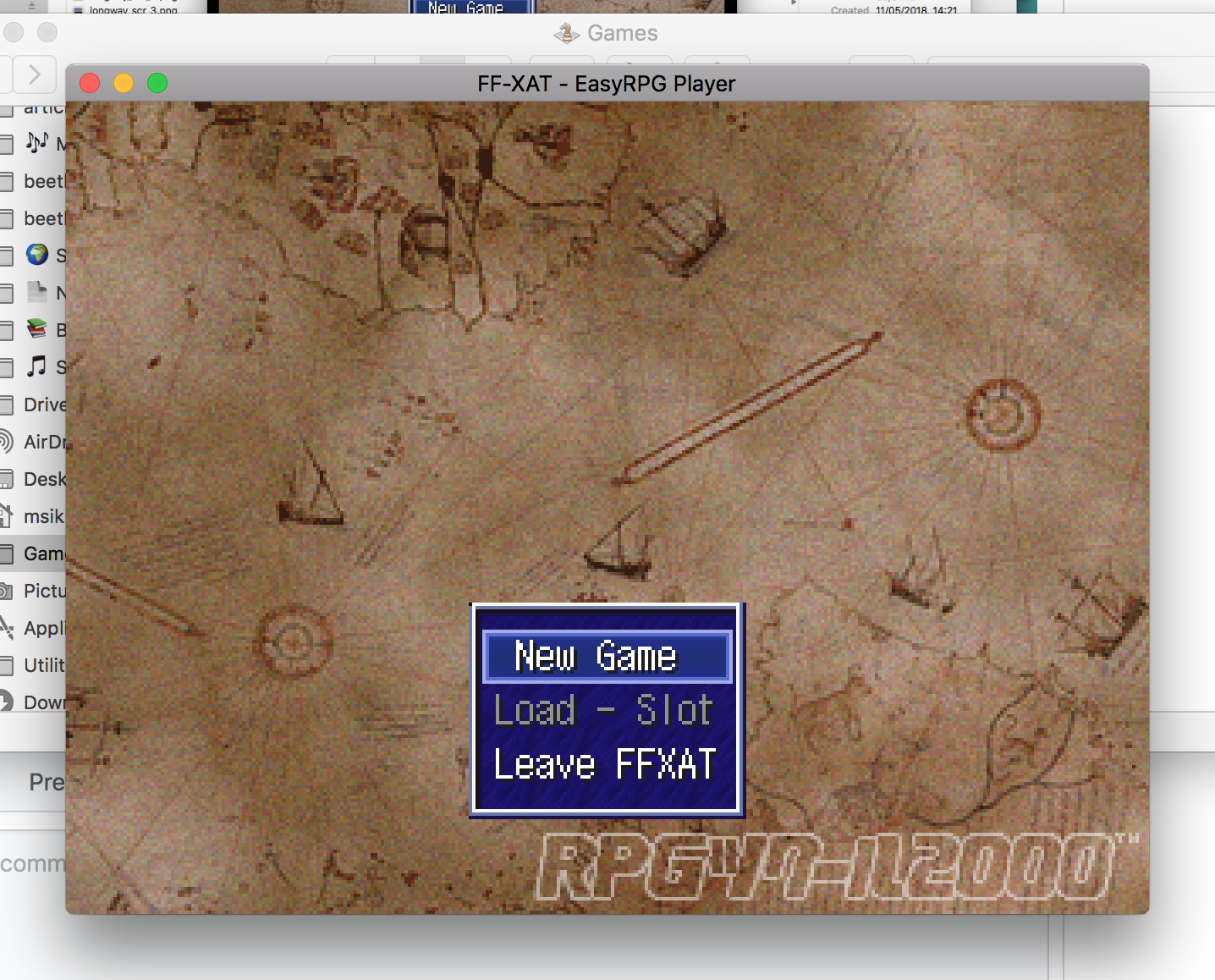
msikma
on 13 May 2018
Just leaving these here that came up in a quick search. Seems SDL has similar known problems and we may need to workaround them...
https://bugzilla.libsdl.org/show_bug.cgi?id=3146
https://bugzilla.libsdl.org/show_bug.cgi?id=3766
carstene1ns
on 13 May 2018
Maybe a working workaround is creating the Window windowed and toggling the fullscreen flag afterwards.
Could also help under Windows where creating the Fullscreen window results in a missing icon in the titlebar... (but when you start with --window and toggle fullscreen it works fine).
Ghabry
on 13 May 2018
Yeah, we had this discussion before on GNU/Linux, but then the SDL devs were even faster than us.
→ #179, #383
carstene1ns
on 13 May 2018
@msikma I hope to have fixed this one with #1406, are you able to build and test this?
carstene1ns
on 31 Jul 2018
works for me
Ghabry
on 8 Sep 2018
I seem to have totally missed your comment, sorry @carstene1ns. Just now with this last comment I realized there's a new fix.
I guess it's already been tested but I'll have a look at it as well this week anyway 😄
msikma
on 9 Sep 2018
Unfortunately I'm getting an error when building...not sure how to proceed. I've checked out the branch from your PR and I've got all prerequisites (no errors in configure).
Here's my compile log: https://gist.github.com/msikma/d2c8ffd43132b2cea09230ecf22ae32b
msikma
on 16 Sep 2018
You must update liblcf to the latest version (which is the git master branch because you don't compile a "stable" Player version)
Ghabry
on 16 Sep 2018
Thanks, it was a little tricky but I managed to compile it. Can confirm that the issue is fixed! 👍
msikma
on 17 Sep 2018
Related issues
 chaoskagami
·
14Comments
chaoskagami
·
14Comments
 Siltala
·
25Comments
Siltala
·
25Comments
 s9060666
·
12Comments
s9060666
·
12Comments
 fmatthew5876
·
31Comments
Ghabry
·
13Comments
fmatthew5876
·
31Comments
Ghabry
·
13Comments
Most helpful comment
Thanks, it was a little tricky but I managed to compile it. Can confirm that the issue is fixed! 👍