Platformio-vscode-ide: Issue loading PlatformIO
Solution
Please run PlatformIO >Update All or Open PlatformIO IDE and run pio update. Restart VSCode
Hi guys, I have an issue loading PlatformIO in my laptop. It was working fine before but it seems that some of the last updates are generating some issues.
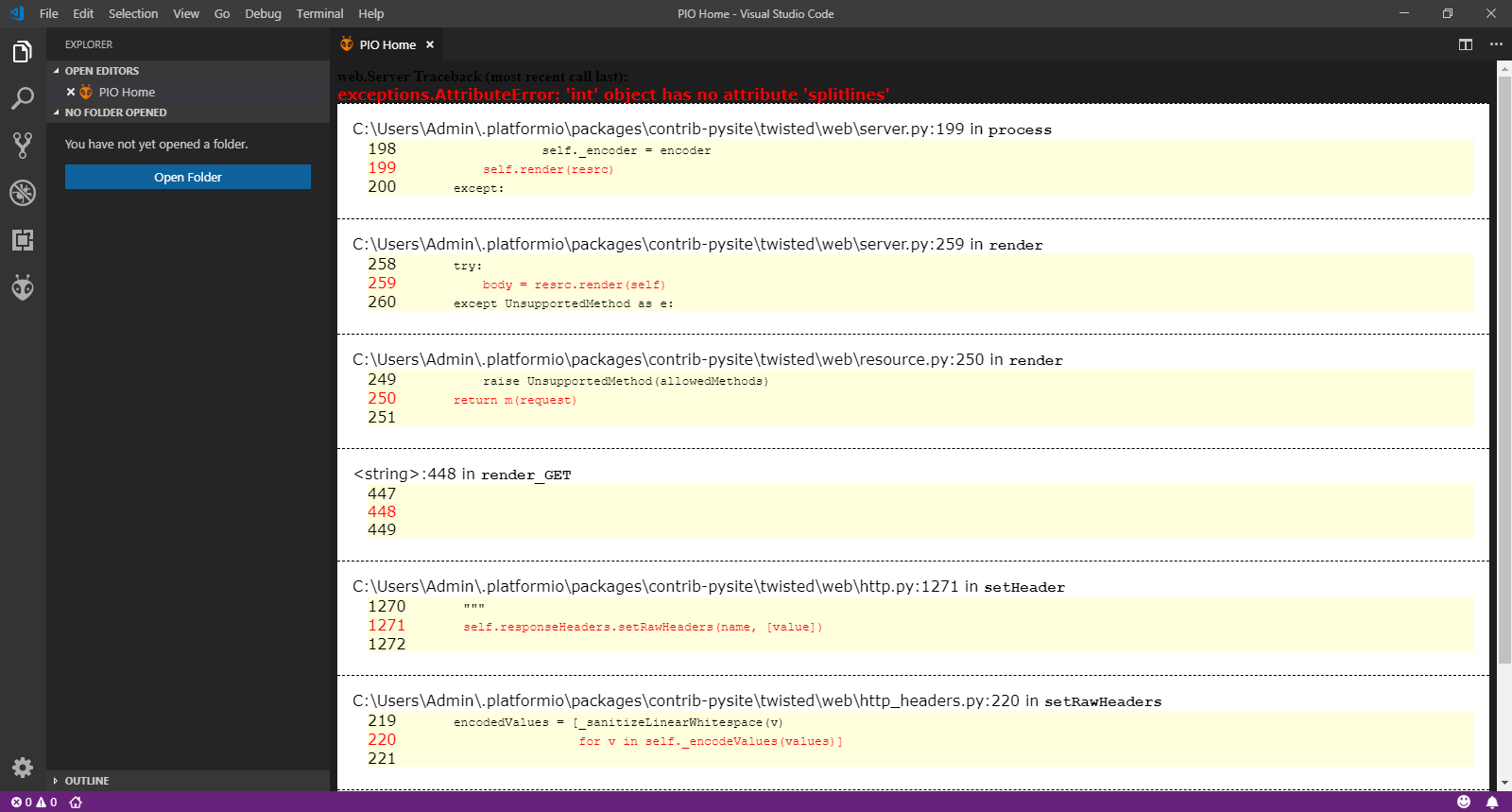
The issue reported on the screen is:
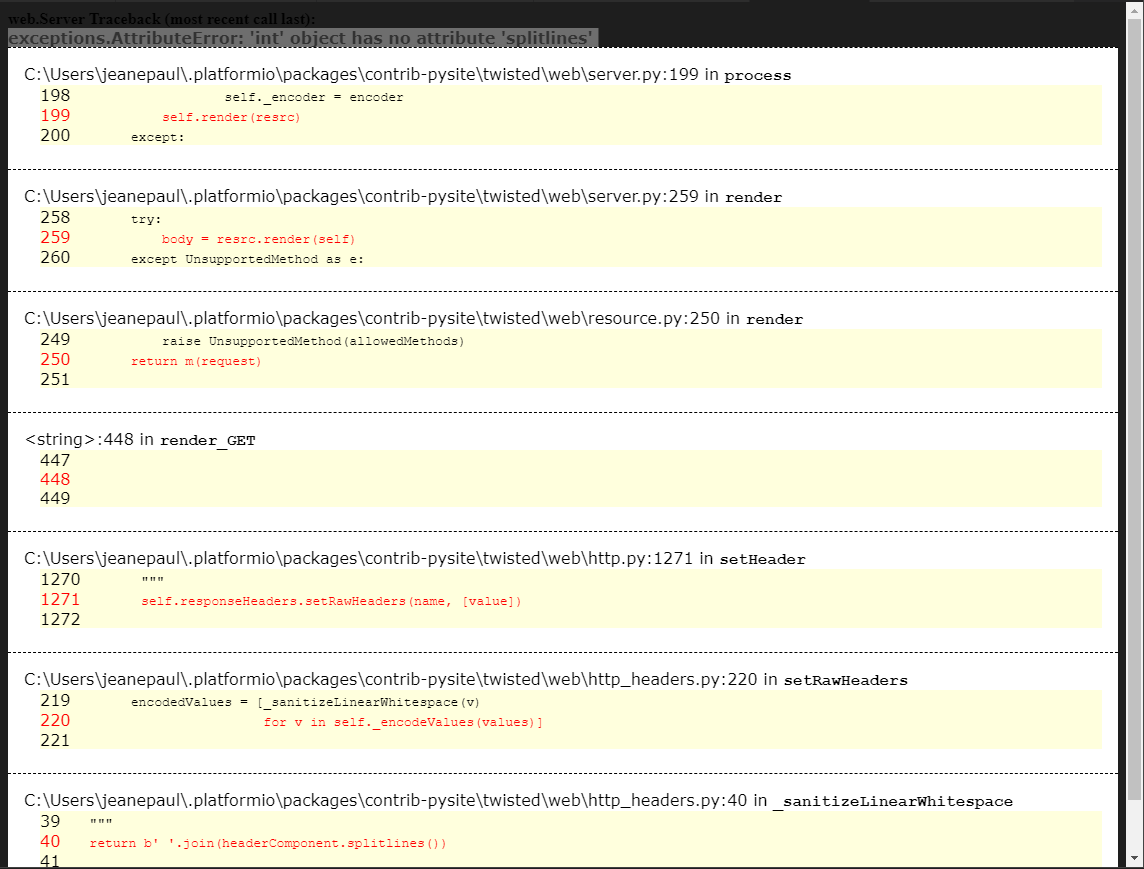
exceptions.AttributeError: 'int' object has no attribute 'splitlines'
Here you can see the versions that I am using:
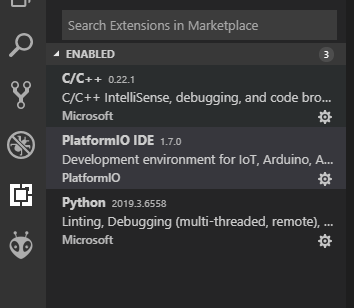
PlatformIO Version: 1.7.0
Python Version: 2019.3.6558
it seems that the issue is with this line:
C:\Users\Admin.platformio\packages\contrib-pysite\twisted\web\http_headers.py:40 in _sanitizeLinearWhitespace
I didn't make any modifications on configurations or .py files. Just a typical install (and it was working fine before.)
Please let me know if you need any other information to diagnose this issue or if you have some workaround to suggest I will really appreciate it.
Worst scenario case I will re-install everything again, but I want to avoid it because it will take some time.
I was checking previous issues, but nothing seems to be similar to this issue, that is why I am reporting it.
Thanks in advance for your support.
Pablo
 PabloAbraham
All 5 comments
same problem...
 Hokutosei
on 20 Apr 2019
Hokutosei
on 20 Apr 2019
+1
 kasedy
on 20 Apr 2019
kasedy
on 20 Apr 2019
Please run PlatformIO >Update All or Open PlatformIO IDE and run pio update. Restart VSCode
 ivankravets
on 20 Apr 2019
ivankravets
on 20 Apr 2019
Thanks Ivan! Your recommendation worked fine!
I updated as you suggested:
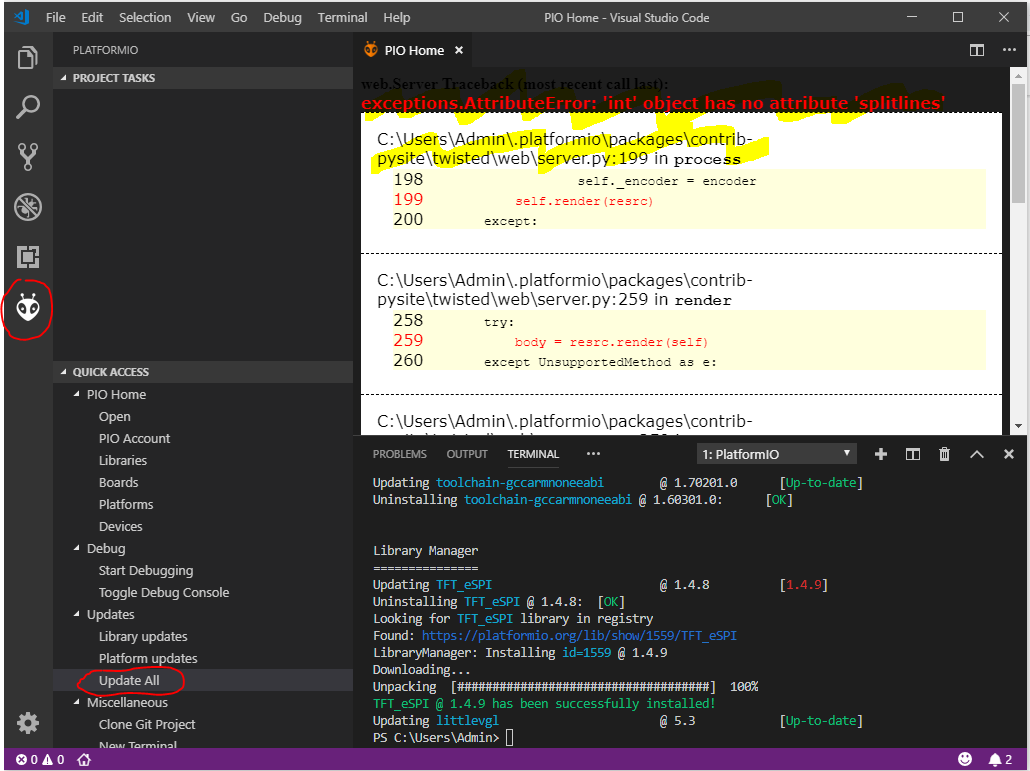
and now it is back:
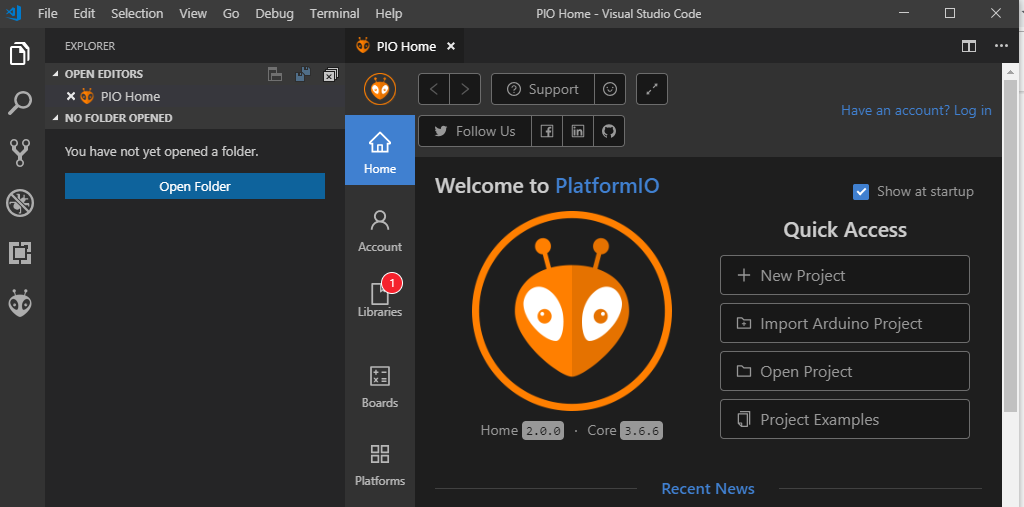
Thanks for your quick response!
Regards
Pablo
PabloAbraham
on 20 Apr 2019
@ivankravets thanks, it is now fixed.
Hokutosei
on 22 Apr 2019
Related issues
 chenjingyuanku
·
8Comments
chenjingyuanku
·
8Comments
 rkruetli
·
6Comments
rkruetli
·
6Comments
 Rotzbua
·
3Comments
Rotzbua
·
3Comments
 LaBus3
·
7Comments
LaBus3
·
7Comments
 BowmanChow
·
9Comments
BowmanChow
·
9Comments
Most helpful comment
Please run PlatformIO >Update All or Open PlatformIO IDE and run
pio update. Restart VSCode