Platformio-atom-ide-terminal: Using cmd.exe instead of poweshell
 usuf1
usuf1
All 19 comments
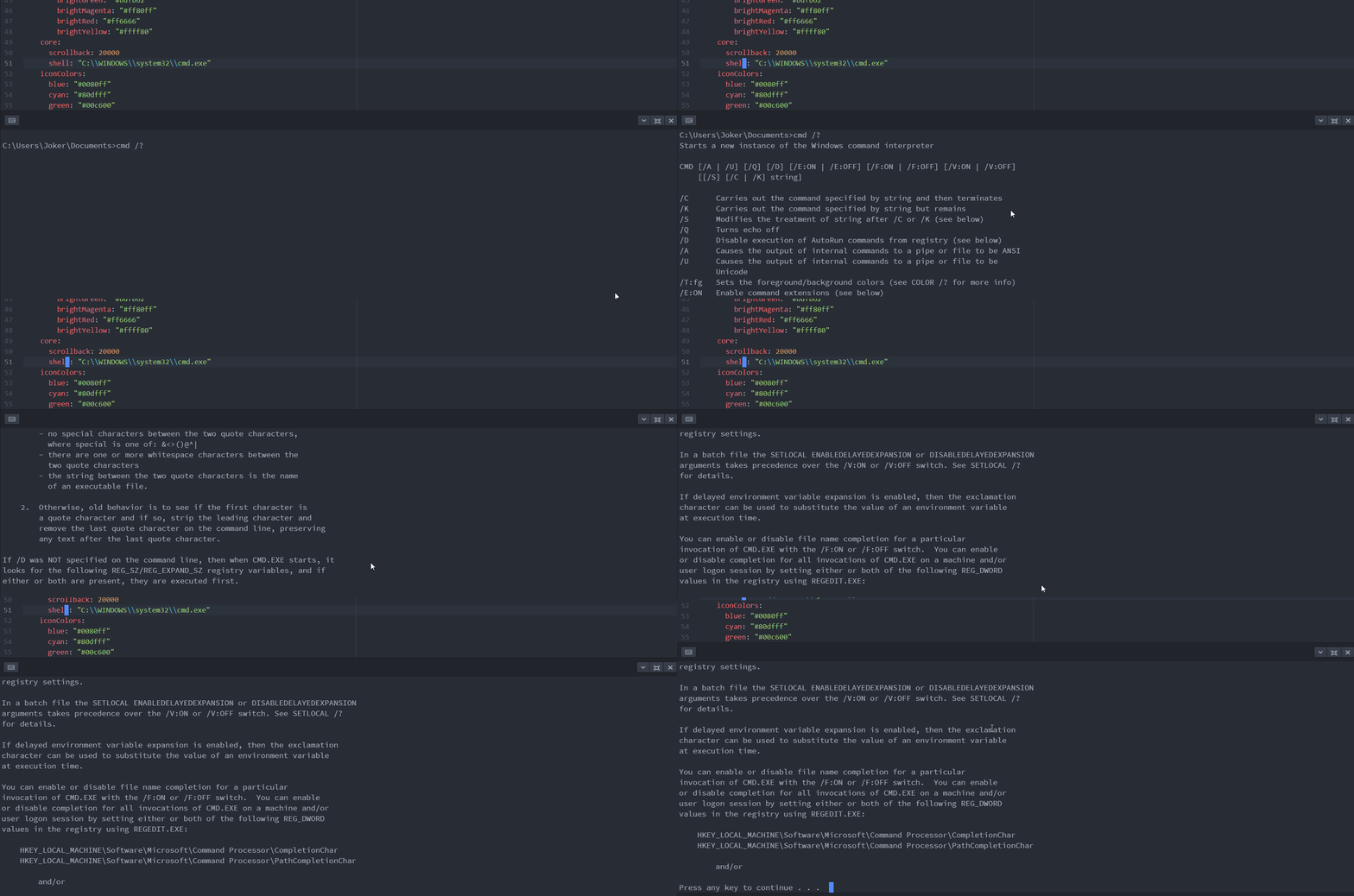
Did you change this in Atom's config.cson?
It works just fine just FYI.
Atom 1.28.0
Platformio-ide-terminal 2.8.3
 the-j0k3r
on 26 Jun 2018
the-j0k3r
on 26 Jun 2018
Yes i tried this (C :windowsystem32cmd.exe)
but still there is no change
On Tue, Jun 26, 2018, 04:31 the-j0k3r notifications@github.com wrote:
Did you change this in Atom's config.cson?
It works just fine just FYI.
[image: cmd-exeinpio]
https://user-images.githubusercontent.com/31389848/41883957-faaa4a6a-78e8-11e8-9959-5466be0c480e.gifAtom 1.28.0
Platformio-ide-terminal 2.8.3—
You are receiving this because you authored the thread.
Reply to this email directly, view it on GitHub
https://github.com/platformio/platformio-atom-ide-terminal/issues/554#issuecomment-400147777,
or mute the thread
https://github.com/notifications/unsubscribe-auth/AkMv9kaXMZ3HXmZRF1kdHm0K9T1eplouks5uAY7-gaJpZM4Uyyra
.
usuf1
on 27 Jun 2018
Are you using double slashes, are you typing the path without typos?
Copy and paste below to avoid typos
shell: "C :\\WINDOWS\\system32\\cmd.exe"
If that doesnt work please paste your Atom config.cson
the-j0k3r
on 27 Jun 2018
Am using double slash
On Wed, Jun 27, 2018, 16:49 the-j0k3r notifications@github.com wrote:
Are you using double slashes, are you typing the path without typos?
Copy and paste below to avoid typos
shell: "C :\WINDOWS\system32\cmd.exe"
If that doesnt work please paste your Atom config.cson
—
You are receiving this because you authored the thread.
Reply to this email directly, view it on GitHub
https://github.com/platformio/platformio-atom-ide-terminal/issues/554#issuecomment-400678241,
or mute the thread
https://github.com/notifications/unsubscribe-auth/AkMv9teJdmQ0XbyN6YSxFcoSAouZ-rxmks5uA41ggaJpZM4Uyyra
.
usuf1
on 27 Jun 2018
If that doesnt work please paste your Atom config.cson
Can you post your Atom config.cson? If not Im out of ideas and in that case goodluck.
the-j0k3r
on 27 Jun 2018
thanks for everything,
have a good time
On Wed, Jun 27, 2018 at 7:52 PM, the-j0k3r notifications@github.com wrote:
If that doesnt work please paste your Atom config.cson
Can you? If not Im out of ideas and in that case goodluck.
—
You are receiving this because you authored the thread.
Reply to this email directly, view it on GitHub
https://github.com/platformio/platformio-atom-ide-terminal/issues/554#issuecomment-400752329,
or mute the thread
https://github.com/notifications/unsubscribe-auth/AkMv9oBWipSh8pxXV5SwMDtAgb8xyNvzks5uA7hqgaJpZM4Uyyra
.
usuf1
on 27 Jun 2018
thanks
 koladeore
on 22 Aug 2018
koladeore
on 22 Aug 2018
Hi @the-j0k3r ,
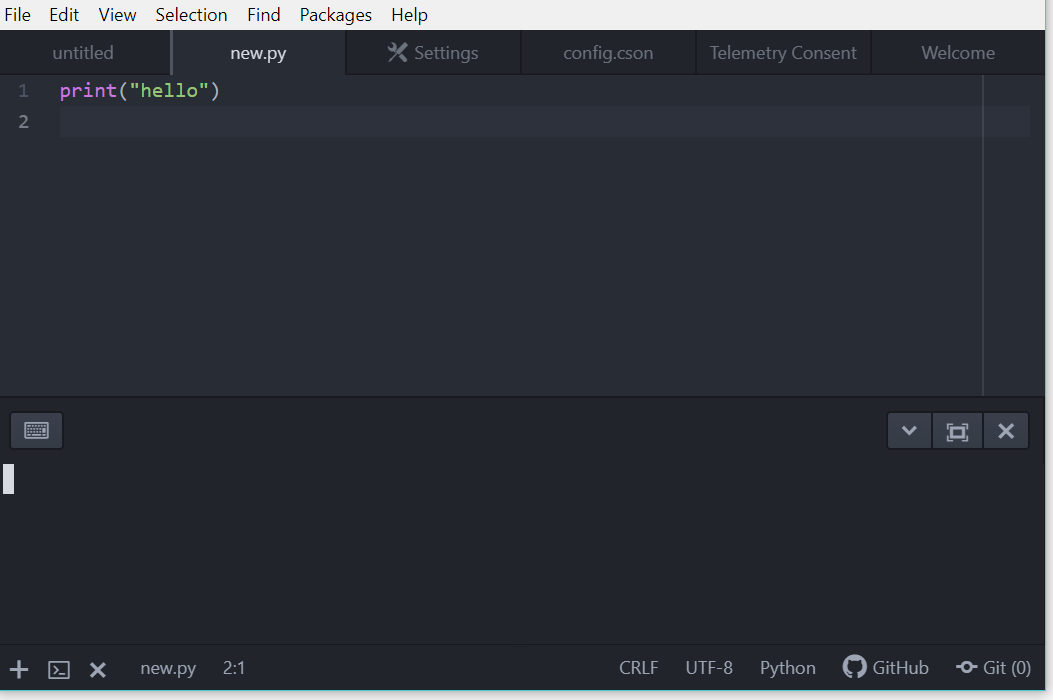
I guess I have the same problem.
Installed Atom 1.34, then installed Platformio Ide Terminal and changed shell override to C:\Windows\System32\cmd.exe.
However terminal does not works, I see cursor blinking, but can't type any text to terminal, maybe you know where the problem is?
 ikekyte
on 16 Feb 2019
ikekyte
on 16 Feb 2019
read this https://github.com/platformio/platformio-atom-ide-terminal/issues/554#issuecomment-400752329
the-j0k3r
on 16 Feb 2019
I pasted from your comment "C :\WINDOWS\system32\cmd.exe", problem still occurs
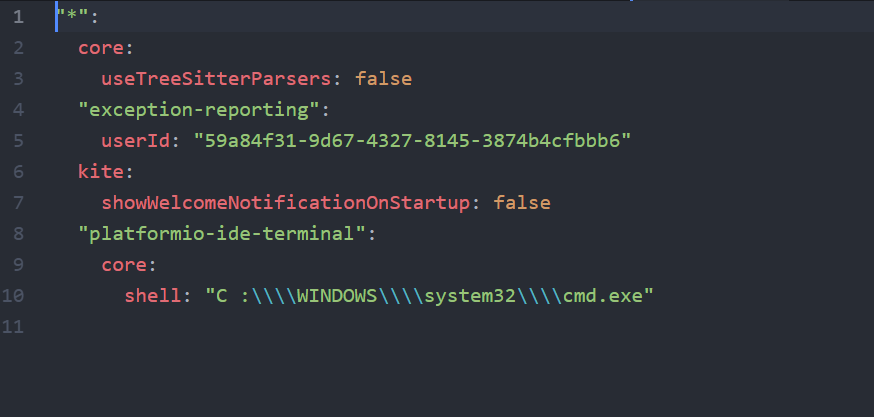
here is my Atom config.cson
ikekyte
on 16 Feb 2019
Thats 2 too many slashes. This is correct.
shell: "C:\\WINDOWS\\system32\\cmd.exe"
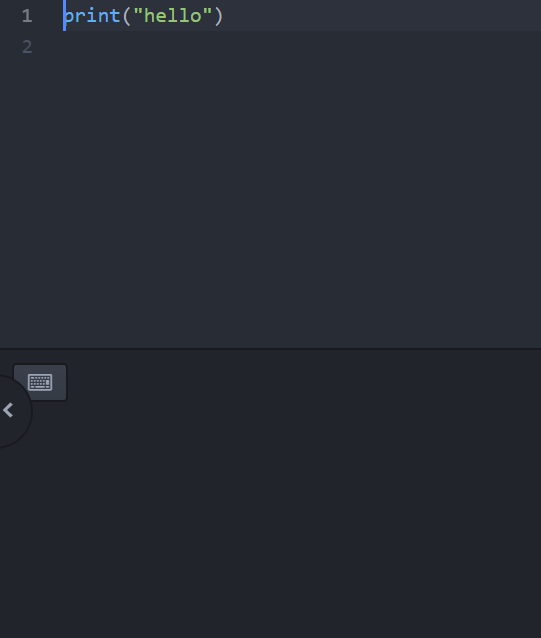
changed, but terminal is still blank :(

ikekyte
on 16 Feb 2019
You changed/saved configuration files and restarted Atom right? Existing Terminals are not affected by changes on the fly, they need closing and reopening. This works flawlessly here.
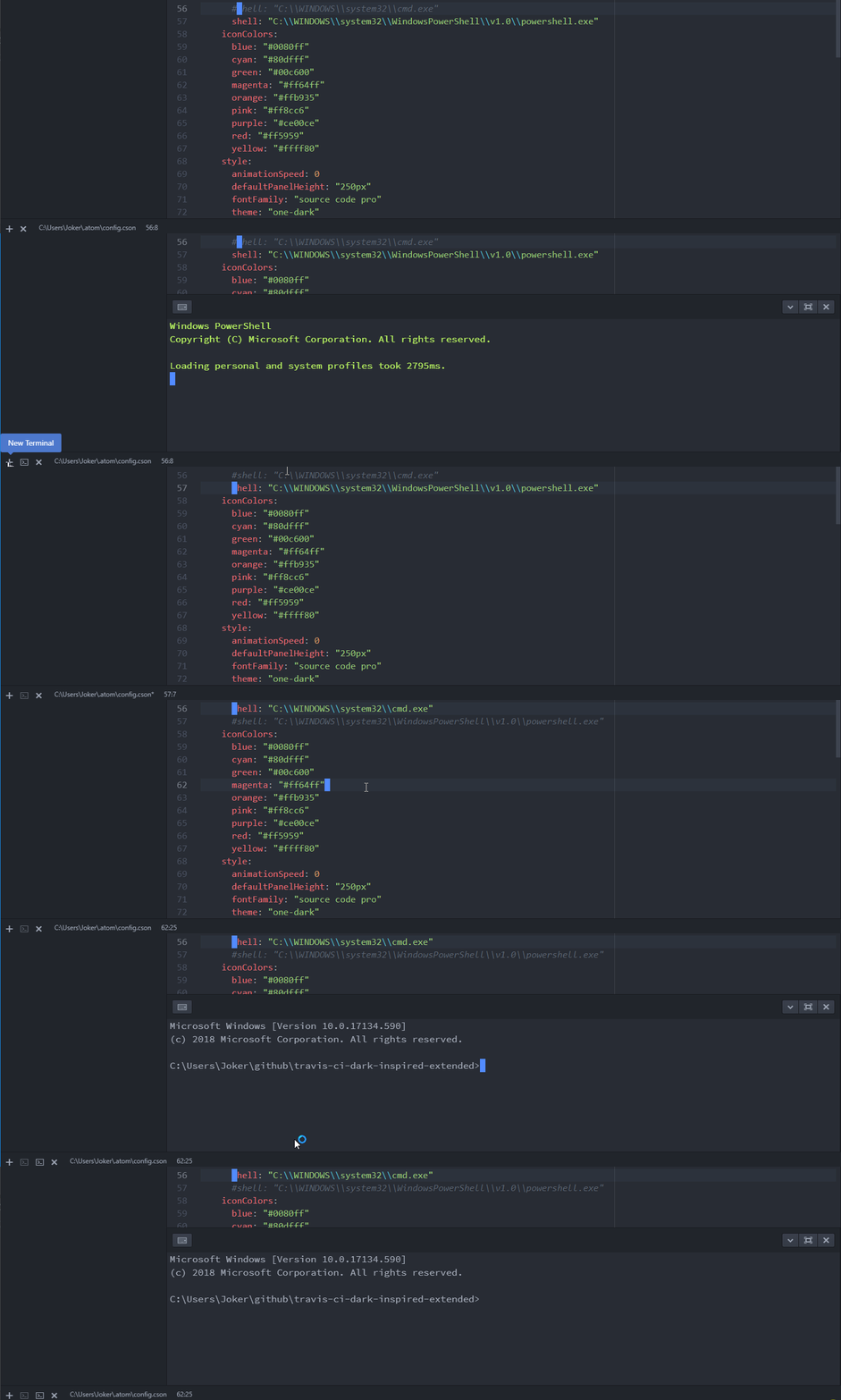
Make sure there are no spaces between the C and the colon etc, exactly like its pasted above, Failing that, idk, this works in no uncertain terms.
the-j0k3r
on 17 Feb 2019
I did everything as you said, even reinstalled atom and platformio several times. However bug still occurs :/
ikekyte
on 17 Feb 2019
@ikekyte try on a virgin OS that never had Atom installed e.g. in a virtualbox/virtualmachine.
I cant reproduce any such issue, it simply works.
Microsoft Windows 10  Pro 1803  [Version 10.0.17134.590]

>atom -v

Atom    : 1.34.0
Electron: 2.0.16
Chrome  : 61.0.3163.100
Node    : 8.9.3

>apm -v

apm  2.1.3
npm  6.2.0
node 8.9.3 x64
atom 1.34.0
python 3.5.2
git 2.20.1.windows.1
visual studio
i tried to get a solution but i failed instead i just browse where i have
saved my program in a windows terminal and i execute/run the program
directly in a windows cmd
thank you hope it will help you:
On Sun, Feb 17, 2019 at 7:01 PM the-j0k3r notifications@github.com wrote:
@ikekyte https://github.com/ikekyte try on a virgin OS that never had
Atom installed e.g. in a virtualbox/virtualmachine.
I cant reproduce any such issue, it simply works.Microsoft Windows Pro 1803 [Version 10.0.17134.590]
atom -v
Atom : 1.34.0
Electron: 2.0.16
Chrome : 61.0.3163.100
Node : 8.9.3apm -v
apm 2.1.3
npm 6.2.0
node 8.9.3 x64
atom 1.34.0
python 3.5.2
git 2.20.1.windows.1
visual studio—
You are receiving this because you authored the thread.
Reply to this email directly, view it on GitHub
https://github.com/platformio/platformio-atom-ide-terminal/issues/554#issuecomment-464474266,
or mute the thread
https://github.com/notifications/unsubscribe-auth/AkMv9vM9ZAOROfzVQP9RzBxpYaAgEMdTks5vOXzOgaJpZM4Uyyra
.
usuf1
on 20 Feb 2019
@ikekyte If your using Windows 10 1809 it explains your issue, Solution downgrade your Windows version to and actually working version of windows 10.
the-j0k3r
on 13 Apr 2019
Step by Step Solution
Go the Setting-> Packages -> In Search Bar, search for the platformio.
1- Open platformio and go to Shell Override Option.
2- Put the following line as per as your Terminal Requirement
For cmd- C:\WINDOWS\System32\cmd.exe
For Power Shell- C:\WINDOWS\Sysnative\WndowsPowerShell\v1.0\powershell.exe
For bash- C:\Program Files\Git\bin\bash.exe or C:\Windows\System32\bash.exe (depending on how you install the bash). Be Sure, that you have already install the bash into your computer.
Now, you can integrate bash, cmd, git bash, Power Shell into Atom using platformio as terminal.
 yuosefmoatamedi
on 13 Feb 2021
yuosefmoatamedi
on 13 Feb 2021
This package is no longer maintained. Please uninstall platformio-ide-terminal and install either terminus or x-terminal
 UziTech
on 13 Feb 2021
UziTech
on 13 Feb 2021
Related issues
 alexmylonas
·
3Comments
alexmylonas
·
3Comments
 kiiiit
·
5Comments
kiiiit
·
5Comments
 QuasimodoNZ
·
4Comments
QuasimodoNZ
·
4Comments
 fusion809
·
3Comments
fusion809
·
3Comments
 sergei3000
·
4Comments
sergei3000
·
4Comments