Platform: 6.0.1 doesn't work with ionic 4
Hej,
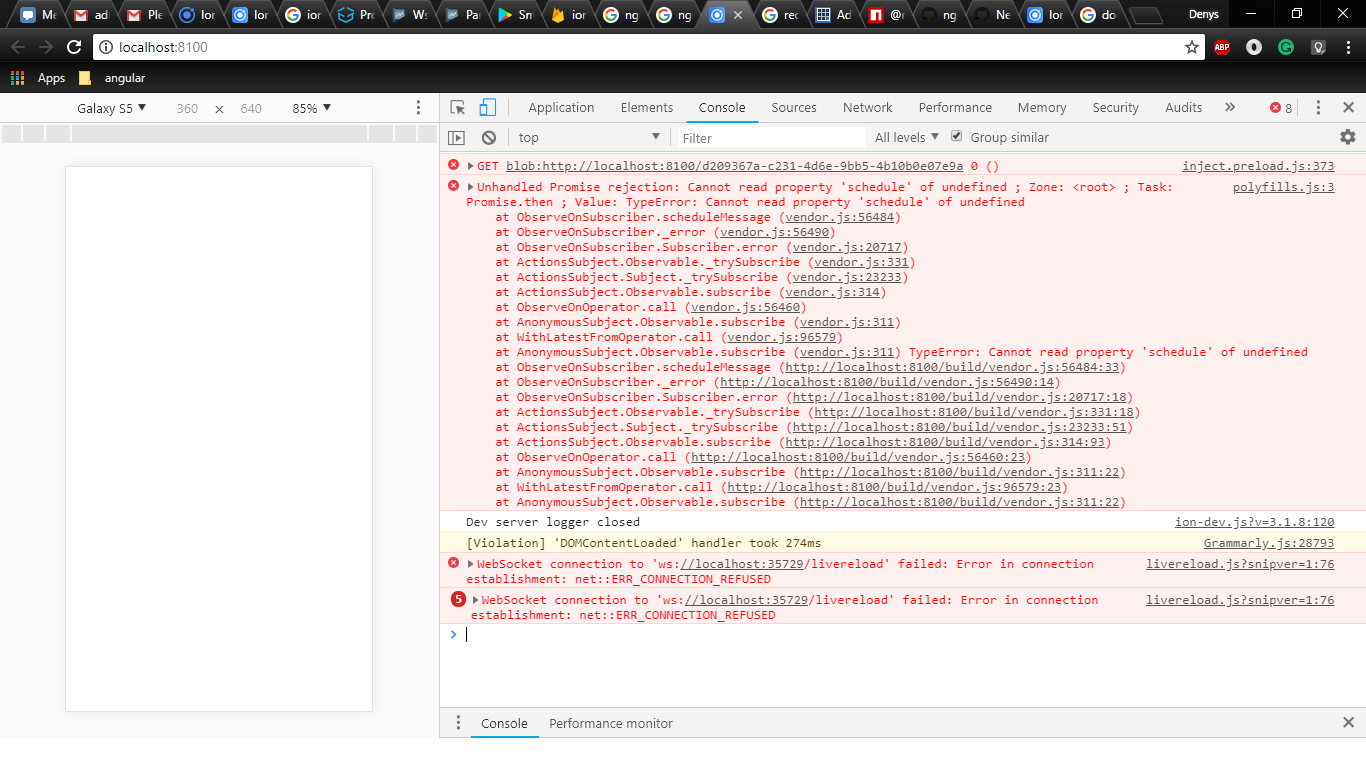
I'm trying to use this package to my Ionic project, and it's crash when I add StoreModule to my Imports into AppModule.
P.S. I doesn't have this problem in @ngrx/[email protected] .
 BobaFett58
All 5 comments
A small reproduction is required in order for us to verify this is a bug with NgRx.
 brandonroberts
on 25 Jun 2018
brandonroberts
on 25 Jun 2018
Sorry, I don't know how to use planker, so I created project on github for you.
https://github.com/BobaFett58/Ionic_NgRx
-- ionic serve (to run app)
p.s. It's the empty template from here https://ionicframework.com/getting-started
BobaFett58
on 26 Jun 2018
Hi, have you tried upgrading Angular and RxJS to version 6?
I think that should solve the problem.
Or you should install ngrx/store v5.2.0 (which is the version for Angular 5), because this works as you mentioned.
 timdeschryver
on 26 Jun 2018
timdeschryver
on 26 Jun 2018
I got it to start up with the following config:
 "dependencies": {
    "@angular/animations": "^6.0.0",
    "@angular/common": "^6.0.0",
    "@angular/compiler": "^6.0.0",
    "@angular/compiler-cli": "^6.0.0",
    "@angular/core": "^6.0.0",
    "@angular/forms": "^6.0.0",
    "@angular/http": "^6.0.0",
    "@angular/platform-browser": "^6.0.0",
    "@angular/platform-browser-dynamic": "^6.0.0",
    "@ionic-native/core": "4.8.0",
    "@ionic-native/splash-screen": "4.8.0",
    "@ionic-native/status-bar": "4.8.0",
    "@ionic/storage": "2.1.3",
    "@ngrx/store": "^6.0.1",
    "ionic-angular": "3.9.2",
    "ionicons": "3.0.0",
    "rxjs": "^6.0.0",
    "rxjs-compat": "^6.2.1",
    "sw-toolbox": "3.6.0",
    "zone.js": "0.8.26"
  },
@tdeschryver thank you :)
BobaFett58
on 26 Jun 2018
Related issues
 sandangel
·
3Comments
sandangel
·
3Comments
 hccampos
·
3Comments
hccampos
·
3Comments
 dmytro-gokun
·
3Comments
dmytro-gokun
·
3Comments
 Matmo10
·
3Comments
Matmo10
·
3Comments
 axmad22
·
3Comments
axmad22
·
3Comments
Most helpful comment
I got it to start up with the following config: