Describe the missing feature
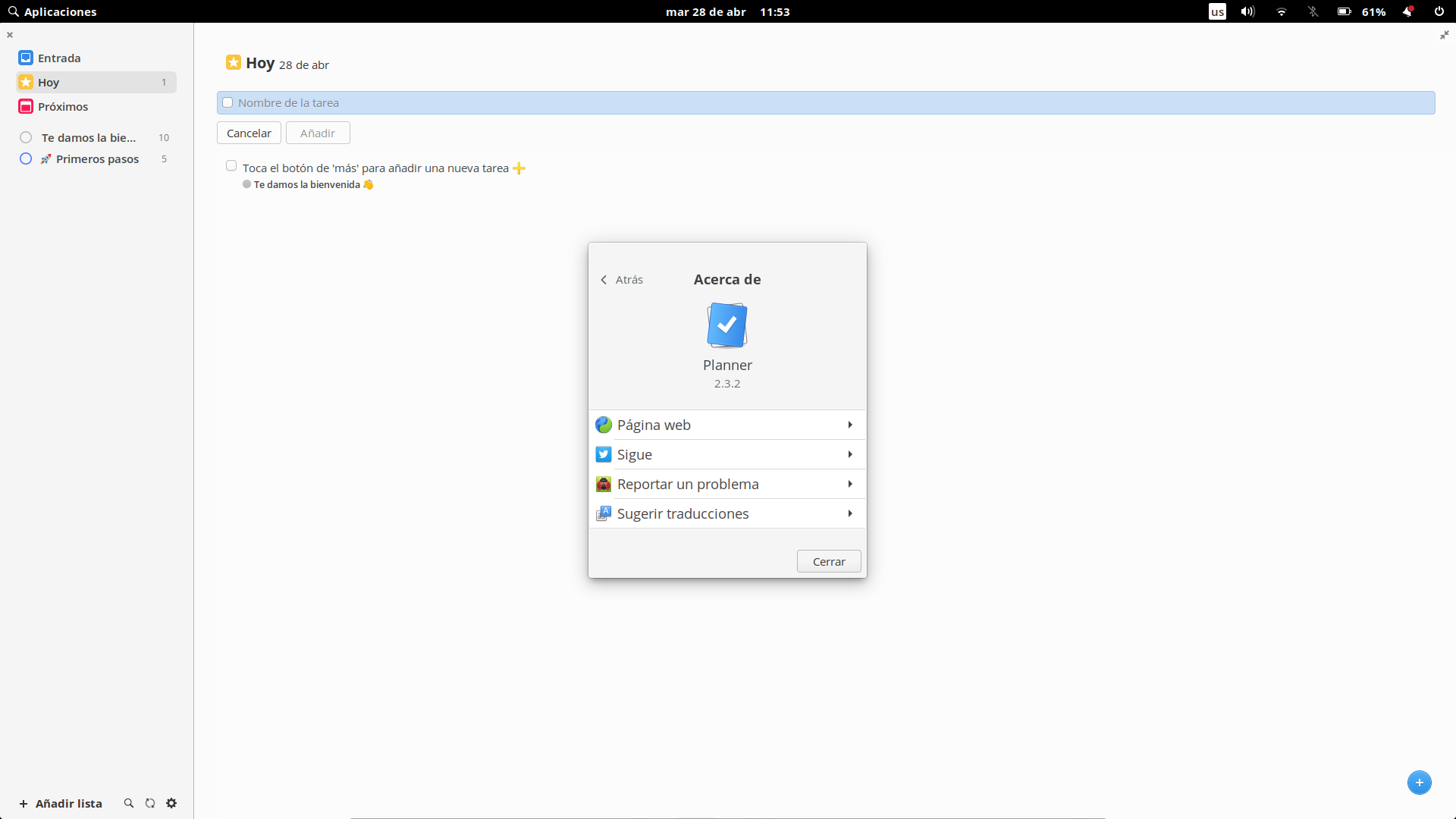
No option available to increase font size
Describe the solution you'd like
I'd like so much an option to increase the size of the font. My eyes are suffering and can't enjoy this application as I would like.
Describe alternatives you've considered
An option in contextual menu
An option in configuration settings
Additional context
Here you can see how the font from the application is significantly smaller than the system one
 javogarcia
All 15 comments
I'm not sure why this happens, I'm using the default font size that elementary OS uses.
 alainm23
on 28 Apr 2020
alainm23
on 28 Apr 2020
Thank you very much for your response @alainm23, and thank you for creating Planner <3. I'm using big size, maybe that explains the difference, but the point is that the size in Planner remains uncomfortable to my eyes 😢️. Maybe Planner doesn’t fallow the system font size.
javogarcia
on 28 Apr 2020
I also vote for option in settings to change font size. My sight is poor. Besides I use it on KDE Plasma. An option for font size would make planner independent from desktop environment settings.
 omega3
on 17 May 2020
omega3
on 17 May 2020
Can someone tell me where is a configuration file?
I can't find it in my /home directory.
Would be great if I could change font size at least in configuration file. I desperately need to do it.
omega3
on 8 Jun 2020
Any process on this? Even a config file should work.
 38569459
on 22 Jun 2020
38569459
on 22 Jun 2020
@alainm23
Can you please comment on this issue? It seems as if you closed the issue without processing. I updated and I don't see any font size configuration option. For people with weak sight it is really critical issue.
omega3
on 23 Jun 2020
+1 on this, I have started using Planner today and immediately found myself looking for a way to make the font bigger but it seems it is currently impossible
 tylrbvn
on 24 Jun 2020
tylrbvn
on 24 Jun 2020
@alainm23 we love you for creating Planner but don't forget us. Would you drop here some help? I'm currently using todoist app instead of planner because of size font :(
javogarcia
on 24 Jun 2020
Hi guys, sorry for not giving much attention to this issue, I'm investigating how to change the font size without affecting the design considerably, please be patient.
alainm23
on 24 Jun 2020
Could this be closed in favor of https://github.com/alainm23/planner/issues/318?
 BeatLink
on 29 Sep 2020
BeatLink
on 29 Sep 2020
Looks like these are different issues. The author of #318 doesn't mention font size.
Describe the solution you'd like
An easy option to choose a custom font from the fonts installed on your system.
As far as I understand it, it concerns font type (Arial, Noto Sans, etc.)
omega3
on 29 Sep 2020
ahh
BeatLink
on 29 Sep 2020
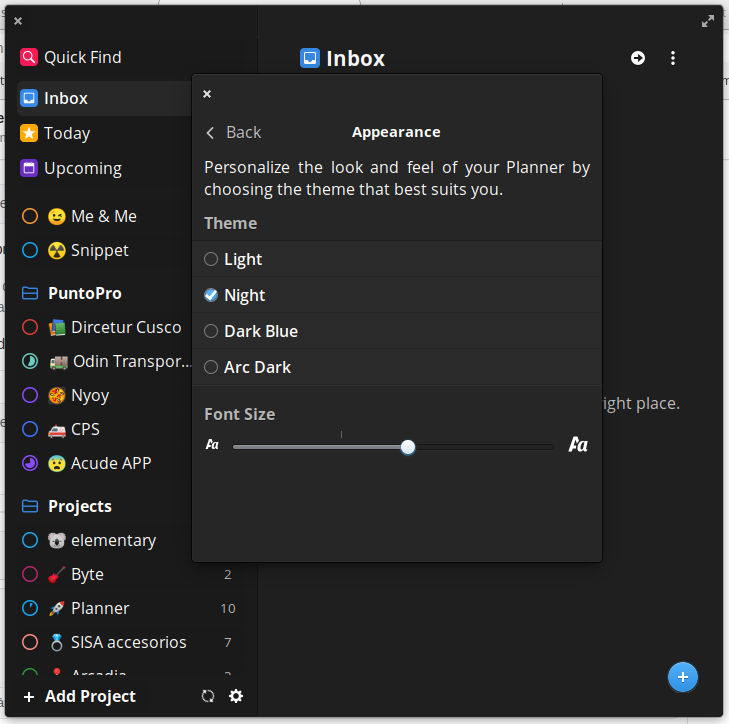
I hope to solve this problem with this new feature.
alainm23
on 23 Oct 2020
Please upgrade to 2.5.6 and let me know if this new feature fixes the bug.
alainm23
on 23 Oct 2020
Works for me very well. Thank you very much.
Although Preferences window still has small font, different from other areas of Planner.
https://i.imgur.com/ksgvtwT.png
By the way, this double view / double layer of Preferences window and its transparency is by design or is it a bug?
omega3
on 24 Oct 2020
Related issues
 theunclemez
·
4Comments
theunclemez
·
4Comments
 zkmrgirish
·
5Comments
zkmrgirish
·
5Comments
 ie900
·
5Comments
ie900
·
5Comments
 Philip-Scott
·
4Comments
Philip-Scott
·
4Comments
 naaando
·
7Comments
naaando
·
7Comments
Most helpful comment
Hi guys, sorry for not giving much attention to this issue, I'm investigating how to change the font size without affecting the design considerably, please be patient.