Pkp-lib: Error saving in management/settings/website
Describe the bug
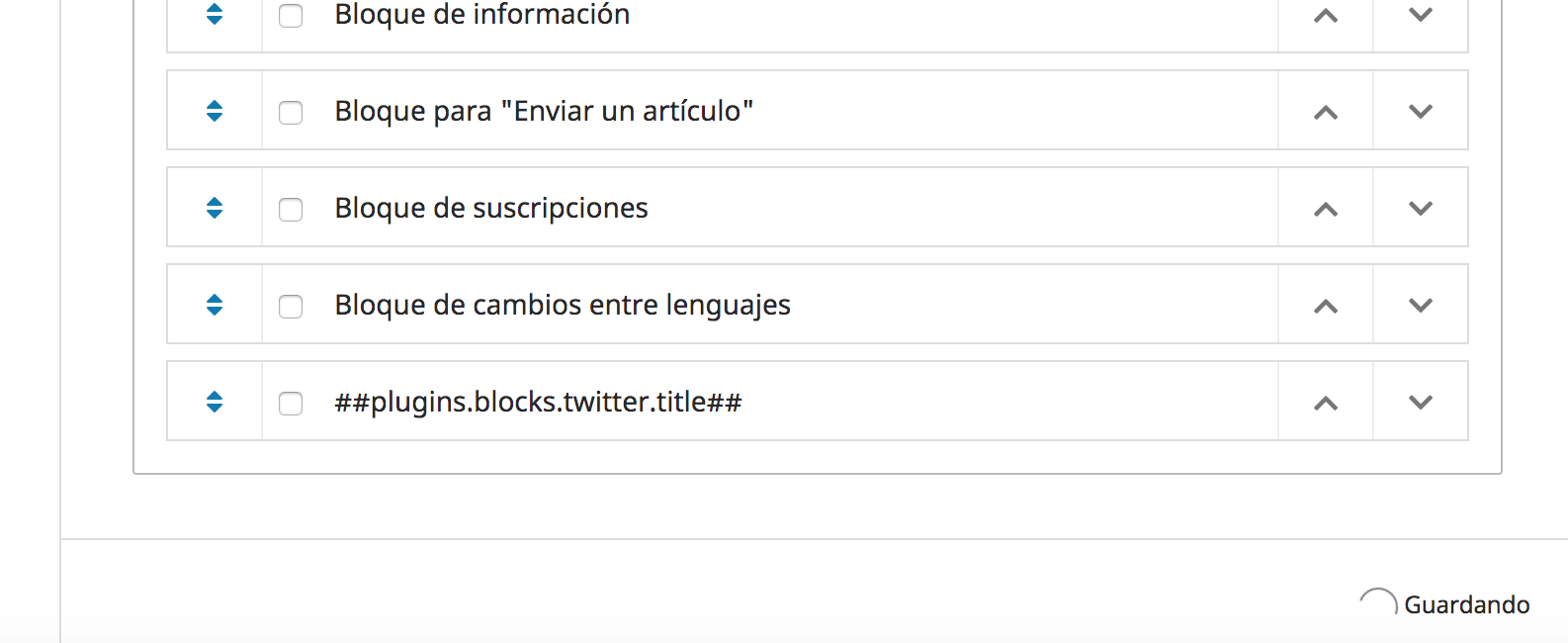
Any form that have a html in setting dont save. The button stay "saving" and don't do anything.
TypeError: e.supportedFormLocales.filter is not a function at build.js?v=3.2.0.1:8
What application are you using?
OJS or OMP version 3.2.0.1
i upgrade version 3.1.2.1 to 3.2.0.1
Additional information
Please add any screenshots, logs or other information we can use to investigate this bug report.

 Alleyne
All 23 comments
 asmecher
on 31 Mar 2020
asmecher
on 31 Mar 2020
I'm not able to reproduce this myself. Have you had any luck @asmecher? The error message, e.supportedFormLocales.filter is not a function, means that the form's supportedFormLocales prop is not an Array. But I can't see how that would happen in the code unless there were no supportedFormLocales in the context settings -- and the report from the forum shows the correct settings...
 NateWr
on 31 Mar 2020
NateWr
on 31 Mar 2020
@NateWr @asmecher Thanks a lot for the support, i've been looking this other thread
https://forum.pkp.sfu.ca/t/costume-block-manager-blocks-cannot-be-activated-after-upgrade-to-ojs-3-2-0-1/59559/21
and it happens i have the same problem as the other user, i restarted language settings but the issue is still going on. I have also noticed that this endless storage problem occurs in every tab where there is an html editor. this means i cant save any changes in editorial team, descriptions, announcements, privacy declaration and so on.
Another issue that caught my attention is that in my language settings i dont have the option to add new languages (as you can see in the screenshot)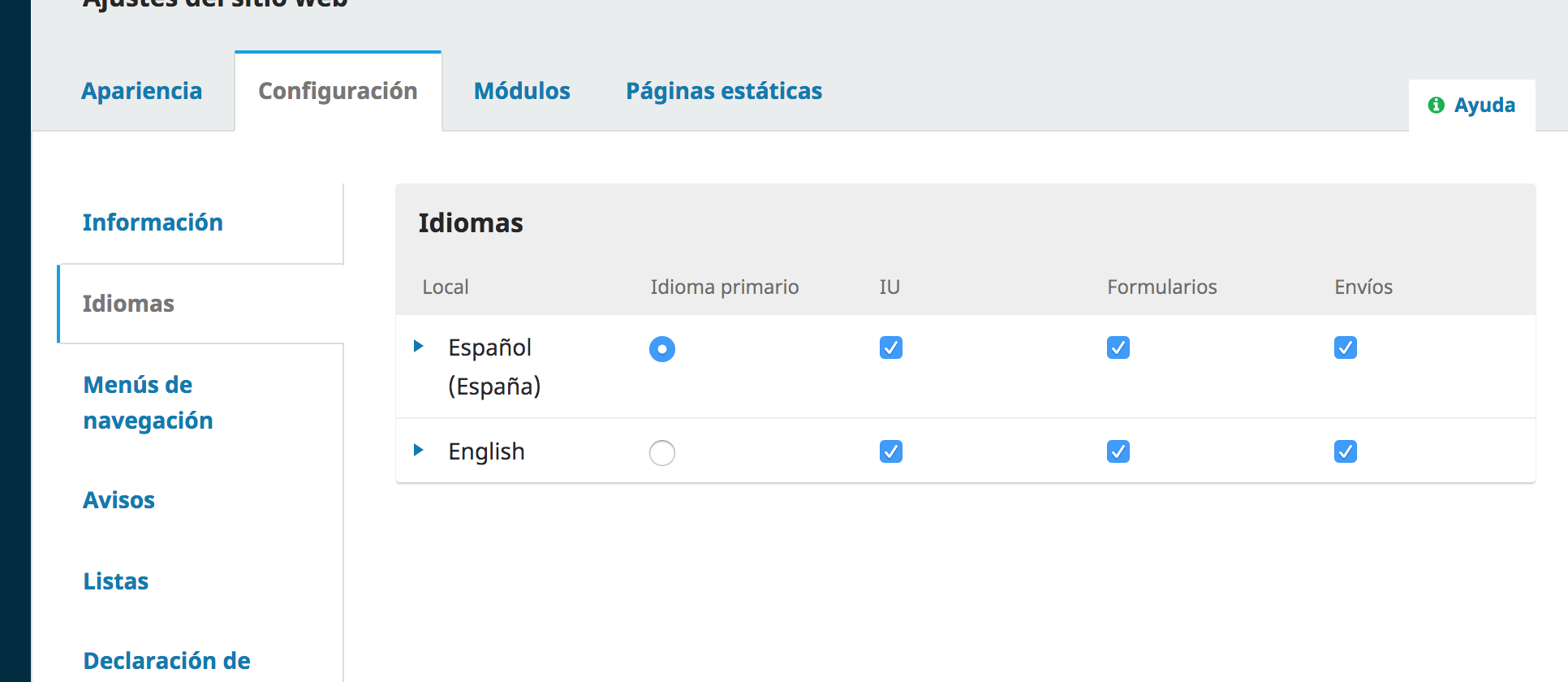
Alleyne
on 31 Mar 2020
@Alleyne, I'm afraid I can't replicate this behaviour myself either. Would you be able to privately send me a database dump?
asmecher
on 1 Apr 2020
Hi, @asmecher. I sent you already the database dump to your personal email. Thanks for your help!
Alleyne
on 2 Apr 2020
Hi, @asmecher @NateWr I continued working about the issue and discovered that the problems was related to the language settings. When I enabled or disabled an UI for the language the system will let me storage changes in the sidebar, website settings and everything. But only if I do any changes first; if I just go to the site and the come back it goes back to non functioning until I do the any change in language first.
Alleyne
on 3 Apr 2020
I can confirm what Alleyne wrote. The same phenomenon occurs with me, i.e. I change the UI of a language, then I can save everything else.
 PROKLA
on 4 Apr 2020
PROKLA
on 4 Apr 2020
I have the same problem, can't save anything from multi-language forms in tabs running in the main window. What interesting, if multi-language editing takes place in the overlay dialog, there is no problem. I have two, very similar sites for two separate journals and the problem exists only in one of them.
 TruePepe
on 6 Apr 2020
TruePepe
on 6 Apr 2020
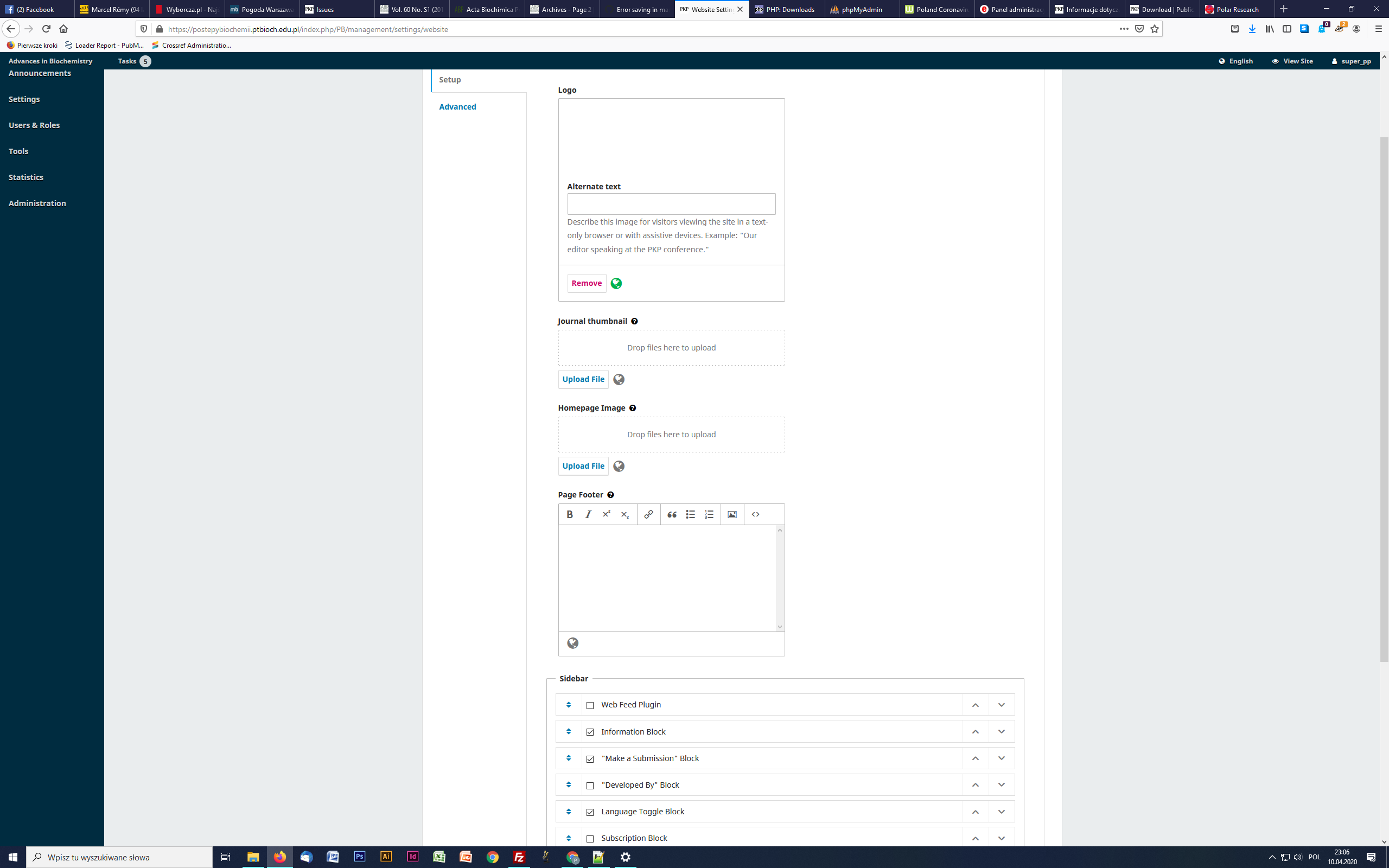
Installed 3202 and still the same. Well, not exactly, when I switch on English UI and use it, there is no input boxes for English version at all.
TruePepe
on 10 Apr 2020
Ongoing with the issue with endless storage withing settings in masthead, journal, website and other places where there was html editor i decided to create a new journal from scratch to compare my database with the new one. The new journal (completely in blank) was working fine, and as @TruePepe mentioned did have the input boxes for the 2nd language in every tab; which my journal did not.
So, I went in the MySQL database in the jounal setting table and I looked for the values "supportedFormLocales" "supported Locales" "supportedSubmissionLocales". I changed the values from the new jounal (ID 5 in my case) to my original journal (ID 3 in my case) and with that the problem was solved. Now I can save any changes in all tabs and the input boxes appears. I dont even have to do any changes in UI languages. I attach a screenshot and hope this helps you.

Alleyne
on 11 Apr 2020
Well,
In my case it have not worked, however there is something wrong here: where I change language setting in the table appears mysterious third language:
supportedFormLocales -> a:3:{i:0;s:4:"b:0;";i:1;s:5:"pl_PL";i:2;s:5:"en_US";}
supportedSubmissionLocales -> a:3:{i:0;s:4:"b:0;";i:1;s:5:"pl_PL";i:2;s:5:"en_US";}
and
supportedLocales -> a:3:{i:0;s:0:"";i:1;s:5:"pl_PL";i:2;s:5:"en_US";}
TruePepe
on 11 Apr 2020
And maybe important:
Working journal was installed as 2.4.8.1 and upgraded directly to 3.1.1.0 and later every step
Not working was installed as 3.0.0.0
TruePepe
on 11 Apr 2020
I am in the same mistake.
Someone managed to solve and can you explain to me?
The three lines have this value
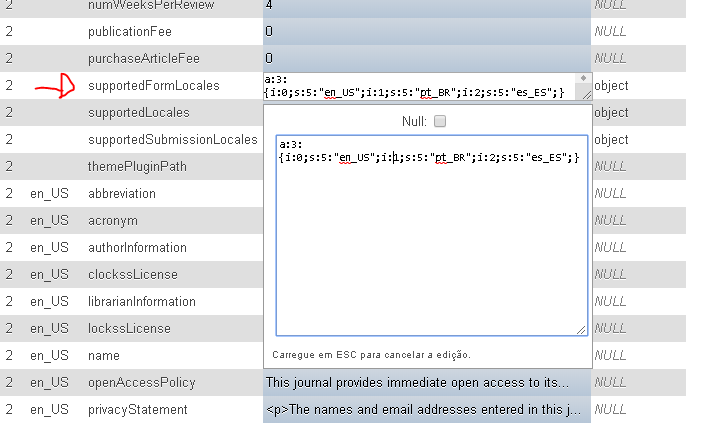
I changed all three to the default language but without success.
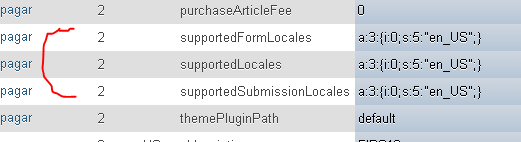
I even tried to put it in the column like the image below
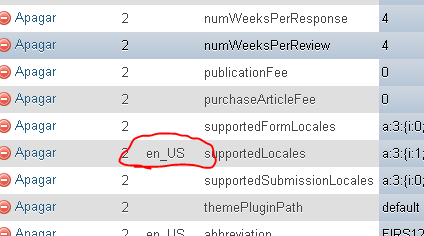
I made all these changes and nothing.
I am waiting for new updates.
I thank you all for your attention and help.
 dudu9999
on 13 Apr 2020
dudu9999
on 13 Apr 2020
Hi everyone, thanks for the further information. @Alleyne and @TruePepe, are you able to send me database dumps from _before_ you upgrade to 3.2? Ideally, they would be at 3.1.x and working correctly. If you can, please share them in a private message to me on our forums (@NateWr there too).
@dudu9999, I'm not sure if your problem is the same as theirs. The values you have in the database look correct and like they don't need changing. Can you describe step-by-step the problem that you face with the application (ie - I click on A, I expect to see B, I get error message C)?
NateWr
on 14 Apr 2020
@NateWr
my problem may not be the same but what is happening is the same, I click save the settings, it keeps loading and does not save, the error is the same in the build file.
dudu9999
on 14 Apr 2020
_Edit: moved to a new issue at https://github.com/pkp/pkp-lib/issues/5737_
dudu9999
on 14 Apr 2020
Here you are
PP
wt., 14 kwi 2020 o 19:51 Eduardo Caetano Correa notifications@github.com
napisał(a):
@NateWr https://github.com/NateWr
my problem may not be the same but what is happening is the same, I click
save the settings, it keeps loading and does not save, the error is the
same in the build file.—
You are receiving this because you were mentioned.
Reply to this email directly, view it on GitHub
https://github.com/pkp/pkp-lib/issues/5690#issuecomment-613587017, or
unsubscribe
https://github.com/notifications/unsubscribe-auth/ADSFGVZHLBLGZXOMWGQTHCDRMSPCVANCNFSM4LXA26IA
.
--
Pawel Pomorski PhD DSc
Nencki Institute of Experimental Biology
3 Pasteur Str. 02-093 Warszawa
Poland
TruePepe
on 15 Apr 2020
@TruePepe the file attachment doesn't come through when replying by email to a GitHub issue comment like this. Can you try to send it to me by private message at our forum? https://forum.pkp.sfu.ca
NateWr
on 16 Apr 2020
Hi! I had the same problem, fixed it (at least for now) doing the changes Alleyne suggested. It happened after upgrading to 3.2, i also have a backup from cPanel from before updating, if you need.
from this:
1 | | supportedFormLocales | a:1:{i:1;s:5:"es_ES";}
1 | | supportedLocales | a:1:{i:1;s:5:"es_ES";}
1 | | supportedSubmissionLocales | a:1:{i:1;s:5:"es_ES";}
to this:
1 | | supportedFormLocales | a:1:{i:0;s:5:"es_ES";}
1 | | supportedLocales | a:1:{i:0;s:5:"es_ES";}
1 | | supportedSubmissionLocales | a:1:{i:0;s:5:"es_ES";}
 Maugenta
on 22 Apr 2020
Maugenta
on 22 Apr 2020
You've cracked it, @Maugenta! It is an issue with non-sequential array keys, which PHP supports but JavaScript doesn't. Thanks to @Alleyne, @TruePepe and @dudu9999 for sharing their databases to help me track this one down.
A fix for this will go out with the next version (3.2.0-3). If you don't want to wait for that release you can apply this change.
PRs:
https://github.com/pkp/pkp-lib/pull/5770 (stable)
https://github.com/pkp/pkp-lib/pull/5771
Tests:
https://github.com/pkp/ojs/pull/2716 (stable)
https://github.com/pkp/ojs/pull/2717
NateWr
on 22 Apr 2020
@NateWr , this patch worked here. Thank you!
 quartelmestre
on 30 Apr 2020
quartelmestre
on 30 Apr 2020
@NateWr,
It is an issue with non-sequential array keys, which PHP supports but JavaScript doesn't.
I think they remain sequential but sequence starts from a positive integer. On one of my test instance I have these values for supported locales: a:3:{i:1;s:5:"en_US";i:2;s:5:"uk_UA";i:3;s:5:"ar_IQ";}.
Also, do you think that any setting which has a non-associative array as a value may be affected or only journal locales?
 Vitaliy-1
on 11 Sep 2020
Vitaliy-1
on 11 Sep 2020
I think they remain sequential but sequence starts from a positive integer.
You're right. json_encode() converts these to an object.
Also, do you think that any setting which has a non-associative array as a value may be affected or only journal locales?
Yes, any array in PHP that we expect to be an array but which either has non-sequential array indexes or doesn't start with 0 will be coded as an object in JSON when converted using json_encode(). I'm not sure, though, if this effects any other settings.
NateWr
on 14 Sep 2020
Related issues
 Ph-We
·
3Comments
Ph-We
·
3Comments
 alexdryden
·
4Comments
alexdryden
·
4Comments
 mhvezina
·
7Comments
mhvezina
·
7Comments
 mtub
·
6Comments
mtub
·
6Comments
 librariam
·
5Comments
librariam
·
5Comments
Most helpful comment
Ongoing with the issue with endless storage withing settings in masthead, journal, website and other places where there was html editor i decided to create a new journal from scratch to compare my database with the new one. The new journal (completely in blank) was working fine, and as @TruePepe mentioned did have the input boxes for the 2nd language in every tab; which my journal did not.

So, I went in the MySQL database in the jounal setting table and I looked for the values "supportedFormLocales" "supported Locales" "supportedSubmissionLocales". I changed the values from the new jounal (ID 5 in my case) to my original journal (ID 3 in my case) and with that the problem was solved. Now I can save any changes in all tabs and the input boxes appears. I dont even have to do any changes in UI languages. I attach a screenshot and hope this helps you.