Pkp-lib: Move Gitbooks to PKP website so they can be indexed
-Subdomain has been created on PKP server - docs.pkp.sfu.ca. -Write script so that books get downloaded every day.
-Create index page or website page that will list these documents. Have subdirectory for each guide.
-Make sure it is all indexed
 amandastevens
All 11 comments
Can I mockup the index page? :) Are we planning to use Jekyll or some other static site generator? Does anyone mind if I whack the Community Priority and Dev Housekeeping tags on this?
 NateWr
on 26 Mar 2018
NateWr
on 26 Mar 2018
Whack away! And right now the way we're doing this is generating the gitbook docs at docs.pkp.sfu.ca, but redirecting the web root to https://pkp.sfu.ca/pkp-software-documentation/ for the "TOC". Open to suggestions for doing this better (I was actually futzing around with using OMP to manage a documentation catalogue, but very quickly hit some problem areas).
 jmacgreg
on 26 Mar 2018
jmacgreg
on 26 Mar 2018
I'd also like to use a better/different theme for the documentation - right now it's just the gitbook standard. See eg. http://docs.pkp.sfu.ca/ojs3/. We can do this better.
jmacgreg
on 26 Mar 2018
right now the way we're doing this is generating the gitbook docs at docs.pkp.sfu.ca, but redirecting the web root to https://pkp.sfu.ca/pkp-software-documentation/ for the "TOC".
Is it ok if the web root is a HTML/markdown file under version control and one of our tech people has to commit to modify it? This would only be the root/hub. The docs would remain GitBooks editable by non-technical users....
NateWr
on 26 Mar 2018
Yep, totally fine!
jmacgreg
on 26 Mar 2018
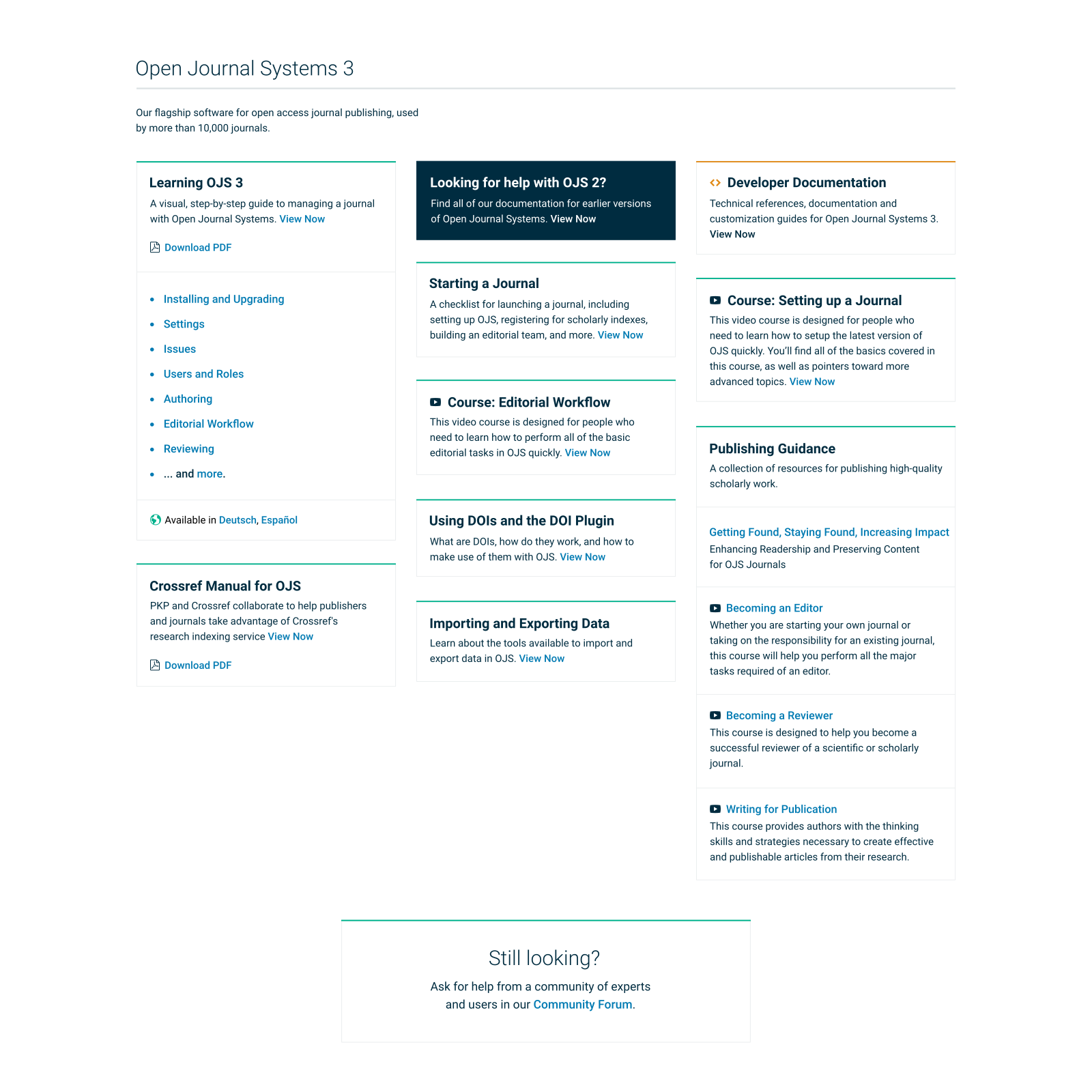
Some quick mockups on what the hub page could look like using a simple card-based approach. The cards can be mixed and matched as needed so that we don't have to maintain too much in terms of layout. Each app is just a card dump of resources.
Don't pay too much attention to styles here (typography, colors). We'll probably adjust this to match whatever PKP's branding is at the time. At this stage, I'm just interested in whether you think this overall approach to site layout and information structure will work for your needs. You'd obviously be figuring out the exact content yourself -- but do you see in here the parts that you'll need to put that together?
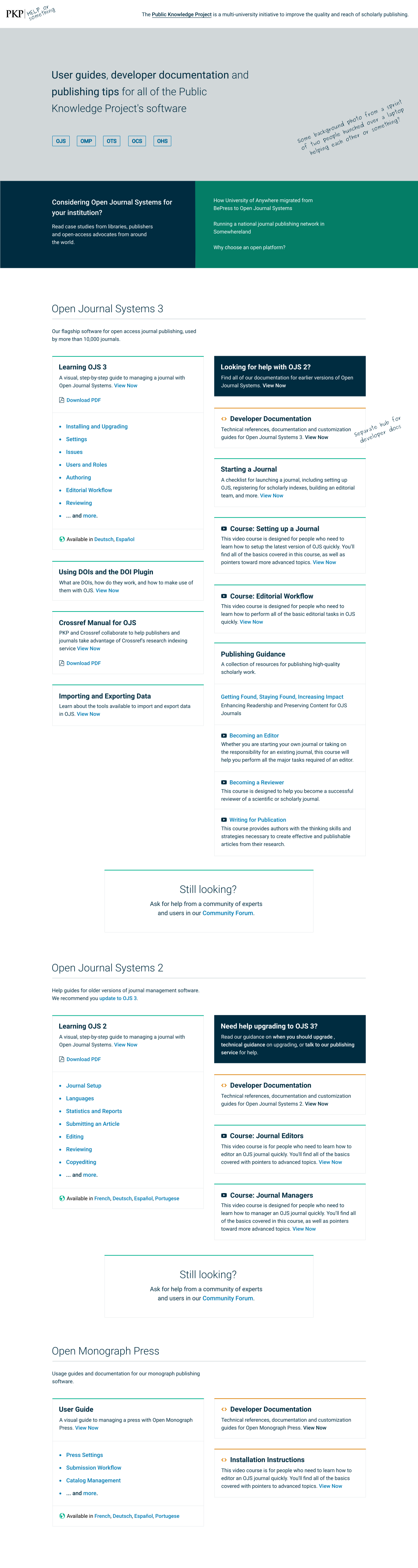
And on large screens it can spread out to a three-column layout:
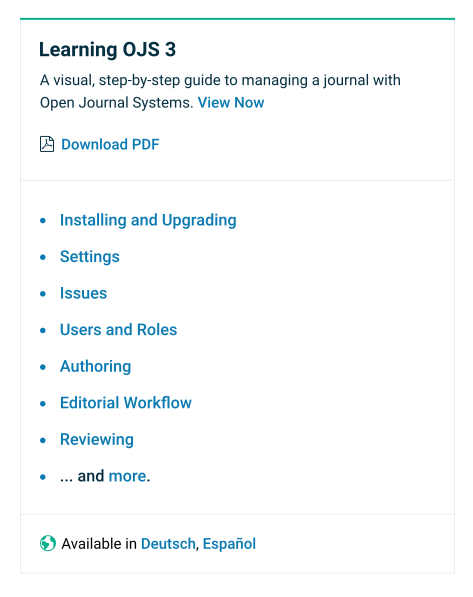
The cards are pretty easy to expand with components as we'd like. So we can provide more detail on key documents:
Or bring attention to a specific card:

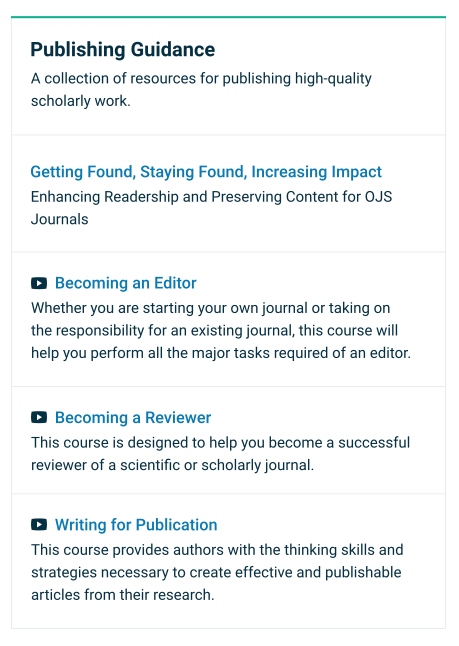
Or group related resources in a single card:
I'm going to play around with Jekyll now to see how we can build this automatically from a simple .yml file, like our API docs, so it's easier for non-technical team members to contribute and update things.
NateWr
on 3 Apr 2018
Just a comment, Nate, that I think this looks excellent.
 AhemNason
on 3 Apr 2018
AhemNason
on 3 Apr 2018
Likewise Nate, this looks great! @AhemNason and I reviewed briefly, and will be following up with a few more questions/comments.
jmacgreg
on 3 Apr 2018
These are beautiful "quick mockups"! I think the official name should be "Help or something".
 ajnyga
on 3 Apr 2018
ajnyga
on 3 Apr 2018
Really nice :+1:
 mtub
on 3 Apr 2018
mtub
on 3 Apr 2018
Closing because I think all the gitbooks have been migrated.
NateWr
on 18 Jun 2019
Related issues
NateWr
·
5Comments
ajnyga
·
7Comments
mtub
·
6Comments
 marcbria
·
5Comments
marcbria
·
5Comments
 asmecher
·
3Comments
asmecher
·
3Comments