Pixi.js: sprite.children[grafics] Performance issus
following the wiki performance.
https://github.com/pixijs/pixi.js/wiki/v4-Performance-Tips
its is preferable to render all graphics as textures ? (rt = PIXI.RenderTexture.create)
I have a problem here when I display several sprites that have children graphics.
All sprite have a same parent container and the parent container have a mask.
if you take a look in this context.
All sprites have graphics in children.
I use it for show a white background when mouse go over a sprite.
But huge FPS drop !! look topRigth information
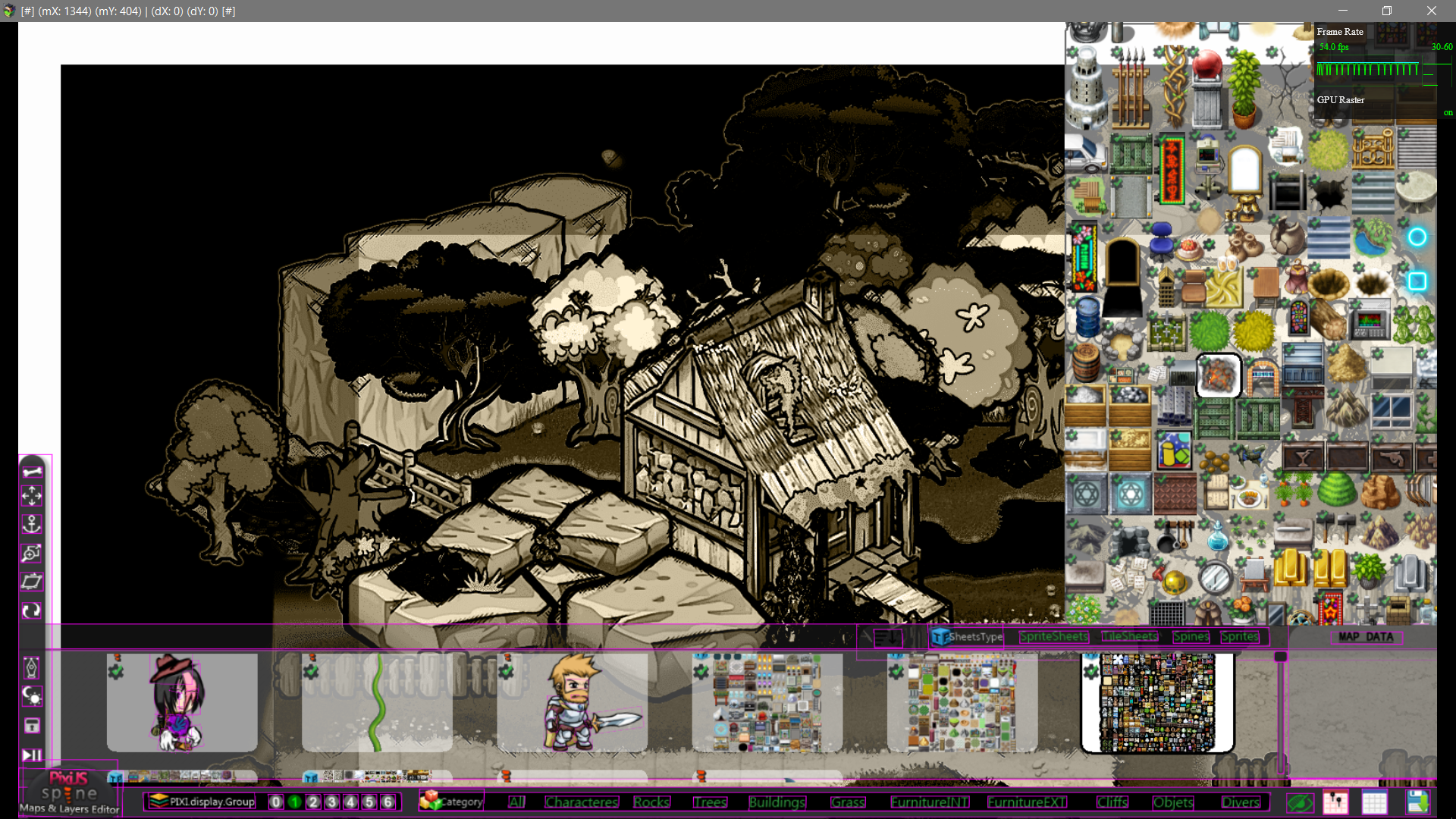
What approach do you recommend to me for my context.
It preferable to rendering all graphics in sprite child ?
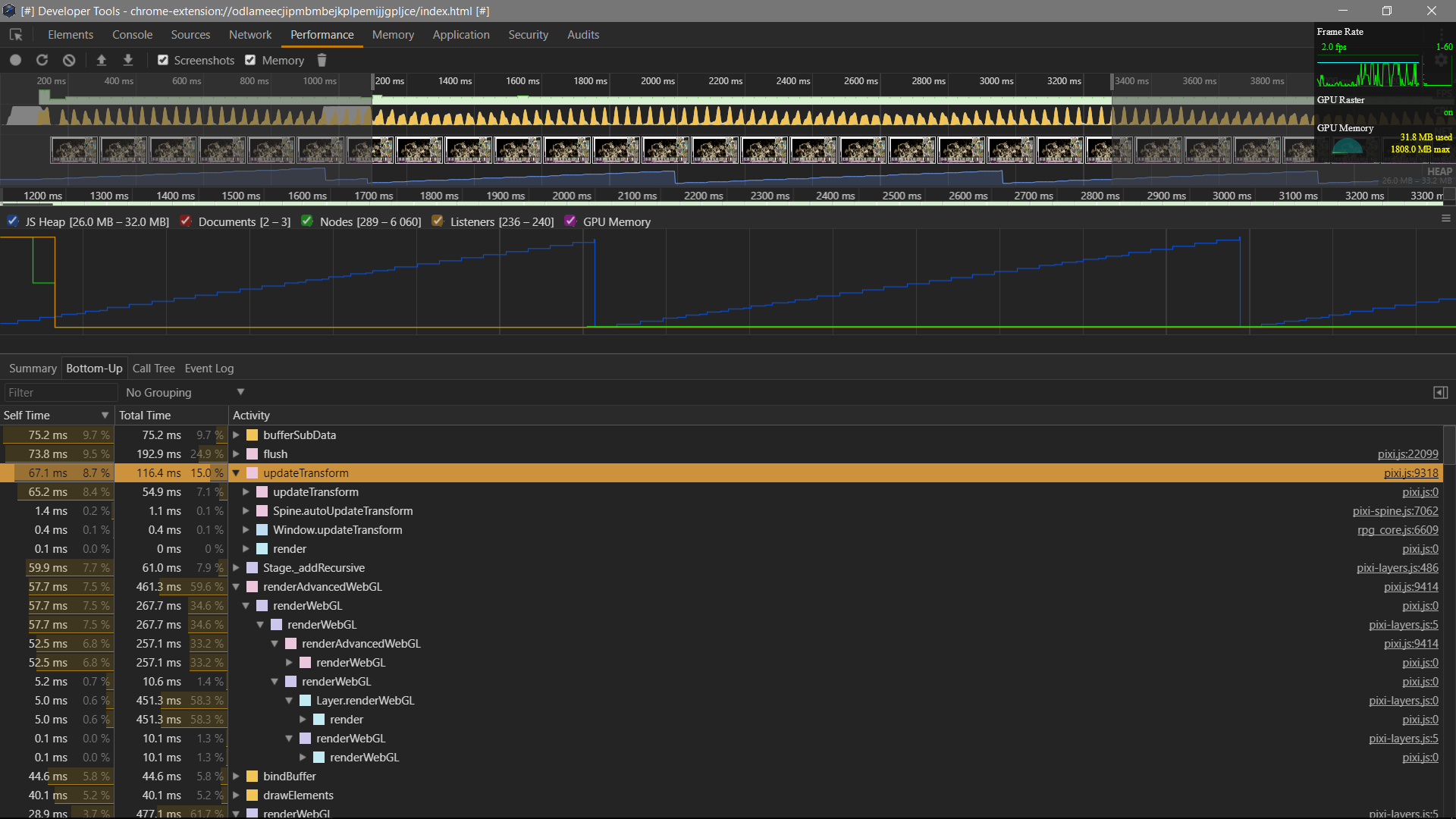
strangely, the graphics in sprites are .renderable=true; only when mouse over !
So am not sure understand what happened to me here and where the spike come from!?.
 djmisterjon
All 13 comments
"I use it for show a white background when mouse go over a sprite."
sprite = new PIXI.Sprite(PIXI.Texture.WHITE);
sprite.width = 100; sprite.height=100;
however pixi graphics is smart enough to use sprite representation automatically if its just a rectangle.
as for renderable=true on mouse over, sorry, i cant confirm that, i believe that you shouldnt have that lag.
 ivanpopelyshev
on 28 Mar 2018
ivanpopelyshev
on 28 Mar 2018
make texture out of graphics only if you use that texture in many places, otherwise it wont give you any performance improvement.
ivanpopelyshev
on 28 Mar 2018
@ivanpopelyshev

djmisterjon
on 28 Mar 2018
As for spike, its possible that you somewhere use polyfill for Float32Array, i dont know where people get it, but it slows down everything in pixi.
ivanpopelyshev
on 28 Mar 2018
@ivanpopelyshev
nope i have not custom polyfill or Float32Array.prototype, i just scan all my js.
Float32Array are only used in original pixi files for my side.
But thank for your answer upper .
I will generate a texture, only when the mouse will go over, and make a clear function.
originally when click for open spritesheet this its the original code.
maybe i do something wrong, but i will investigate
    // Open||Close the mode tileSheetsMode, tileSheetsMode:allow mouse listener
    function open_spriteSheets(inObject) {
         // reset the tileGui
        cage_tileSheets.children = [];
        [cage_tileSheets.x,cage_tileSheets.y] = [1600-421,0];
        delete cage_tileSheets.bg;
         // if alrealy open just close
        const name = inObject.objSprite.name;
        if(cage_tileSheets.name===name){tileSheetsMode=false, cage_tileSheets.name = false; return};
        tileSheetsMode = true;
        const type = "tile";
        const textures = $SLL.resource[name].textures;
        const bg = drawRec(2, 2, 418, 678, 0, 2, 0.5, 12); // bg for tileGui
        cage_tileSheets.name = name;
        cage_tileSheets.bg = bg;
        cage_tileSheets.addChild(bg);
        const key = Object.keys(textures);
        for (let [i,len] = [0,key.length]; i < len; i++) {
            const cacheTexture = textures[key[i]];
            const objSprite = new PIXI.Sprite(cacheTexture);
            objSprite.name = key[i], objSprite.type = type;
            objSprite.proprety = inObject.objSprite.proprety[key[i]];
            const bg = drawRec(0, 0, cacheTexture.orig.width, cacheTexture.orig.height, 0, 0, 1, 10);
            const icon2 = new PIXI.Sprite(PIXI.utils.TextureCache["thumb_ico_editedData"]);
            icon2.alpha = 0.8; icon2.scale.set(0.8,0.8);
            const cage = new PIXI.Container(); // cage because need a color BG dynamic color
            cage._boundsRect = cacheTexture._frame.clone(); // asign rectangle
            cage.x = cage._boundsRect.x, cage.y = cage._boundsRect.y;
            cage._boundsRect.x+=cage_tileSheets.x; // mouse hover
            cage._boundsRect.y+=cage_tileSheets.y;// mouse hover
            cage.objSprite = objSprite, cage.bg = bg;
            cage.addChild(bg,objSprite,icon2);
            cage_tileSheets.addChild(cage);
        };
    };
no , i mean that you have the same shape for that icon that you show on mouse over. you can generate it once when application starts.
ivanpopelyshev
on 28 Mar 2018
yep i will generate a single shape at start.
and just move and resize depend what mouse over detected.
it should make the rendering much lighter.
And a will also look to generate a single big texture of all sprites icons.
because I think the parent mask must calculate each sprites childrens, and this its not good.
djmisterjon
on 28 Mar 2018
upd: to my surprise the problem of spike came from this line cage.objSprite.filters = []; !!!
i replace with cage.objSprite.filters && (cage.objSprite.filters=null); and now no more spike! a rather strange phenomenon!
      // Check mouse inside Tile,
      function checkInTile(x=mX, y=mY, event){
        const list = cage_tileSheets.children;
        let isIN = false;
        for (let i = 1, len = list.length; i < len; i++) {
            const cage = list[i];
            if(cage._boundsRect.contains(x,y)){
                if(cage===inTile){return inTile}
                document.body.style.cursor = 'cell';
                cage.filters = [$PME.filters[0]]; //OutlineFilter
                cage.objSprite.filters = [$PME.filters[0]];
                isIN = cage;
                BG_tile.width = cage.width, BG_tile.height = cage.height;
                cage.addChildAt(BG_tile,0);
                AudioManager.playSe({name: "click", pan: 0, pitch: 50, volume: 70});
            }else{
                cage.filters = [];
                cage.objSprite.filters && (cage.objSprite.filters=null); // spike memory FIX!
                //cage.objSprite.filters = []; // spike memory !
            }
        };
        return isIN;
    };
Because you create an array each iteration in "for". Also pixi copies that array into new array because filters is a stupid property we got rid of in v5.
ivanpopelyshev
on 3 Apr 2018
ok tanks
djmisterjon
on 3 Apr 2018
github pages cache can affect it.
Dont forget to take latest "dist/pixi-layers.js" from this repo.
ivanpopelyshev
on 3 Apr 2018
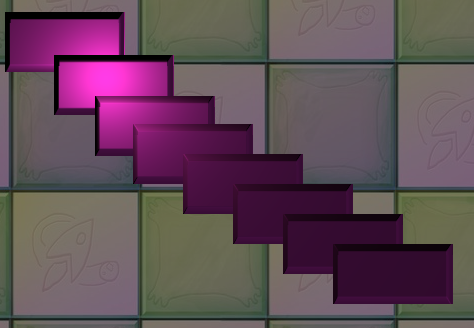
That's how it looks:
ivanpopelyshev
on 3 Apr 2018
This thread has been automatically locked since there has not been any recent activity after it was closed. Please open a new issue for related bugs.
![lock[bot] picture](https://avatars1.githubusercontent.com/in/6672?v=4&s=40) lock[bot]
on 3 Apr 2019
lock[bot]
on 3 Apr 2019
Related issues
 courtneyvigo
·
3Comments
courtneyvigo
·
3Comments
 Makio64
·
3Comments
Makio64
·
3Comments
 samueller
·
3Comments
samueller
·
3Comments
 madroneropaulo
·
3Comments
madroneropaulo
·
3Comments
 sntiagomoreno
·
3Comments
sntiagomoreno
·
3Comments