Pinpoint: Failed to run collector in idea
Prerequisites
Please check the FAQ, and search existing issues for similar questions before creating a new issue.YOU MAY DELETE THIS PREREQUISITES SECTION.
I updated code recently and found that i can't run collector as before in IDEA.
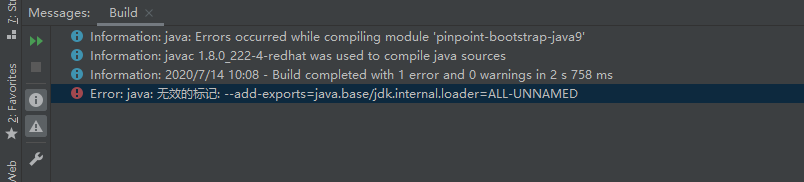
I can use Maven to compile project successfully in IDEA. But if i run application in IDEA, the following error will be raised.
 tankilo
All 11 comments
This problem will happened at both my labtop and destop pc.
tankilo
on 14 Jul 2020
hi @tankilo
I configured the project by initializing it. I was also met the same error.
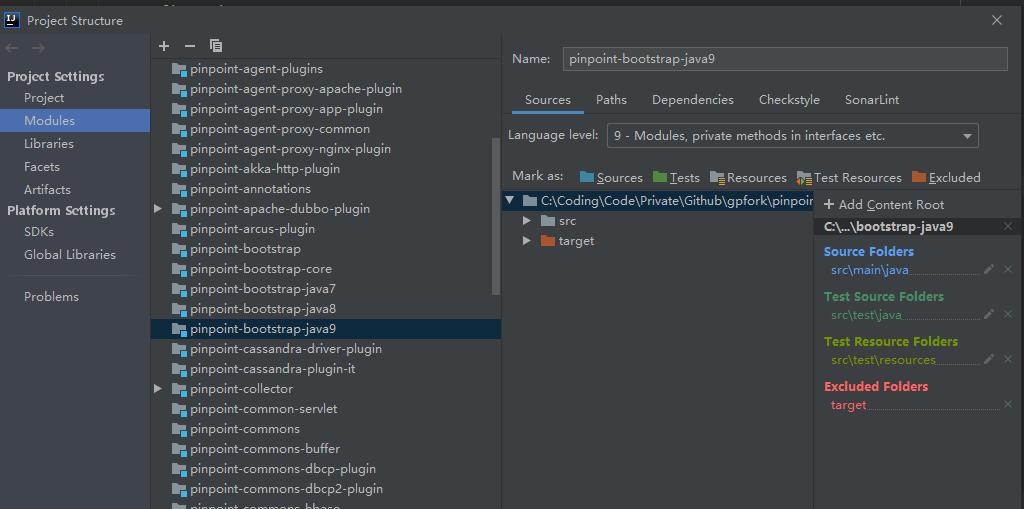
In my case, the error disappeared after I add pinpoint-profiler-optional-jdk9 module to the read line marked.
Please try it.
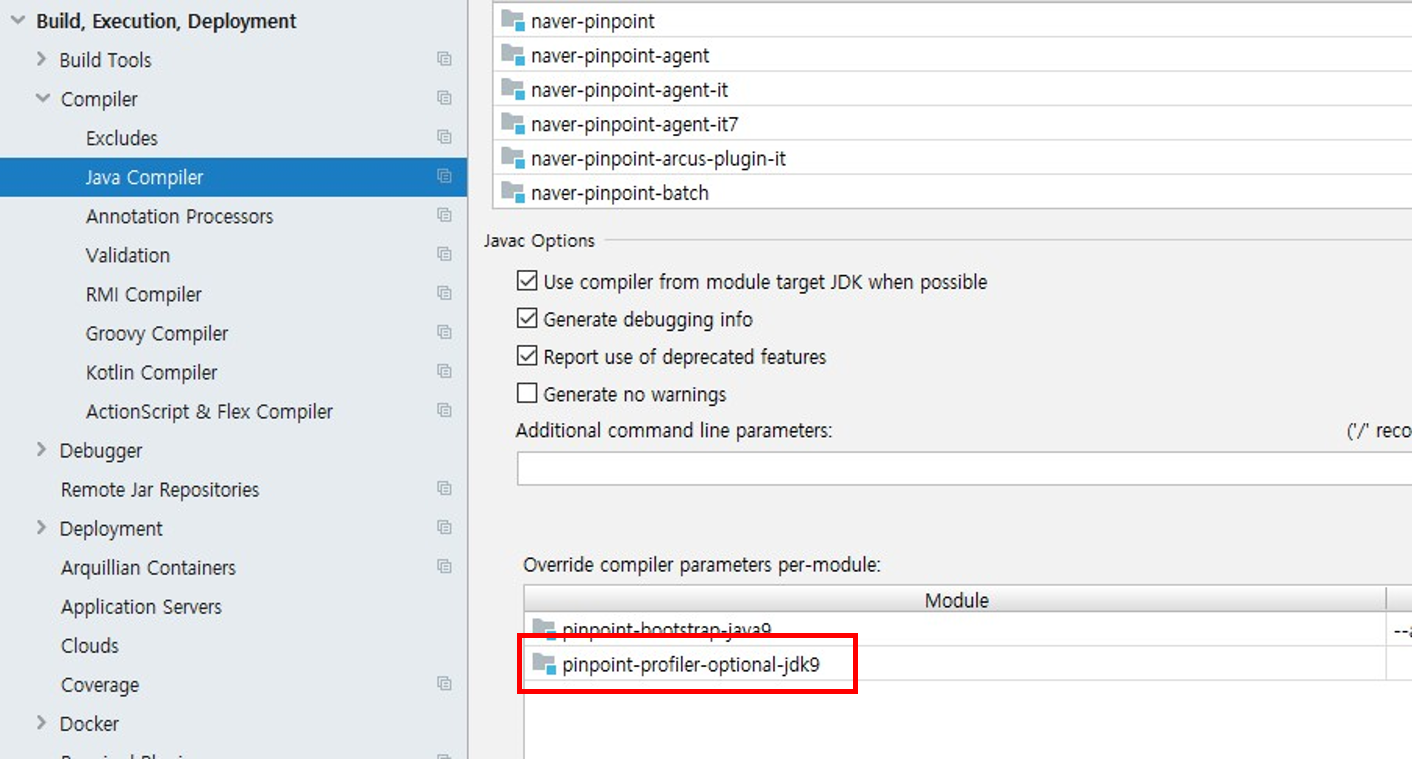
thanks :)
 koo-taejin
on 14 Jul 2020
koo-taejin
on 14 Jul 2020
@tankilo
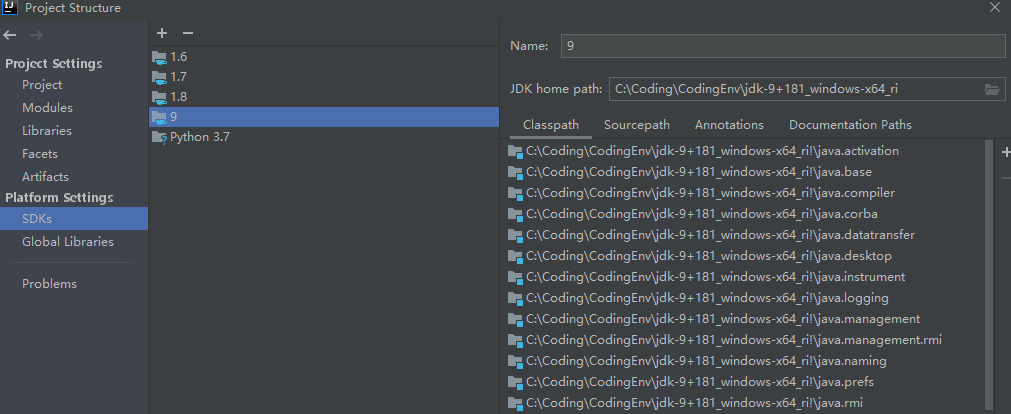
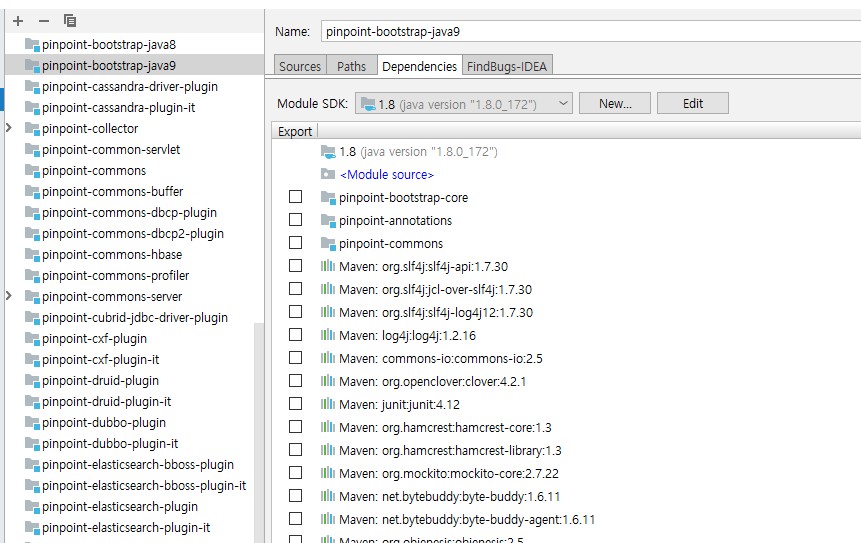
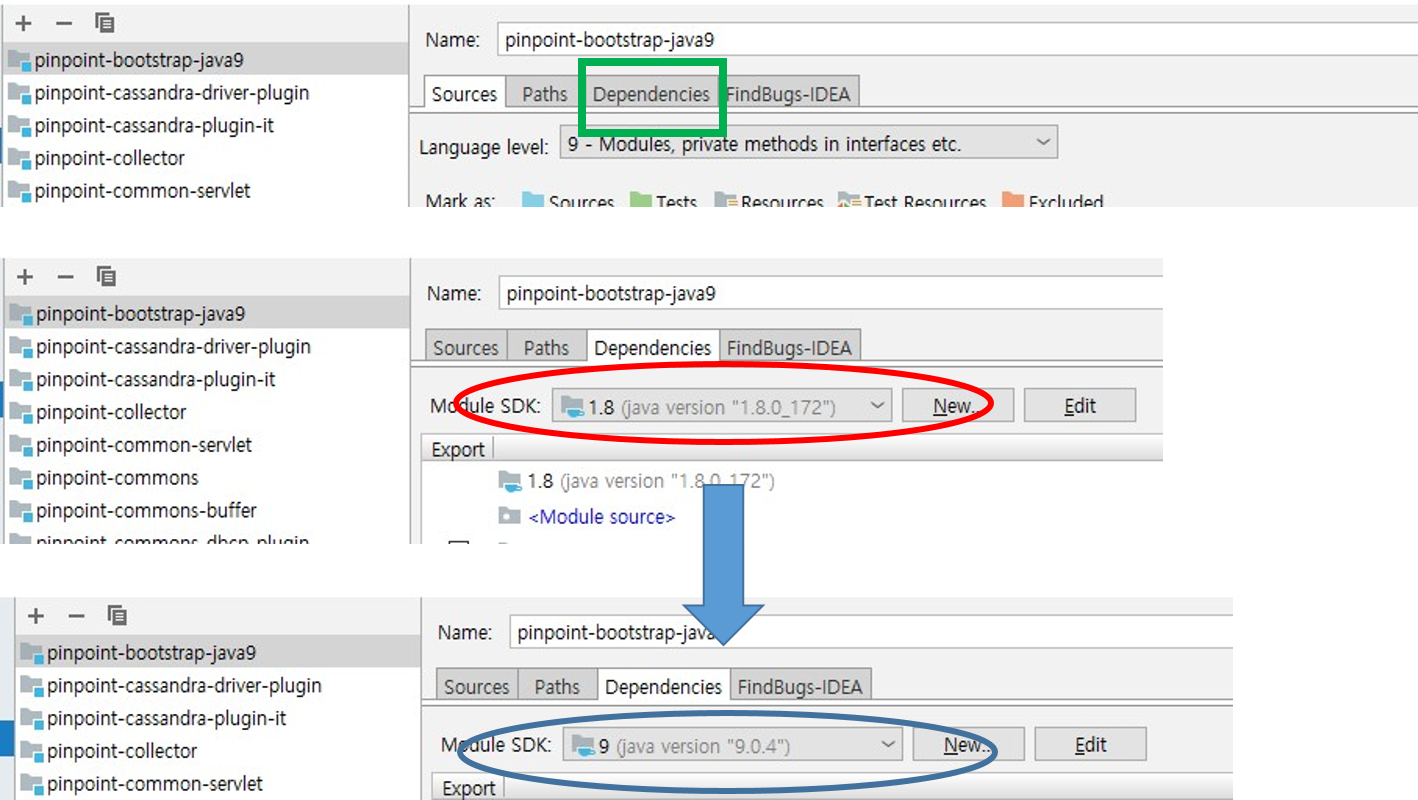
If not, please check if 9 is normally applied to the dependency of the actual project.
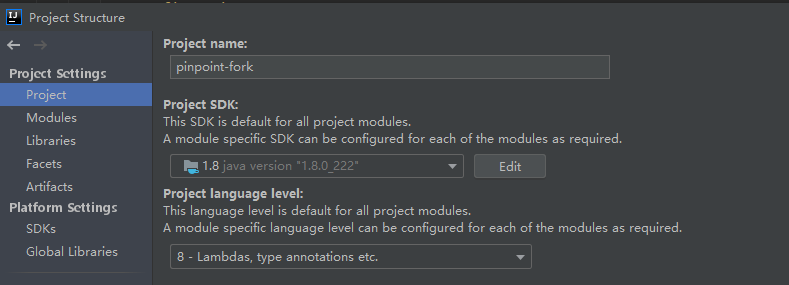
As in my image, if 8 is the default, there may be a dependency that is different from the language level.
koo-taejin
on 14 Jul 2020
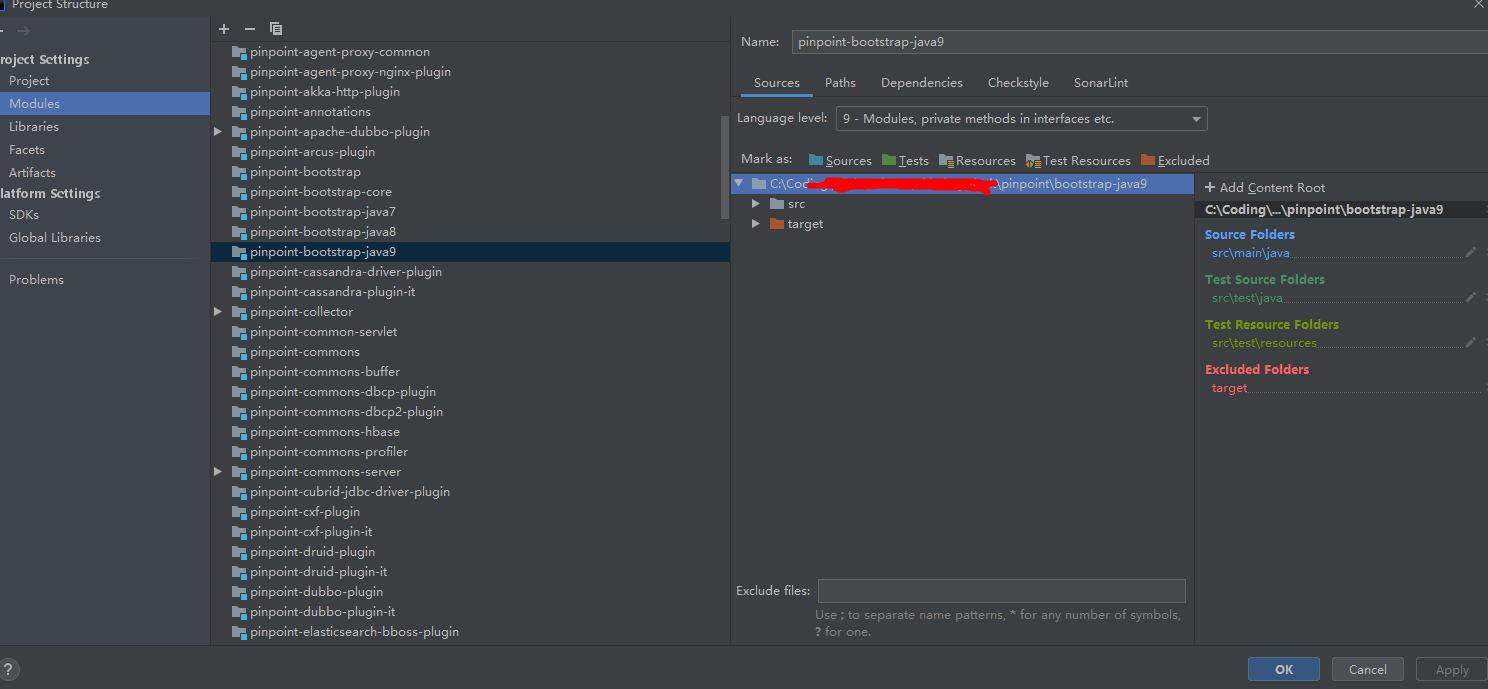
Hello, it seems that i've already configured IDEA just like you said, but i still meet problems.
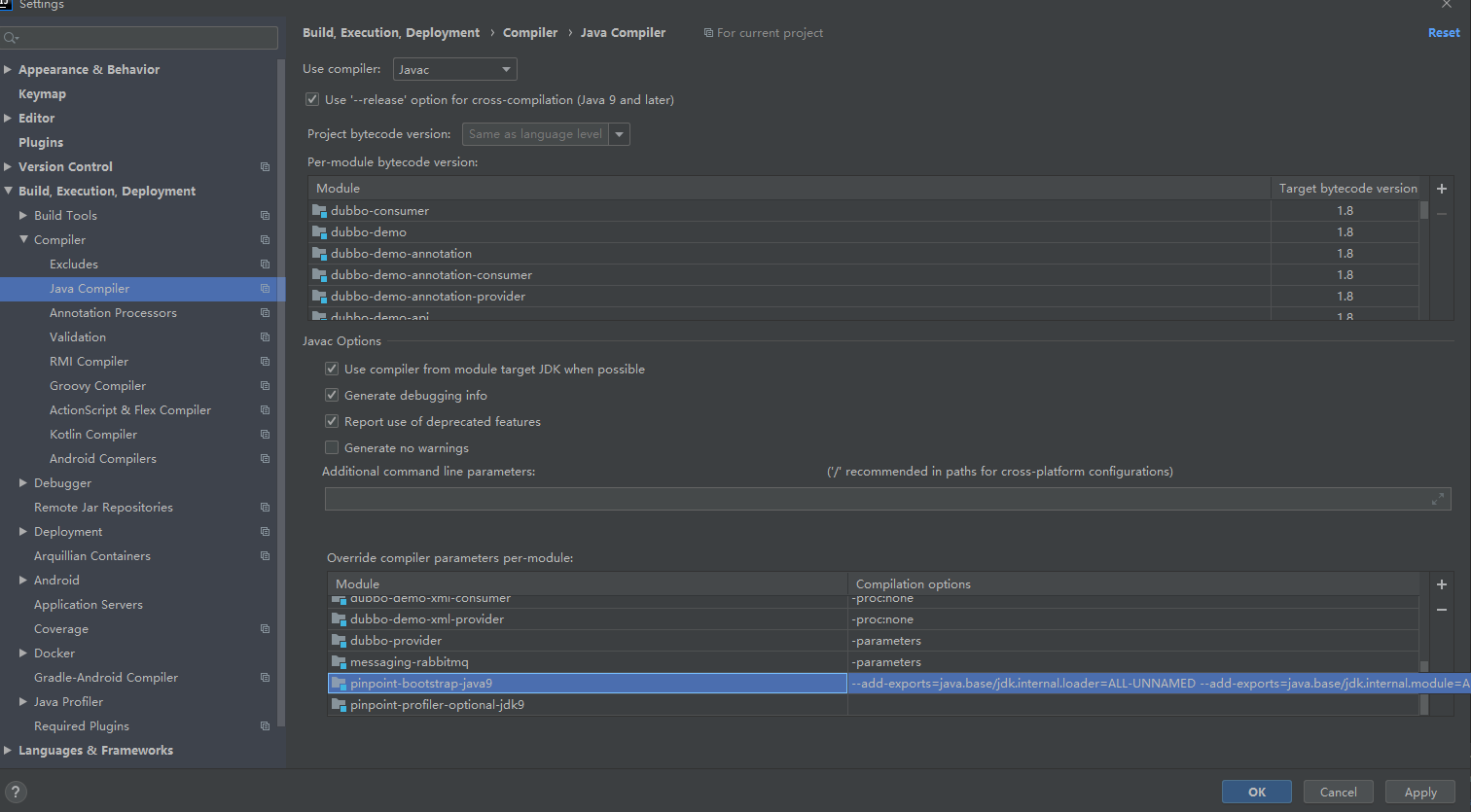
--add-exports=java.base/jdk.internal.loader=ALL-UNNAMED --add-exports=java.base/jdk.internal.module=ALL-UNNAMED --add-exports=java.base/jdk.internal.misc=ALL-UNNAMED
I import pinpoint code as Maven project into IDEA, IDEA auto set the above configuration. I didn't change them.
tankilo
on 14 Jul 2020
As I mentioned, please check dependencies tab not sources tab.
module sdk 1.8 was my default.
koo-taejin
on 14 Jul 2020
Thank you. I find out why i can't start the application.
I don't understand why language level is 9 , but idea choes jdk 8 as the module jdk.

tankilo
on 14 Jul 2020
We comment at the same time. Thanks for your detailed explanation.
tankilo
on 14 Jul 2020
good,but i bisits webapp is 404,url:http://localhost:8080/
 1121076248
on 14 Nov 2020
1121076248
on 14 Nov 2020
@1121076248
Collector module doen not have any http page.
Please check whether collector works well by using agent.
thanks :)
koo-taejin
on 17 Nov 2020
@koo-taejin thanks, i hbase is not connect,but i deploy to linux server, i can access it 。I want to try Upgrade to Hbase2.0
1121076248
on 17 Nov 2020
Related issues
 xulongju
·
3Comments
xulongju
·
3Comments
 chuanyi-fang
·
3Comments
chuanyi-fang
·
3Comments
 Allive1
·
5Comments
Allive1
·
5Comments
 CHENTIANHAO123
·
4Comments
CHENTIANHAO123
·
4Comments
 ing-arriola
·
4Comments
ing-arriola
·
4Comments
Most helpful comment
As I mentioned, please check dependencies tab not sources tab.
module sdk 1.8 was my default.
