Pinpoint: Can Pinpoint monitor more than one application? [Solved]
Description
I have deployed the pinpoint agent on a WebLogic server with several applications that are distinguished by the port number through which they are accessed. In such scenario my question is: Can I monitor each application separately by installing more than one agent or can I only monitor the total server?
Environment
- Pinpoint version:1.60 , 1.7.0, Build Pinpoint Using Most Recently source code
- OS, WAS, affected library, etc: Ubuntu16.04,WebLogic 10.3.6, Maven 3.5.3
Additional Info
 ing-arriola
All 8 comments
hi ing-arriola
What do you mean by asking if you have multiple modules in one jvm and can apply pinpoints to each module?
If this question is correct, it is impossible.
You can have only one pinpoint agent per jvm.
if not, then please let me know the situation in more detail.
thanks.
 koo-taejin
on 12 Apr 2018
koo-taejin
on 12 Apr 2018
Hi @koo-taejin
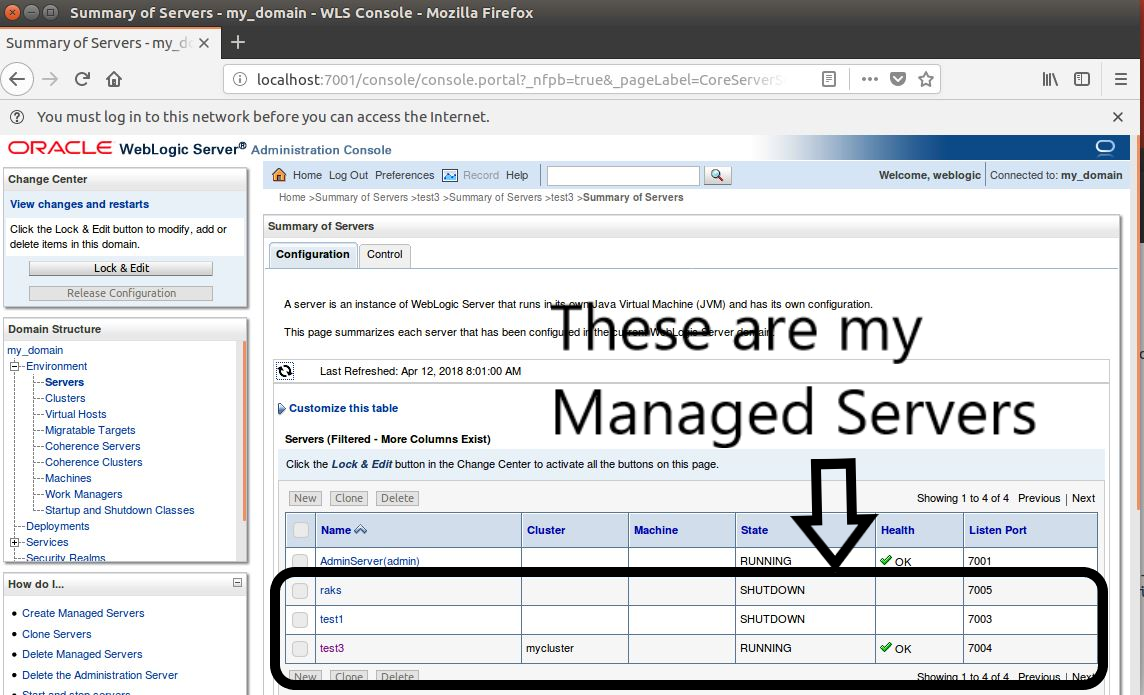
Thank you very much for your answer, I will try to clarify the situation that I have. it happens that I have installed WebLogic in a virtual machine and I have deployed an application in a Managed Server that is in a cluster. Likewise I have other Managed Servers in which I have not yet deployed applications but I am planning to do so. My idea is to monitor each application and for that I have thought to deploy an application for each Managed Server and at the same time a Managed Server for each cluster. I understand that each Managed Server is a JVM and the cluster detail could be ignored, but I am still doing tests to rule out any problems that might happen in the future.
From the perspective of your answer I think that I am not far from the answer but I do not have very clear it is where to put the line of code that refers to the agent in the case that has multiple agents sending information. According to the documentation of the Plugin the line of code must be added in the file "startWebLogic.sh" which is in my case in the following address:
/ home / ingarriola /oracle/Middleware_1036/user_projects/domains/my_domain/bin
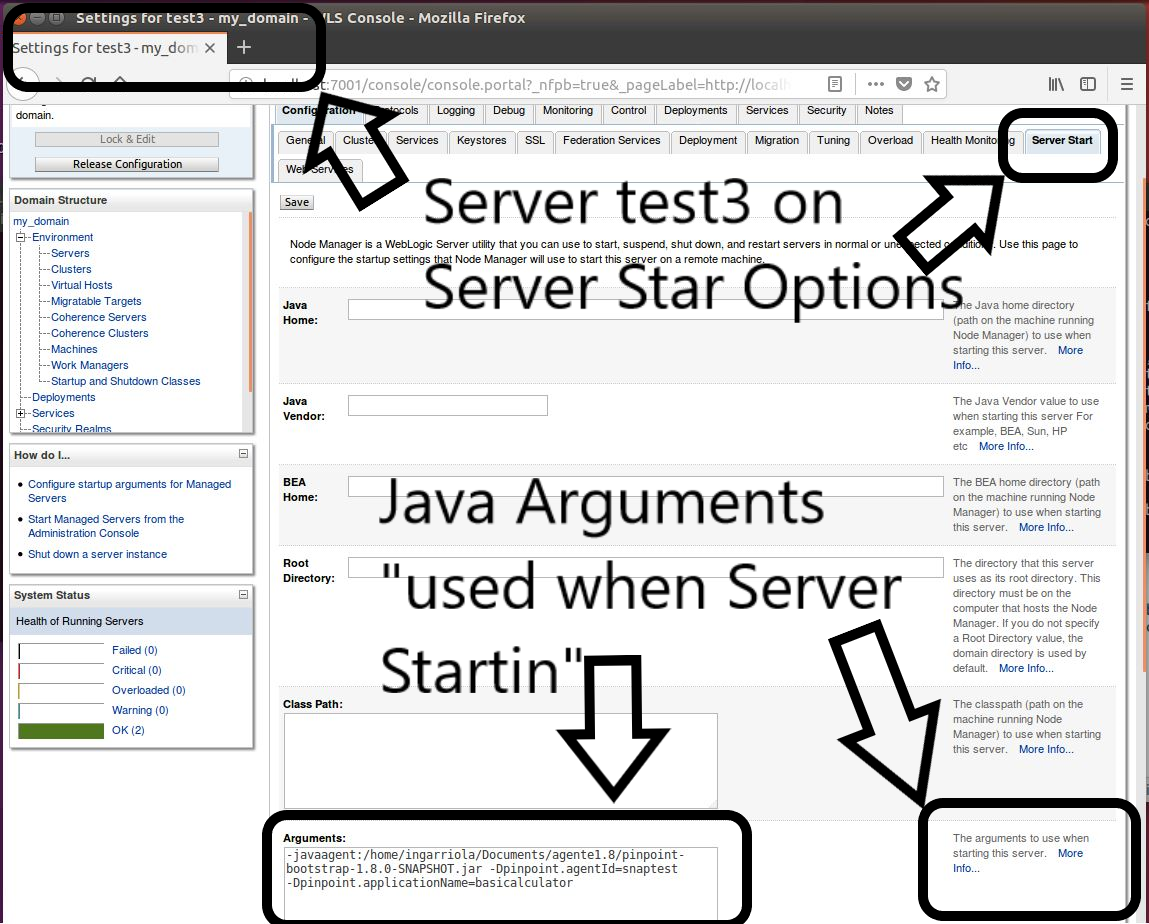
I would like to know if the code line should be added to some file using the linux terminal or if it is convenient to use the WebLogic UI since the managed servers have in their configuration options a tab called Server Start and there a field called "Arguments". I add the screenshots in order to be clearer in my query.
Beforehand thank you very much.
ing-arriola
on 12 Apr 2018
Hi @koo-taejin
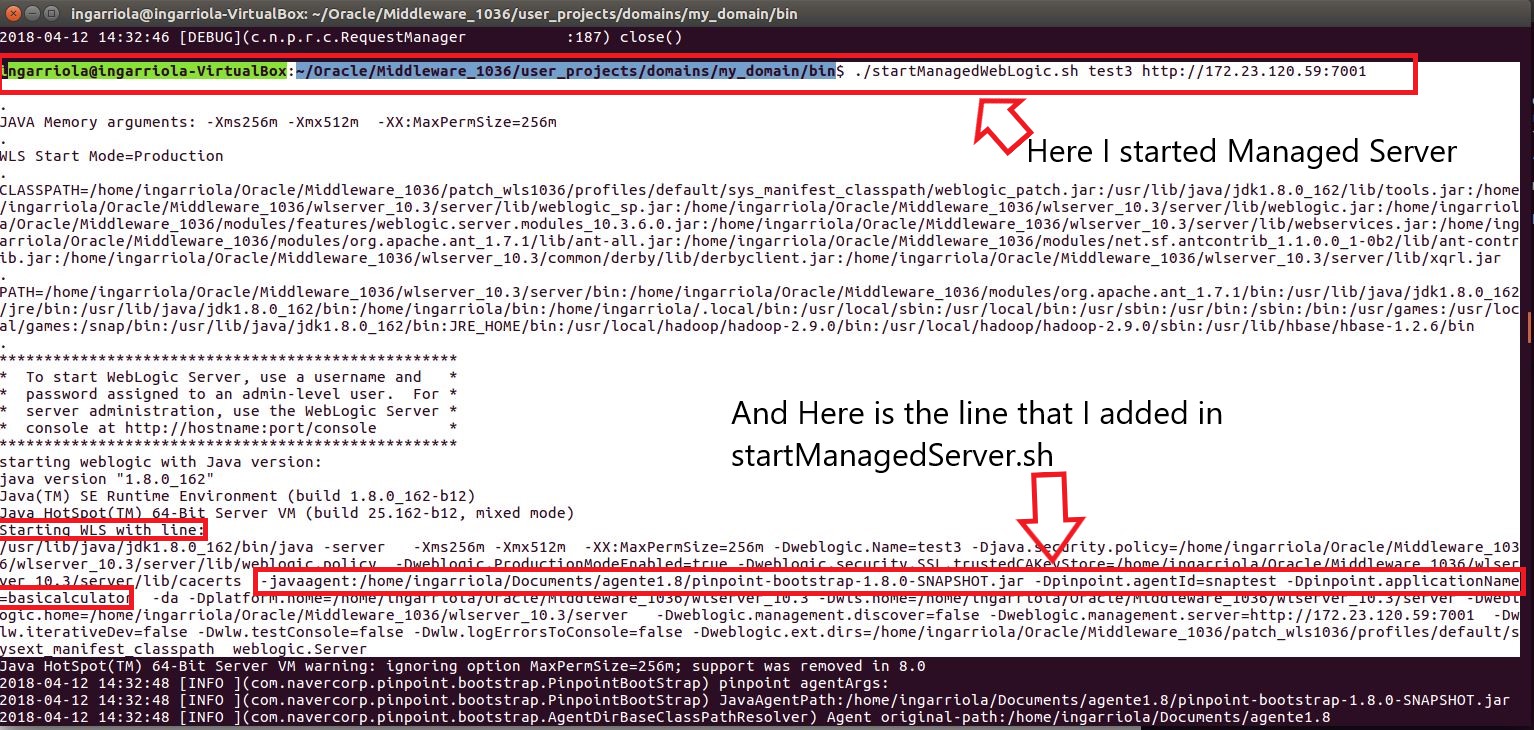
I've been researching and decided to do some tests since the information on the internet did not help me as expected, I was reading the file startWeblogic.sh and startManagedServer.sh and what I could realize is that the file startManagedServer.sh at some point call startWeblogic.sh for that reason I decided to make a change in startManagedServer.sh since this file has a line called JAVA_OPTIONS there I added the information about the agent. What I have thought is to generate a script startManagedServer.sh for each ManagedServer or modify the startManagedServer.sh and add a selection structure so that according to the server that starts, a different line of JAVA_OPTIONS is executed. I add some screenshots.
ing-arriola
on 12 Apr 2018
hi ing-arriola
It is good news that you have found a solution.
Each WAS have managing JAVA_OPTS every different way.
I'm not familiar with WEBLOGIC. So, I would not have been very helpful.
if you specify an ENV variable such as HostName for each server and use it for agentId in startManagedServer.sh,
you may not need a branch of choice.
thanks.
koo-taejin
on 13 Apr 2018
Hi @koo-taejin
Thank you very much for your answer
It would be great if you could help me because I spent a morning looking for that and I do not achieve anything, I think I'm close but I have not solved the problem. =(
I'm new in bash script and just understand a little bit about ENV variables. =(
I have researched about the situation of the ENV variable but it is not clear to me the following:
_"specify a ENV variable such as HOSTNAME"_
What I have seen is that there is an environment variable in ubuntu that contains the name of my computer:
echo $ HOSTNAME, it gives me the name of my computer ... I think ...

Well check also the file _/etc/hosts_ and there i found the following:
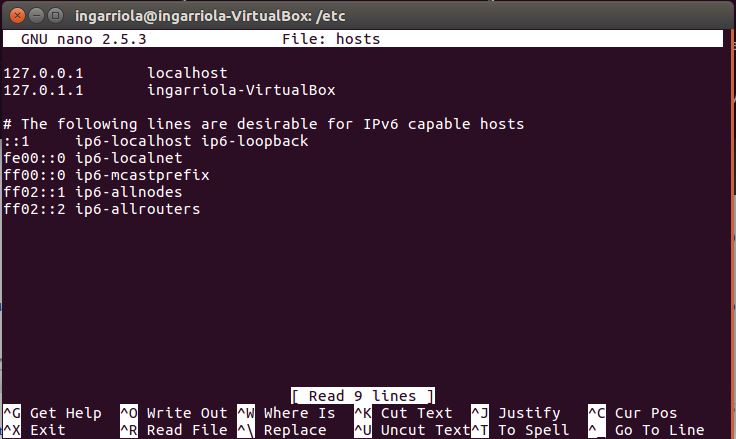
Likewise it is not clear to me the part where you say: _"use it for agentId in StarManagedServer.sh"_, what I have interpreted is that I must do the ENV variable and name it as: _testENV_ ,for example, then that variable put it in
_-Dpinpoint.agentId = testENV_
When solving this I would like to leave the details for another person who has this problem with WebLogic.
Beforehand thank you very much.
ing-arriola
on 13 Apr 2018
hi @koo-taejin
I'm trying to implement your suggestion but i'm not able to do... for this reason i was searching and thinking about a more simple solution .... and I found it!!!
All is need to do is modify the value of the arguments with which a Managed Server starts from the web interface of WebLogic, with this I have achieved that an agent is associated with only one application. Of course this is the case whenever a cluster or "machine" (according to the lexicon of the WebLogic architecture) has only one application associated.
Thanks!!!
ing-arriola
on 16 Apr 2018
hi @ing-arriola
Your problem is solved in a very simple way.
I'm really glad.
Thank you for sharing this information. :)
koo-taejin
on 17 Apr 2018
hi @ing-arriola Thank you for sharing this information. :)
You say :"All is need to do is modify the value of the arguments with which a Managed Server starts from the web interface of WebLogic, with this I have achieved that an agent is associated with only one application. "
This I don't understand too much,Can you describe in detail the configuration process or screenshot description.
Thank you very much!
 jacobsy
on 22 May 2018
jacobsy
on 22 May 2018
Related issues
 CHENTIANHAO123
·
4Comments
CHENTIANHAO123
·
4Comments
 geniuszhe
·
3Comments
geniuszhe
·
3Comments
 chuanyi-fang
·
3Comments
chuanyi-fang
·
3Comments
 harissutanrafiq
·
5Comments
harissutanrafiq
·
5Comments
 igo3r
·
3Comments
igo3r
·
3Comments