Picom: [Feature request] Do not show overlapped window as transparency
Hello,
When the window transparency is enabled (hope the kawase blur comes soon), would it be possible to add an option to use the wallpaper/desktop as the background instead of what's directly behind the focused window?
While it looks great on tiled applications, I usually use 3/4 windows in fullscreen and it doesn't look as pretty because the transparency looks darker and darker and terminals are less readable.
Thanks!
 Anarky
All 6 comments
I support this idea Anarky.

I have begun poking around compton and where the shader gets invoked, but i still do not understand enough about glx to make the .glsl shader use the root window as a source buffer, instead of whatever is underlying.
In case anyone reading hasn't understood from the image - click for the full-sized view. This allows you to have visible background images, while still being able to read the text in the topmost window.
 clort81
on 22 Nov 2019
clort81
on 22 Nov 2019
Thanks for your mock-up, that's exactly what I had in mind :)
I would love to help but unfortunately I don't know anything about graphics programming.
Anarky
on 23 Nov 2019
This is much easier than I originally anticipated. So here you go, set --transparent-clipping and have fun. (note it only work when you use --experimental-backends)
P.S. I struggled to come up with a name for this option, suggestions welcome.
 yshui
on 30 Nov 2019
yshui
on 30 Nov 2019
Very exciting yshui! +∞ THANKS!!!
picom built without problems on nvidia jetson nano (aarch64) but i get get segfaults. I tried with old ~/.compton.conf and without. Tried
./picom --refresh-rate 30 --glx-no-rebind-pixmap --use-damage --xrender-sync-fence --backend glx --experimental-backends --transparent-clipping
and just ./picom from build/src...
with just ./picom and no ~/compton.conf, gdb and bt shows:
Reading symbols from ./picom...
(No debugging symbols found in ./picom)
(gdb) run
Starting program: /big/pcbak/Projects/comptonyshui/picom/build/src/picom
[Thread debugging using libthread_db enabled]
Using host libthread_db library "/lib/aarch64-linux-gnu/libthread_db.so.1".
[ 12/10/2019 21:24:46.508 session_init WARN ] This compositor has been renamed to "picom", the "compton" binary will not be installed in the future.

Program received signal SIGSEGV, Segmentation fault.
0x0000007fb7784620 in ?? () from /usr/lib/aarch64-linux-gnu/libGLX.so.0
(gdb) bt
#0  0x0000007fb7784620 in ?? () from /usr/lib/aarch64-linux-gnu/libGLX.so.0
#1  0x0000007fb7782ecc in ?? () from /usr/lib/aarch64-linux-gnu/libGLX.so.0
#2  0x0000007fb777f8f8 in ?? () from /usr/lib/aarch64-linux-gnu/libGLX.so.0
#3  0x0000007fb777d8fc in glXGetProcAddress () from /usr/lib/aarch64-linux-gnu/libGLX.so.0
#4  0x0000005555592e04 in glxext_init.part ()
#5  0x00000055555790fc in init_render ()
#6  0x0000005555560f34 in main ()
I saw stuff appended to ~/compton.log but when i removed it and reran picom
i got no new ~/compton.log, for some reason.
Can you suggest anything for me to try? Thank You So Much. <3
I just found picomlog.txt http://0x0.st/zUfm.txt
clort81
on 10 Dec 2019
@clort81 there seems to be a problem with your OpenGL libraries. By all means, this is a separate issue. Please open a new issue for this problem.
yshui
on 11 Dec 2019
Shadows still overlap over each other. Attached are images to show what I mean.
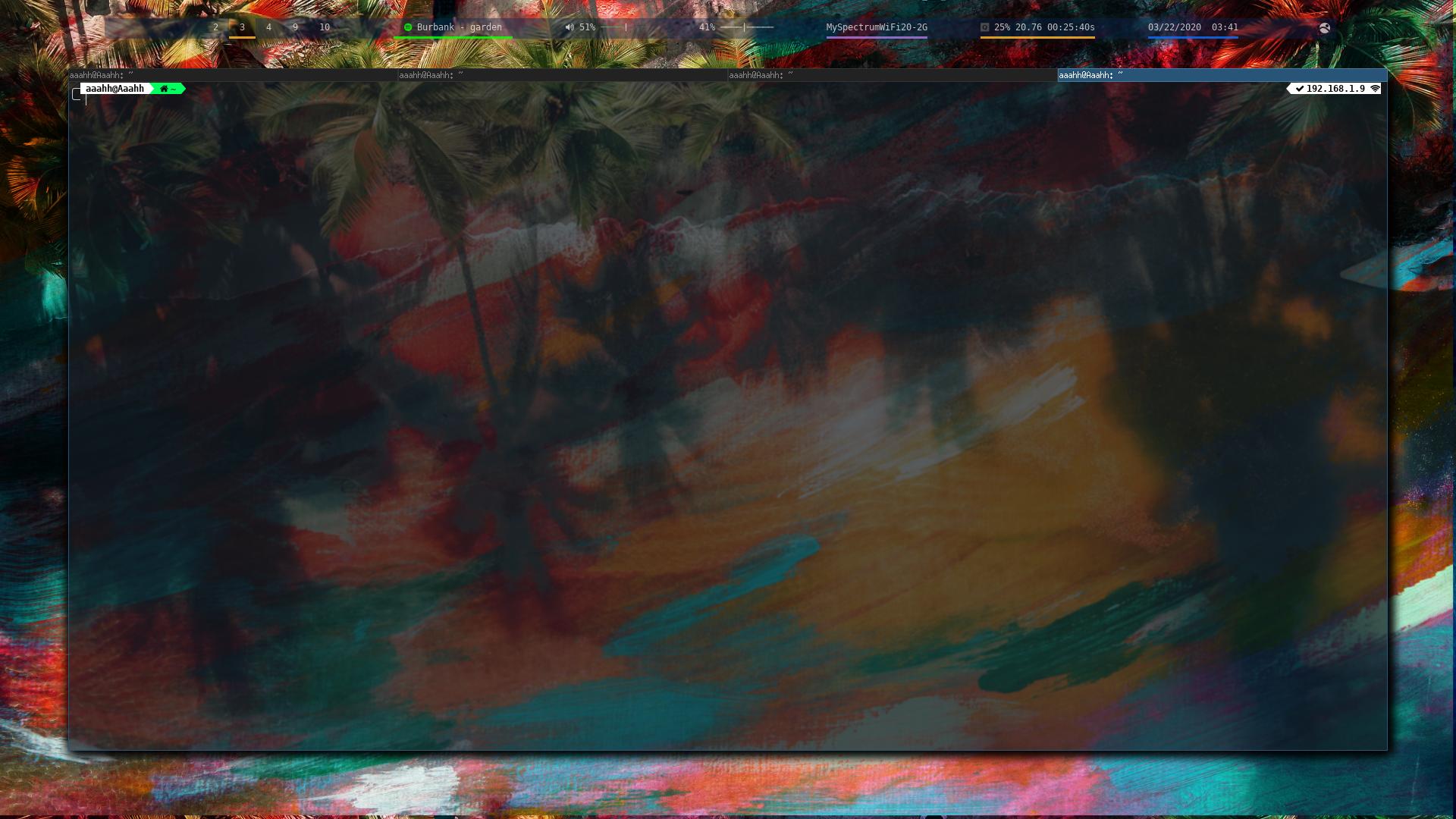
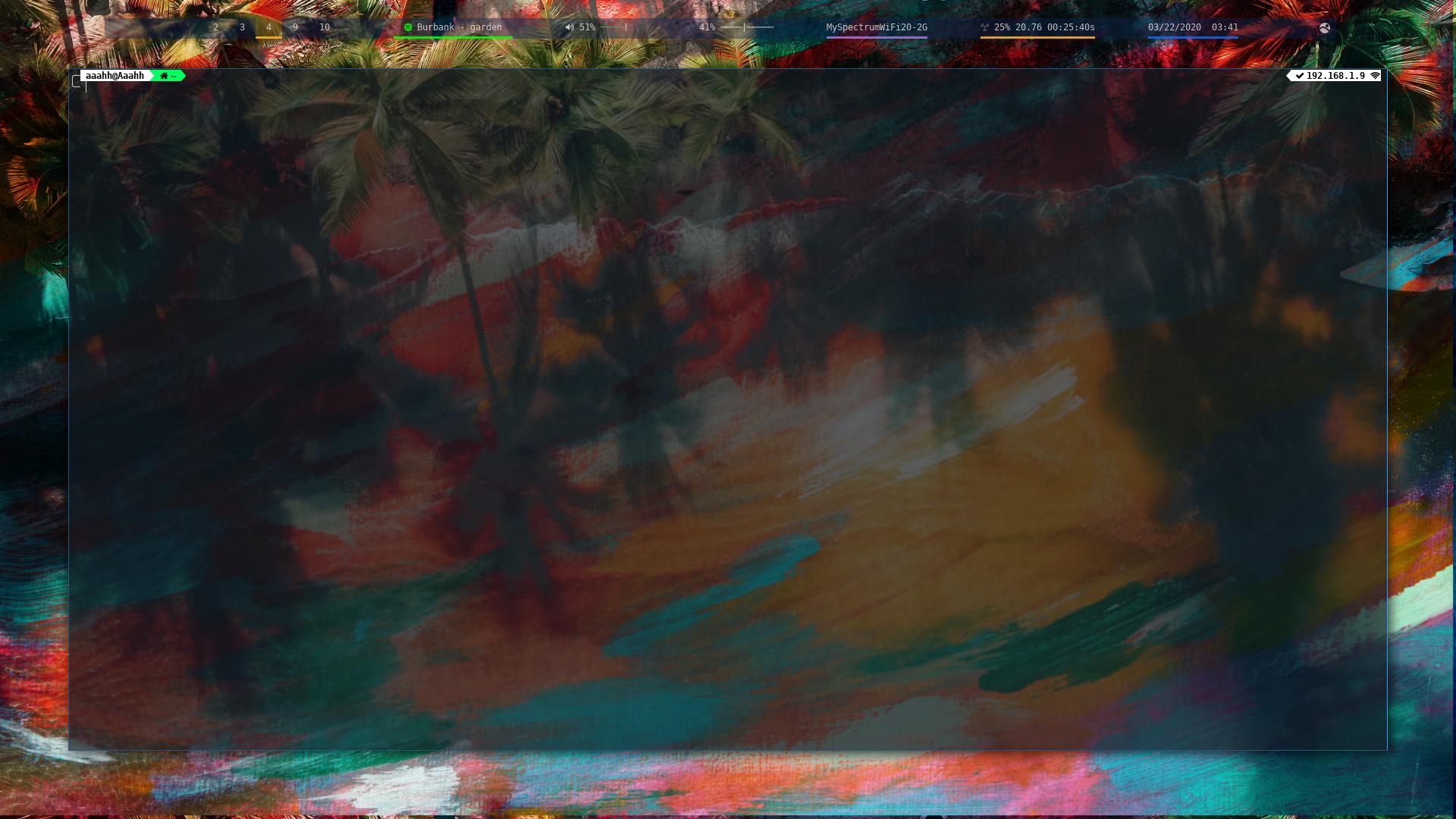
Great work btw picom is amazing
 mmhobi7
on 22 Mar 2020
mmhobi7
on 22 Mar 2020
Related issues
 steinex
·
8Comments
steinex
·
8Comments
 Joe23232
·
4Comments
Joe23232
·
4Comments
 vn971
·
8Comments
vn971
·
8Comments
 arielnmz
·
3Comments
arielnmz
·
3Comments
 buitrung
·
12Comments
buitrung
·
12Comments
Most helpful comment
This is much easier than I originally anticipated. So here you go, set
--transparent-clippingand have fun. (note it only work when you use--experimental-backends)P.S. I struggled to come up with a name for this option, suggestions welcome.