Perfect-scrollbar: Webpack issue with require('perfect-scrollbar')
Hi,
I faced an issue when using PerfectScrollbar with Webpack.
As your doc says, I installed perfect-scrollbar using :
$ npm install perfect-scrollbar
Then I use it in my script file, so I used this command :
const PerfectScrollbar = require('perfect-scrollbar');
But I've got this error message :
Uncaught ReferenceError: PerfectScrollbar is not defined
My script file have just the minimal code below :
const PerfectScrollbar = require('perfect-scrollbar');
const ps = new PerfectScrollbar('#container');
However, If I use import PerfectScrollbar from 'perfect-scrollbar'; instead of require, it works perfectly !!
I wanted to report this issue tho... But maybe I miss understood something ?
 tegomass
All 8 comments
Thanks for the report. Let me check in a while.
 hatashiro
on 19 Oct 2017
hatashiro
on 19 Oct 2017
I've just tested it out and it seems like working. What is your webpack config? Is there any repository where I can look into the problem?
hatashiro
on 19 Oct 2017
Hi,
I've uploaded the very simple project using webpack and perfect-scrollbar, please take a look here :
https://github.com/tegomass/perfect-scrollbar-webpack-demo
Just do a npm install then webpack on the directory.
Open the index.html file.
Comment/uncomment the line below (in main.js before the bundle process) to see the difference:
//import PerfectScrollbar from 'perfect-scrollbar';
With the require method, I have an error about the Constructor (on the chrome devtools console)
tegomass
on 19 Oct 2017
Related issue:
In short, webpack will use ES6 module script.
Perfect-scrollbar provides both CommonJS and ES6 module scripts, with main and module fields in order. I thought webpack will use CJS for require and ESM for import, but I was wrong. Webpack just prioritize module.
So in this case, the solution may be like below:
- Use ES2015 module import.
- Use CommonJS, with
.default:
const PerfectScrollbar = require('perfect-scrollbar').default; - Override webpack
resolveconfig to prioritizemaininstead ofmodule:
{ resolve: { mainFields: ['main', 'module'] } }
I will update README to mention about this. Thanks for your report!
hatashiro
on 20 Oct 2017
You made my day, thanks @utatti
 kikoseijo
on 9 Nov 2017
kikoseijo
on 9 Nov 2017
Hi @tegomass, @utatti
I use import with my webpack and got the same error ReferenceError: "PerfectScrollbar is not defined"
v1.4.0
import PerfectScrollbar from 'perfect-scrollbar';
Any idea?
 dantranv
on 15 Aug 2018
dantranv
on 15 Aug 2018
Hi @tegomass, @utatti
I use import with my webpack and got the same error ReferenceError: "PerfectScrollbar is not defined"
v1.4.0
import PerfectScrollbar from 'perfect-scrollbar';Any idea?
window.PerfectScrollbar = require('perfect-scrollbar');
I did it after 3 hours of trying and works now. You can try :)
 draaslan
on 26 Dec 2018
draaslan
on 26 Dec 2018
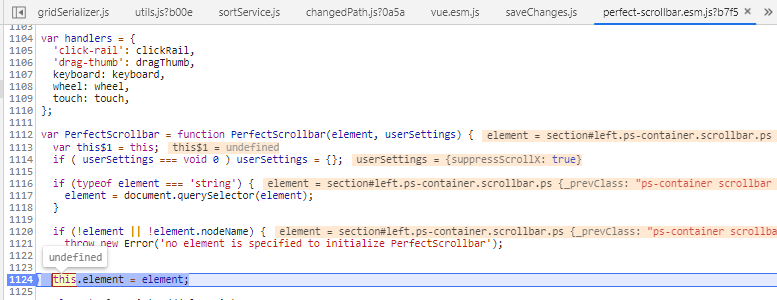
What about a normal esm release? this makes the library literally obsolete, because it requires mandatory transpilation since 2015
with webpack now:
import ScrollBar from "perfect-scrollbar";
 NikitaIT
on 31 Jul 2019
NikitaIT
on 31 Jul 2019
Related issues
hatashiro
·
7Comments
 eddieklc
·
3Comments
eddieklc
·
3Comments
 DevTony
·
3Comments
DevTony
·
3Comments
 yabikusensei
·
3Comments
yabikusensei
·
3Comments
 zadremal
·
5Comments
zadremal
·
5Comments
Most helpful comment
Related issue:
In short, webpack will use ES6 module script.
Perfect-scrollbar provides both CommonJS and ES6 module scripts, with
mainandmodulefields in order. I thought webpack will use CJS forrequireand ESM forimport, but I was wrong. Webpack just prioritizemodule.So in this case, the solution may be like below:
.default:const PerfectScrollbar = require('perfect-scrollbar').default;resolveconfig to prioritizemaininstead ofmodule:{ resolve: { mainFields: ['main', 'module'] } }I will update README to mention about this. Thanks for your report!