Pengwin: SDKMAN is not working on ZSH
Describe the bug
A clear and concise description of what the bug is.
To Reproduce
Steps to reproduce the behavior:
- Install pengwin
- run pengwin-setup
- install jdkman and zsh shell
- restart
- try
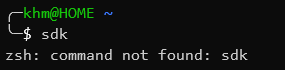
sdkcommand on zsh, not found
Expected behavior
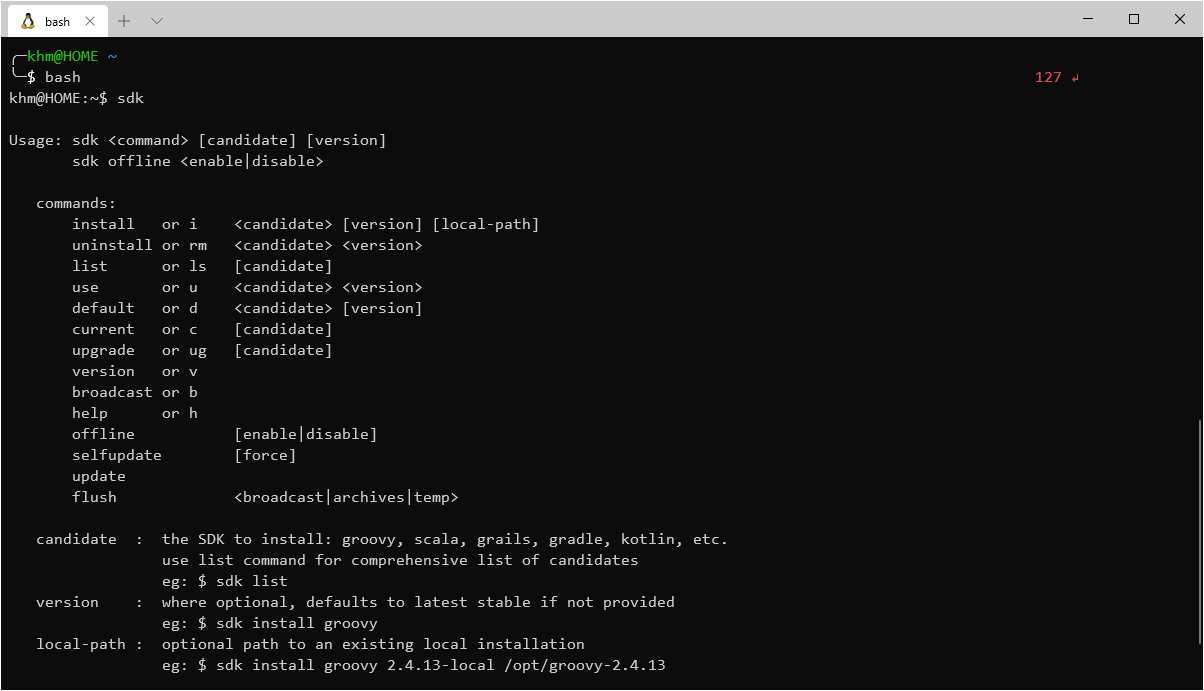
sdk command should list all the command available for SDKMAN
Screenshots
On bash
On zsh
Pengwin Version
Find: Settings->Apps->Apps & features->Pengwin->Advanced Options->Version.
Insert here: 1.2.8.0
Windows Build
Run 'systeminfo | findstr /C:"OS"' in Command Prompt and insert here: 19041
 kamalhm
All 5 comments
We will put it on the roadmap. Thank you for reporting
 crramirez
on 16 Dec 2019
crramirez
on 16 Dec 2019
Hello,
Be sure that you set ZSH as your default shell, then install again SDKMAN from pengwin-setup.
The order is important here. Sdkman installs its configuration in the default shell.
Regards
crramirez
on 17 Dec 2019
Do I have to reinstall everything?
Because right now, even with ZSH as my default shell, when I attempt to install SDKMAN again, it says that SDKMAN already installed
kamalhm
on 20 Dec 2019
Run the following command and restart pengwin:
echo source "${HOME}/.sdkman/bin/sdkman-init.sh">>"${HOME}/.zshrc"
Regards
crramirez
on 20 Dec 2019
It works! Thanks!
edit:
a suggestion to eliminate future cases like this,
when a user ticks custom shell in their pengwin-setup, pengwin should install the custom shell first, then install all the other tools
kamalhm
on 21 Dec 2019
Related issues
 laurin1
·
4Comments
laurin1
·
4Comments
 patmolloy
·
4Comments
patmolloy
·
4Comments
 rsrini7
·
3Comments
rsrini7
·
3Comments
 WSLUser
·
4Comments
WSLUser
·
4Comments
 rdmueller
·
3Comments
rdmueller
·
3Comments
Most helpful comment
Run the following command and restart pengwin:
echo source "${HOME}/.sdkman/bin/sdkman-init.sh">>"${HOME}/.zshrc"Regards