Pengwin: false (hopefully) virus alert in windows defender
Describe the bug
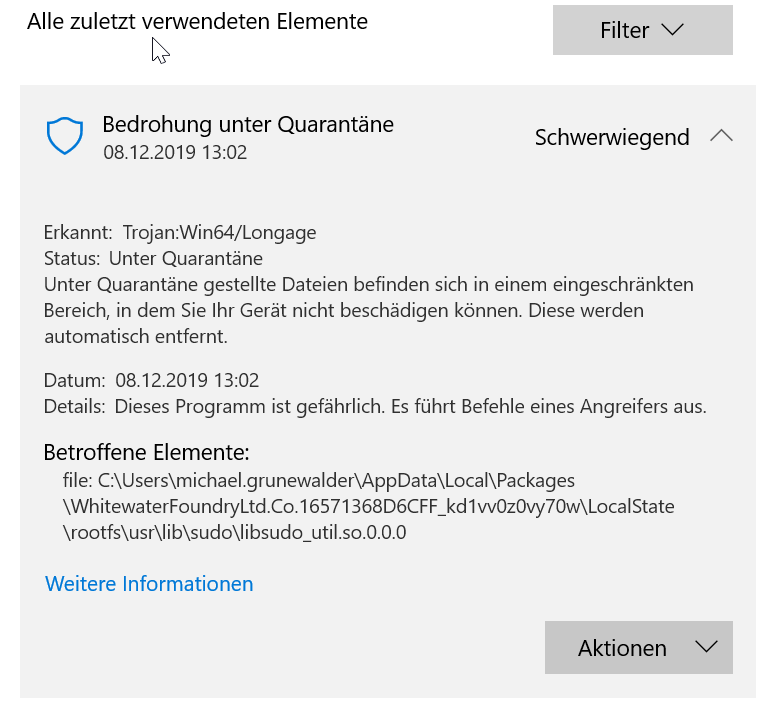
After resetting my Computer (Windows Insider preview, fast ring) , enabling WSL and installing Pengwin, Windows Defender quarantines a file (\AppData\Local\Packages\WhitewaterFoundryLtd.Co.16571368D6CFF_kd1vv0z0vy70w\LocalState\rootfs\usr\lib\sudo\libsudo_util.so.0.0.0) and claims it is infected by Trojan:Win64/Longage
To Reproduce
Steps to reproduce the behavior:
- Reset Windows Insider Preview (Fast Ring)
- Enable WSL
- Install Pengwin from Windows Store
- Start/Setup Pengwin
sudo {command} fails - Windows Defender quarantines libsudo_util.so.0.0.0
Expected behavior
No viros alert, sudo commmand executes
Screenshots
Basic Troubleshooting Checklist
[X] I have searched Google for the error message.
[X] I have checked official WSL troubleshooting documentation: https://docs.microsoft.com/en-us/windows/wsl/troubleshooting#confirm-wsl-is-enabled.
[ ] I have searched the official Microsoft WSL issues page: https://github.com/Microsoft/WSL/issues.
[ ] I have searched the Pengwin issues page: https://github.com/WhitewaterFoundry/Pengwin/issues.
[X] I have reset Pengwin: Settings->Apps->Apps & features->Pengwin->Advanced Options->Reset.
[X] I have disabled and re-enabled WSL in Windows Features.
[X] I have run Windows 10 updates and restarted.
What other troubleshooting have you attempted?
I also re-installed Windows after the first time I got the message
Checked with Ubunutu - that one works fine, no alerts and sudo works ok.
Insert here:
Pengwin Version
Find: Settings->Apps->Apps & features->Pengwin->Advanced Options->Version.
Insert here: 1.2.8.0
Windows Build
10.0.19035 Nicht zutreffend Build 19035
 elmima-michael
All 11 comments
Very strange we will check.
Thank you for reporting
 crramirez
on 8 Dec 2019
crramirez
on 8 Dec 2019
I used Pengwin daily until yesterday without any issues at all.
It only happened after re-setting my Windows.
Hope there is a quick fix for it, Pengwin is the most convenient distro for WSL. and I love working with it. :-)
elmima-michael
on 8 Dec 2019
This was added recently: https://www.microsoft.com/en-us/wdsi/threats/malware-encyclopedia-description?Name=Trojan:Win64/Longage&threatId=-2147221415 this is why you haven't seen before.
I am looking for ways to report this false positive
crramirez
on 9 Dec 2019
It is happening in other distros as well: https://askubuntu.com/questions/1194796/windows-defender-reports-win64-longage-trojan-malware-in-ubuntu-18-04-3-live-ser
crramirez
on 9 Dec 2019
Thanks a lot for your help.
For me Ubintu 18.04 was still working as expected but I am glad that I can just whitelist the file and continue to use Pengwin :)
elmima-michael
on 9 Dec 2019
I had the same problem, and while I did find a workaround, it's not technically a solution.
- Uninstall Pengwin
- Disable Virus & Threat Proctection, and App & Browser Control in Windows Security.
- Reboot
- Install Pengwin from MS Store
- Launch Pengwin, run pengwin-setup to verify sudo is working
- Re-enable Defender
After yet another reboot I'm able to run Pengwin and run programs with elevated permissions without any problems. I'm still tweaking things to my liking, but so far it seems to be working.
 zensucht
on 9 Dec 2019
zensucht
on 9 Dec 2019
Found another interesting and more involved work around.
If you have another Windows instance running with Penwin working, copy the sudo directory from it to the windows computer that Defender is having issues with.
I have two Windows machines, same windows build version. The new one as of today has this issue. Had defender remove the offending file, so Defender is happy. Then I copied the sudo directory from the windows filesystem and transfer it to the broken system. (You will also have to work around two symlinked files, Windows doesn't do the symlinks. Copy the files instead of symlinking.) Start Pengwin, and sudo. While elevated, went to /usr/lib/sudo and recreated the symlinks.
Been working fine, so figured I'd share this really more difficult workaround. I like that Defender has been active the whole time.
 JRansomed
on 10 Dec 2019
JRansomed
on 10 Dec 2019
I submitted the file to Microsoft for analysis:
https://www.microsoft.com/en-us/wdsi/submission/54606a20-dfc8-40be-a445-3b18949285c2
Hoping it will be solved soon
crramirez
on 10 Dec 2019
Well looking now at the report that I've submitted looks like the problem is solved:

crramirez
on 10 Dec 2019
Very cool!
 sirredbeard
on 10 Dec 2019
sirredbeard
on 10 Dec 2019
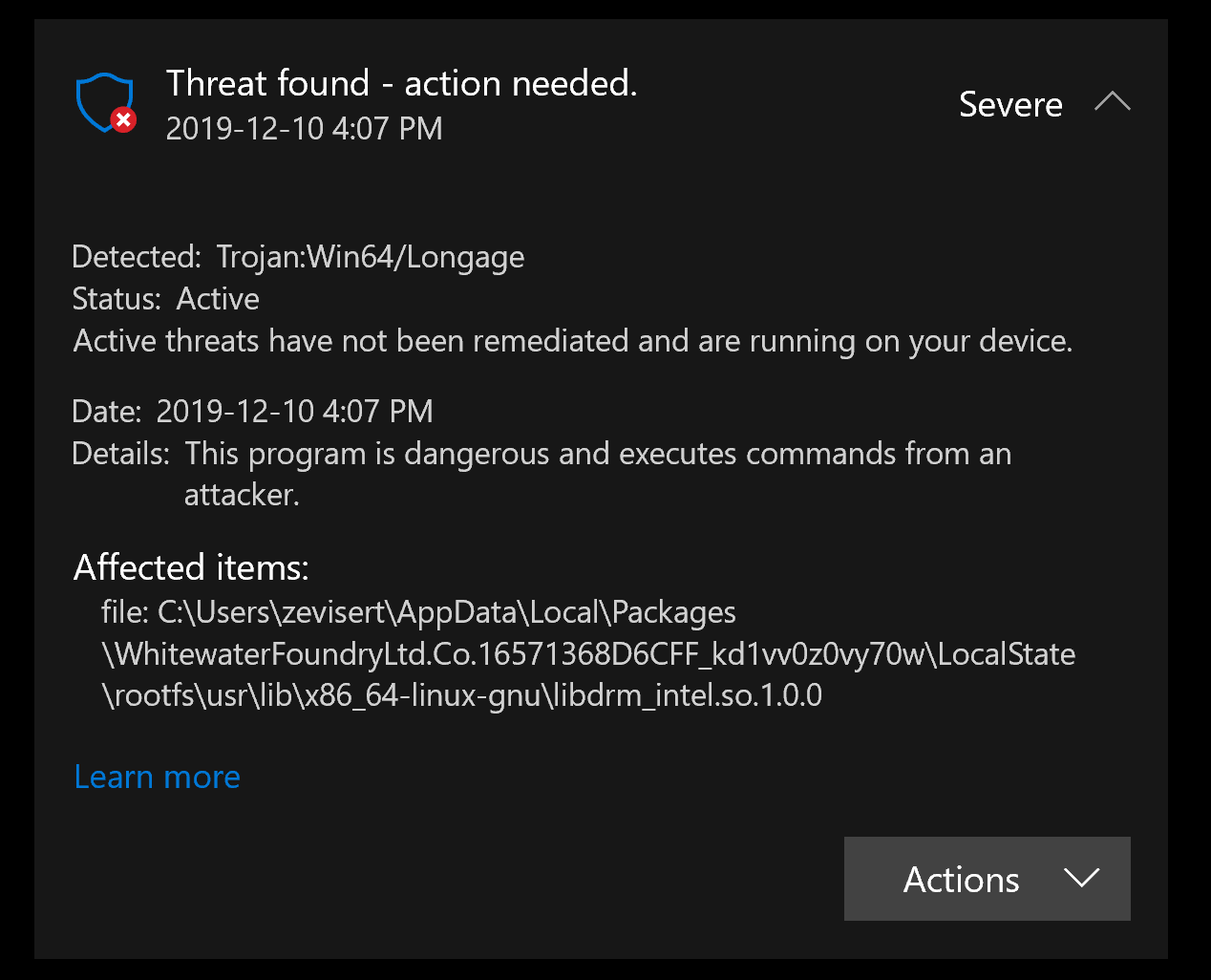
Also experienced this for a different file (libdrm_intel.so.1.0.0) in the distro's rootfs. Hopefully also a false detection; but might mean another file to submit to Microsoft for analysis!
Screenshot of Windows Defender notice
 zevisert
on 11 Dec 2019
zevisert
on 11 Dec 2019
Related issues
 ghost
·
5Comments
ghost
·
5Comments
 laurin1
·
4Comments
laurin1
·
4Comments
 rdmueller
·
3Comments
rdmueller
·
3Comments
 mikart143
·
5Comments
mikart143
·
5Comments
 patmolloy
·
4Comments
patmolloy
·
4Comments