Peertube: Unable to update an image over a sound
What happened?
I upload a sound, and before upload, I choose an associated image.
I upload it and I can see my image and ear my sound.
But if I want to change my image, I can choose and add a new jpg < 2Mo.
It appears in the backoffice. But when I play it, My new image appears, but the old replace it immediatly.
What do you expect to happen instead?
The new image should replace the old.
Steps to reproduce:
- upload a sound and add image
- update a new image
- play the sound
Additional information
- PeerTube version or URL: 2.1.1
- Browser name/version: Firefox 73
- NodeJS version: 10.19.0-1nodesource1 on Debian 10.
- Link to see it :
https://videos.cemea.org/videos/watch/b699a475-ccf8-4f31-b357-4bb620a320c2
(Private link)
 webafrancois
All 5 comments
The image you chose is most likely the one for the thumbnail, right?
Thing is, the image shown while playing is now part of the video file, and changing it involves transcoding the video again, which is not implemented.
 rigelk
on 3 Mar 2020
rigelk
on 3 Mar 2020
The sound was imported is a mp3 without include any image.
In the web upload page, i choose an image while uploading.
like here :
https://framapic.org/zRAnVG5rXQd2/EEWaCdypjntm.png
And then, after loading and playing, I change my image to another, like here :
https://framapic.org/yHMTa66dKFyV/cwCNWpHONmrl.png
But the new image is not update.
Le 3 mars 2020 22:30, Rigel Kent <[email protected]> a écrit :


The image you choose is most likely the one for the thumbnail, right?

Thing is, the image shown while playing is now part of the video file, and changing it involves transcoding the video again, which is not implemented.

—
You are receiving this because you authored the thread.
Reply to this email directly, view it on GitHub https://github.com/Chocobozzz/PeerTube/issues/2533?email_source=notifications&email_token=AEWONKJP2K56YFX7YDSOVS3RFVZIPA5CNFSM4LAS3U4KYY3PNVWWK3TUL52HS4DFVREXG43VMVBW63LNMVXHJKTDN5WW2ZLOORPWSZGOENVHK6Q#issuecomment-594179450 , or unsubscribe https://github.com/notifications/unsubscribe-auth/AEWONKKUND6TTMDHNXWY7NLRFVZIPANCNFSM4LAS3U4A .
webafrancois
on 4 Mar 2020
I cannot see the images in your reply, but I think I understand.
When you upload the sound without any image, PeerTube asks for a 'Video background image' to show when listening. It is then turned into a video. Videos cannot be changed, you may want to delete the video and then reupload, choosing a new image.
It sounds like you are changing the Video Preview (Prévisualisation de la vidéo), which is showing to me as a person on a boat. This is the image shown in menus and other pages to help users see what your video is about. It is separate to the video and will not affect it.
 3risian
on 4 Mar 2020
3risian
on 4 Mar 2020
I update my previous post with the good link.
That's it. And I understand.
But the interface looks like that the result will be the same.
When I upload a sound without image, I will not be able to change it.
webafrancois
on 4 Mar 2020
I think it is clear enough when you upload your video:
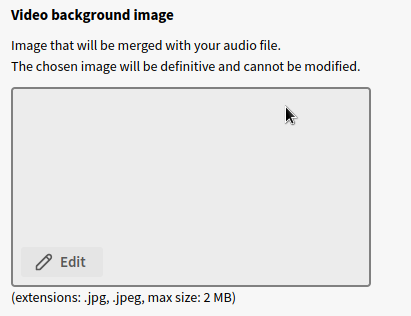
The chosen image will be definitive and cannot be modified.
 Chocobozzz
on 12 Mar 2020
Chocobozzz
on 12 Mar 2020
Related issues
 ufm
·
3Comments
ufm
·
3Comments
 milleniumbug
·
3Comments
milleniumbug
·
3Comments
 kabo
·
3Comments
kabo
·
3Comments
 Jorropo
·
3Comments
Jorropo
·
3Comments
 XenonFiber
·
3Comments
XenonFiber
·
3Comments
Most helpful comment
I cannot see the images in your reply, but I think I understand.
When you upload the sound without any image, PeerTube asks for a 'Video background image' to show when listening. It is then turned into a video. Videos cannot be changed, you may want to delete the video and then reupload, choosing a new image.
It sounds like you are changing the Video Preview (Prévisualisation de la vidéo), which is showing to me as a person on a boat. This is the image shown in menus and other pages to help users see what your video is about. It is separate to the video and will not affect it.