Peertube: Make RSS Feeds links <a href.. links
What happened?
Every single instance of the RSS feed links I encounter seem to be constructed in some weird way, which means I click it (in Firefox) and it opens a dialog asking me to save the file.
I right-click it and you don't get the standard context menu for a link - with options such as "Copy link to clipboard" - because the way it's constructed is not a link.
This means I am currently unable to subscribe to any RSS feeds.
Additional information
- PeerTube version or URL: https://peertube.fr/video-channels/[email protected]/videos
- Browser name/version: Firefox, latest stable, Mac OS
 mattcoxonline
All 5 comments
Ah, now I am on a Windows PC - using Firefox - and I see how it's meant to behave:

On Firefox Mac, this didn't happen. On the mac, I didn't see the dropdown. It just brought up a dialog box like this:
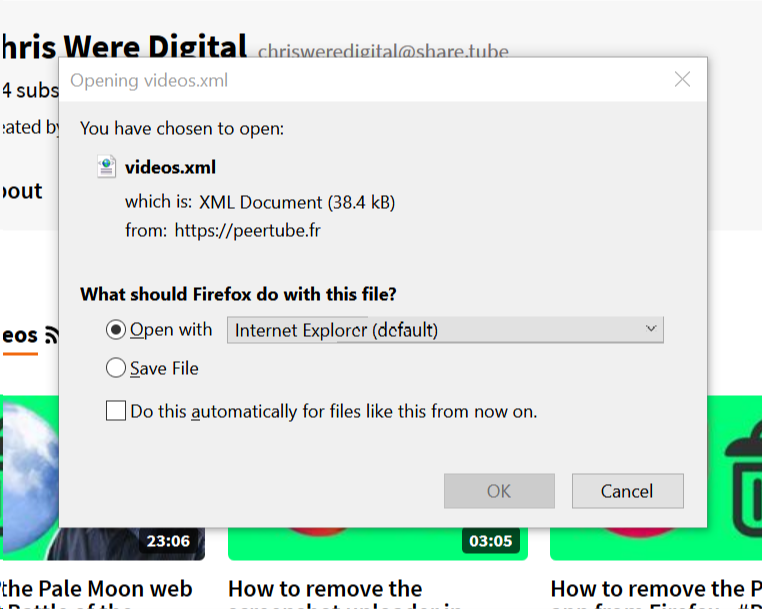
As you can see, I can replicate this on Firefox for Windows - but this time via this menu:
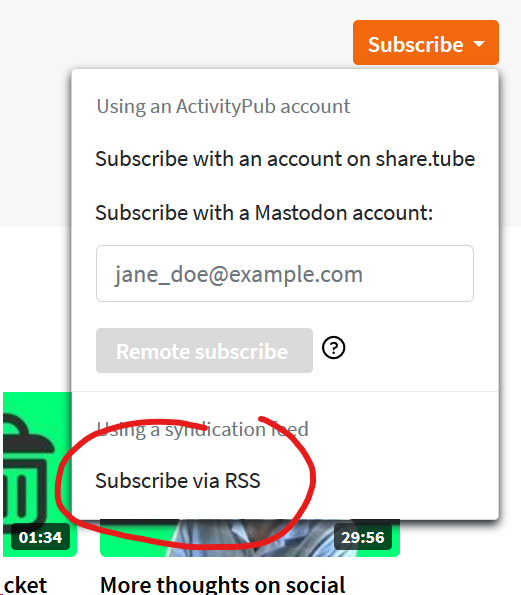
I guess both the RSS icon and the option in the Subscribe dropdown should react in the same way / give the same options?
mattcoxonline
on 19 Feb 2019
@mattcoxonline The "Subscribe via RSS" clearly states to subscribe _via_ RSS. Instead I think it would be better to have a subscribe button which pulls up a dropdown list.
 buoyantair
on 28 Feb 2019
buoyantair
on 28 Feb 2019
@buoyantair that's already a dropdown in a dropdown. UI-wise, it's not great.
 rigelk
on 28 Feb 2019
rigelk
on 28 Feb 2019
@rigelk Right... How about just a popup that allows you to select the subscription medium? We can use the popup to replace the other dropdown too.
buoyantair
on 28 Feb 2019
With https://github.com/Chocobozzz/PeerTube/pull/2145, we replaced the buttons with a link so you can easily copy it. See https://github.com/Chocobozzz/PeerTube/issues/2216 for download XML issue.
 Chocobozzz
on 5 Dec 2019
Chocobozzz
on 5 Dec 2019
Related issues
 Nutomic
·
3Comments
Nutomic
·
3Comments
 tcitworld
·
3Comments
tcitworld
·
3Comments
 XenonFiber
·
3Comments
XenonFiber
·
3Comments
 ufm
·
3Comments
XenonFiber
·
3Comments
ufm
·
3Comments
XenonFiber
·
3Comments
Most helpful comment
@buoyantair that's already a dropdown in a dropdown. UI-wise, it's not great.