Peertube: Documentation for the twitter card is missing
Hi there,
I am missing the documentation a lot in order to use the twitter integration.
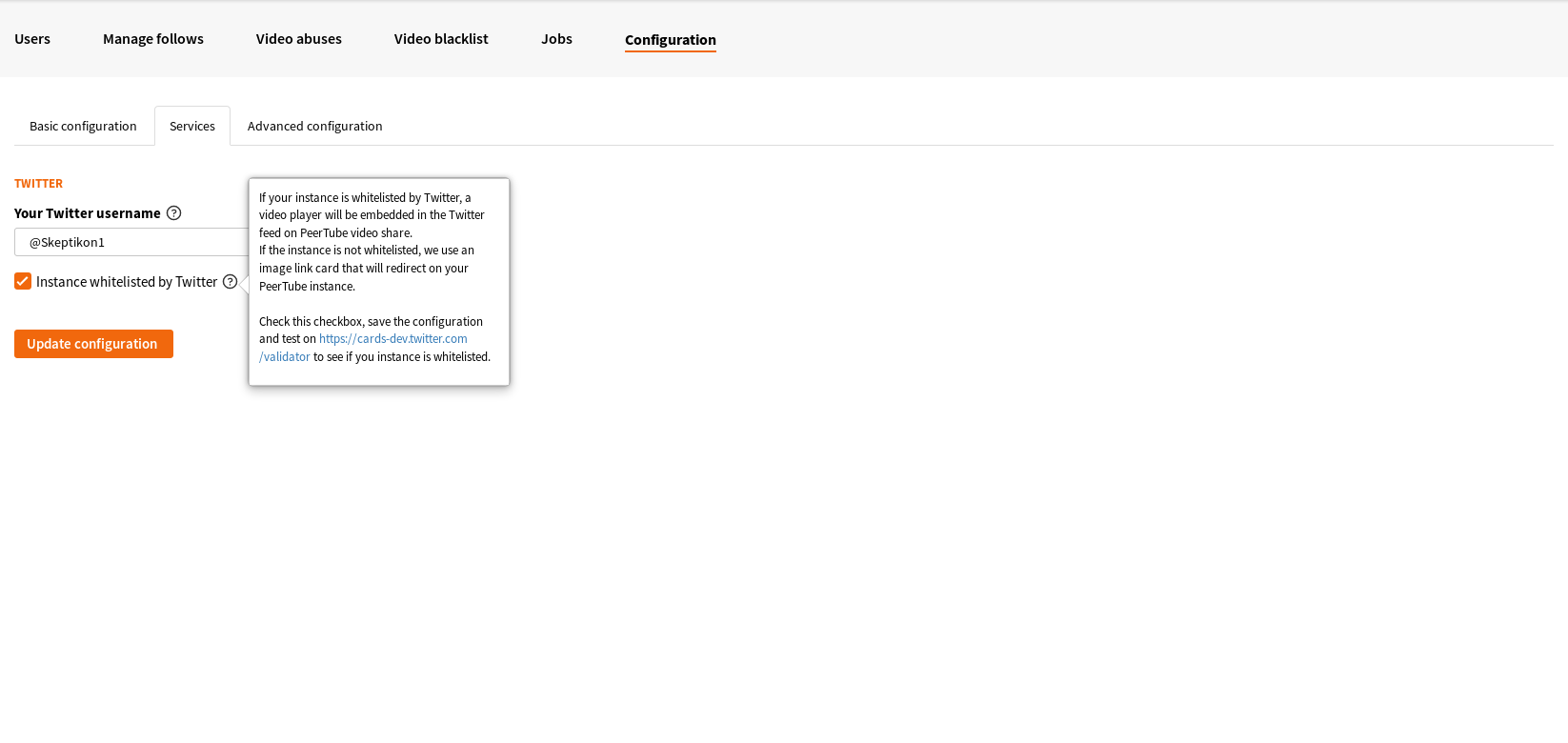
Even with the tooltip I have no clue of what to do or on how to make it work. I added the URL (of this form: https://mywebsite.tld) to the twitter card validator and I get:
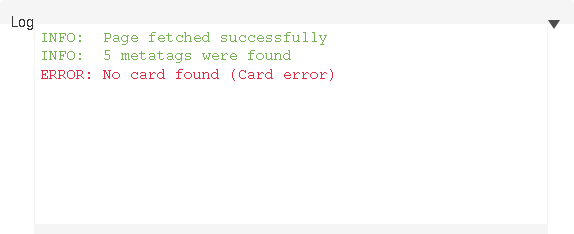
I don't know what it means.
Any help is welcome :)
 fflorent
All 7 comments
I tried to diagnose the issue. It seems like twitter is looking for <meta> tags. When I use curl I get this:
$ curl -A Twitterbot https://skeptikon.fr
<!DOCTYPE html>
<html>
  <head>
    <title>PeerTube</title>

    <meta charset="UTF-8">
    <meta name="viewport" content="width=device-width, initial-scale=1">
    <meta name="description" content="PeerTube, a decentralized video streaming platform using P2P (BitTorrent) directly in the web browser" />

    <meta name="theme-color" content="#fff" />

    <!-- Web Manifest file -->
    <link rel="manifest" href="/manifest.json">

    <!-- The following comment is used by the server to prerender OpenGraph and oEmbed tags -->
    <!-- open graph and oembed tags -->
    <!-- Do not remove it! -->

    <link rel="icon" type="image/png" href="/client/assets/images/favicon.png" />

    <!-- base url -->
    <base href="/">
  <link rel="stylesheet" href="client/styles.ae71793a32792d913cf8.css"></head>

  <!-- 3. Display the application -->
  <body id="custom-css">

    <noscript>
      <p>You are blocking Javascript, and we totally get that. However this endpoint uses Angular, so the front end is in full JavaScript and won't work without it.
      </br></br>
      There will be other non JS-based clients to access PeerTube, but for now none is available as this is still alpha software. Be sure we will update this page with a list once alternative clients are developed. You can certainly develop you own in the meantime as our code is open source and libre software under GNU AGPLv3.0.
      </br></br>
      There might be numerous reasons you refuse to use JavaScript. If it has just to do with security (or lack thereof) of JavaScript-based webapps, then depending on your threat menace you might want to go through the code running on the node you are trying to access, and look for security audits.
      </p>
    </noscript>

    <div id="incompatible-browser" class="alert alert-danger" style="display: none">
      <p>We are sorry but it seems that PeerTube is not compatible with your web browser.</p>
      <p>Please try with the latest version of <a href="https://www.mozilla.org" target="_blank">Mozilla Firefox</a>.</p>
      <p>If you think this is a mistake, do not hesitate <a href="https://github.com/Chocobozzz/PeerTube/issues/new" target="_blank">to report it</a>.</p>
    </div>

    <script type="text/javascript">
      window.onerror = function () {
        var elem = document.getElementById('incompatible-browser')
        if (elem.className.indexOf('browser-ok') === -1) {
          elem.style.display = 'block'
        }
      }
    </script>

    <my-app>
    </my-app>

  <script type="text/javascript" src="client/runtime.ebc1a5b9551d3bd1c808.js"></script><script type="text/javascript" src="client/polyfills.731ea36f84b9c50f83b8.js"></script><script type="text/javascript" src="client/main.8d7cd8cc8822047c0e7a.js"></script></body>
</html>
Indeed, there is no twitter specific tags. I don't know what is missing in my configuration files.
fflorent
on 27 May 2018
The opengraph and Twitter tags are put only on the videos pages.
 tcitworld
on 27 May 2018
tcitworld
on 27 May 2018
All right, thanks @tcitworld! What I understand know is that the validator page is not used not used to authorize anything but rather to test the card integration.
Now when I try to read a video through twitter, I get this error in the Firefox console: SecurityError: The operation is insecure.
My website is in HTTPS and the certificate signed by letsencrypt. Not sure what this error means.
fflorent
on 27 May 2018
Hmm, seems like it is an issue with my firefox profile (an addon or so). I use Firefox Nightly, but when I run it in Developer Edition (with fewer addons) it works perfectly. Thanks!
Do you mind keeping this ticket if you agree that it lacks documentation? I may propose soon a PR to give even more helpful explanation to help the admin to enable twitter card.
fflorent
on 27 May 2018
@fflorent Yes, just add sentence in the help tooltip saying that you need to copy/paste a video URL of your instance (https://peertube.example.com/watch/blablabla).
 Chocobozzz
on 27 May 2018
Chocobozzz
on 27 May 2018
Should be better now: https://github.com/Chocobozzz/PeerTube/commit/351d5225d6a4fe6863f760f02454eac88f730607
Chocobozzz
on 31 May 2018
Nice @Chocobozzz!
fflorent
on 31 May 2018
Related issues
 Nutomic
·
3Comments
Nutomic
·
3Comments
 MikaXII
·
3Comments
MikaXII
·
3Comments
 Jorropo
·
3Comments
Jorropo
·
3Comments
 Angedestenebres
·
3Comments
Angedestenebres
·
3Comments
 XenonFiber
·
3Comments
XenonFiber
·
3Comments
Most helpful comment
@fflorent Yes, just add sentence in the help tooltip saying that you need to copy/paste a video URL of your instance (
https://peertube.example.com/watch/blablabla).