Paypal-checkout-components: Checkout button is not rendered in Safari webview
Hi,
I'm integrating PayPal client-side express checkout using REST. the PayPal button doesn't render anymore inside a Safari WebView. Tested also with https://developer.paypal.com/demo/checkout/ and get the same issue.
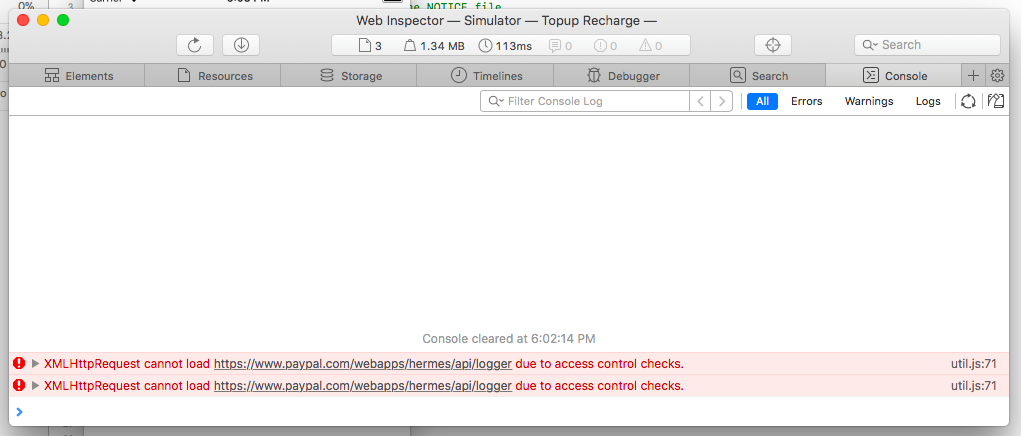
here is code,
<!DOCTYPE html>

<head>
    <meta http-equiv="X-UA-Compatible" content="IE=edge" />
    <meta name="viewport" content="width=device-width, initial-scale=1">
    <script src="https://www.paypalobjects.com/api/checkout.js"></script>
</head>

<body>
    <div id="paypal-button-container"></div>

    <script>
        paypal.Button.render({

            env: 'sandbox', // sandbox | production

            // PayPal Client IDs - replace with your own
            // Create a PayPal app: https://developer.paypal.com/developer/applications/create
            client: {
                sandbox:    'AZDxjDScFpQtjWTOUtWKbyN_bDt4OgqaF4eYXlewfBP4-8aqX3PiV8e1GWU6liB2CUXlkA59kJXE7M6R',
                production: '<insert production client id>'
            },

            // Show the buyer a 'Pay Now' button in the checkout flow
            commit: true,

            // payment() is called when the button is clicked
            payment: function(data, actions) {

                // Make a call to the REST api to create the payment
                return actions.payment.create({
                    payment: {
                        transactions: [
                            {
                                amount: { total: '0.01', currency: 'USD' }
                            }
                        ]
                    }
                });
            },

            // onAuthorize() is called when the buyer approves the payment
            onAuthorize: function(data, actions) {

                // Make a call to the REST api to execute the payment
                return actions.payment.execute().then(function() {
                    window.alert('Payment Complete!');
                });
            }

        }, '#paypal-button-container');

    </script>
 Kaushik0704
 bluepnume
 RoseWebOnly

 princelonappan07
![github-actions[bot] picture](https://avatars.githubusercontent.com/in/15368?v=4&s=40) github-actions[bot]
github-actions[bot]
 rfdc
·
rfdc
·
 VivekVikranth
·
VivekVikranth
·
 gastonyelmini
·
gastonyelmini
·
 webdeb
·
webdeb
·
 mtshare
·
mtshare
·
Most helpful comment
Hi @bluepnume We are facing the same issue in iOS application, but its working fine on the Android. We can see the PAYPAL related objects are successfully loaded in the site by debugging the "PAYPAL" window object, but the button is not rendered. We have also loaded the https://developer.paypal.com/docs/checkout/ site in the webview and checked the button issue. The same issue persists in the PayPal developer site. Please see the attached screenshot for reference.