Paypal-checkout-components: Any way opening checkout flow by clicking on not a checkout button?
Hey Have a some question
I have a some some custom situations in users ui, when i need to open paypal checkout flow for user. User can press checkout button by himself, but also, we should open windoow on other events in some cases. Is there any native way to do it?
 dmitry-kostin
All 27 comments
Hi @dmitry-kostin -- right now there's not a built-in way to launch checkout without the button. In the past we've seen a lot of integrations break because the checkout wasn't correctly opened on a user action, which causes it to break when it hits popup blockers. We also have a lot of new stuff planned around the button, and we've found this to be the best conversion path for buyers.
Out of interest, what are the use-cases you're trying to account for?
 bluepnume
on 29 Mar 2017
bluepnume
on 29 Mar 2017
Thank you for your fast reply,
We have a kindof complicated checkout form, and user may bypass paypal button at start, and then at the end we give one more choice whether pay by credit card or paypal, at this stage we should open checkout flow for him and do not tell him: Hey guy did you see that checkout button at top, go there and click it, this will lead to loss of sales?
So may be you can give me any hacky solution that will open checkout?
dmitry-kostin
on 29 Mar 2017
Could you:
a) Build something like this "Mark" integration pattern and swap out the button if the user picks paypal? or
b) Render another checkout button at the bottom of the page? (any reason you can't have two paypal buttons in different positions?)
bluepnume
on 29 Mar 2017
Yes i've read your docs three times already, and both of your options don't fit my needs.
I thought may be i can take a paypal.Button and dispatch/call some function event that will execute onclick for this button?
*but didnt find anything helpfull yet there
dmitry-kostin
on 29 Mar 2017
Yeah, so for various brand and technology reasons -- partly because there are about a zillion paypal buttons with varying designs -- we're drawing a pretty firm line at allowing the checkout flow to be triggered by anything but the standard js button -- and being able to do that programmatically through the button would also be an exception to that rule.
But if you want to elaborate on how those options don't fit your needs, I can try to offer up more alternatives.
bluepnume
on 29 Mar 2017
I will share you a last step of our checkout for your understnading of my problem https://www.dropbox.com/s/a0k0zg595c7hb6a/%D0%A1%D0%BA%D1%80%D0%B8%D0%BD%D1%88%D0%BE%D1%82%202017-03-29%2011.01.56.png?dl=0
We have a Paypal button at top of page and if user decided to pay by paypal at last step we need to open a popup immediately after he change the radio to paypal
I have no problem if user clicks on paypal button then goes back to confirm his details and decided to change paypal shipping address one more time - i just invoke actions.restart(), but before onAuthorize been called i can not get access to actions and need to open flow manually (btw i cant just click on button since its in iframe)
dmitry-kostin
on 29 Mar 2017
@bluepnume so any ideas? I'm pretty sure there is a some workaround exists
dmitry-kostin
on 29 Mar 2017
Finally ended up for now with placing the second paypal button under mine
but you should definetely make some paypal.Button.startFlow(clickEventHere) method to allow more flexible integration, can it be considered as a feature request?
dmitry-kostin
on 29 Mar 2017
Cool, glad that worked for you! On the feature request -- as mentioned, it's a policy thing that's being pushed, that only paypal rendered buttons can open the popup, but I'll get back to you if anything changes on that front.
bluepnume
on 29 Mar 2017
+1
Having checkout form like ours where user can choose between CC and PP options, another button to initiate checkout flow certainly doesn't make good UX experience. Since BT JSv3 doesn't support webviews, we're forced to redesign our Select your payment option form. Webview? Yes, 80% of our customers buy from us from within FB app.
https://www.dropbox.com/s/hk8qndyl9itpo4z/Screenshot%202017-04-04%2021.44.56.png?dl=0
 dmalis
on 4 Apr 2017
dmalis
on 4 Apr 2017
At least have an option like simple paypal checkout image with no button shape.
 maxisam
on 15 Jun 2017
maxisam
on 15 Jun 2017
We're working on a button with no label, just the paypal logo.
bluepnume
on 15 Jun 2017
Am I the only one think that "Mark" integration pattern is kinda weird in UX?
Users need to click twice to perform the action they want. Really counter-intuitive IMHO.
I wonder if there is a way for us to load a custom template into paypay component.
Like loading this html <div>pay with <div id='paypal-button'></div></div>
, and inside paypal component, you can replace the button as your paypal button, and listen to the click event from the whole HTML.
or listening to the selected element as triggering element
like <input type='radio' id='paypal-button'>pay with</input>
And paypal still inserts paypal button into the end of this element but listens to the event triggered from input. Or you can even have another selector property to specify the place to insert.
maxisam
on 15 Jun 2017
Am I the only one think that "Mark" integration pattern is kinda weird in UX?
I'm not a huge fan myself -- but then, there's always the option of rendering the button on the top-level page without having a radio field.
I wonder if there is a way for us to load a custom template into paypay component.
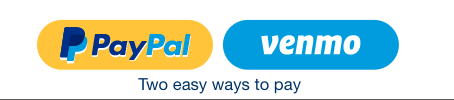
We intentionally don't offer this. That's because the UI of the iframe can dynamically change based on who the user is. For example, if you have Venmo enabled, you might see a dual-button like this:
bluepnume
on 17 Aug 2017
its a good thing to give a default behaviour for fast integration, better user experience or whatever, i'm personally being an experienced developer appreciate it – it's really helpful on a small projects, but I'm expecting a more customisation options from a company called PAYPAL. On big projects with a very smart carts/checkouts and high client requirements your paypal button really lacks flexibility.
Just look on every library today - they all based on default config and you can customize every thing you need. I understand the problem you have, that every first developer have own implementation and design for your paypal component, but pls do not think instead of user/developer, i think everybody hate when someone knows better than you what you want.
This is my thoughts, however, in any way you did a good job (comparing to what you had before)!
dmitry-kostin
on 17 Aug 2017
Just look on every library today - they all based on default config and you can customize every thing you need.
Other payments providers -- Apple, Amazon, Visa, etc. all have branding requirements for their buttons. I don't believe PayPal is unique here.
bluepnume
on 17 Aug 2017
This kind of poor practice is why dev-users try to move away from paypal. you are clearly not providing the best interface that we want. It may be the best you want for branding and also for spying purposes (load js on every page, track everyone) but the users above and many others don't care about your branding, they want a clean checkout.
 timeseries
on 15 Oct 2017
timeseries
on 15 Oct 2017
Copying my reply from your same comment on stack-overflow:
It's literally not supported. You can't programmatically send a message to an iframe (in this case, the paypal button) and have it open a popup window -- because that makes the window.open asynchronous (not immediately on the button click) and causes browsers' popup blockers to prevent it.
Why even have an iframe? Well, aside from allowing us to present a pixel perfect button, it also solves a nasty problem in IE where you literally can't send messages between a popup and a parent window on different domains. So it ends up being the least hacky way to ensure everything works seamlessly.
On top of that, there's a lot of value in being able to present the buyer with the most appropriate funding source for them right in the button (e.g. with the Venmo button above). We've found this drives extra clicks, which is a value-add for merchants who use PayPal as their sole payment provider since they end up with a higher conversion rate.
That said, I'd love to understand your specific interface requirements and how you feel the iframe button doesn't work for you. If there's something we can fix, I'd be glad to talk. 👍
bluepnume
on 15 Oct 2017
@bluepnume legit question here: How can you allow a user to checkout by submitting the checkout form (For accessibility reasons, let's say the user is blind and they can't click on the paypal button).
 zellwk
on 16 Dec 2017
zellwk
on 16 Dec 2017
Hello,
we would like to upgrade from the old Digital Goods API to the new Checkout flow. However we are working with installed desktop applications and need to start the paypal flow right away after the user decided to pay with paypal. From the desktop app we will forward the user to the browser where the paypal payment should start immediately. Rendering a button there on an empty page seems pretty useless and an additional step in the conversion that will make users hop off. So from this perspective it would also be really nice to start the payment without having the user click the button, because we can not render a JavaScript button in our desktop apps.
Any news on starting the payment directly without rendering the button first? Else we will have to stick to the deprecated API for now.
 rewb0rn
on 25 Jan 2018
rewb0rn
on 25 Jan 2018
I also faced same problem.
dmitry-kostin said
Finally ended up for now with placing the second paypal button under mine
but you should definetely make some paypal.Button.startFlow(clickEventHere) method to allow more flexible integration, can it be considered as a feature request?
But it seems there is no paypal.Button.startFlow() now.
Is it deprecated? or changed to anything?And i see there is function paypal.Button.event.trigger()
It seems possible to trigger click event for paypal Button.
But I can't find any documentation, and I don't know which events can be used for this function, and how can we use this function?
How can I do this?
Thanks much to anyone help!
 alex-kowalski
on 16 May 2018
alex-kowalski
on 16 May 2018
@alex-kowalski
But it seems there is no paypal.Button.startFlow() now.
Its never been there, I used this just for example :)
Just be prepared to work with paypal restrictions, there is no workarounds
however the following hack sometimes works:
onAuthorize: function(data, actions)
actions.restart() from onAuthorize function can reopen window in some situations
just looked for my code written last year, dont sure if its still actual
dmitry-kostin
on 16 May 2018
@dmitry-kostin , Thanks for your response.
I also want to open checkout without clicking paypal check button at all.
actions.restart() is only for reopening? first opening is not possible?
alex-kowalski
on 16 May 2018
Also having this need here. I understand the decision from paypal to push the button as a mandatory part of the flow, but this is really a big limitation. I'm not even trying to replace the button, I just want to have an additional step before actually opening the popup, and it's totally impossible now.
I really hope a method to circumvent this will be released someday, in the meantime I'm abandoning in context payment. :-(
 ahfeel
on 3 Aug 2018
ahfeel
on 3 Aug 2018
I'm having an issue where IOS mobile will not allow me to focus away from the Iframe. If a user fails to enter required checkout information and hits the Paypal button they should be scrolled back to the first empty required field.
Currently a validation upon click runs this function :
handleError: function() {
var firstField = //Gets Id of first empty input
this.$refs[firstField + 'Input'].focus(); //
}
This code works on Android but for some reason on IOS the user isn't scrolled. I'm guessing this relates to the Iframe having the focus and IOS having constraints around Iframes but I'm at a loss as to how to work around this issue.
 billstorms1
on 19 Feb 2019
billstorms1
on 19 Feb 2019
For everybody facing this problem if you use the very OLD IPN techinque your can achieve that.
Paypal still recommends to update the code, but in the implementation this is a huge problem. Just because of this we have to change the whole logic even on design, client cant afford it.
We are leaving paypal as a checkout option, until this can be done in smart buttons.
But until today we use IPN , and we open paypal checkout using a $('.paypal-button').click();
ofcourse this are not the new smart buttons.
 Monclee
on 23 May 2020
Monclee
on 23 May 2020
3 years on, PayPal is still forcing their branding and button iframes on pages all over the web. You wouldn't believe the hoops we are jumping through to integrate this into our PWA.
Meanwhile Stripe bend over backwards to make developers' lives easy. Sad.
 nabilfreeman
on 9 Apr 2021
nabilfreeman
on 9 Apr 2021
Related issues
 domtripodi
·
5Comments
domtripodi
·
5Comments
 mtshare
·
5Comments
mtshare
·
5Comments
 Wr4i7h
·
4Comments
Wr4i7h
·
4Comments
 MrMooky
·
3Comments
MrMooky
·
3Comments
 stephen-last
·
6Comments
stephen-last
·
6Comments
Most helpful comment
Finally ended up for now with placing the second paypal button under mine
but you should definetely make some paypal.Button.startFlow(clickEventHere) method to allow more flexible integration, can it be considered as a feature request?