Paypal-checkout-components: stop flow in onClick callback
I have some validation I want to do prior to allowing the flow to start.
Is there a way to stop the flow in the onClick callback?
 yabdab
All 74 comments
Hi,
We're debating the best way to allow/support something like this. Generally we expect that by the time the user clicks on the PayPal button, the user should be ready to check out with PayPal.
If you're collecting additional data from the user, would it be possible to do this after the PayPal checkout flow has completed?
 bluepnume
on 15 Dec 2016
bluepnume
on 15 Dec 2016
Generally the Checkout/Submit Order button is on final page of the checkout process. Most info is gathered by that point. In our case we must validate if they accepted terms, have address entered correctly, etc...
We also have a single page checkout option, so we would want to validate before the flow starts here too,
I feel this is a highly common thing.
You can never rely on the user to "be ready" ever. We always need to make sure before allowing the flow to start. I was hoping this would be supported so a "hack" would not be required.
yabdab
on 15 Dec 2016
Yeah, I do take your point. There are some implementation details that are a little tricky to solve though. For example, the button is rendered in an iframe, so we can't send synchronous messages up to the parent window to do validations and then prevent the popup from opening.
We'll try to figure something out and let you know.
bluepnume
on 15 Dec 2016
Is it possible to stop the popup in the onClick callback? If so, what would I call?
yabdab
on 15 Dec 2016
Not currently, no. As mentioned, we're working on figuring out the best way to support this with the iframed button. Will update here when there's progress on this.
bluepnume
on 20 Dec 2016
Hello, are there any updates on this issue?
 roy-prasenjit
on 9 Jan 2017
roy-prasenjit
on 9 Jan 2017
@bluepnume Is there an alternate system where I could do pre-processing and stop the flow.
Something similar to
condition: function () {
return !!document.getElementById('paypal-option').checked;
}
example from paypal: http://plnkr.co/edit/RifUli3hDIq6kQJI0Ujc?p=preview
roy-prasenjit
on 12 Jan 2017
Instead of a synchronous thing, just add an asynchronous callback option with a resolve and reject like the payment option. If the option isn't set, you would just open the popup window normally, but if it is set, you wouldn't open the popup window until resolve is called from the callback option.
Without this feature, I think I'm going to go back to the checkout api with the redirects because I really would like to validate when the user clicks on the checkout out button.
 Dawnthorn
on 14 Jan 2017
Dawnthorn
on 14 Jan 2017
@Dawnthorn / @roy-prasenjit The problem is this:
The logic has to be synchronous, because the popup window has to be opened on a button click event -- otherwise it's blocked by popup blockers.
In the new integration, the button is rendered inside an iframe
There's no way to synchronously communicate between an iframe and the parent page, if they're on different domains.
So we run into the problem where the click event is in an iframe, and the condition callback is in the parent window, and there's no way to synchronously call one from the other, in time to stop the popup from displaying.
Open to ideas though.
Right now, the idea I'm toying around with is to have some kind of condition button which, instead of being called on click, is called on some other interval -- and has the effect of enabling and disabling the paypal button, and greying it out. Thoughts on this?
bluepnume
on 14 Jan 2017
Actually, I think I may stick with the v4 API and I'm just going to do the validation in payment and call reject if it doesn't validate. It's a little annoying because the Paypal window pops up briefly, but I think I can live with it.
I've done this sort of thing once before with the Braintree API and I could deal there with the validation issue because the Braintree API lets you start the popup window yourself with paypal.initAuthFlow(). So I had my own button and when you clicked on it it did the validation, but didn't call initAuthFlow() if validation didn't succeed. Could you guys do that?
Dawnthorn
on 14 Jan 2017
@Dawnthorn up to you if you want to do that, but bear in mind the expectation is for reject to be called specifically when there's an error creating the token. I can't think of any circumstances why this might cause you to break in future, but just be aware that it's non-standard.
The reason the popup window is opening briefly is because of the async problem described above.
Do you have any input on the disabled button idea? I'm debating what the interface for that should be, but interested to know if something like that would work for your use cases, where the button only becomes clickable once your form validates.
bluepnume
on 14 Jan 2017
We too really need the functionality to do some validation before the flow starts, i think there are many legitimate use cases where apps would want to do some validations before the flow starts, plz have some way to solve this, or provide some way to progrmattically trigger the flow, so once the app has done validation, it can trigger the click and start the flow.
 snimavat
on 1 Feb 2017
snimavat
on 1 Feb 2017
for the time being, I've hijacked the payment() method as @Dawnthorn mentioned above. it is serviceable, but something "officially supported" would be nice.
 timmixell
on 1 Feb 2017
timmixell
on 1 Feb 2017
Right now, the idea I'm toying around with is to have some kind of condition button which, instead of being called on click, is called on some other interval -- and has the effect of enabling and disabling the paypal button, and greying it out. Thoughts on this?
Really hoping to get some feedback on the above idea ^, and figure out if there are use cases this will not support.
bluepnume
on 1 Feb 2017
It's a little hard to answer your question because I'd need more details on exactly how it would work. I think you are saying that we would set a condition option (on a button?) which would be a function that we would write that should return either true or false and that will control whether the paypal button is enabled or disabled. The PayPal library would call this function on a set interval to see if it gets a different result from the last time it was called. It sounds a little like you might have to have that interval pretty often (maybe every 100ms) to have it work because we would want the validation to happen after the user finishes filling out the last field (say email address) and before they can click on the paypal button.
This method could be a little annoying for some kinds of validators. For example, the one I was just working on validates when the user clicks on the submit button. This is nice because then you can just have one validate function that checks all the fields and you know at this point the user thinks he has filled out all the fields.
If I understand your method correctly, this validation would be running all the time so that means if you do the validator like I say above, then you can't just mark empty required fields as an error every time the validator runs, because it will just start marking errors on all the fields. Instead you have to do some more complicated scheme like keep track of focus events to know if the user has been in a field and should have filled it out by now. For some kinds of validators this is nice, but it's definitely not nice for the easiest to write validators.
The beauty of having a validator run when the user goes to click the payment button is that the action of the user trying to click on the payment button tells you that the user thinks he has filled out the form completely. That's actually hard to figure out otherwise.
Dawnthorn
on 2 Feb 2017
Cant we have a callback like :click just like :payment or :onAuthorize -- which would get called just before the dialog opens.. and here we can do whatever we have to, and return false if we dont want flow to proceed ?
snimavat
on 2 Feb 2017
@Dawnthorn thanks for the comments. All pretty fair points. I'll bounce this around some more and see what I can come up with.
@snimavat as per above discussion:
The logic has to be synchronous, because the popup window has to be opened on a button click event -- otherwise it's blocked by popup blockers.
In the new integration, the button is rendered inside an iframe
There's no way to synchronously communicate between an iframe and the parent page, if they're on different domains.
So we run into the problem where the
clickevent is in an iframe, and theconditioncallback is in the parent window, and there's no way to synchronously call one from the other, in time to stop the popup from displaying.
bluepnume
on 2 Feb 2017
@Dawnthorn here's what I'm currently thinking.
paypal.Button.render({
validator: {
validate: function() {
if (inputsAreValid()) {
return true;
} else {
return false;
}
},
error: function() {
showValidationErrors();
}
}
});
So:
validate()gets called on intervals, keydown event, etc. This function should only return validation status, not show any errors on the page.- PayPal button remains clickable
- If the user clicks on the button and the last
validate()call returnedtrue, open popup - If the user clicks on the button and the last
validate()call returnedfalse, callerror() error()is responsible for displaying errors on the page
Thoughts on this? It's a little bit more complex than I was hoping for, but open to suggestions or ideas here.
bluepnume
on 3 Feb 2017
Looks good. The interval thing isn't ideal, but better than nothing. I'm not sure you even need the error option. My first instinct would be to put the error display stuff in inputsAreValid(), but maybe separating it out is better.
Dawnthorn
on 3 Feb 2017
As you mentioned, that would cause the form to show errors even before the user has had a chance to enter any inputs.
bluepnume
on 3 Feb 2017
Maybe there's something I don't understand here then. When is validate() going to get called exactly?
Dawnthorn
on 3 Feb 2017
validate() would be called multiple times. It would happen when the button is first rendered, then at intervals after that, and on keydown, unfocus etc. events on the parent page. That way the button can keep a running status on whether the form is valid.
Then, when the user clicks the button, if the form is currently invalid, it will call error(), at which point the parent page can display the validation errors.
Otherwise, as you mentioned, the user would see validation errors from the moment the page was first rendered, unless the parent page does some clever tracking on form field focus, or something.
I'm racking my brains trying to come up with a way to synchronously call a validate() method on the parent page, but still haven't come up with anything. So the above is the best I can think of right now.
bluepnume
on 3 Feb 2017
Well, I think the easiest way to solve this problem is to bring back initAuthFlow, but I'm guessing there's some reason you don't want to do it that way?
Dawnthorn
on 6 Feb 2017
I've stumbled against this as well. I am having a single checkout page where validation of address (and some other stuff) is done when the user clicks checkout.
I found that there's an onClickmethod, but it seems I cannot stop the modal from popping up when my validations fail, there's no reject method passed, I also tried to throw my own Error hoping it gets caught by onError, with no luck though.
So my only solution is to play a lot with reject() in payment/onAuthorize (although as per @bluepnume it seems one should not do that, as that's not it's purpose), buuuut, even with reject(), when accessing what's passed to onError, the error object message property includes the error name, error message and the stack which is a bit messy.
 risico
on 25 Feb 2017
risico
on 25 Feb 2017
@risico Can you render a completely different paypal button, and onAuthorize hide payment methods and trigger a click on your "checkout" button. If it failed your validation the user would just update the validation errors and reclick your checkout button not having to go back through the paypal flow.
Or can you hide your payment methods until the address and other "stuff" is validated? Once its all validated then display the payment methods.
Or can you validate each individual input on change/blur/focus?
The modal/popup has to launch immediately on click, to prevent popup blockers, and the button is on another domain so it requires asynchronous communication. So there is really no way to provide a function that executes first and only launches the paypal flow if its successful (it would be popup blocked).
 trainerbill
on 6 Mar 2017
trainerbill
on 6 Mar 2017
@trainerbill Thanks for the suggestions.
For now it seems to work well with my reject/catch method and it was released into production (partial) on Friday, although I don't really feel comfortable with that solution.
I'll probably go with a combination of validating each input field and hide/block the payment methods until everything is ok as you suggested.
Thanks.
risico
on 6 Mar 2017
Hi @risico! Do you mind to share example code here? Thanks.
 kalabro
on 26 Mar 2017
kalabro
on 26 Mar 2017
OK. Sorry for the delay on this one. Plenty of other priorities getting in the way. Here's what I'm thinking -- please let me know if you have a use-case that this wouldn't work for.
The idea is:
- When the button first renders,
validate()is called - You can then call
actions.enable()oractions.disable()to toggle the button - You can also set up event listeners to toggle the button when the form fields change
- In
onClick()you can decide whether to display validation messages
<p id="msg">Please check the checkbox</p>

<label>
    <input id="check" type="checkbox"> Check here to continue
</label>

<div id="paypal-button"></div>

<script>

    function isValid() {
        return document.querySelector('#check').checked;
    }

    function onChangeCheckbox(handler) {
        document.querySelector('#check').addEventListener('change', handler);
    }

    function toggleValidationMessage() {
        document.querySelector('#msg').style.display = (isValid() ? 'block' : 'none');
    }

    function toggleButton(actions) {
        return isValid() ? actions.enable() : actions.disable();
    }

    function setupValidation(actions) {
        toggleValidationMessage();

        toggleButton(actions);

        onChangeCheckbox(function() {
            toggleButton(actions);
        });
    }

    paypal.Button.render({

        validate: function(actions) {
            setupValidation(actions);
        },

        onClick: function() {
            toggleValidationMessage();
        }

    }, '#paypal-button');

</script>
There remains no viable way to synchronously call a validate() function on click event from inside the button iframe, so rather than calling validate() on an interval, this appears to be the simplest possible interface for validation.
I can implement this pretty quickly, so would appreciate if folk can let me know whether it fits your use-cases. Thanks!
bluepnume
on 11 Apr 2017
Hi @bluepnume! This sounds very good to me. I'm curious what actions.disable() will do with the button itself. Thanks!
kalabro
on 11 Apr 2017
My plan was to not change the button appearence on actions.disable(). It would still be enabled and clickable, and onClick() would still work. The only difference would be, it wouldn't open up the checkout popup window. That way people can still click on it and trigger validation errors on the parent page.
bluepnume
on 11 Apr 2017
OK, this change is now made, just needs to be released. I'll try to get a build out in the next few days.
bluepnume
on 12 Apr 2017
Thanks @bluepnume! Can't wait to test.
My plan was to not change the button appearence on actions.disable()
Sounds more like actions.cancel() then 🤔
kalabro
on 12 Apr 2017
@kalabro I think that would imply the click is being cancelled. In my example, actions.disable() is called way before the button is clicked, if the form is not in a valid state. So there's no event being immediately cancelled -- the button is being preemptively disabled from opening up the checkout popup.
bluepnume
on 12 Apr 2017
Pushed! Please let me know if you see any problems.
bluepnume
on 21 Apr 2017
@bluepnume Have some question for this issue.
I have 3-step order form and at the last step, we create order (with server validations) and show PayPal popup.
When a user clicks on the PayPal button, we showing popup and do order creation in payment function:
payment: (resolve, reject) ->
  promise = new Promise((resolve2, reject2) ->
    orderCreate((payment_id) ->
      if payment_id
        resolve2(payment_id)
      else
        reject2(new Error("Submit error"))
    )
  )

  return promise
    .then((payment_id) -> resolve(payment_id))
    .catch((err) -> reject(err))
orderCreate send request to the server and in this time PayPal popup loader is showing.
When server return errors, I call reject and popup closed.
It will be very useful, if I can not show PayPal popup for users when my orderCreate function is executing.
For example,
onClick: ->
  return orderCreate()
if false - popup stopped and now showing for a user.
 superp
on 28 Apr 2017
superp
on 28 Apr 2017
Hi @superp. Unfortunately it's not possible. We have to open the popup synchronously on the button click -- we can't wait for any asynchronous actions like ajax calls to complete. Otherwise the popup gets blocked by most browsers' popup blockers.
bluepnume
on 29 Apr 2017
Hi @bluepnume. I tried to use the official validate() example and noticed that actions object is not passed correctly as a jQuery event data:
```
validate: function(actions){
$form.on(
    'change',
    ':input',
    {paypalSubmitActions: actions}, // This is supposed to be the event.data.paypalSubmitActions inside the "togglePayPalSubmit" callback
    togglePayPalSubmit
);
},
More precisely, the actions object is passing, but then event.data.paypalSubmitActions.enable()/disable() do nothing.
What may cause this? Can we use jQuery event handling with checkout.js at all, for that matter?
 Ahaenor
on 30 Oct 2017
Ahaenor
on 30 Oct 2017
I'm sorta late coming to the party, but this comment might be worth tossing out anyways.
I probably have a similar use case to the other folk on this thread and I don't feel good about the results I've gotten so far. I tried out the validate feature. It's pretty good. I'd like it if some event were triggered when the user tried to click on the control that was invalid so I could do active notification of validation errors, but that's another thing.
Here's the real point of this comment. It's not obvious to me why you chose to put the iframe border where you did in this configuration. None of the features that I'm trying to use require an iframe on my page. It seems like it should be possible to implement a very similar API where your code on my page is run under my domain, the popup runs under paypal's, and messages are used to communicate back and forth. That change would make this request pretty manageable.
Regardless of your response, thanks for the library and the support.
 ze6ke
on 13 Feb 2018
ze6ke
on 13 Feb 2018
Hi,
I'd like it if some event were triggered when the user tried to click on the control that was invalid so I could do active notification of validation errors, but that's another thing.
If you can elaborate on this I'd be more than happy to try to help. Are these elements that are under your control?
It's not obvious to me why you chose to put the iframe border where you did in this configuration. None of the features that I'm trying to use require an iframe on my page.
Here's some explanation for the plans for the iframe button, if it's helpful: https://medium.com/@bluepnume/less-is-more-reducing-thousands-of-paypal-buttons-into-a-single-iframe-using-xcomponent-d902d71d8875
bluepnume
on 14 Feb 2018
Thanks for the explanation.
Disclaimer before I finish the feature request, a non-technical issue is going to prevent me from using paypal on my project, so I wouldn't be able to use the feature. However, I could see it being valuable to other people, so I'll still explain it.
The page design that I want is several questions for the user on a page, and then a button to advance in the process. Since the next step in the process is paying, I was trying to use the the paypal button as the next step. There are other structures of flow that would work better with this process, but I don't think that they would be as nice a user experience.
With my form, it was easy to keep track of whether or not it's valid using change events and I use passive feedback to the user. But, I'd like to give louder feedback (e.g., an alert) if they try to submit when the form is invalid. The tools you gave me were almost enough to do all of it, but I didn't see a hook to let me trigger an alert or whatnot if the user tried to submit an invalid form.
ze6ke
on 14 Feb 2018
Gotcha. There's actually an example of that here, using onClick to show validation messages if the form is invalid: https://developer.paypal.com/demo/checkout/#/pattern/validation
bluepnume
on 14 Feb 2018
Hello!
I am having trouble using the validate() method. I am adding event listener for the whole form using: function isValid -> return $('#checkoutForm').validate().checkForm();
What happens is near the end of the form the user can toggle between paying with CC or PayPal which if clicked hides CC field + Billing Address field.
What's happening is that the isValid function mentioned above is running before the fields are hidden so it's returning false and the PP button is disabled unless you change the form.
Does any one have any ideas on how to fix this problem? Thank you!
Edit: I have resolved this issue using setTimeout for the moment. I know it's not ideal but it works I will update further if I come up with a better solution.
 anthonybachour
on 11 Apr 2018
anthonybachour
on 11 Apr 2018
There's no way to synchronously communicate between an iframe and the parent page, if they're on different domains.
@bluepnume Actually, there is. If you use X-Frame-Options and CSP frame-ancestors in your response headers within the iframe, you can allow the specific domain access.
https://developer.mozilla.org/en-US/docs/Web/HTTP/Headers/X-Frame-Options
https://developer.mozilla.org/en-US/docs/Web/HTTP/Headers/Content-Security-Policy/frame-ancestors
 senseimknight
on 13 Apr 2018
senseimknight
on 13 Apr 2018
@senseimknight these options are just for informing the browser on whether it will allow an iframe to be rendered or not. They don't have anything to do with passing async or sync messages.
@anthonybachour can you add an event listener to revalidate and call enable() or disable() when the user changes the toggle?
bluepnume
on 13 Apr 2018
@bluepnume Unfortunately I tried that but what happens is the toggle hides a field which gets validated against before being hidden and so it returns false. I fixed this by using setTimeout which allows for the fields to be hidden before the form is validated. That has solved the issue but I was hoping there is a cleaner solution that doesn't rely on setTimeout.
anthonybachour
on 13 Apr 2018
Looks like I'm trying much the same thing as @anthonybachour - using the jQuery Validate library for my validation. The desired experience is this:
- Toggle from CC form to expose PayPal button
- When PP button is clicked, validate form (we're asking for some info) using JQuery Validate
- if it doesn't validate, don't invoke PP popup
- if it does, you're off to the races
Is this possible? I've looked at this issue and your sample code, but I'm not sure where to put my jQuery validate function and my enable() and disable() functions.
 dalehgeist
on 5 Jul 2018
dalehgeist
on 5 Jul 2018
@bluepnume do you have any suggestions of how best to use the validate method for a whole form? The example shows an event listener on a checkbox but what is the approach when you have a whole checkout form that requires validation or indeed what @dalehgeist has mentioned?
 neilakapete
on 13 Aug 2018
neilakapete
on 13 Aug 2018
the validation callback is used to call either actions.disable or actions.enable to enable/disable the button. So you put your valdiation logic in there. If the form/inputs are valid call enable otherwise call disable. The onclick callback is used to just clear your validation warnings from previous clicks.
The validation logic is up to you
trainerbill
on 15 Aug 2018
@trainerbill the issue that I was having was how to evaluate every field in my checkout form before setting actions.enable. The example works due to the event listener calling toggleButton when it is clicked but what approach do we take when you have multiple items needing evaluated? As @dalehgeist mentioned using jquery validate we can do the form validation but how does that get invoked without adding event listeners to all fields?
My goal was to have the PayPal button be the list button clicked and the onAuthorize function complete my payment and redirect to checkout receipt - hence the need for the validation to happen before opening up PayPal. As I wasn't able to get the validation to work I decided to ignore validation totally and use another checkout button to actually complete the checkout process - this button would do the actual form validation while also checking that the user had completed the paypal login (I set this var in the onAuthorize).
This isn't great and I would like to be able to have the PayPal button take care of it all.
neilakapete
on 15 Aug 2018
its been awhile since i have done form validation but you could try
- create an event listener for form submit to prevent default.
- do $('form').submit() in the paypal onClick callback to submit the form when its clicked.
- Inside of the validate callback execute your "jquery validation" and if valid call enable else call disable.
Otherwise you can do an :input selector to select all the form inputs and add an onchange listener.
trainerbill
on 15 Aug 2018
In a previous post it stated that: "validate() would be called multiple times. It would happen when the button is first rendered, then at intervals after that, and on keydown, unfocus etc. events on the parent page. That way the button can keep a running status on whether the form is valid."
I've put console.log("test") in validate:, and it shows up in the console on page load, but never again. Not on click, not onkeydown, timer or any other event. The example used on Paypal (https://developer.paypal.com/demo/checkout/#/pattern/validation) registers an event listener for a change on an element, but I have something unrelated to the DOM that has to be verified.
I do have validate working, it runs correctly on page load with ajax by forcing it to wait for an answer, and then if it's true then return actions.enable(), false return actions.disable(), but again, I need validate to run again (as this can change when something else on the page changes in ajax). Even on an interval it would solve my problem. Thoughts?
 bstubbs
on 8 Nov 2018
bstubbs
on 8 Nov 2018
As a workaround you can apply the following CSS class to the div container for Paypal button, if a form is invalid:
.paypal-disabled {
pointer-events: none;
opacity: 0.5;
}
Thanks to that, a user cannot click the button and it looks like disabled.
 lucius-pl
on 8 Nov 2018
lucius-pl
on 8 Nov 2018
@bstubbs set actions as a global variable then you can use it outside of the validate callback.
trainerbill
on 8 Nov 2018
this is a major problem, why is the button rendered inside an iframe in the first place?
 malliapi
on 18 Dec 2018
malliapi
on 18 Dec 2018
hi @bluepnume,
Thanks for your previous diff, it seems it is going the right direction!
I need have a callback called when the paypal button is clicked while actions are disabled (actions.disable()).
We have this need because users are able to close the modal showing an error to be able to fix it (for example updating their address) to then trigger the paypal payment.
It creates confusion when they don't fix the error and try to click the PP button again - nothing happens then.
the onClick callback is only called when actions.enable() is set, so do you have an alternative for this?
 Jauny
on 12 Feb 2019
Jauny
on 12 Feb 2019
Was facing the same issues - we used the existing form library we use that we also use if stripe is selected but we disable the paypal button if the validation fails:
<div id="paypal-button-container" type="submit"></div>
First I added the type submit to trick our standard validation library into accepting it as the forms submit button, that is not valid html, clearly, but it will work just fine. This way any validation library will catch this button as the form action initiator and attach the disable classes and attributes.
To make the button still look normal and have a disabled class available that will block you from being able to click the underlaying paypal button and make it appear disabled:
#paypal-button-container {
    appearance: none;
    -moz-appearance: none;
    -webkit-appearance: none;
}
#paypal-button-container.disabled {
    position: relative;
}
#paypal-button-container.disabled:after {
  content: " ";
  z-index: 9999;
  display: block;
  position: absolute;
  height: 100%;
  top: 0;
  left: 0;
  right: 0;
  background: rgba(255, 255, 255, 0.5);
}
I hope that will help someone here.
For the paypal devs: A validation event would be nice, something that just executes before the modal goes up. Just should return true/false, if false then dont open the popup. That way I could just check if X is okay, if not show an error modal or alert and return false and the paypal modal will not happen at all.
 tobsn
on 12 Jun 2019
tobsn
on 12 Jun 2019
But it seems to me that the validate callback hook is gone? :(
 rabbagliettiandrea
on 27 Sep 2019
rabbagliettiandrea
on 27 Sep 2019
@silverfix it seems it never existed in this version of express checkout... it is needed though... its very very annoying how it works right now if you need to validate things after button press...
tobsn
on 27 Sep 2019
If anybody is looking for some documentation relating the the new PayPal Checkout validation and onClick callback it can (sort of) be found here https://developer.paypal.com/docs/checkout/integration-features/validation/#asynchronous-validation
It says:
Do not use asynchronous validation for any validation that can be done synchronously as it degrades the buyer's experience.
I think this means it's a poor UX because the window has to be opened synchronously so the window will open, then if the merchant determines it's invalid async, the window will close without warning?
 richardscarrott
on 4 Oct 2019
richardscarrott
on 4 Oct 2019
@richardscarrott That's correct. The popup window must stay open for duration of any asynchronous validation -- even if it's practically instant. That results in a slightly worse buyer experience than the synchronous version of onClick validation.
bluepnume
on 13 Oct 2019
@bluepnume, would you guys be open to a callback that executes _before_ the popup window is loaded? I'm looking to submit another form, asynchronously, before opening PayPal, to simplify the user experience, but am unable to do so.
I was going to use the validator.validate() callback to do this, but it appears it has been removed from the production library.
edit: Scratch that. Got it working. :)
paypal.Buttons({
  onInit: function(data, actions) {
    actions.enable();
  },
  onClick: function() {
    if(! isValid()) {
      // Handle validation errors
      return false;
    }

    return true;
  }
}).render('#container');
 xtrasimplicity
on 27 Nov 2019
xtrasimplicity
on 27 Nov 2019
FWIW, get the sense of the doc but it's not clear from the example how the flow works. Are the true/false return values in the above comment necessary? If so, shouldn't they be in the doc?
The example in the doc makes clear how the document is affected by the onClick event, but not how the paypal flow is. I'm guessing when actions are enabled this onClick event gets skipped by the event which moves on to payment flow?
Just hoping to spare the next person the confusion I faced. Thanks for making the change.
 gitonthescene
on 23 Feb 2020
gitonthescene
on 23 Feb 2020
Hi guys, this Synchronous sample by PayPal isn't working:
https://developer.paypal.com/docs/checkout/integration-features/validation/
I need this functionality in order to:
- first validate a form
- allow the payment process to commence
Any ideas?
 KudretBayram
on 15 Oct 2020
KudretBayram
on 15 Oct 2020
Hi guys, this Synchronous sample by PayPal isn't working:
https://developer.paypal.com/docs/checkout/integration-features/validation/
I dont think that ever worked - you can try to disable the paypal button up until your form is validated on input field blur and use the code I pasted above: https://github.com/paypal/paypal-checkout-components/issues/139#issuecomment-501353748
tobsn
on 15 Oct 2020
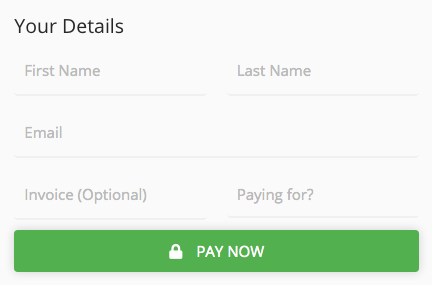
That's a good suggestion, thanks. The issue is that I have a form with multiple fields (one of which is optional) and the validation is server-side (via ajax). AND we're using Google reCaptcha so submitting the form after every onBlur could trigger the captcha after every input is blurred.
I appreciate your input, any other ideas?
KudretBayram
on 16 Oct 2020
@KudretBayram just deactiveate it and once your checks are done remove the deactive class ;)
tobsn
on 17 Oct 2020
I've tried that using the actions.disable(); and actions.enable(); without success.
See attached...
Thanks again.
KudretBayram
on 17 Oct 2020
@KudretBayram no no, you would simply add the class and remove the class.
in jquery:
$('#paypal-button-container').addClass( 'disabled' );
and
$('#paypal-button-container').removeClass( 'disabled' );
look at my css:
https://github.com/paypal/paypal-checkout-components/issues/139#issuecomment-501353748
tobsn
on 17 Oct 2020
Ah yes, I see what you've done. Quite clever ;) Thanks for your contribution mate.
Surely PayPal can provide a proper solution for a seemingly obvious problem...
Cheers mate.
KudretBayram
on 19 Oct 2020
@KudretBayram -- you would need to set up any of your listeners in onInit. For example:
// Disable buttons until form is validated
onInit:  function(data, actions) {
    actions.disable();

    // Listen for changes to the textbox
    $(':input[name=validated]').on('change', function() {
        if($('form[name=sitepaymentform] :input[name=validated]').val()=="true")
        {
            //form has been validated, resume payment - open dialogue/popup box
            actions.enable();
            return true;
        }
        else
        {
            return false;
        }
    });
}
@bluepnume Thanks Daniel. Slight oversight by me there...
That said, the dialogue/pop-up still doesn't appear after actions.enable() is called.
Do we need to trigger it manually? I understand there's no way to trigger a click on the PayPal button?
I've attached an HTML file with your recommendation:
pay.html.zip
If we can get a tidy solution, I'll post it here for future reference.
KudretBayram
on 19 Oct 2020
So, the sequence here is:
- PayPal button is rendered
- onInit is called
- You optionally set up any event listeners
- At any point before the button is clicked, you can synchronously
actions.enable()oractions.disable()the button at will, on any events from your page
- The user clicks the PayPal button
- The button checks whether it is in
enabledordisabledstage
- If it is
disabled, it will not open the popup window - If it is
enabled, it will open the popup window and proceed as normal
- If it is
- onClick is called
- If the button is
disabled, you now have an opportunity to warn the user: "you clicked the button, but there is some validation error you need to resolve before you proceed." - If the button is
enabled, you have two choices: - Either you can do nothing, or return
actions.resolve(), meaning the popup will be opened and the transaction will go ahead - Or, you can return a promise for
actions.reject(), meaning the popup will be opened for a brief period, then it will close once we get theactions.reject()message
- If the button is
- Assuming the button is in enabled state, and you didn't reject() in onClick, we will call
createOrder()and then we will load the PayPal experience in the popup window
So: you have the choice of doing:
a) Synchronous validation -- in which case you must either actions.enable() or actions.disable() the button before it is clicked by the user, and/or
b) Asynchronous validation -- in which case you can run validation in your own time on button click, but the popup will briefly open and then close.
Why jump through these hoops? The reason is: if we're going to open the popup window, we must open it on click, otherwise it is blocked by the built-in browser popup blocker.
That's why "synchronous validation" is preferred: it means you make a decision ahead of the click whether the button will open a popup or not, meaning we don't have to open an unnecessary popup on click.
But of course, "asynchronous validation" is available as a fallback if the synchronous path doesn't work -- with the downside that it will open a temporary popup, because if we wait until the asynchronous validation is complete to open the popup, we will be blocked entirely from opening that popup.
bluepnume
on 19 Oct 2020
Thanks for your detailed response mate. I've been able to navigate my way to a solution. It's not great but also not horrible. Hopefully it's of help to someone with similar challenges...
Basically, I had to write a custom promise function because our form submitting ajax function (post_request) is custom and has unique functionality. I've been able to wrap it in a promise and reject the PayPal process if validation of the form fails.
Below is the onClick of paypal.Buttons()
`
// onClick is called when PayPal button is clicked
onClick : function(data, actions) {
//return promise after form validation is complete
function submit_resolve()
{
    return new Promise(function(resolve, reject) {

        //submit form and validate using our custom ajax 'post_request()'
        post_request(event,true,formname, function(event,results,args) {
                form_result_handler(results);

                resolve(results.flag);
            }
        );
    });
}

return submit_resolve().then(function(val) {
    if(val==false)
    {
        return actions.reject();
    }
});
},
`
KudretBayram
on 21 Oct 2020
bluepnume I had a quick try with your suggestion but the onclick function doesn't trigger when the Paypal buttons are disabled. So you have to enable it by listening for changes to all of your entry fields. And then when all of them are OK you have to enable the Paypal buttons. But is it possible to call actions.enable() from outside of the Paypal script? I couldn't see how.
So I'm thinking it's simplest just to have an extra page for the Paypal buttons once all fields are correctly entered and the user confirms payment. That is in my experience how most people do it.
 rbulph
on 22 Oct 2020
rbulph
on 22 Oct 2020
Related issues
 Warix3
·
4Comments
Warix3
·
4Comments
 rfdc
·
6Comments
rfdc
·
6Comments
 deejbee
·
5Comments
deejbee
·
5Comments
 hosseinfs
·
6Comments
hosseinfs
·
6Comments
 stevedeighton
·
6Comments
stevedeighton
·
6Comments
Most helpful comment
OK. Sorry for the delay on this one. Plenty of other priorities getting in the way. Here's what I'm thinking -- please let me know if you have a use-case that this wouldn't work for.
The idea is:
validate()is calledactions.enable()oractions.disable()to toggle the buttononClick()you can decide whether to display validation messagesThere remains no viable way to synchronously call a
validate()function on click event from inside the button iframe, so rather than callingvalidate()on an interval, this appears to be the simplest possible interface for validation.I can implement this pretty quickly, so would appreciate if folk can let me know whether it fits your use-cases. Thanks!