Patternfly-react: Inline Alert: icon hidden by background
Hey there,
I am trying to implement a Inline Alert (both variants: Success and warning). The problem I have is the following:
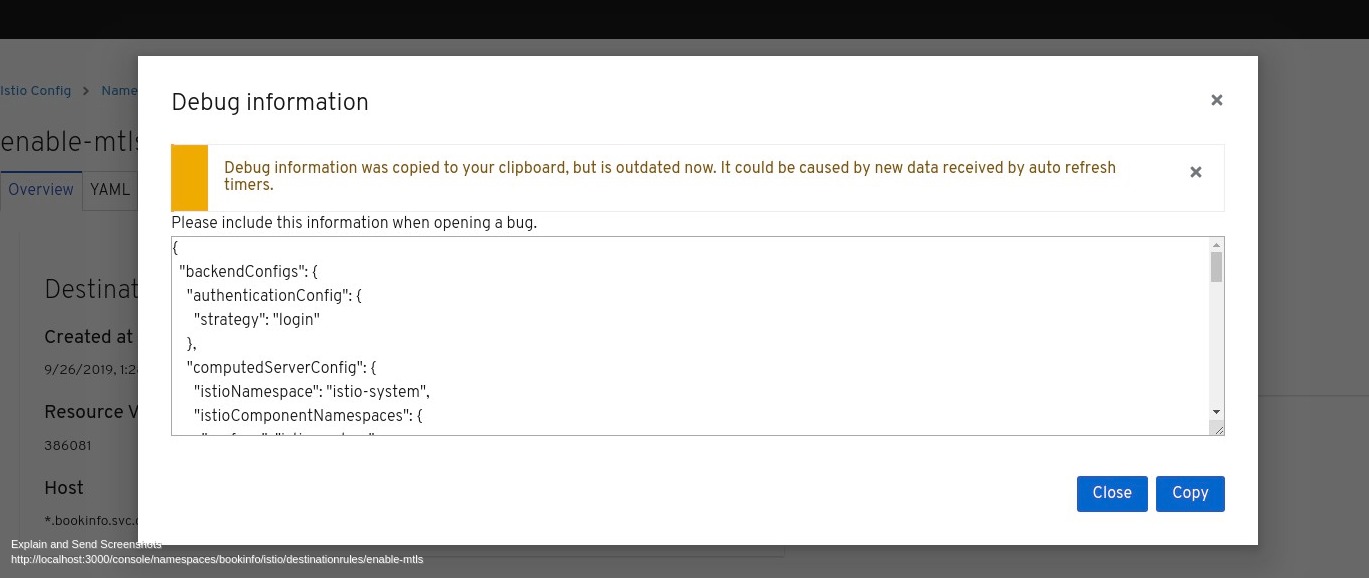
The Icon is hidden behind the background image. It looks like the components puts both icon and backgound in the same color.
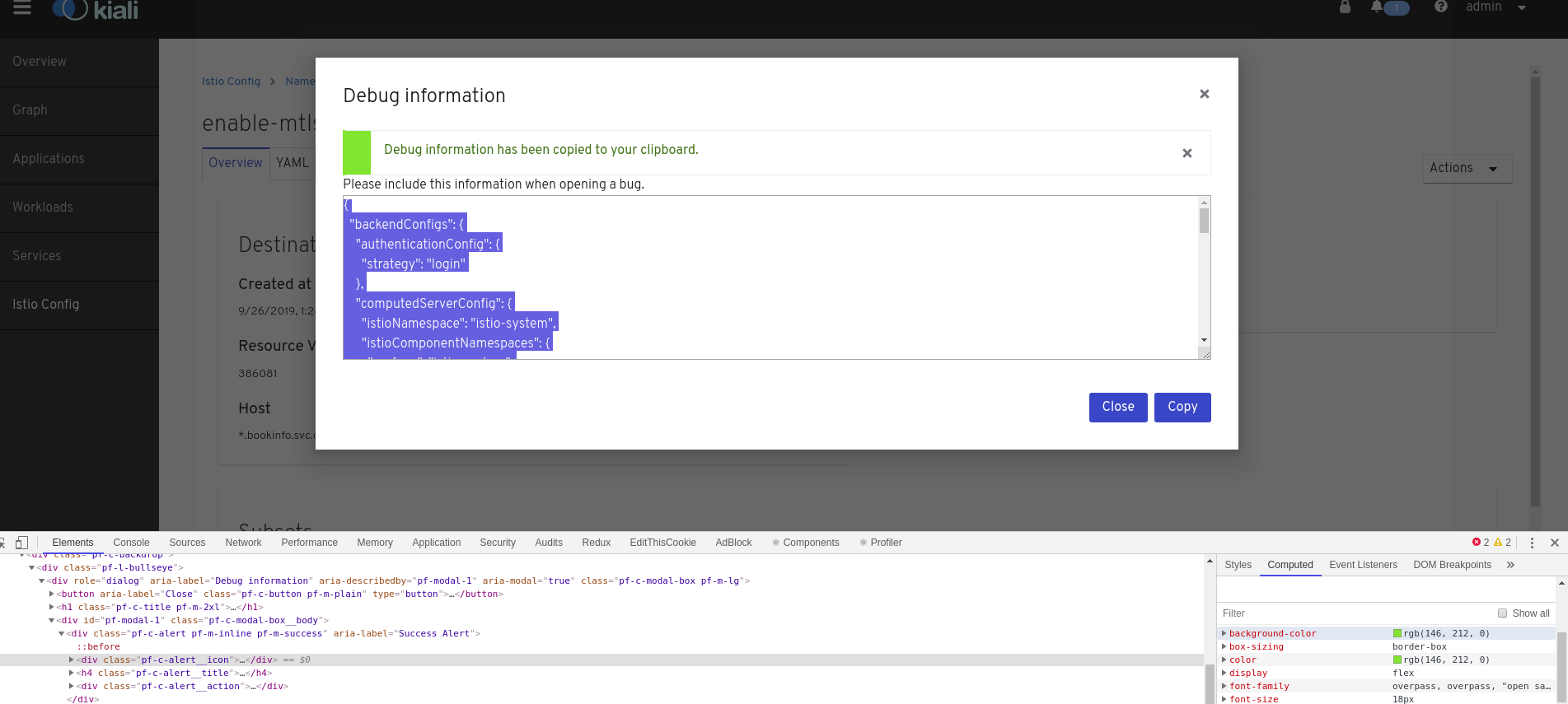
<Alert
  title="Debug information has been copied to your clipboard."
  variant={AlertVariant.success}
  isInline={true}
  action={<AlertActionCloseButton onClose={this.hideAlert} />}
/>
<Alert
  title="Debug information was copied to your clipboard, but is outdated now. It could be caused by new data received by auto refresh timers."
  variant={AlertVariant.warning}
  isInline={true}
  action={<AlertActionCloseButton onClose={this.hideAlert} />}
          />
After unmarking the background property from .pf-c-alert__icon, the Alert is properly rendered.
Am I doing something wrong?
Thank you,
 xeviknal
All 9 comments
Hi @xeviknal the value of background-color should be transparent or #0000 for inline alerts. Are you importing patternfly core (@patternfly/patternfly) separately or are you using what comes with patternfly-react? It looks like you aren't getting the correct styles for the inline variation of the alert component.
This is from https://www.patternfly.org/v4/documentation/react/components/alert/

 mcoker
on 30 Sep 2019
mcoker
on 30 Sep 2019
Hey @mcoker :)
I am importing the library like follows:
import { Alert, AlertActionCloseButton, AlertVariant, Button, ButtonVariant, Modal } from '@patternfly/react-core';
Actually you can see the source code here if that could provide you more information:
https://github.com/kiali/kiali-ui/pull/1455/files
Here another screenshot with the css:
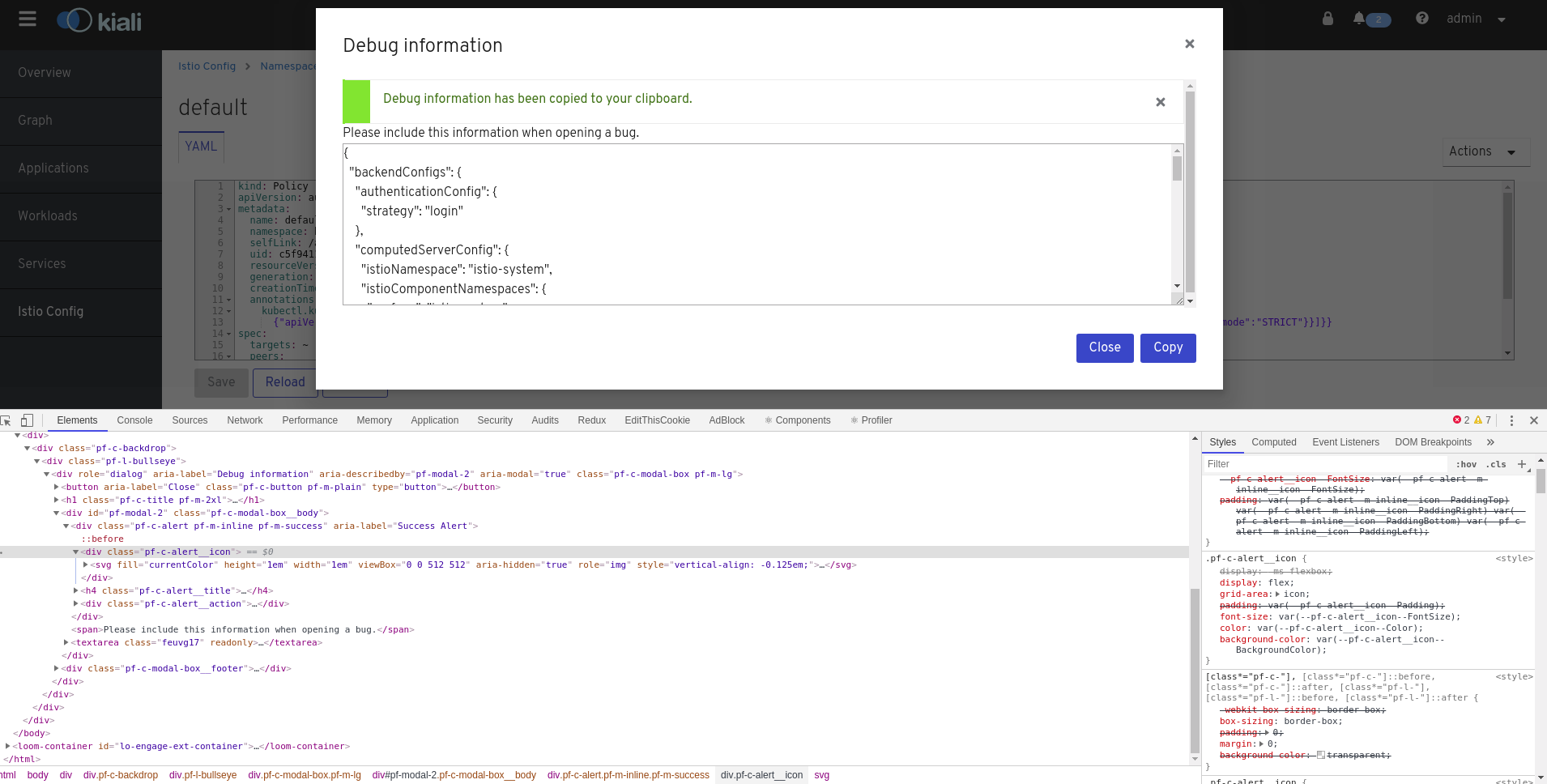
Looks like the following overrides the transparent background:
.pf-c-alert__icon {
    background-color: var(--pf-c-alert__icon--BackgroundColor);
}
In the parent element div class=pf-c-alert pf-m-inline pf-m-success I see that the background it doesnt take the inline bg color but the normal one:
.pf-c-alert.pf-m-warning {
    --pf-c-alert__icon--Color: var(--pf-c-alert--m-success__icon--Color);
    --pf-c-alert__icon--BackgroundColor: var(--pf-c-alert--m-success__icon--BackgroundColor);
    --pf-c-alert__title--Color: var(--pf-c-alert--m-success__title--Color);
}
Whilst in the documentation page I see this:
.pf-c-alert.pf-m-inline {
    --pf-c-alert--BoxShadow: var(--pf-c-alert--m-inline--BoxShadow);
    --pf-c-alert__icon--BackgroundColor: var(--pf-c-alert--m-inline__icon--BackgroundColor);
}
That changes the background color bar to inline icon bg color. This chunk (I THINK) is missing in the version I am using:
"@patternfly/patternfly": "2.4.1",
Thank you
xeviknal
on 1 Oct 2019
Looking at the CSS in patternfly-next and they appear correct, so does my own React application and any experiments I've tried.
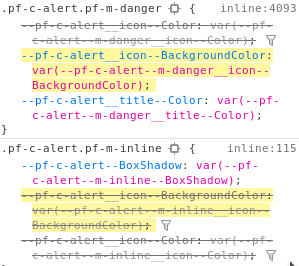
Trying out Kiali I do see the issue happening, but it seems like the CSS has been moved about. Inline is now at the very beginning of the inline CSS, whereas danger is now at line ~4000 when I ran it.
(I couldn't get Kiali to run properly, so I modified the Alert in InitializingScreen to test things out)
I would presume this has something to do with Kiali's way of importing Patternfly and isn't related to PatternFly
 SpyTec
on 1 Oct 2019
SpyTec
on 1 Oct 2019
Thank you @SpyTec, Ill check that out. Could this be because we have both PF3 and PF4 coliving in the same project?
xeviknal
on 1 Oct 2019
PF3 has different classes for alerts so that wouldn't be the problem. I would put my bets on the project importing PF4 CSS in an incorrect manner or if you're importing multiple things from PF4, that it's in the wrong order
SpyTec
on 4 Oct 2019
Do you guys have documentation about how to do these imports?
We are doing this way: https://github.com/kiali/kiali-ui/blob/master/src/styles/index.scss
xeviknal
on 4 Oct 2019
For my app I'm using something like this, which will include everything that's needed AFAIK. Which is documented on the website
@import '~@patternfly/patternfly/patternfly.scss';
Good, thanks for that. I'll play around next week.
@aljesusg we should check that out together :)
xeviknal
on 4 Oct 2019
This issue has been automatically marked as stale because it has not had recent activity. It will be closed if no further activity occurs.
![stale[bot] picture](https://avatars3.githubusercontent.com/in/1724?v=4&s=40) stale[bot]
on 3 Dec 2019
stale[bot]
on 3 Dec 2019
Related issues
 marshmalien
·
4Comments
marshmalien
·
4Comments
 priley86
·
3Comments
priley86
·
3Comments
 Hyperkid123
·
4Comments
Hyperkid123
·
4Comments
 mcarrano
·
4Comments
SpyTec
·
3Comments
mcarrano
·
4Comments
SpyTec
·
3Comments